Disclosure: As an Amazon Associate we earn from qualifying purchases.
To print pinewood derby car bodies on the Anycubic Kobra 2 Pro, model a hollow shell sized to fit the official 1.75" x 2.75" x 7" block envelope, slice it in PrusaSlicer or Cura with a 0.2 mm layer height, 3 walls, 10% gyroid infill, and print in PLA at 230 °C with the bed at 60 °C. The Kobra 2 Pro's 500 mm/s capability lets a full body finish in under three hours, leaving cavities you can pack with tungsten putty to hit the 5.0 oz weight cap. Below is a complete 2026 walkthrough on how to print pinewood derby car bodies on Anycubic Kobra 2 Pro, from CAD prep through race-day tuning.
Why the Anycubic Kobra 2 Pro is well suited to derby bodies
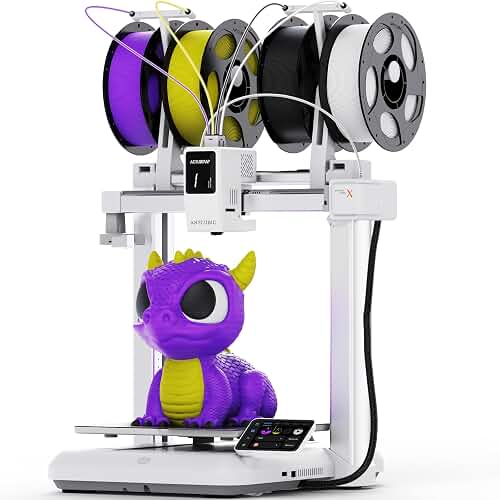
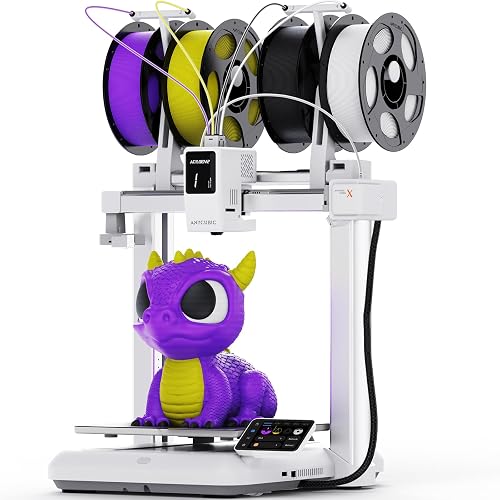
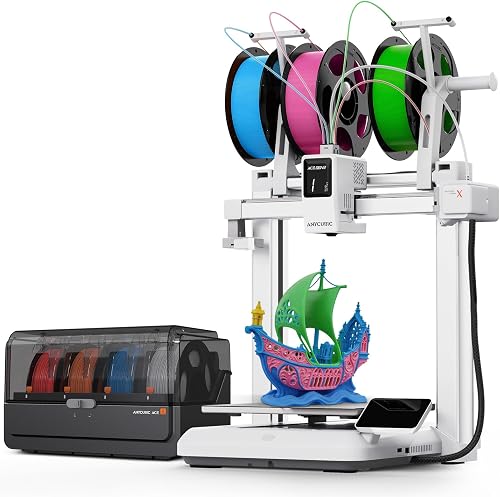
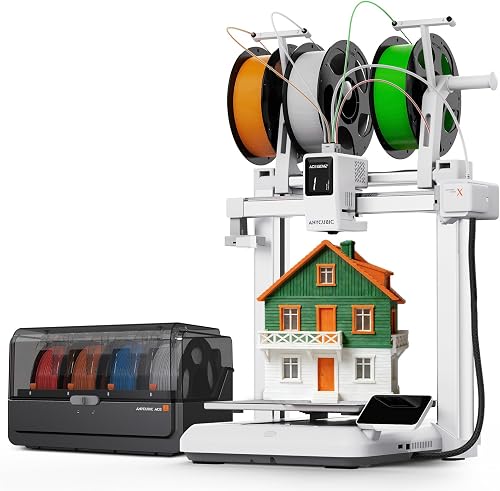
Pinewood derby is one of those projects where a fast bed-slinger pays for itself in a single weekend. The Kobra 2 Pro pairs a 220 x 220 x 250 mm build volume with a direct-drive extruder rated for 500 mm/s and 20,000 mm/s² acceleration, which easily swallows a 7-inch car body laid lengthwise across the Y axis with room to spare. The auto-leveling LeviQ 2.0 probe handles first-layer adhesion on the PEI-coated spring steel sheet, so scouts and parents are not fighting bed tramming the night before the race.
The best how to print pinewood derby car bodies on anycubic kobra 2 pro for your situation depends on how you plan to use it and where.
The key trick is recognizing that a derby body is mostly air. Official Cub Scout, AWANA Grand Prix, and Royal Rangers rules cap the car at 5.0 ounces, so you actually want the printed shell to be lighter than a solid pine block (which weighs roughly 3.2 oz on its own). A hollow PLA shell can come in around 1.0–1.4 oz, which leaves 3.6–4.0 oz of headroom for tungsten weights placed exactly where physics says they belong: just ahead of the rear axle. If you are still evaluating the printer itself, our Anycubic Kobra 2 Pro review covers the hardware in detail.
Step 1: Confirm your league's dimensional rules
Before you open any CAD tool, pull the current rulebook for the specific league your scout is racing in. The BSA Grand Prix Pinewood Derby standard envelope is:
- Overall length: 7.0 inches (177.8 mm) maximum
- Overall width: 2.75 inches (69.85 mm) maximum
- Width between wheels: 1.75 inches (44.45 mm) minimum
- Bottom clearance: 0.375 inches (9.525 mm) minimum
- Wheelbase: as supplied by the kit, typically 4.375 inches
- Total weight: 5.0 ounces (141.7 g) maximum
A 177.8 mm long body fits inside the Kobra 2 Pro's 220 mm Y axis with ~20 mm of clearance per end, which is exactly what you want for clean first-layer purge lines and a brim if you choose to use one.
Step 2: Design or download a printable body
You have three realistic paths here:
Remix an existing model. Printables, MakerWorld, and Thingiverse all host hundreds of derby-legal bodies that were designed against the standard wheelbase. Filter by "BSA legal" or "Awana grand prix" and check the listed dimensions before downloading. Most reputable models include pre-cut axle slots that match the stock nail axles in the official kit.
Model your own in Fusion 360 or Onshape. Start with a 177.8 x 69.85 x 35 mm rectangular sketch, then sculpt your profile by lofting between cross-sections. Reserve a 1.75-inch flat channel down the bottom for the wheel/axle assembly. Hollow the body with a shell operation set to 1.6 mm wall thickness (four perimeters at a 0.4 mm nozzle), leaving access ports near the rear so you can drop tungsten cubes inside after printing.
Hybrid pine-and-PLA build. If your league requires that the official block be used (some packs do), print only an aerodynamic shell that slips over the trimmed pine block. This keeps you rules-compliant while still letting the printer carry the styling work.
Step 3: Slice it correctly for speed and weight control
The Kobra 2 Pro ships with profiles for Anycubic Slicer Next, but most experienced users prefer PrusaSlicer or OrcaSlicer with a custom profile. Whichever you use, these settings give consistent derby results:
- Layer height: 0.20 mm. Going thinner does not meaningfully improve aerodynamics at 12 mph and just adds 90 minutes to the print.
- Perimeters / walls: 3 (or 4 if you intend to sand and prime). Walls dominate strength; do not skimp here.
- Top / bottom layers: 5 each, at 0.20 mm. Five solid bottom layers fight elephant's foot and give a smooth racing belly.
- Infill: 8–12% gyroid. Gyroid is isotropic, which matters because the body will absorb a lateral hit if it bumps the track rail.
- Print speed: 200–300 mm/s for outer walls, 500 mm/s for infill. The Kobra 2 Pro can hit its rated speed only on long straight infill moves; cornering walls slower keeps surface quality high.
- Nozzle / bed temp: 220 °C nozzle, 60 °C bed for standard PLA. Bump to 230 °C if you are running PLA+ or a silk filament.
- Cooling: 100% from layer 3 onward.
- Supports: Avoid them if at all possible. Orient the body so the flat underside is on the bed and you will not need any. If your design has a dramatic spoiler, use tree supports with a 0.25 mm interface gap.
If this is your first slice on the machine, our guide to leveling a 3D printer bed is worth reading first — a poor first layer is the single most common cause of failed derby prints, because the body is wide and any warp pulls a corner off the sheet four hours into the job.
Step 4: Choose the right filament
For derby cars specifically, PLA is the right answer 95% of the time. It is rigid, prints cleanly on the Kobra 2 Pro's PEI sheet, sands well, and accepts spray paint without complaint. PETG is heavier and gummier to sand; ABS warps badly on this open-frame printer; nylon is overkill. If you want a metallic finish straight off the printer, a silk PLA in chrome, copper, or gold can skip the paint step entirely. New to PLA? See our PLA filament guide for storage and handling tips that matter when a 4-hour print is on the line.
One nuance: avoid filaments with heavy metal-fill (steel-PLA, copper-PLA). They are abrasive enough to chew the Kobra 2 Pro's stock brass nozzle inside a single spool, and their density makes the shell hit weight before you have placed any ballast — which removes your tuning headroom.
Step 5: Orient the model for maximum strength and minimum support
Lay the body flat on its belly, nose pointing along the Y axis (toward the front of the printer). This orientation:
- Puts layer lines perpendicular to the direction of travel, so any lateral track contact loads the part across multiple layers instead of splitting one.
- Gives you a wide, stable footprint on the bed, which the Kobra 2 Pro's input-shaped Y axis handles without ghosting.
- Leaves the upper surface (the visible one) free of support scars.
If your design has axle channels molded into the bottom, you may need to bridge them. The Kobra 2 Pro bridges 15 mm gaps cleanly with the stock fan duct; anything longer wants a small sacrificial support block.
Step 6: Print, monitor, and recover from problems
A typical 1.6 mm-walled, 10% gyroid derby body takes 2 hours 40 minutes on this machine. Stay in the room for the first ten minutes — watch the brim go down, confirm the first layer is fully squished, and then you can walk away. If you see any of these problems, our 3D printer troubleshooting guide has detailed fixes:
- Corner lifting: Clean the PEI sheet with isopropyl alcohol, raise the bed temperature to 65 °C, and add a 5 mm brim.
- Ringing on the nose: Drop outer-wall speed to 150 mm/s and re-run input shaping.
- Layer shifts: Check that the Y-axis belt tension is correct — a loose belt is the Kobra 2 Pro's most common cause of shifts at speeds above 300 mm/s.
Step 7: Add weight legally and accurately
This is where derby physics gets interesting. Track simulations consistently show that placing the center of mass roughly 1 inch ahead of the rear axle minimizes time, because it maximizes the potential energy converted on the downhill ramp while still letting the car steer straight on the flat. To hit that target:
- Weigh the bare printed body on a 0.01 g scale.
- Subtract from 141.7 g (5.0 oz) to get your weight budget.
- Tungsten cubes are 19.3 g/cc, so 3.5 oz of tungsten occupies about 5.1 cc — easily hidden in a cavity printed just ahead of the rear axle slot.
- Pack the cavity with tungsten putty (~10 g/cc) for fine adjustment, then cap with a printed plug or two-part epoxy.
Always do a final weigh-in with the wheels and axles installed, and bring 0.5 g of putty to the inspection table for last-minute trimming.
Step 8: Finishing and paint
Hit the body with 220-grit sandpaper to knock down layer lines on visible surfaces, then 400-grit for the final pass. Two coats of filler primer fill the remaining stripes; sand again with 600-grit between coats. Finish with standard acrylic spray paint and a clear gloss. The whole finishing process takes about an hour of active work, spread across an overnight cure.
Step 9: Test runs before race day
If your pack has access to the actual race track, get a few practice runs. If not, a 6-foot length of aluminum angle stock propped at 30 degrees gives you a reasonable proxy. Look for:
- Wheel rub against the body — sand the wheel wells if you see scuffing.
- Steering drift — bend the front-dominant axle 1–2 degrees to dial in straight tracking.
- Vibration noise — a noisy car is a slow car; check axle polish and lubrication.
Frequently Asked Questions
Is a printed pinewood derby body legal in BSA Cub Scout pack races?
It depends on your pack. The national BSA Grand Prix Pinewood Derby rules require that you use the official kit's wheels and axles, but most packs allow you to replace or supplement the wood block as long as the car meets dimensional and weight limits. Always confirm with your pack's cubmaster in writing before printing, and bring the printed rule sheet to the inspection table. AWANA Grand Prix and Royal Rangers leagues have their own rulebooks that should be checked separately.
What infill percentage should I use for a pinewood derby car body on the Kobra 2 Pro?
Use 8–12% gyroid infill. That range produces a shell stiff enough to survive a track rail strike while keeping weight low enough that you have 3.5+ ounces of ballast headroom for tungsten. Going above 20% adds weight without adding meaningful stiffness for a part this size, and below 5% the top surfaces start sagging between infill lines.
How long does it take to 3D print a pinewood derby car body?
A standard hollow shell with 3 walls, 10% gyroid infill, and 0.2 mm layers prints in 2 hours 30 minutes to 3 hours on the Anycubic Kobra 2 Pro. A solid-infill body would push past 6 hours and would also exceed the 5-ounce weight cap before you added wheels.
Can I print the wheels too, or do I have to use the kit wheels?
You must use the kit wheels in every sanctioned BSA and AWANA league. Printed wheels do not have the same diameter tolerance, surface finish, or hub geometry as molded plastic wheels, and they will be disqualified at inspection. Stick to the official wheels and axles — print only the body.
What filament is best for pinewood derby cars on the Kobra 2 Pro?
Standard PLA or PLA+. Both print easily on the Kobra 2 Pro's PEI sheet, sand cleanly, and accept paint without primer-adhesion issues. Avoid PETG (heavier and harder to sand), ABS (warps on an open-frame printer), and metal-fill filaments (too dense and abrasive to the brass nozzle).
How do I get the car to exactly 5.0 ounces?
Design 5–10 cc of internal cavity volume into the body just ahead of the rear axle. Print the body, weigh it, then pack the cavity with tungsten cubes for bulk weight and tungsten putty for fine tuning. A 0.01 g jewelry scale is essential — most pack inspection scales round to 0.1 oz, but you want to arrive at 4.98 oz of your own measurement so the official scale never reads 5.01.
Will the Kobra 2 Pro's 500 mm/s speed hurt surface quality on a derby body?
Only on the outer walls, and only if you let it. Set outer-wall speed to 150–200 mm/s in your slicer and let the infill run at the printer's full rated speed. The total print time barely changes because walls are a small fraction of the total move distance on a hollow body, but the visible finish stays smooth enough to paint with just one round of sanding.
Key Takeaways
- Choosing the right how to print pinewood derby car bodies on anycubic kobra 2 pro means matching the key features to your specific needs and budget
- Read real customer reviews and check the return policy before you commit
- Also covers: pinewood derby 3d print weight rules
- Also covers: kobra 2 pro derby car slicer settings
- Also covers: cub scout derby car 3d printer
- Compare value across models — the priciest option is not always the best fit