Disclosure: As an Amazon Associate we earn from qualifying purchases.
Choosing the best 3d printer for cosplay armor comes down to one thing above all else: build volume. Cosplay helmets, chest plates, pauldrons, and gauntlet sections are large, curved, and need to print in as few pieces as possible to minimize seams, sanding, and assembly time. For 2026, the sweet spot for cosplayers is a fast, large-format FDM printer with at least a 300 mm cubed build area, an enclosure for warp-prone materials like ABS and ASA, and a reliable auto-leveling system that lets you start a 20-hour helmet half and walk away. This guide breaks down exactly what to look for, where to compromise, and what workflow makes armor builds feel manageable.
What Actually Matters in a Cosplay Armor Printer
Cosplay is a punishing use case. You are not printing tabletop minis or phone stands — you are pushing your machine for days on end, often with parts that fill the entire build plate. Before you compare brands, internalize the five attributes that separate a great armor printer from a frustrating one.

1. Build Volume Is King
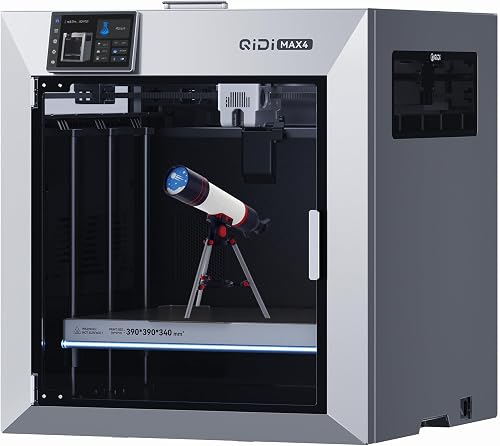
A helmet for an adult head typically needs a print area of at least 250 × 250 × 300 mm to come out in two halves. A chest piece for a Mandalorian-style cuirass or a Halo Spartan torso section can easily demand 350 mm in one dimension. Anything smaller and you will be slicing armor into 6–12 fiddly tiles, then spending evenings gluing, filling, and sanding those joints away. The single biggest upgrade you can make is going from a 220 mm bed to a 300 mm or larger bed. See our guide to the best large-format 3D printers for an overview of what's worth the desk space in 2026.
2. Speed Without Sacrificing Layer Quality
A full Iron Man suit can be 250–400 hours of print time even on a fast machine. CoreXY printers running input shaping and pressure advance now sustain 300–500 mm/s on cosplay-friendly layer heights (0.24–0.32 mm), which cuts that timeline in half compared to bed-slingers from a few years ago. Just remember that armor is meant to be seen from arm's length under stage or convention lighting, so 0.28 mm layers, filled and primed, look indistinguishable from 0.12 mm layers — and they print twice as fast.
3. An Enclosure (or the Option to Add One)
PLA is fine for a lot of cosplay, but if you want pieces that survive a hot convention floor, a car trunk in July, or the inevitable bump from another con-goer, you'll want to print at least the structural shells in PETG, ASA, or ABS. Those materials warp badly without ambient temperature control. An enclosed chamber holds heat in, blocks drafts, and dramatically reduces cracking on tall parts like helmet domes. Our roundup of the best enclosed 3D printers covers the current options if you don't want to DIY a cabinet.
4. Reliable First Layers and Hands-Off Operation
Armor prints are huge investments of time and filament. A failed first layer 30 hours into a helmet print is the kind of thing that makes people quit the hobby. Modern auto-leveling (LiDAR, strain-gauge, or inductive probes combined with mesh compensation) is now table stakes. Look for printers with active flow calibration, vibration compensation, and remote camera monitoring so you can check on a print from work without driving home in a panic.
5. Easy, Cheap Replacement Parts
You will wear out nozzles printing carbon-filled materials for structural inserts, you will scratch build plates, and you will eventually clog a hotend. Buy into an ecosystem with first-party spares and an active community. A printer that costs $50 less but uses proprietary parts that ship from overseas will cost you in downtime during a deadline crunch.
FDM or Resin for Cosplay Armor?
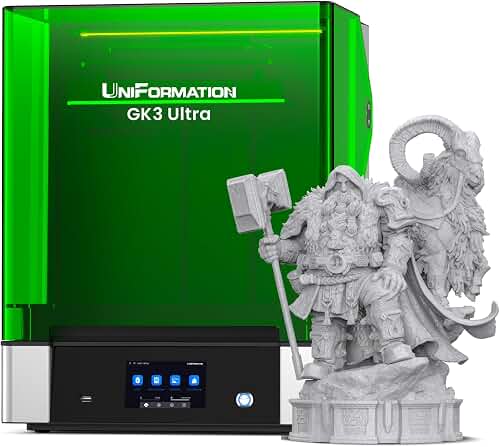
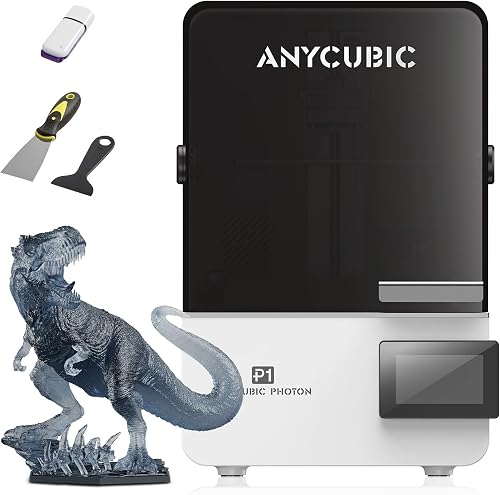
Almost universally: FDM for the armor itself, resin for the accents. Resin printers produce stunning detail but the largest consumer machines top out around 300 × 170 × 390 mm, the resin is expensive, fumes require ventilation, and cured parts can be brittle. FDM machines are cheaper to feed, print larger, and use materials that flex slightly instead of shattering when you sit down wrong in a costume.
Use resin for visor frames, belt buckles, weapon details, jewelry, masks with fine sculpted features, and any prop where surface finish matters more than size. FDM handles every shell, every plate, every gauntlet, and every greave. Our FDM vs resin guide walks through the tradeoffs in more depth if you are deciding which to buy first.
What to Look for in the Best 3D Printer for Cosplay Armor
Use this checklist when comparing machines in the $400–$1,500 range, which is where the best 3d printer for cosplay armor almost always lives in 2026:
- Build volume: 256 mm cubed minimum, 300 mm+ strongly preferred. 350 mm+ if you cosplay larger-than-life characters.
- Frame type: CoreXY for speed and stability on tall parts; bed-slingers are fine for casual builds but ghost more at high speeds.
- Hotend: All-metal, capable of 290 °C+ for ASA, polycarbonate, and carbon-filled filaments. Hardened steel nozzle if you'll touch any abrasive composites.
- Bed: Heated to at least 100 °C, with a flexible PEI or textured spring steel plate. Glass beds are a relic for this use case.
- Enclosure: Sealed chamber or an officially supported aftermarket enclosure.
- Software: A slicer with strong supports, tree supports, and easy seam control. Cosplay parts are almost always overhang-heavy.
- Filament handling: Filament runout sensor and power-loss recovery are non-negotiable on multi-day prints.
Materials: What to Print Your Armor In
PLA and PLA+
The default starter material. Cheap, easy, takes filler primer beautifully. Fine for indoor photoshoots and short con appearances. Avoid for outdoor summer events — PLA softens around 55 °C, which is what the inside of a car easily hits.
PETG
The cosplay sweet spot. Stronger than PLA, more heat-resistant, and forgiving on overhangs. Slightly harder to sand smooth, but a coat of filler primer hides everything. If you only learn one non-PLA material, make it this.
ASA and ABS
Use these for pieces that need to survive abuse: shin plates, codpieces, anything that takes impact. Requires an enclosure. ASA is UV-stable, ABS is not — pick ASA if your costume sees sunlight.
TPU (Flexible)
Underrated for cosplay. Print soft joint covers, weatherstripping where two plates meet, comfortable inner pads, or sections that need to flex when you sit down. A 95A TPU is rigid enough to hold shape but kind to your skin.
Carbon-Fiber Reinforced Filaments
Overkill for most armor but excellent for structural rigging hidden inside large pieces (chest harnesses, helmet brackets). Requires a hardened nozzle and an enclosed printer.
Workflow Tips That Make Armor Builds Survivable
Slice With Cosplay in Mind
Orient parts so the visible side faces up or out. Use 3 walls, 15–20% gyroid infill, and 4 top/bottom layers as a baseline. Most armor doesn't need 100% solid prints — you want it light enough to wear for 8 hours straight.
Plan Your Splits Before You Slice
Free tools like Meshmixer and Bambu Studio let you cut models intelligently along seam lines that will be hidden by paint, weathering, or strap placement. Add registration pegs and screw bosses during the split so reassembly is mechanical, not just glue.
Smoothing Is 60% of the Project
Even at 0.2 mm layers, FDM prints show lines. Plan for 2–3 rounds of XTC-3D or Bondo spot putty, 220-grit sanding, filler primer, 400-grit, then color. Resin prints need less work but still benefit from a primer pass to even out tool marks.
Don't Trust One Long Print — Trust Many Medium Ones
A 40-hour print has 40 hours to fail. If you can split a piece into two 20-hour halves and key them together, do it. Your nerves and your filament budget will thank you. For a deeper walkthrough on choosing your first machine, the 3D printer buying guide covers the broader decision framework.
Budget Tiers for Cosplay Armor in 2026
$300–$500: The Starter Tier
You'll find capable 220–256 mm bed-slingers with auto-leveling and decent speeds. Perfect for testing the waters, printing prop weapons, and doing single-piece helmets if you size your character appropriately. You will eventually outgrow this tier if armor becomes a serious hobby.
$500–$900: The Sweet Spot
This is where you find 256–300 mm CoreXY machines with enclosures, AMS-style multi-material units, and the high speeds that make multi-day prints tolerable. Most full-time cosplayers landing their first "real" printer should aim here. It is the most common bracket for the best 3d printer for cosplay armor question.
$1,000–$2,500: The Production Tier
Large-format CoreXY or bed-slinger machines with 350 mm+ build areas, full enclosures, and the build quality to run essentially nonstop. If you're commissioning armor for others or competing seriously, this is your tier.
$2,500+: Industrial-Adjacent
Heated-chamber machines that handle engineering-grade polymers, build volumes that fit full pauldrons in one piece, and the kind of reliability you want when a deadline is two weeks out. Overkill for casual cosplay, essential for full-time prop makers.
Common Mistakes That Wreck Cosplay Prints
- Buying for resolution, not volume. Tiny layer heights look great on minis. For armor, you want a big bed and fast speeds.
- Skipping the enclosure on tall PETG/ABS prints. The top of a helmet will warp away from the bed and ruin your day at hour 14.
- Printing solid. A solid PLA chest plate weighs five pounds and broils you alive. Keep infill low.
- Ignoring post-processing. A $1,500 printer with no sanding looks worse than a $400 printer with two weekends of filler work. The finish carries the costume.
- Not testing fit early. Print test rings sized to your forearm, head, and torso before committing to 80 hours of print time.
Frequently Asked Questions
What size 3D printer do I need to print a cosplay helmet?
For most adult helmets, a build volume of at least 250 × 250 × 300 mm lets you split the helmet into two clean halves. 300 mm cubed or larger is ideal because you can orient the helmet vertically and capture more curvature in a single piece, reducing seams that need to be filled and sanded.
Is PLA strong enough for cosplay armor or do I need ABS?
PLA is strong enough for indoor wear, photoshoots, and short convention appearances, especially when reinforced with internal ribs and a fiberglass-and-resin coat on the inside. For outdoor summer events, hot car interiors, or pieces that take physical contact, switch to PETG, ASA, or polycarbonate blends — PLA softens around 55 °C and will deform.
How long does it take to 3D print a full suit of cosplay armor?
A complete suit (helmet, chest, back, two pauldrons, two bracers, belt, two thigh plates, two shin plates) typically runs 200–400 hours of print time on a fast modern printer, plus another 60–120 hours of sanding, filling, priming, painting, and strapping. Most builders spread this over 2–4 months working evenings and weekends.
Should I buy two cheaper 3D printers or one large one for cosplay?
Two midsize printers running in parallel almost always beat one large printer for cosplay throughput, because you can print symmetrical pieces (left and right pauldrons, both bracers, both shins) simultaneously and recover from a single failure without losing the whole project. Buy the second one used or refurbished to keep costs down.
Can I use a resin printer for cosplay armor?
Resin printers are excellent for small detailed pieces — visor accents, jewelry, weapon details, mask features — but the build volume on consumer resin machines is too small for full armor plates, and cured resin is brittle enough to crack on impact. Most experienced cosplayers run an FDM printer for shells and a resin printer for accents.
Do I need an enclosed 3D printer for cosplay?
Only if you plan to print ABS, ASA, polycarbonate, or nylon — all of which warp without ambient heat. PLA and PETG print fine on open machines. Many cosplayers start open, then add a DIY enclosure once they want to step up to engineering materials for outdoor or high-stress pieces.
What slicer settings work best for cosplay armor pieces?
Use 0.24–0.32 mm layer heights (visible detail is lost under primer anyway), 3–4 perimeters for structural strength, 15–20% gyroid or cubic infill for a light-but-rigid feel, and tree supports for the inevitable overhangs. Orient the visible side up or outward and place seams along edges that will be hidden by straps or paint weathering.
How much does it cost to 3D print a full cosplay armor set?
Filament alone for a full adult suit runs roughly $80–$200 depending on material and infill, plus another $60–$150 in primer, filler, paint, sandpaper, straps, and foam padding. Add the cost of the printer amortized over the projects you'll do with it — even a $700 machine is cheap per costume after three or four builds.
Key Takeaways
- Choosing the right best 3d printer for cosplay armor means matching the key features to your specific needs and budget
- Read real customer reviews and check the return policy before you commit
- Also covers: 3d printer for cosplay helmets
- Also covers: large 3d printer for cosplay props
- Also covers: best fdm printer for cosplay
- Compare value across models — the priciest option is not always the best fit