Disclosure: As an Amazon Associate we earn from qualifying purchases.
Learning how to print replacement RV trim clips on Anycubic Kobra 2 turns a $40 dealer-only part order into a 30-cent project you can finish before your next camping trip. The Kobra 2's 250 mm/s print speeds, 220×220×250 mm bed, and direct-drive extruder are well-matched to the small, geometry-rich shapes these clips require. This guide walks through measuring an original clip, choosing the right filament for cabin temperatures and UV exposure, slicing for strength on the small wings that snap into the trim channel, and tuning the Kobra 2 so the finished part clicks home without splitting. By the end, you'll be able to batch-print a full set of clips in under three hours.
Why the Kobra 2 Is a Good Match for RV Trim Clips
RV trim clips are small, repeatable parts that benefit from the Anycubic Kobra 2's three biggest strengths: a stiff direct-drive extruder that handles flexible and engineering filaments without skipping, a heated PEI-coated bed that keeps the tiny footprint stuck during the entire print, and LeviQ 2.0 auto-leveling that compensates for the warped Z-plane that often plagues budget machines printing small parts at the corners of the bed. Most clips weigh under 5 grams, so even a 1 kg spool will produce roughly 200 of them. If you've never run this printer before, our Anycubic Kobra 2 Pro review covers the broader feature set, but the standard Kobra 2 is more than enough for clip work.
The best how to print replacement rv trim clips on anycubic kobra 2 for your situation depends on how you plan to use it and where.
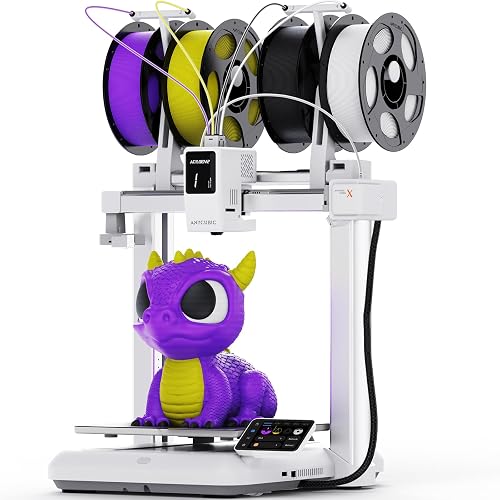
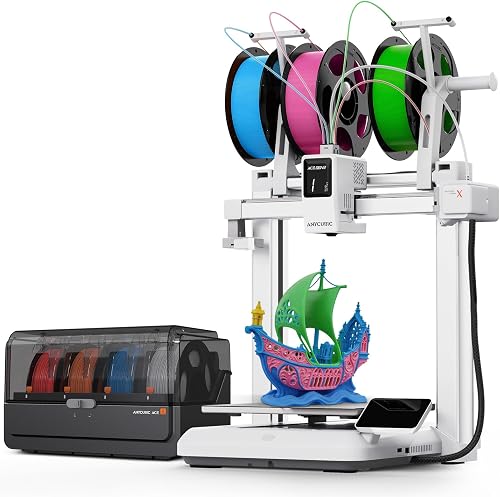
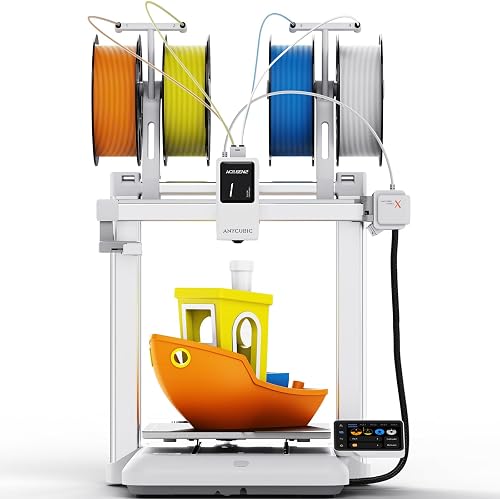
The other reason this printer suits the job is its 25-point mesh and z-offset memory. Trim clips have thin barbs that print best on the first three layers, where bed adhesion and squish have to be exact. A printer that re-levels reliably saves you from peeling failed parts off the sheet every other print.
Step 1: Identify and Measure Your Original Clip
Before you slice anything, you need a clip to copy. Remove an existing intact clip from a hidden area of the trim—usually near the rear cap or inside a cabinet edge where a missing one won't be visible. Most RV interior trim clips fall into three families:
- Channel clips — flat bases with two angled wings that slide into an aluminum J-channel.
- Rosette clips — round bases with a central post and snap barbs, used on plastic wall trim and ceiling beauty strips.
- Edge clips — U-shaped grippers that pinch a panel edge and accept a screw or push-pin.
Use digital calipers (resolution to 0.01 mm) to record: overall length, base thickness, barb wing thickness, the spacing between barbs, and the diameter of any post. Photograph the clip on a 1 mm grid background from the top, side, and back. These measurements feed directly into either a parametric model or your search query on a model-sharing site.
Step 2: Source or Model the STL
Many RV clips are already on Printables, MakerWorld, and Thingiverse. Search using the OEM part number stamped on the back of the clip, the RV manufacturer plus "trim clip," or the trim brand (Lippert, Norco, BAL). If you can't find an exact match, two routes work:
- Parametric CAD in Fusion 360 or FreeCAD. Build the base as a sketch, extrude, then loft the wings at the angle your calipers measured. Parameterize wing thickness so you can adjust by 0.1 mm increments after the first test print.
- 3D scanning with a phone. Apps like Polycam or RealityScan capture the geometry well enough for a starting point, but you'll still need to clean up the mesh in Blender or Meshmixer and rebuild crisp edges.
If modeling from scratch sounds intimidating, the beginner's 3D printing guide includes pointers to free CAD tools that have a gentler learning curve than Fusion.
Step 3: Pick the Right Filament
This is the single biggest decision in the project. RV trim clips have to flex without snapping, survive cabin temperatures that can hit 70 °C in summer, and—if they're near a window—shrug off UV.
PETG (recommended starting point)
PETG is the default for RV interior clips. It flexes about 30% more than PLA before fracturing, tolerates heat soak in a parked rig, and bonds well to the Kobra 2's PEI sheet at 235 °C with the bed at 80 °C. It's also forgiving on retraction, which matters for the thin barbs that have lots of travel moves.
ASA
If your clips sit anywhere sunlight reaches—skylights, slide-out trim, dash panels—ASA is worth the extra cost. It costs about twice what PETG does per kilo but resists UV yellowing and cracking for years. You'll want an enclosure, even an improvised cardboard one, because ASA warps badly in drafts.
PLA+ (use with caution)
Standard PLA goes soft around 55 °C, which is below the temperature a black RV interior can reach in summer. PLA+ raises that ceiling slightly but is still risky for any clip exposed to sun. Use it only for temporary spares or clips inside cabinets that stay cool. The general rules of thumb are covered in our PLA filament guide.
TPU 95A
Some clip designs—especially channel inserts that need to deform on installation—print better in a flexible. TPU 95A is the right shore hardness for clip work. The Kobra 2's direct-drive extruder handles it without modification at print speeds of 30–40 mm/s.
Step 4: Slicer Settings That Survive Real-World Use
Whether you use Anycubic Slicer Next, Cura, or PrusaSlicer (the last works fine if you import the Kobra 2 profile), the following settings produce clips that don't split on install:
- Layer height: 0.16 mm. Thinner layers give the barbs visible "steps" that catch and tear during insertion; thicker layers lose detail on small fillets.
- Walls: 4 perimeters. This is the most important setting. Two walls is not enough on a barb less than 1 mm thick—it leaves a hollow core that snaps the first time you push it home.
- Infill: 40% gyroid. Lower densities save time but reduce the clip's ability to spring back. Gyroid distributes stress more evenly than grid or triangle patterns.
- Print speed: 80 mm/s outer wall, 150 mm/s infill. The Kobra 2 can run faster, but small parts cool unevenly above 100 mm/s on perimeters.
- Print temperature: PETG 235 °C, ASA 245 °C, PLA+ 215 °C, TPU 225 °C. Add 5 °C if you're printing single clips—small parts cool the nozzle.
- Cooling: 50% fan after layer 3 for PETG; 0% for ASA; 100% for PLA. Wrong cooling is the most common cause of weak barbs.
- Orientation: lay the clip flat on its largest face. Vertical orientation looks tempting but creates layer lines parallel to the load direction, which shears under almost no force.
Batch your clips. Place 12–20 across the bed at once. Sequential printing on the Kobra 2 sometimes causes head crashes with tall parts, but flat clips are well below the gantry clearance and print fine in one-at-a-time mode if you prefer to avoid stringing between objects.
Step 5: Bed Prep and Adhesion
Wipe the PEI sheet with 90%+ isopropyl alcohol before each batch. Skin oils are the number-one reason small clips lift mid-print. Run LeviQ 2.0 auto-leveling whenever you change filament types—PETG and ASA squish differently. If you're new to bed leveling on this class of printer, the bed leveling guide walks through what to look for in a first-layer test.
For ASA specifically, raise the bed to 100 °C and slow the first layer to 20 mm/s. A 5 mm brim adds two minutes per clip and saves you from corner lift on a part that has very little footprint to hold itself down.
Step 6: Post-Processing and Installation
Once printed, clip each part off the bed with a thin spatula and inspect the barb wings under a bright light. Any visible gaps between perimeters means the wing will split—reslice with one more wall and reprint. Trim brims with flush cutters, not a knife, to avoid nicking the structural geometry.
Test-fit one clip before installing the whole set. The trim channel may have shrunk over years of heat cycling, so the OEM dimensions might be slightly tight. If the test clip won't snap home with firm thumb pressure, scale the model down 1–2% in X and Y and reprint. If it goes in but rattles, scale up the same amount.
For installation, work in shade or air-conditioning. PETG clips become noticeably softer in direct summer sun and can deform during install if the trim is hot. After they're snapped in and reach equilibrium temperature, they hold normally.
Common Pitfalls When You Print Replacement RV Trim Clips on Anycubic Kobra 2
Three problems show up repeatedly. First, under-extrusion on the barbs—often from a partially clogged nozzle or under-tightened extruder gear. Run a cold pull every 5 kg of filament, and verify your e-steps are calibrated. Second, layer adhesion failure between the base and the barbs because the cooling fan is set too aggressive for the layer time; raise the minimum layer time to 8 seconds in the slicer. Third, dimensional drift—if your first batch fits but later batches don't, your belts may have stretched. Re-tension X and Y belts every couple of kilos of filament; this is covered in the broader 3D printer maintenance guide.
How Many Spare Clips to Print
The general rule is to print twice as many as your RV currently has. Trim clips break when you remove a panel to chase a wiring problem or a leak; you'll lose two or three per service visit. A 1 kg roll of PETG produces 180–220 standard clips for under $20, so over-printing costs almost nothing and saves a future trip to the dealer parts counter.
Frequently Asked Questions
What is the best filament for printing RV interior trim clips on the Anycubic Kobra 2?
PETG is the best all-around choice for RV interior trim clips because it flexes without snapping, tolerates summer cabin temperatures up to 80 °C, and prints reliably on the Kobra 2's PEI sheet at 235 °C nozzle and 80 °C bed. Use ASA instead if the clips sit in direct sunlight, and TPU 95A if you need a clip that compresses on insertion.
Can the Anycubic Kobra 2 print RV trim clips strong enough to replace OEM parts?
Yes, as long as you use four perimeters, 40% gyroid infill, and orient the clip flat on its largest face so the layer lines run perpendicular to the load direction. Clips printed this way in PETG typically outlast OEM injection-molded clips because they don't become brittle with age.
How long does it take to print a single RV trim clip on the Kobra 2?
A typical channel clip prints in 12–18 minutes by itself, but batching 16 clips across the bed at once brings the per-clip time down to roughly 5 minutes. Plan on about three hours to produce a full replacement set of 30 clips.
Where can I download free STL files for RV trim and panel clips?
Printables and MakerWorld both host large libraries of RV-specific clips. Search the OEM part number stamped on the back of an existing clip, or search by RV manufacturer plus "trim clip." If nothing matches, model your own in Fusion 360 or FreeCAD using caliper measurements—most clips take under an hour to draw parametrically.
Do I need an enclosure to print ASA clips on the Anycubic Kobra 2?
You don't strictly need a sealed enclosure, but the Kobra 2 is an open-frame printer and ASA warps badly in drafts. A simple cardboard or acrylic surround placed around the printer during the job is enough to keep ambient temperature stable. Disable the part cooling fan above layer 3 to help layer adhesion.
Why are my printed RV trim clips snapping when I try to install them?
The most common cause is too few perimeters on the barb wings, which leaves a hollow core that fractures under insertion stress. Set walls to four, drop print speed on the outer wall to 80 mm/s, and verify layer adhesion by trying to peel two adjacent layers apart with your fingernail—if they separate easily, raise nozzle temperature by 5 °C and reduce cooling fan to 50%.
Will printed RV trim clips hold up in summer heat inside a parked RV?
PETG and ASA clips hold up well in cabin temperatures up to about 80 °C. PLA clips will soften and deform in a closed RV parked in summer sun and should be avoided for any clip exposed to a window. If you're unsure how hot a specific spot gets, leave a digital thermometer there for a sunny afternoon before committing to a filament choice.
Key Takeaways
- Choosing the right how to print replacement rv trim clips on anycubic kobra 2 means matching the key features to your specific needs and budget
- Read real customer reviews and check the return policy before you commit
- Also covers: rv repair 3d printing kobra 2
- Also covers: rv interior trim 3d printer
- Also covers: camper replacement parts anycubic
- Compare value across models — the priciest option is not always the best fit