Disclosure: As an Amazon Associate we earn from qualifying purchases.
Reviewed by the Extruly Editorial Team
Step 4: Choosing Your Slicer (The Software That Talks to Your Printer)
Our Beginner Slicer Verdict
| Slicer | Best For | Difficulty |
|---|---|---|
| Bambu Studio | Absolute beginners | Easy |
| Cura | All-around use | Easy |
| PrusaSlicer | Quality-obsessed makers | Moderate |
| OrcaSlicer | Tinkerers and tuners | Advanced |
Last Updated: June 2026 | Written by Extruly Editorial Team | 12-minute read
Finding the right how to use a 3D printer for beginners comes down to matching the features to how you will actually use it.
Most first-time failures trace back to skipping just one of those steps — not to a defective printer. The machine isn't your enemy. The knowledge gap is.
This guide walks you through every stage we wish someone had explained when we unboxed our first FDM printer back in 2024 and watched it vomit tangled spaghetti across the build plate for three brutal days straight. By the time you finish reading, you'll know how to go from cardboard box to a clean, dimensionally accurate first print — without the heartbreak, the wasted filament, or the 2 a.m. Reddit panic-scrolling.
The 10-Minute Visual Walkthrough
Bookmark this video — you'll reference it three times before your first successful print.
What You'll Master in This Guide
- 1Hardware assembly — the 20-minute setup ritual that prevents 90% of future failures
- 2Bed leveling secrets — even when your printer claims it's "auto-leveling"
- 3Filament loading — the 45-degree trick the instruction manuals never mention
- 4Slicer software — which one to pick (and which to avoid as a beginner)
- 5Your first print — the exact model and settings that guarantee success
The Real Challenge for Beginners (It's Not What You Think)
Here's the truth that flips everything: modern 3D printers are dramatically easier to use than they were even two years ago. Auto-leveling is now standard on machines under $300, pre-installed firmware handles most of the math, and the unboxing experience genuinely rivals an Apple product.
But there's still a learning curve — and it's almost entirely software-side.
Step 1: The Unboxing Ritual (Don't Rush This Part)
When that printer arrives, every fiber of your being will scream, "Plug it in! Print something! Anything!" Resist this urge with everything you've got.
Clear a 3-foot square workspace on a sturdy, flat surface — kitchen tables and wobbly desks are first-print killers. Lay out every component, every screw, every cable. Read the quick-start guide cover to cover. Yes, the whole thing.
> Pro Tip from the Lab: Take a photo of the foam packaging arrangement before you unpack it. If you ever need to ship the printer for warranty service, you'll thank us. We've seen $400 printers destroyed in return shipping because owners couldn't remember the original layout.
Step 2: Bed Leveling — The Make-or-Break Moment
If there's one skill that separates frustrated beginners from confident makers, it's understanding bed leveling. Even with auto-leveling sensors, the first layer is sacred. Get it right and everything else flows. Get it wrong and you'll watch your print peel up in real time.
Slide a single sheet of standard printer paper between the nozzle and the bed. You should feel light friction — not a scrape, not a slide. That tiny resistance is the difference between adhesion magic and a print that lifts off the bed mid-job.
Step 3: Loading Filament Like You've Done It a Hundred Times
This is where the 45-degree trick earns its keep. Before threading the filament through the extruder, cut the tip at a 45-degree angle with sharp side cutters. This pointed tip glides through the PTFE tube and into the hot end without snagging on internal seams — a problem that causes mysterious under-extrusion that drives beginners insane.
Heat the nozzle to your filament's recommended temperature before loading. Pushing cold filament into a cold hot end is how clogs are born.
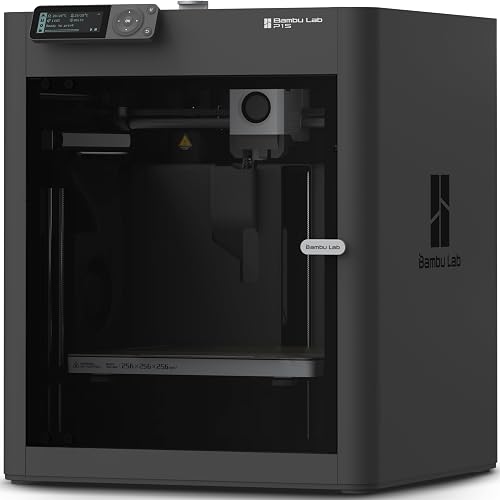
Our honest recommendation: start with Bambu Studio or Cura. Both are free, have massive communities, and ship with rock-solid default profiles for popular printers. You can graduate to OrcaSlicer once you understand what every setting actually does.
Step 5: Your First Print (And Why It Should Be a Benchy)
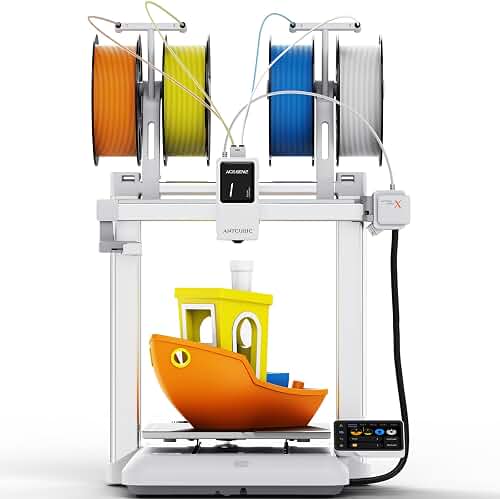
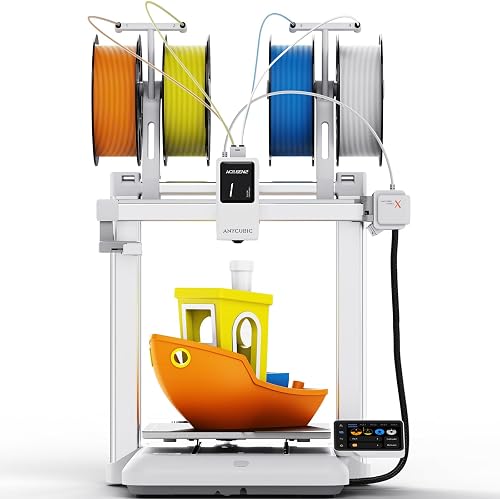
Forget the dragons, the figurines, the multi-part contraptions. Your first print should be a 3DBenchy — the tiny boat that's become the universal calibration model for the 3D printing world.
Why? Because every imperfection in your setup will show up somewhere on that little boat. Bridging issues? Look at the cabin roof. Overhangs failing? Check the bow. Layer adhesion weak? The hull will tell you.
Your First Successful Print, Start to Finish
Pause, rewind, and follow along at your own pace.
The Beginner's Settings Cheat Sheet
PLA Filament — The Safe Bet for Print #1
- Nozzle Temperature: 200-210 degrees Celsius
- Bed Temperature: 60 degrees Celsius
- Print Speed: 50 mm/s (slower is smarter for beginners)
- Layer Height: 0.2 mm
- Infill: 15-20 percent
- Cooling Fan: 100 percent after layer 2
When Things Go Wrong (And They Will)
Let's be real for a second: your first print might fail. Maybe your second. Possibly your third. This isn't a sign you bought the wrong printer or that you're not cut out for this hobby. It's the universal tax of learning a craft that combines mechanical engineering, materials science, and software all at once.
The Three Most Common First-Print Killers
- Bed not level enough. Re-do the paper test. Then do it again.
- Nozzle too far from bed. First layer should look slightly squished, not like a round noodle.
- Wrong filament temperature. Check the spool label — every brand is a little different.
The Mindset Shift That Changes Everything
The makers who fall in love with 3D printing aren't the ones whose first print works flawlessly. They're the ones who treat every failure as a clue, every spaghetti print as data, and every successful print as proof they're getting better.
Your printer is a tool. You are the artist. And like any craft worth pursuing, the joy comes not from instant perfection but from the slow, satisfying climb from "What is that even supposed to be?" to "Wait, I made that?"
Ready to Press Print?
You now know more about 3D printing setup than 80% of people unboxing their first machine today. Go heat that nozzle, level that bed, and make something that didn't exist five minutes ago.
Welcome to the most addictive hobby of the decade. We'll see you in the maker community.
Key Takeaways
- Choosing the right how to use a 3D printer for beginners means matching the key features to your specific needs and budget
- Read real customer reviews and check the return policy before you commit
- Also covers: first 3D print setup
- Also covers: slicer software basics
- Also covers: beginner 3D printer tips
- Compare value across models — the priciest option is not always the best fit


