Disclosure: As an Amazon Associate we earn from qualifying purchases.
If you want the best multi color 3d printer under 1000 dollars for hobby work in 2026, the short answer is a fused deposition modeling (FDM) machine paired with an automatic material system (AMS) — a side cabinet that holds two to four filament spools and feeds them through a single hotend on demand. Bambu Lab's A1 with AMS lite, the larger P1S with AMS, and Anycubic's Kobra 3 Combo dominate this slice of the market, but the right pick depends on bed size, enclosure needs, and how much filament waste you can tolerate during color swaps.
This guide walks through how single-extruder multi-color systems actually work, the trade-offs you accept at this price tier, and which models give hobbyists the best blend of print quality, color accuracy, and reliability without crossing four figures.
When shopping for best multi color 3d printer under 1000, it pays to compare specs, capacity, and real-world runtime before committing.
How Single-Extruder Multi-Color Printing Works
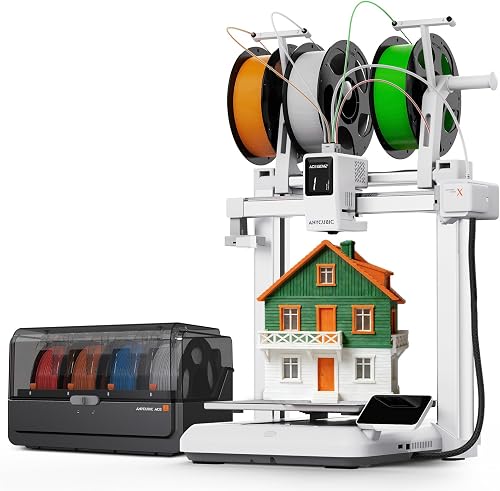
The most affordable path to multi-color FDM printing in 2026 is not a multi-hotend machine but a single-hotend printer with an automatic material system. An AMS-style unit holds two, four, or even more spools side by side. When the slicer requests a color change, the printer retracts the current filament, the AMS pushes the next strand through a buffered tube to the hotend, and the printer purges the old color into a tower or a waste chute before resuming the part.
Quick Comparison
| Printer | Build Volume | Enclosed | AMS Spools | Typical Combo Price |
|---|---|---|---|---|
| Bambu Lab A1 + AMS Lite | 256 × 256 × 256 mm | No | 4 | $559 |
| Bambu Lab P1S + AMS | 256 × 256 × 256 mm | Yes | 4 | $949 |
| Anycubic Kobra 3 Combo | 250 × 250 × 260 mm | No | 4 (active drying) | $549 |
| Creality K1C + CFS | 220 × 220 × 250 mm | Yes | 4 | $899 |
| Elegoo Centauri Carbon Combo | 256 × 256 × 256 mm | Yes | 4 | $799 |
This approach has two consequences worth understanding before you buy. First, every color change burns filament — usually two to ten grams per swap. A 16-color rainbow Benchy can easily waste more filament than the model itself contains. Second, every swap adds time. A two-color print may add 30% to job duration; a four-color print can double it. None of this is a deal-breaker for hobbyists, but it does shape which projects feel worth the swap and which are better printed in a single color and painted.
If you want a deeper background on the underlying process, our overview of how a 3D printer works covers extrusion, bed leveling, and slicer fundamentals.
What to Look for in a Multi-Color FDM Printer Under $1,000
Once you commit to the AMS-plus-FDM category, a handful of specs separate good hobbyist machines from frustrating ones.
Bed size. A 180 mm cube is fine for miniatures and small functional parts; a 256 mm bed lets you print cosplay pieces, larger figurines, and panel-style display models. Multi-color prints tend to grow in scope as creators discover what is possible, so err larger if your desk allows.
Enclosure. Open-frame printers handle PLA and PETG well but struggle with ABS, ASA, and polycarbonate because warping increases without a heated chamber. If you plan to print engineering-grade materials in multiple colors, an enclosed printer is worth the premium.
Direct drive vs. Bowden. Most current AMS-compatible machines now use direct-drive extruders, which retract more reliably during color swaps and produce cleaner transitions. Bowden setups still exist, but they are increasingly rare in this segment.
Number of colors. A four-spool AMS is the de facto standard at this price, but some bundles ship with a smaller two-spool or AMS-lite unit. Many vendors let you chain a second AMS later for eight-color prints — useful if you expect to scale up.
Vibration and pressure compensation. Input shaping, pressure advance, and active flow control reduce ringing and seam artifacts that become very visible on color borders. Any printer worth buying in this price range supports all three.
Software. A good slicer with painting tools, color-by-mesh assignment, and a way to preview material waste before you commit to a print is non-negotiable. Bambu Studio, OrcaSlicer, and Anycubic Slicer Next all qualify.
Our 3D printer budget guide breaks down the trade-offs across the sub-$300, sub-$700, and sub-$1,500 tiers if you are still deciding how much to spend.
Top Multi-Color FDM Printers for Hobbyists in 2026
The shortlist below covers the machines hobbyists most commonly recommend for color-capable printing under $1,000. Prices fluctuate with sales cycles, so always confirm before checkout — several of these bundles slip in and out of the price cap depending on the month.
Bambu Lab A1 with AMS Lite
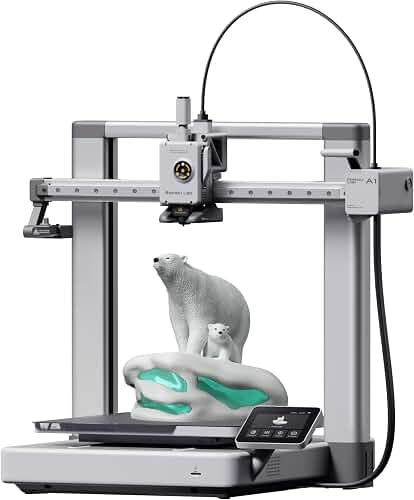
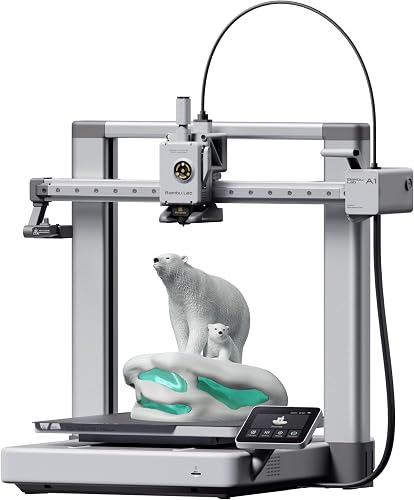
The A1 paired with the AMS lite is the default recommendation for hobbyists who want clean multi-color prints without learning much. Its 256 mm-square bed handles most home projects, the direct-drive extruder produces consistent retractions during color swaps, and the AMS lite holds four spools on an open carousel that is easy to reload. Setup takes about fifteen minutes, and Bambu Studio's painting tools are the most polished in this category. The catch: it is an open-frame printer, so it is a poor choice for ABS or ASA, and the AMS lite cannot run hygroscopic filaments like nylon without a separate dry box.
Bambu Lab P1S with AMS
If you want the same Bambu ecosystem but enclosed, the P1S Combo is the next step up and typically sits right at the $1,000 line during sales. The enclosure handles ABS, ASA, and polycarbonate, the sealed AMS unit keeps filament dry, and the carbon-filtered chamber reduces VOC exposure for engineering materials. Print speed is comparable to the A1, and the bed is the same 256 mm square. You give up some loading convenience compared to the AMS lite but gain access to a much wider material library.
Anycubic Kobra 3 Combo
The Kobra 3 Combo undercuts Bambu on price and ships with the ACE Pro AMS, which uniquely includes an active drying system inside the unit itself. For hobbyists in humid climates, that drying feature is genuinely valuable and rare at any price. The Kobra 3's 250 mm bed and 600 mm/s claimed top speed match the rest of the category. Slicer support is improving but still trails Bambu Studio for painting workflows, and community-shared profiles are less abundant. Worth a look if active drying matters or if you find a strong sale.
Creality K1C with CFS
Creality's K1C paired with the CFS (Creality Filament System) brings an enclosed CoreXY printer into the under-$1,000 range when the combo is discounted. The enclosed chamber handles carbon-fiber composites and engineering filaments, and the CFS unit holds four spools with sealed humidity control. Color-change reliability has improved through firmware updates over 2025, though it still lags Bambu in raw consistency. Pick the K1C if you want a CoreXY motion system at this price or if you already use Creality slicers and ecosystem.
Elegoo Centauri Carbon Combo
Elegoo's first enclosed CoreXY machine ships in 2026 well under $500 on its own and supports the company's new multi-color unit. The combination, when bundled, lands well inside the $1,000 budget and is appealing for hobbyists who want an enclosed printer plus AMS for the price others charge for an open-frame setup. Color-swap fidelity is competitive, though the ecosystem is still maturing.
Filament and Waste Considerations
Multi-color FDM printing has a filament-waste problem that nobody markets honestly. Every color change requires a purge of the old filament, either into a dedicated purge tower next to the part or, on Bambu machines, into a chute that drops waste behind the printer. A four-color print typically wastes 20-40 grams per color change cycle, and complex models with frequent transitions can waste more filament than the model itself uses.
Two strategies help. First, use slicer tools that minimize transitions: group same-colored regions, print color bands rather than checkerboards when possible, and use "flush into infill" or "flush into object" options to recycle some of the purge into the print. Second, stock cheap purge filament — many makers keep a spool of mixed-color recycled PLA explicitly for purges, which cuts cost dramatically.
For more on filament behavior and storage, our PLA filament guide covers humidity, drying, and brand quality.
Multi-Color FDM vs. Hand-Painted Single-Color Prints
The honest comparison for the under-1000 buyer is not "which multi-color printer" but "is multi-color FDM right for my projects at all?" Painting a single-color print with acrylic markers or an airbrush can produce sharper color separation than a four-color FDM print, especially on detailed miniatures where layer-line color bleed is visible. For figurines and tabletop minis, resin printing followed by hand painting still produces the best results — see our roundup of the best resin 3D printers for that workflow. Multi-color FDM shines on functional parts where a label, logo, or assembly marking benefits from being printed in rather than added later, and on display models where layer-line color blending is part of the aesthetic.
The best multi color 3d printer under 1000 for you, then, depends partly on whether you would actually use a fourth color often or whether two colors plus paint would cover most of your projects.
Frequently Asked Questions
Is a four-color AMS worth it for hobbyists, or is two-color enough?
Most hobbyists who buy a four-color AMS end up using two or three colors in roughly 80% of their prints. If your projects are name tags, key chains, and simple parts with logos, a two-color setup is plenty. The four-color unit becomes valuable when you start printing topographic maps, layered art, or scenery models where four distinct regions read clearly.
How much filament does a multi-color print actually waste?
Expect 2-10 grams of waste per color change, depending on hotend volume and slicer settings. A model with 40 color transitions can waste 80-400 grams — sometimes more than the model itself weighs. Slicer features like "flush into infill" can reclaim 30-50% of that waste back into the part, which is the single most effective lever you have.
Can I add multi-color capability to a printer I already own?
Sometimes. Open-source projects like the ERCF and Box Turtle bring AMS-style multi-material printing to Voron and other DIY printers, and Bambu sells the AMS lite separately for compatible machines. For most budget printers under $300, however, the firmware and extruder retraction precision required for clean color transitions are not present, and an upgrade kit will frustrate more than it satisfies.
What is the difference between AMS and AMS lite?
Bambu's AMS is a sealed box with humidity sensors and a hub-style filament path, designed to keep filament dry and pair with enclosed printers like the P1S and X1 Carbon. The AMS lite is an open carousel with no enclosure or humidity control, paired with the A1 series. Both hold four spools and swap colors equally well; the lite is just exposed to room humidity.
Do I need an enclosed printer for multi-color printing?
Only if you want to print ABS, ASA, polycarbonate, or other warp-prone engineering plastics. PLA, PETG, and PLA composites print fine on open-frame multi-color machines like the Bambu A1. If you mostly print decorative and hobby pieces in PLA, an open frame is fine and saves significant money you can put toward extra filament.
Which slicer is best for multi-color prints in 2026?
Bambu Studio and its open-source fork OrcaSlicer have the most refined painting and color-assignment tools as of 2026. Prusa Slicer added painting workflows that work well for two- and three-color jobs but trail Bambu on visualization and waste estimation. Anycubic and Creality slicers are catching up but still send many users to OrcaSlicer for the painting step.
How long does a four-color print take compared to a single color?
Roughly two to three times as long, depending on how often the colors change layer by layer. A four-color print that changes once per layer can run 4x longer than the same model in a single color because the printer must purge and resume for every transition. Limiting transitions in the slicer is the most effective way to reduce the time penalty.
Key Takeaways
- Choosing the right best multi color 3d printer under 1000 means matching the key features to your specific needs and budget
- Read real customer reviews and check the return policy before you commit
- Also covers: ams multi color 3d printer
- Also covers: affordable multicolor 3d printer
- Also covers: 4 color 3d printer hobbyist
- Compare value across models — the priciest option is not always the best fit