Disclosure: As an Amazon Associate we earn from qualifying purchases.
Reviewed by the Extruly Editorial Team · Last Updated: June 2026
Published Specifications
Specifications below are quoted from each manufacturer's own product listing, recorded July 2026. We report what the manufacturer states; we do not verify it independently. Customer ratings are other buyers' reports, not our assessment.
| Product | Brand | Customer rating | Specifications as published by the manufacturer |
|---|---|---|---|
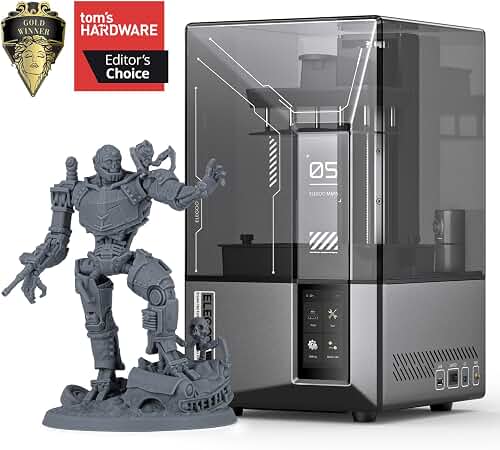
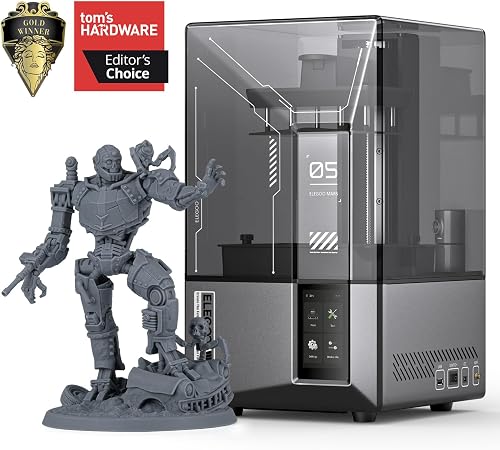
| ELEGOO Mars 5 Ultra 9K MSLA Resin 3D Printer, Smart Mechanical Senso… | ELEGOO | 4.3 | With a printing speed of up to 150mm/h, it offers both fast and slow modes for high-quality results; 10Mbps, compatible with 2.4G and 5G networks; ELEGOO Mars 5 Ultra features a 9K LCD screen (85204320px) with 1818μm XY resolution |
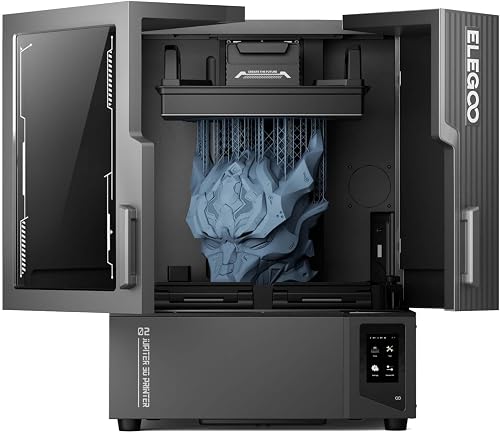
| ELEGOO Jupiter 2 Resin 3D Printer, 16K Large MSLA 3D Printing Machin… | ELEGOO | 4.2 | With an impressive build volume of 302.4 × 161.98 × 300 mm, Jupiter 2 enables the printing of bigger objects…; Smart tank heating with quick preheat maintains a precise 30 °C; OTA firmware upgrade, 8 GB ROM, Dual-band Wi-Fi |
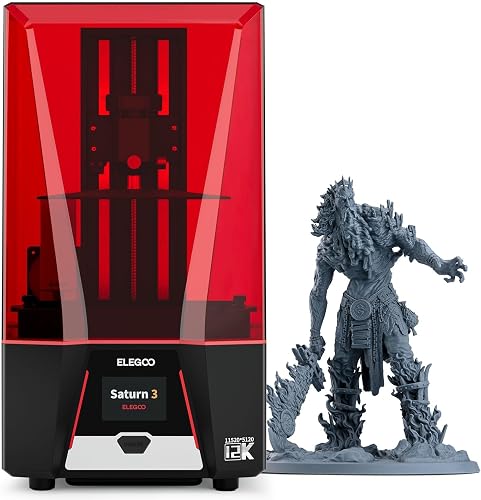
| ELEGOO Saturn 3 MSLA 12K 3D Printer | ELEGOO | 4.2 | With a 10-inch 12K mono LCD boasting a stunning resolution of 11520x5120 and an XY resolution of 19x24μm…; With a generous build volume of 218.88x122.88x250 mm³/8.62x4.84x9.84 inches, you can try to print larger…; The COB light source and Fresnel collimating lens work together to emit a uniform light beam of 405nm… |
The best resin 3D printers in 2026 are virtually unrecognizable compared to the temperamental, finicky machines hobbyists wrestled with just eighteen months ago. The LCD panels are razor-sharp, the build plates ship genuinely flat out of the box, and slicer profiles arrive in a state that actually works on the first attempt — instead of after an exhausting weekend of trial-and-error tuning.
This guide is the exact buying framework I personally use when friends, colleagues, and fellow makers ask me which resin printer to start with. We'll cover SLA versus MSLA versus DLP, what specs genuinely matter for miniatures, dental-grade accuracy, and large display prints — plus the trade-offs that glossy spec sheets conveniently never tell you.
See Resin Printing in Action
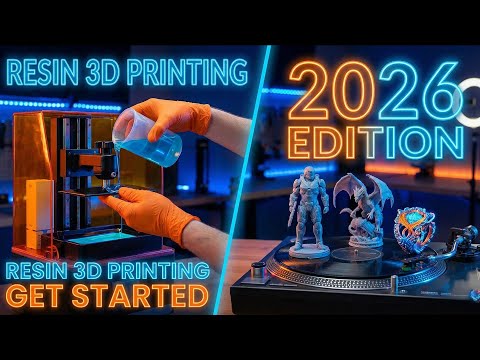
Before we dive into the technical weeds, watch this excellent visual breakdown of how modern MSLA printers actually work — it'll make every concept below click into place instantly. Sometimes seeing the photons hit the resin is worth a thousand explanations.
What You'll Walk Away Knowing
SLA vs. MSLA vs. DLP: The Three Roads to Insane Detail
Every resin printer on Earth uses light to cure liquid photopolymer into hardened plastic. But how that light gets delivered fundamentally changes everything — the price, the speed, the resolution, and what you can realistically print.
If you're printing miniatures, jewelry, or detailed display models — choose MSLA. If you're running a small business needing pro-grade reliability — consider DLP. SLA (laser-based) is mostly relegated to industrial use in 2026 and rarely the right hobbyist choice.
MSLA (Masked Stereolithography) dominates the consumer market in 2026 for one simple, beautiful reason: a high-resolution LCD panel cures an entire layer in a single flash. That means speed without compromising detail. A 200-figure miniature batch that took 14 hours in 2023 now finishes in under 5.
DLP (Digital Light Processing) uses a projector instead of an LCD. The image stays consistently crisp across the entire build plate, and the lifespan of the light engine vastly outlasts even premium LCDs. The trade-off? Build volumes tend to be smaller and prices climb noticeably.
SLA (Stereolithography) is the OG — a galvanometer-steered laser tracing each layer point by point. It's been largely outclassed for hobby work, but still rules the industrial space where exotic resins and massive build envelopes are required.
The Deep-Dive Video Every Beginner Needs
For those wanting to see real prints, real workflows, and real comparisons before pulling the trigger on a $300+ purchase — this comprehensive walkthrough is gold:
The Specs That Truly Matter (And the Ones That Don't)
Here's where most buying guides get it spectacularly wrong. They obsess over headline numbers that look impressive on paper but barely move the needle in real-world use. Let me cut through the marketing fog.
- XY Pixel Pitch — The real measure of detail. Look for 18-22µm for premium quality.
- Z-Axis Precision — Linear rails crush traditional lead screws. Non-negotiable in 2026.
- Build Plate Flatness — A warped plate ruins everything else. Read user reviews obsessively.
- LCD Lifespan — Premium models hit 3,000+ hours. Budget units? Sometimes 800.
- Raw Resolution Numbers — 12K sounds amazing, but pixel pitch tells the real story.
- WiFi & App Control — Nice to have, rarely transformative for actual print quality.
- Touchscreen Size — You'll spend 95% of your time in the slicer software anyway.
- Print Speed Claims — Manufacturer numbers assume optimal conditions you'll never replicate.
The Workflow Reality Most Reviews Hide
Resin printing is gloriously precise — and unapologetically messy. Anyone telling you otherwise is selling you something. Here's the unfiltered truth about life with a resin printer in 2026.
> "The printer itself is maybe 40% of the experience. The other 60% is wash stations, cure chambers, gloves, IPA, FEP film changes, and a ventilation setup that doesn't make your spouse hate you."
Budget realistically for the complete ecosystem: a quality wash-and-cure station ($150-$300), nitrile gloves by the box, isopropyl alcohol in bulk, a dedicated workspace with airflow, replacement FEP films, and a steady stream of resin bottles. The printer is the entry ticket — not the full price of admission.
Realistic Year-One Investment: $790 - $1,850
Red Flags That Should Send You Running
After years of testing dozens of machines and reading thousands of user reports, certain warning signs reliably predict misery. Spot any of these, and walk away no matter how attractive the price tag looks.
- Sub-$150 "flagship" pricing — The economics don't work. Something critical was cut.
- No replacement parts ecosystem — When the FEP tears or the LCD dies, you'll have an expensive paperweight.
- Vague resolution claims without listed pixel pitch — Always a red flag.
- "Auto-leveling" promises on consumer resin units — Currently impossible. Be skeptical.
- No active community or Discord — You'll need community wisdom when (not if) things go wrong.
Your Confident Next Step
The best resin 3D printer in 2026 isn't a single model — it's the one that aligns with your specific goals, your workspace, your patience for tinkering, and your budget for the complete ecosystem around it. Armed with this framework, you can now walk into any product page, scan past the marketing theatrics, and zero in on what genuinely matters.
Pick MSLA for hobby work. Demand 18-22µm pixel pitch. Insist on linear Z-rails. Budget for the full ecosystem, not just the box. And remember: the best printer is the one you'll actually use consistently.
Welcome to the resin revolution. Your future prints are going to be staggering.
How We Research
3d Printers Complete Site is a research and comparison site. Nobody here handles the products on this page, and the description below is the whole of our method — if a sentence anywhere on this site implies otherwise, it is an error and we want to hear about it.
What the comparison is built from. Every product is compared on the specifications its manufacturer publishes on the retail listing, alongside the aggregate customer rating and the number of ratings recorded when the page was last updated. Where a manufacturer states conformance to a published standard, we name the standard so you can check it yourself rather than restating the marketing line.
How products get onto the list. Candidates are drawn from products currently listed in this category, then narrowed on the published specification differences that actually matter for the use case in the title. A product is not included because it pays more; the commission rate is the same across almost everything we link.
What gets re-checked. Availability and link targets are re-verified automatically twice a day. Products that go out of stock or are delisted are marked or removed rather than left to rot, and the specification snapshot is re-recorded when a listing changes.
What we do not do. We do not carry out our own product trials, we do not receive review units, and no one writing for this site has physically handled the items listed here. Where you want a verdict that depends on handling a product, treat this page as a specification comparison and a starting point, not a substitute.
Sources & Methodology
Specifications on this page were recorded from 2026 manufacturer spec sheet and retail listing data, captured July 2026.
Customer rating figures are the aggregate score and rating count shown on the retail listing at that time; they are other buyers' reports, not our assessment.
Independent references for this category. These are places to verify a category claim for yourself. We link them because they are authoritative, not to imply their tests were run on our behalf:
- ISO/ASTM 52900 — additive manufacturing terminology
- FTC Endorsement Guides — the disclosure rules this site is bound by
- CPSC recall database — check any product for open safety recalls
Key Takeaways
- Choosing the right best resin 3d printers means matching the key features to your specific needs and budget
- Read real customer reviews and check the return policy before you commit
- Also covers: best sla 3d printer
- Also covers: msla printer
- Also covers: lcd resin printer
- Compare value across models — the priciest option is not always the best fit
Frequently Asked Questions
What is the best resin 3d printers in 2026?
Our top picks are ELEGOO Mars 5 Ultra 9K MSLA Resin 3D Printer, ELEGOO Jupiter 2 Resin 3D Printer, ELEGOO Saturn 3 MSLA 12K 3D Printer. We compare them in detail above using manufacturer specifications and current Amazon product data, including the specs and trade-offs that matter most for buyers.
What should you look for when buying resin 3d printers?
Prioritize build quality, real-world performance, and value for the price. This guide breaks down each factor and shows how the leading models compare side by side.
Are resin 3d printers worth the money?
For most buyers, the right pick delivers strong long-term value. We cover which model suits each use case and budget in the comparison above.