Disclosure: As an Amazon Associate we earn from qualifying purchases.
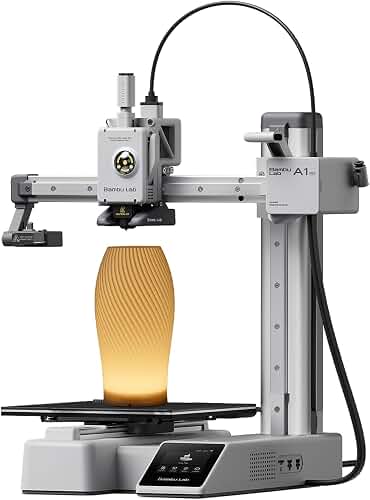
Learning how to print articulated fidget toys on Bambu Lab A1 Mini is one of the most satisfying ways to put this compact bedslinger to work. The A1 Mini handles print-in-place models — dragons, axolotls, slugs, octopuses, sharks — with surprising ease thanks to its tight motion system, active flow compensation, and stock 0.4 mm hotend. In this 2026 guide you'll find the exact slicer settings, filament picks, model sources, and post-processing tricks that consistently produce smooth-moving fidgets straight off the 180 × 180 mm build plate, with zero supports and no fused joints.
Why the A1 Mini is ideal for articulated fidget toys
Print-in-place fidgets are one of FDM's killer demos: the model arrives off the bed already assembled, with joints that twist and bend because the slicer leaves a precise air gap between each segment. The A1 Mini hits the sweet spot for this work for four reasons.
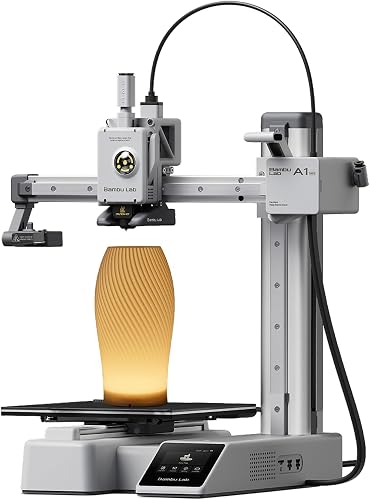
- Tight first layer. The full-mesh bed levelling and load-cell Z-offset calibration keep the critical first 0.2 mm consistent, which is what stops joints from welding shut.
- Low-vibration motion. Light, well-tuned kinematics on a single Z column mean ringing is minimal at the 100-150 mm/s wall speeds Bambu Studio defaults to for fidget-friendly profiles.
- Active flow control. Pressure advance is auto-calibrated per filament, so the tiny joint gaps don't fill with ooze.
- AMS Lite compatibility. Four-colour fidget dragons and rainbow axolotls are one-click jobs if you've added the AMS Lite to your A1 Mini.
If you're still shopping or want a deeper look at what the printer can and can't do, our Bambu Lab A1 Mini review walks through the full hardware in detail.
What you need before you start
You don't need much beyond the printer itself, but a few small things separate frustrating prints from clean, snap-off-the-plate joints.
- A1 Mini with current firmware (1.04 or later as of mid-2026)
- Bambu Studio 1.10+ or OrcaSlicer 2.2+
- 0.5 – 1 kg of fresh PLA or PLA+ (matte PLA is the secret weapon — more on that below)
- A flat-tip plastic spudger or guitar pick for breaking initial joints free
- The stock textured PEI plate (cool-down release works perfectly for fidgets)
- A small dehumidifying box or filament dryer if you live somewhere humid
Best filament for print-in-place fidgets
Filament choice matters more than any single slicer setting. The goal is a filament that flows consistently, doesn't string into the joint gaps, and has a slightly waxy or matte surface so segments slide rather than grab.
Matte PLA is the top pick. The mineral filler in matte formulations makes the surface less sticky between layers, so joints break free with minimal effort. Bambu's own Matte PLA, Polymaker PolyTerra, and eSun ePLA-Matte all work well. Pre-set profiles already exist in Bambu Studio.
Silk PLA looks gorgeous on dragons and snakes but tends to ooze more — bump retraction by 0.2 mm and you're fine.
Standard PLA works perfectly well too; just expect to break the joints slightly harder on the first flex.
PETG is harder to dial in. It's flexible, stringy in tight gaps, and joints often weld together. Save it for non-articulated prints until you're confident. If you're still learning the differences between materials, our PLA filament guide covers the basics.
Avoid TPU for articulated joints — the flexibility you'd want for grip works against you when the joint surfaces need to glide past each other.
Bambu Studio settings that actually work
This is the heart of figuring out how to print articulated fidget toys on Bambu Lab A1 Mini. The good news: Bambu Studio's default 0.20 mm Standard profile gets you 80% of the way there. The remaining tweaks are about the joint gaps, the wall sequence, and seam placement.
Layer height: 0.16 – 0.20 mm
0.20 mm is fine for most fidgets. Drop to 0.16 mm only if you're printing tiny axolotls under 80 mm long, where 0.20 mm layers make joints look chunky.
Walls: 3 perimeters
The Bambu default is 2. Bumping to 3 thickens the joint sockets and prevents them tearing when you first work the toy loose. It adds maybe four minutes to a typical 90-minute print.
Infill: 10-15% gyroid
Gyroid keeps the model light (these toys live in pockets and backpacks) while staying rigid enough that joints don't deform under repeated flexing.
Outer wall first
Under Quality Walls and surfaces, set "Order of walls" to "Outer/Inner/Inner". This dramatically cleans up the visible joint gaps because the precise outer perimeter is laid down before the slightly squishier inner walls.
Z seam: Aligned, back
For most articulated animals the back is the spine, where the seam is least visible. For dragons with a complex backline, switch to "Random" and accept the speckled look.
Supports: OFF
Every print-in-place model on MakerWorld and Printables is designed to print supportless. If your slicer is auto-generating supports, you've loaded a non-articulated model.
Brim: Auto, 5 mm
Long thin snakes and dragons benefit from a brim. Most short stubby fidgets (slugs, octopuses) don't need one.
Speed: stock profile is fine
Don't crank the speed for fidgets. The A1 Mini's stock outer wall speed already pushes the joint gaps to their limit. If anything, drop outer wall speed to 150 mm/s for cleaner, more reliably articulated results.
Step-by-step: slicing and printing your first articulated fidget
- Pick a beginner-friendly model. A standard 120 mm dragon or axolotl is the canonical first print — small enough to fit comfortably on the 180 mm bed with room for a brim.
- Import the STL or 3MF into Bambu Studio. 3MF files from MakerWorld often ship with optimised profiles already attached; use those when offered.
- Select your filament profile. Match the brand and material exactly. Generic PLA profiles work but Bambu's own profiles unlock per-filament pressure advance.
- Verify orientation. Fidget toys should print flat on the bed in their natural pose. Never tilt or rotate them — the joint gaps are engineered for a specific print orientation.
- Slice and preview. Check the first layer. If you can see the joint gaps clearly as separate islands in the preview, you're good.
- Send to printer. Run the auto-bed-levelling and let the first layer complete before walking away. Stop the print and reslice if any joint looks squished into a solid blob on the first layer.
- Wait for full cooldown. Don't pop the print off the plate while it's still warm — the model is more flexible and joints can deform.
Where to find the best articulated models in 2026
MakerWorld is the obvious starting point because models there ship with A1 Mini-tested print profiles you can send to the printer with two clicks. Search "articulated" and sort by hot. The Cinderwing3D dragons, Mcgybeer's axolotl line, and the Flexi-Rex family dominate the top charts.
Printables has the largest catalogue and a "Print-in-place" tag that filters cleanly. Many of the original Flexi designs originated here.
Thangs and Cults3D round out the ecosystem. Cults has the largest selection of paid premium articulated designs if you want unique pieces.
Avoid Thingiverse for new fidget designs — most active creators have moved to MakerWorld and Printables, and Thingiverse files often predate the A1 Mini's capabilities.
Post-processing: making the joints move freely
Even with perfect settings, joints come off the bed slightly stuck. This is normal and intentional — the slicer leaves a microscopic skin between segments that's meant to be broken.
- Let the print cool fully. 30 minutes after the bed turns off, minimum.
- Pop the print off the cold plate. It should release with a gentle flex of the textured PEI sheet.
- Gently flex each joint. Start at the head and work toward the tail. Don't force anything — small back-and-forth motions break the skin without snapping the joint pin.
- Twist between segments. Once each joint flexes, rotate the segments to break any remaining bridges.
- Optional: a drop of silicone-based lubricant on a stubborn joint makes a noticeable difference. Avoid petroleum products — they degrade PLA over time.
If a joint is fully welded shut (won't move at all with reasonable force), it's a calibration issue rather than a post-processing issue. See troubleshooting below.
Common problems and how to fix them
Joints are fused solid
Your first layer is squishing the joint gap closed. Re-run the auto-bed-levelling and the Z-offset calibration, then check whether your nozzle has a tiny burr — even a half-millimetre of dragged filament across the joint will weld it. Our 3D printer troubleshooting guide covers the broader Z-offset diagnosis.
Joints work but the print looks stringy
Turn on "Avoid crossing walls when travelling" in Bambu Studio. Increase retraction by 0.2 mm. Make sure your filament is dry — wet PLA strings horribly and the strings fall into the joint gaps and weld them.
Tail or wing tips break off when flexing
The model is under-walled. Re-slice with 3 walls minimum and 15% gyroid infill. For tiny dragons under 100 mm, consider 4 walls.
Print fails partway through
The most common failure is the model lifting off the bed at a corner. Add a brim, clean the build plate with isopropyl alcohol (no soap residue), and make sure the part-cooling fan isn't aimed at the first layer — disable cooling for the first 2 layers in the slicer.
Joint surfaces look fuzzy or rough
Your outer wall speed is too high. Drop to 150 mm/s. Also check that "Outer/Inner/Inner" wall order is enabled — this single setting accounts for most surface quality wins on fidgets.
Going further: multi-colour and AMS Lite
Once you've nailed the basics of how to print articulated fidget toys on Bambu Lab A1 Mini in single-colour PLA, the A1 Mini + AMS Lite combination unlocks 4-colour articulated prints. The catch: each colour change adds a "filament purge" tower that can dwarf the actual model in filament use. For fidgets, stick to 2 colours and use models specifically designed for AMS — these have minimal colour-change frequency. MakerWorld's filter for "AMS" + "articulated" surfaces the optimised designs.
Frequently Asked Questions
How long does it take to print an articulated dragon on the A1 Mini?
A standard 120 mm articulated dragon takes around 90 minutes to 2 hours at 0.20 mm layer height with the stock Bambu Studio profile. Larger 200 mm dragons climb to 4-5 hours. Multi-colour AMS prints roughly double the time due to purge towers.
Do I need supports for articulated fidget toys on the A1 Mini?
No. Print-in-place articulated models are specifically engineered to print without supports. If a model needs supports it's not actually print-in-place. Disable supports in the slicer before printing and the joints will form correctly via the engineered air gaps.
What layer height is best for fidget toys on the Bambu Lab A1 Mini?
0.20 mm is the sweet spot for prints over 100 mm. Drop to 0.16 mm for smaller, more detailed fidgets where 0.20 mm layers make joints look chunky. Avoid 0.28 mm draft mode — the joint gap tolerance becomes unreliable and joints fuse.
Can the A1 Mini print articulated fidgets in PETG or TPU?
PETG works but is much harder to dial in because of stringing in the tight joint gaps and a tendency to weld joints together. TPU is not recommended for articulated joints — the flexibility you'd want for grip works against the gliding surfaces. Stick to PLA or matte PLA for reliable results.
Why are my fidget toy joints fused together after printing?
Almost always a first-layer issue. Either the Z-offset is too low (nozzle squishing the joint gap closed) or the printer extruded a stray strand across the joint. Re-run auto-levelling, dry your filament, and consider lowering initial layer speed slightly.
What's the smallest articulated fidget the A1 Mini can print?
The stock 0.4 mm hotend will reliably produce articulated joints down to roughly 60-70 mm total model length. Smaller than that and the joint gaps shrink below the printer's reliable resolution. A 0.2 mm hotend swap can push this lower but is overkill for most fidget work.
Is the A1 Mini better for fidget toys than the regular A1?
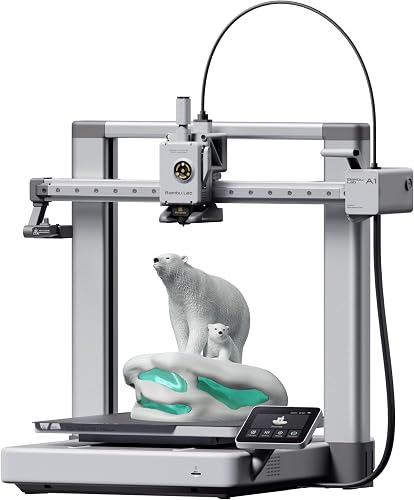
The A1's larger 256 mm build volume lets you batch-print multiple fidgets at once or print very large dragons, but per-print quality is essentially identical. If most of your fidgets are under 180 mm and you want a smaller, quieter machine, the A1 Mini is the better pick — and it's one of our top picks for new makers in our best 3D printers for beginners roundup.
Key Takeaways
- Choosing the right how to print articulated fidget toys on bambu lab a1 mini means matching the key features to your specific needs and budget
- Read real customer reviews and check the return policy before you commit
- Also covers: a1 mini print in place dragon
- Also covers: fidget toy bambu a1 mini settings
- Also covers: articulated slug a1 mini tolerance
- Compare value across models — the priciest option is not always the best fit