Disclosure: As an Amazon Associate we earn from qualifying purchases.
If you want to know how to print custom bike fender mounts on Prusa MK4S with PETG, the short answer is this: model the bracket in Fusion 360 or FreeCAD to match your fork crown or seatstay bridge, slice it in PrusaSlicer using the Generic PETG profile with 0.20 mm QUALITY layers and 40–60% gyroid infill, and print at 240 °C nozzle / 85 °C bed on the MK4S with 4 perimeters for impact resistance. PETG is the right material because it shrugs off UV, rain, and road grit while staying tough enough to absorb vibration without cracking like PLA. The whole process—design, slice, print, and bolt up—takes one evening and a few dollars of filament.
Below is the full 2026 workflow, from picking screw spacing on your frame to dialing in retraction so you don't get stringy mounting tabs. I've broken it into the design, slicing, and install stages so you can jump to whichever part is giving you trouble.
The best how to print custom bike fender mounts on prusa mk4s with petg for your situation depends on how you plan to use it and where.
Why PETG (and the Prusa MK4S) Is the Right Combo for Bike Mounts
Bike fender brackets sit in a brutal environment: they get rained on, kicked up with road salt in winter, baked by summer UV, and constantly vibrated by every pothole and curb. PLA goes brittle under UV in a single riding season and creep-fails under sustained bolt tension. ABS handles the heat but warps badly on open-frame printers and smells terrible. ASA is great but pricey and finicky. PETG hits the sweet spot—UV-stable, water-resistant, impact-tough, and forgiving to print.
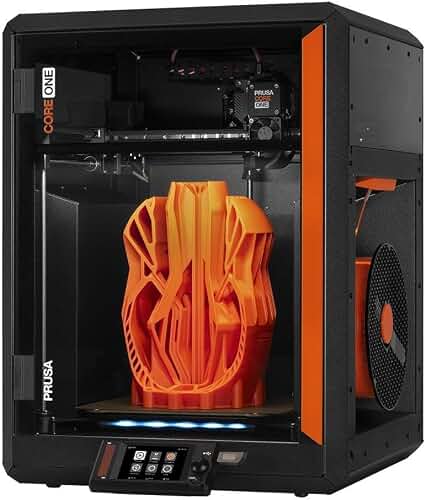
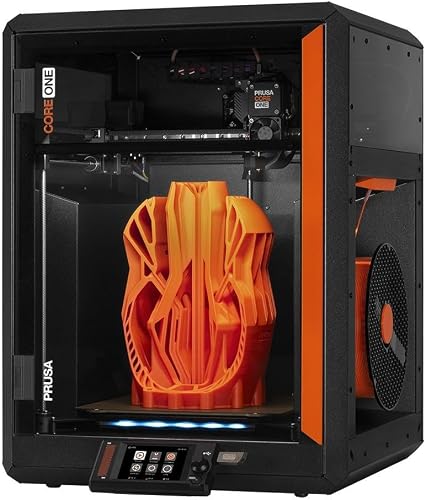
The Prusa MK4S is particularly well-suited for this material. Its Nextruder hotend reaches the 240–250 °C range PETG likes without heat creep, the high-flow nozzle pushes thick perimeters cleanly, and the segmented PEI sheet release behavior with PETG is reliable once you wipe the plate with isopropyl alcohol (PETG sticks too well to bare PEI, which is the opposite problem most filaments cause). If you want a deeper dive into the machine itself, our Prusa MK4S review covers the input shaping, load-cell calibration, and firmware changes that make it the strongest engineering-grade MK4-family machine yet.
Step 1: Measure Your Bike and Plan the Mount
Before you open CAD, grab calipers and write down five numbers:
- Bolt hole diameter on your fender (usually M5 or M6) and the matching threaded boss or eyelet on your frame.
- Stack height—how thick the fender lip plus any spacer needs to clear.
- Tire-to-fender gap you want to preserve (5–8 mm is typical for road, 10–15 mm for gravel/MTB to shed mud).
- Strut length if you're replacing a broken aluminum stay.
- Frame tube diameter or chainstay bridge width at the mount point.
Sketch the bracket in pencil first. The most common failure on printed fender mounts is not material—it's a single thin layer-line plane that aligns with the bolt axis. We'll fix that with print orientation, but you have to know which face needs to be smooth and which can have layer lines.
Step 2: Designing the Bracket in CAD
Use Fusion 360 (free for hobbyists), FreeCAD, or Onshape. For a typical seatstay-bridge fender mount, model a 4–6 mm thick plate with a slotted bolt hole (slots let you fine-tune fender clearance after installation). Add a 2 mm fillet on every edge—sharp corners are stress risers, and a small fillet roughly doubles fatigue life on PETG parts. If the bracket clamps around a tube, model the bore 0.3 mm undersized so the clamp pre-loads when you torque the bolt.
Two design rules I learned the hard way:
- Never put a bolt hole closer than 2× the bolt diameter to an edge. M5 bolt? Need at least 10 mm of material around it, otherwise the hole pulls out under torque.
- Add a metal washer recess. Counterbore the bolt face by 1 mm so a stainless washer sits flush. Without a washer, the bolt head digs into the plastic and the joint loosens within 50 miles.
Export as STEP if you can (preserves geometry), or 3MF directly to PrusaSlicer. STL works but you lose ability to re-edit later.
Step 3: Slicing PETG on the MK4S
Open PrusaSlicer 2.8 or newer and select the MK4S 0.4 mm nozzle profile. Choose Generic PETG as the filament and start from the 0.20 mm QUALITY print profile. Then make these changes for fender mounts specifically:
- Perimeters: 4 (up from 3). The bracket's strength comes from perimeters wrapping the bolt holes, not infill.
- Infill: 40% gyroid. Gyroid is isotropic—equally strong in every direction—which matches the multi-axis vibration loads.
- Top/bottom layers: 6 each (1.2 mm of solid skin).
- Nozzle temp: 240 °C first layer, 235 °C subsequent. Hotter = better layer bonding, which is the #1 strength factor for printed mechanical parts.
- Bed: 85 °C. Don't go higher or PETG fuses to the smooth PEI sheet.
- Cooling: 30% part fan after layer 3. PETG needs less cooling than PLA; too much fan = weak layer adhesion.
- Retraction: 0.8 mm at 35 mm/s. The MK4S Nextruder is direct-drive, so short retractions work. This kills the stringing PETG is famous for.
- Z-seam: Random or place it on a non-load-bearing face.
Orientation matters more than any setting. Print the bracket so the bolt axis is parallel to the build plate (i.e., bolt holes face the side, not up). This makes the bolt load act across layers rather than pulling them apart, which is the difference between a part that survives a season and one that splits after a bumpy descent.
Step 4: First Layer and Bed Prep
Wipe the smooth PEI sheet with 91%+ isopropyl alcohol. Do NOT use a glue stick at first—PETG already over-adheres. If you've previously printed PETG on this sheet and it pulled chunks of PEI off, switch to the satin or textured powder-coated PEI sheet, which releases PETG cleanly once cool.
Run the MK4S first-layer calibration if you haven't this week. The load-cell-based homing is excellent, but PETG is unforgiving of a too-close first layer—it'll weld to the sheet permanently. If your first layer looks glassy and translucent, you're too close. You want slightly visible lines that have just kissed each other together.
Step 5: Print, Cool, Release
A typical seatstay fender bracket takes 45–90 minutes to print depending on size. Don't peel it off while hot—PETG is soft above 70 °C and you'll deform the part or rip the PEI sheet. Wait for the bed to drop below 40 °C, then flex the sheet gently and the part should pop off with a satisfying click.
Inspect under bright light for layer separation, especially around bolt holes. If you see gaps, your print temp was too low or cooling fan too high—bump nozzle temp 5 °C and drop fan to 20% for the next run.
Step 6: Post-Processing and Hardware
Drill out the bolt holes with a 5.0 mm or 6.0 mm bit (whatever your bolt is) to clean up any first-layer elephant's foot and get true round holes. Tap threaded inserts if your design uses them—heat-set brass inserts melt into PETG beautifully at 230 °C with a soldering iron.
Use these fasteners:
- Stainless A2 or A4 bolts—they won't rust streak your bracket.
- Nylon-insert lock nuts (Nyloc) or thread-locker. Vibration will back out a plain nut within a week of riding.
- Stainless flat washer + split lock washer stack on each bolt.
- Rubber or EVA pad between bracket and frame paint to prevent paint wear (a 1 mm slice of bike inner tube works perfectly).
Torque to feel—roughly 4 Nm for M5. If you have a torque wrench, great; if not, snug plus a quarter turn. Over-torquing crushes plastic and creates the leak path that lets the joint loosen.
Step 7: Test Ride Before the Long Ride
Take a 10-minute test ride down a rough street and re-check every bolt. PETG creeps slightly under load in the first few hours, so bolts will feel looser than when installed. Re-torque, ride 100 km, re-torque once more, and after that the joint stabilizes for the season.
Common Failure Modes and How to Avoid Them
If a printed bracket fails, it'll usually fail one of three ways: layer delamination at the bolt hole (print orientation wrong), brittle snap on a cold morning (PLA mistakenly used instead of PETG, or print temp too low), or slow creep where the fender slowly droops over a season (infill too low or perimeter count too low). All three are fixed in slicing, not at the bike. If your printer needs a checkup before a critical print, our 3D printer maintenance guide walks through the belt tension, bearing lube, and nozzle inspection that keep PETG prints consistent.
When to Print vs. Buy
Printed brackets are unbeatable for oddball bikes—vintage frames, cargo bikes, recumbents, e-bikes with non-standard rear racks—where commercial mounts simply don't exist. For a 2024-or-newer road bike with standard fender eyelets, an aluminum P-clamp from any bike shop is fine. Print when the geometry is unique, when you've broken an OEM part, or when you want internal cable routing or integrated reflector mounts that don't exist on the market.
If you're considering a second machine specifically for outdoor/functional prints and want enclosed-chamber performance for ASA or polycarbonate later, take a look at our roundup of best enclosed 3D printers in 2026—an enclosure opens up materials with even better UV and thermal stability than PETG, which matters for parts that sit in direct summer sun on a parked bike.
Frequently Asked Questions
What infill percentage should I use for PETG bike fender mounts?
40% gyroid is the sweet spot for most fender brackets—strong enough to handle vibration and bolt preload without wasting filament or print time. Bump it to 60% for cargo-bike racks or anything carrying significant weight (panniers, child seat mounts). Below 30% you'll see flex around bolt holes and the fender will wobble over bumps. Above 70% there's diminishing returns; you'd be better off adding a perimeter than more infill.
Can I use PLA instead of PETG for bike fender mounts?
No, not for outdoor use. PLA loses 50%+ of its strength within one summer of UV exposure and goes brittle in cold weather, so a mount that survived August will snap in January. PLA also creeps under sustained bolt tension—your fender will sag over weeks. PETG, ASA, or nylon are the right outdoor materials. If all you have is PLA, treat the print as a one-week prototype only.
What's the difference between printing fender mounts on the Prusa MK4S vs MK4?
The MK4S has the upgraded Nextruder high-flow hotend and improved part cooling, which means faster, stronger PETG prints with less stringing. The original MK4 still does the job well—our Prusa MK4 review covers it in detail—but the MK4S is noticeably better at the 240 °C+ range PETG benefits from. Either machine produces bike-grade brackets; the MK4S just does it 30% faster.
How do I stop PETG from stringing on tall mount features?
Three changes fix 95% of PETG stringing on the MK4S: retraction at 0.8 mm / 35 mm/s, nozzle temp dropped to 230–235 °C (not the 245 °C some profiles default to), and travel speed raised to 200 mm/s so the nozzle moves past the gap faster than a string can form. Wipe-on-retract also helps. Don't dry your filament beyond mild oven-drying—moisture is a stringing factor but not the dominant one on PETG.
Do I need to dry PETG filament before printing fender brackets?
If your filament has been open more than a couple of weeks in humid air (over 50% RH), yes—dry it at 65 °C for 4–6 hours. Wet PETG prints with a hissing/popping sound and produces visibly bubbly, weak parts that will fail under bolt load. Fresh-sealed spools usually print fine straight from the bag. A cheap filament dryer pays for itself the first time you save a print.
What bolt size should the printed bracket use?
Match what your bike already uses. Most modern bikes use M5 at the fender eyelets and M6 at rack mounts. If you're clamping around a tube where no threaded boss exists, M5 with a Nyloc nut is the safe default—strong enough for fender loads, small enough not to bulk up the bracket. Use stainless steel only; zinc-plated bolts will rust-streak your paint within a season.
How long will a PETG bike fender bracket last outdoors?
Realistically, 2–4 years of daily outdoor use before UV embrittlement starts to show. Black PETG lasts longest because carbon black is a natural UV blocker. Translucent and white PETG degrade fastest. Inspect bolted joints every few months for hairline cracks radiating from the holes—that's the first sign of fatigue, and you should reprint before it propagates. Storing the bike indoors roughly doubles the lifespan.
Key Takeaways
- Choosing the right how to print custom bike fender mounts on prusa mk4s with petg means matching the key features to your specific needs and budget
- Read real customer reviews and check the return policy before you commit
- Also covers: bicycle fender 3d printing prusa
- Also covers: petg bike accessory mk4s
- Also covers: custom commuter bike parts printer
- Compare value across models — the priciest option is not always the best fit