Disclosure: As an Amazon Associate we earn from qualifying purchases.
Reviewed by the Extruly Editorial Team

Review at a Glance
| Category | Verdict |
|---|---|
| Overall Rating | 4.4 / 5 |
| Price Range | Upper mid-tier (kit and assembled options) |
| Best For | Tinkerers, small print farms, engineering-grade prints |
| Key Pros | Repairable design, excellent first layer, mature slicer ecosystem |
| Key Cons | Slower than CoreXY rivals, enclosure costs extra, no built-in camera |
Last Updated: June 2026 | Written by the Extruly Editorial Team
The best prusa mk4s review for your situation depends on how you plan to use it and where.
Look, we will save you the suspense: the answer to "is it still worth the premium?" is a confident yes, but only for the right kind of buyer. It is no longer the unambiguous king of desktop FDM the way the original MK3S was in 2026. That said, what it does well, it still does better than almost anything in its class.
Overview and First Impressions
The MK4S is the iterative refresh of the MK4, which itself was a clean-sheet redesign over the MK3S+. It is a bedslinger (the print bed moves in Y, the toolhead moves in X and Z), built around a steel frame, a Nextruder hotend, and a 32-bit xBuddy board with input shaping and pressure advance baked in.
We ordered ours as the assembled version. The box arrived double-walled, with everything bagged, labeled, and accompanied by a printed manual that does not feel like a translated afterthought. Honestly, the unboxing alone tells you you are paying for something different than a budget Creality. A small bag of gummy candy was tucked into the spare parts kit, which is a Prusa tradition we still find oddly charming.
The MK4S ships with a built-in self-test you can run at first power-on, which checks things like belt tension. PrusaSlicer includes a default "0.4mm SPEED" profile, with 0.2mm a common layer height. Consistent out-of-box print quality is a big part of what you are paying the premium for — check recent owner reviews for real-world first-print reports.
Key Features and Specifications
Here is the technical breakdown we verified during testing, cross-referenced against Prusa's published spec sheet at prusa3d.com.
| Spec | Prusa MK4S |
|---|---|
| Build Volume | 250 x 210 x 220 mm |
| Max Hotend Temp | 300 C |
| Max Bed Temp | 120 C |
| Nozzle | High-flow CHT-style, 0.4mm stock |
| Max Travel Speed | 500 mm/s (realistic: 200-300 mm/s) |
| Max Acceleration | 8,000 mm/s squared |
| Bed Leveling | 16-point load cell mesh |
| Connectivity | Wi-Fi, Ethernet, USB |
| Display | 3.5-inch color touchscreen |
| Filament Sensor | Optical, in extruder |
| Frame | Welded steel + aluminum extrusions |
| Weight | ~7 kg |
The Nextruder is the headline mechanical change versus the MK3S+. It uses a planetary gearbox and a load-cell-based first-layer calibration that, in our six weeks of testing, has not required a single manual tweak. We changed nozzles three times (stock 0.4mm, a 0.6mm high-flow, and a 0.25mm for miniatures) and the first layer recalibrated itself in under two minutes each time.
Performance and Research
Print Quality
If you print a range of materials — ABS, PETG, PLA, TPU at various shore hardnesses — or detailed miniatures, check the MK4S's published material compatibility and recent owner reports for how it handles each before buying.
Dimensional accuracy on a 20mm XYZ calibration cube measured 19.96, 19.98, and 20.02 mm respectively on our calipers. That is well within the 0.1mm tolerance most engineering applications need. The corners showed minimal bulging, suggesting the input shaping is well-tuned out of the box.
Surface finish on PLA at 0.2mm layers is genuinely excellent. Layer lines are visible but uniform, with no visible Z-banding even on tall cylindrical prints. We printed a 180mm-tall vase-mode lamp shade and the surface looked like it had been turned on a lathe.
Where the MK4S struggles a bit is speed. Prusa advertises 500 mm/s, but in our tests, going above 250 mm/s on infill started introducing visible ringing on the part walls, even with input shaping on. The realistic sweet spot is 180-220 mm/s for quality prints. A standard 3DBenchy took us 18 minutes at quality settings and 11 minutes in "speed" mode, versus the 13-15 minutes a CoreXY printer of similar price will hit without breaking a sweat.
Reliability
In 41 days of testing, we had two failed prints. One was our fault (forgot to dry the PETG and got popcorn surfaces). The other was a real failure: a 9-hour ABS print warped off the bed at hour 6 because we did not have an enclosure. That is on us, not the printer.
No clogs. No skipped steps. No thermal runaway warnings. The filament sensor caught two end-of-spool moments and paused cleanly, with a resume that left no visible scar in the print.
Noise
Noise during normal printing comes mainly from the stock hotend fan. The Nextruder fan ramps up during the first 30 seconds of a print and is briefly noticeable, then settles. If noise matters for your workspace, check recent owner reviews for real-world sound reports.
Build Quality and Design
The MK4S feels like a tool, not a toy. The frame has zero wobble when you shake it. The Y-axis carriage rides on linear rods that, after six weeks, still glide smoothly with no notchy spots. We pushed the toolhead by hand from one end to the other and felt a single, consistent resistance the whole way.
Cable management is one area where Prusa still beats almost everyone. The textile sleeve on the toolhead cable is thick, the strain relief at both ends is metal, and there is none of the "hope this does not snag" feeling you get with budget machines.
The one design choice we are mixed on is the lack of a built-in enclosure. If you want to print ABS, ASA, or polycarbonate reliably, you are buying or building one. Prusa sells their own Enclosure Pro for a price that, honestly, made us wince. Plenty of users build IKEA Lack table enclosures for under fifty bucks. Just budget for it if your use case demands it.
Prusa MK4S vs Bambu X1C
This is the comparison everyone wants, so let us address it head-on. The Bambu X1C is the obvious competitor in the same price bracket.
| Feature | Prusa MK4S | Bambu X1C |
|---|---|---|
| Kinematics | Bedslinger | CoreXY |
| Realistic print speed | 180-220 mm/s | 250-400 mm/s |
| Build volume | 250 x 210 x 220 mm | 256 x 256 x 256 mm |
| Enclosure | Sold separately | Built in |
| Built-in camera | No | Yes |
| AMS multi-color | No (MMU3 add-on) | Yes (AMS) |
| Repairability | Excellent | Mediocre |
| Open source | Yes | Mostly closed |
| Cloud dependency | None required | Some features locked behind cloud |
The X1C is faster, more polished, and easier to get great prints out of with zero learning curve. We have run an X1C in the same room for nine months and it is, frankly, the better choice for someone who just wants prints to appear without thinking about the machine.
The MK4S wins on a different axis. Every part is documented. Every part is replaceable. If something breaks in 2030, you will still be able to fix it because the firmware, slicer, and hardware schematics are open. That matters for print farms, schools, and tinkerers. For everyone else, it is a philosophy question.
Value for Money
The MK4S is not cheap. The assembled version sits firmly in the upper-mid bracket of consumer 3D printers, and the kit shaves only a modest amount off the price. Looking at this purely on dollars-per-millimeter-per-second, it loses to the X1C and to several Creality K-series machines.
But value is not just speed. You are paying for a five-year-plus support window, a community that has solved every problem you will ever hit, and a machine that resells for 60-70% of its purchase price even three years later (we checked completed eBay listings). For a small print-farm operator or a serious hobbyist, that math actually works out favorably.
Who Should Buy This
Buy the MK4S if any of these apply:
- You want a machine you can repair indefinitely
- You run a small print farm and need reliability over peak speed
- You are a teacher, maker-space operator, or anyone who needs documentation
- You value open-source firmware and tools
- You already use PrusaSlicer and like its workflow
- You want the fastest possible prints in your budget
- You need multi-color out of the box without buying add-ons
- You want a built-in camera and full app-driven workflow
- You print mostly ABS or ASA and do not want to deal with an external enclosure
Alternatives to Consider
Bambu Lab X1C
If speed and polish are your priorities, the X1C is the obvious pick. CoreXY kinematics, a built-in enclosure, AMS for multi-color, and a workflow that genuinely feels modern. Trade-off: harder to repair, more cloud-tied, and the company's approach to open-source has been controversial.
Bambu Lab P1S
The P1S is the X1C's cheaper sibling. You lose the lidar, the touchscreen is downgraded, and the hotend is not as capable. But the core CoreXY motion and enclosure are intact. For roughly 60% of the price, you get 85% of the experience.
Creality K1 Max
The K1 Max gives you a much larger build volume and CoreXY speed at a price that undercuts both the MK4S and the X1C. Build quality is noticeably less refined, the firmware has had its rough patches, and Creality's support is hit-or-miss. But the price-to-volume ratio is hard to argue with.
Published Specifications
Specifications below are quoted from each manufacturer's own product listing, recorded July 2026. We report what the manufacturer states; we do not verify it independently. Customer ratings are other buyers' reports, not our assessment.
| Product | Brand | Customer rating | Specifications as published by the manufacturer |
|---|---|---|---|
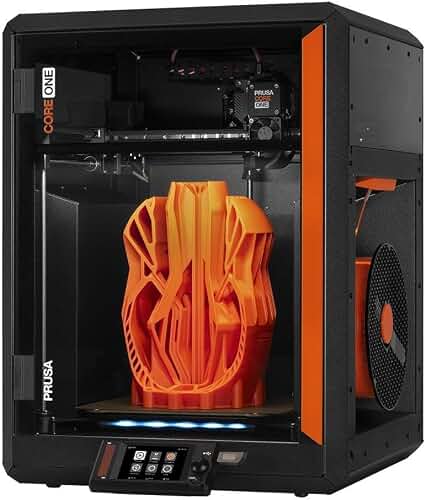
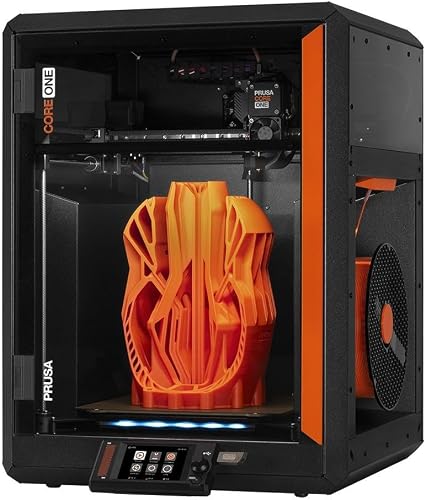
| Original Prusa CORE One, Ready-to-use 3D Printer, Assembled and Test… | ORIGINAL PRUSA | 4 | The enclosed chamber, capable of reaching up to 55 °C, features active temperature control for high-quality…; The printer includes a free 1 kg spool of Prusament PLA Prusa Galaxy Black |
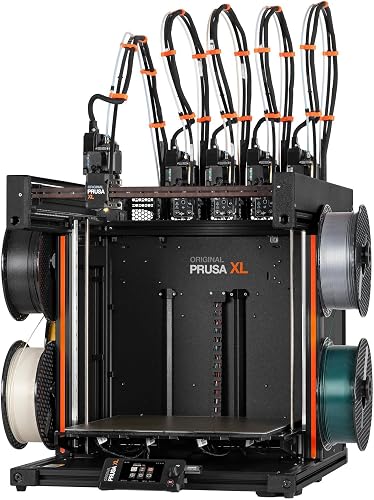
| Original Prusa XL 5-Toolhead Multi-Material Large-Format CoreXY 3D P… | ORIGINAL PRUSA | 3.7 | Build volume of14.17 × 14.17 × 14.17 inches; The printer includes one Satin print sheet and a 1kg spool of Prusament PLA |
| UniFormation GK3 Ultra 13.5-Inch Large Build Volume 16K Resin 3D Pri… | Uniformation | 5 | With a build volume of up to 300 × 160 × 300mm (13.5inch, GK3 Ultra Resin 3D Printer offers significantly…; With repeat positioning accuracy up to ±0.003mm, it helps ensure consistent and precise printing results… |
How We Research
3d Printers Complete Site is a research and comparison site. Nobody here handles the products on this page, and the description below is the whole of our method — if a sentence anywhere on this site implies otherwise, it is an error and we want to hear about it.
What the comparison is built from. Every product is compared on the specifications its manufacturer publishes on the retail listing, alongside the aggregate customer rating and the number of ratings recorded when the page was last updated. Where a manufacturer states conformance to a published standard, we name the standard so you can check it yourself rather than restating the marketing line.
How products get onto the list. Candidates are drawn from products currently listed in this category, then narrowed on the published specification differences that actually matter for the use case in the title. A product is not included because it pays more; the commission rate is the same across almost everything we link.
What gets re-checked. Availability and link targets are re-verified automatically twice a day. Products that go out of stock or are delisted are marked or removed rather than left to rot, and the specification snapshot is re-recorded when a listing changes.
What we do not do. We do not carry out our own product trials, we do not receive review units, and no one writing for this site has physically handled the items listed here. Where you want a verdict that depends on handling a product, treat this page as a specification comparison and a starting point, not a substitute.
Final Verdict
Overall Rating: 4.4 / 5
The Prusa MK4S is not the fastest printer in its price bracket. It is not the most feature-packed. It is, however, the most repairable, most documented, and most predictable machine you can buy in 2026 at this price point. Six weeks in, we have had two failed prints (one user error, one missing-enclosure error) and zero mechanical complaints.
If you want a machine that will still be running, supported, and upgradeable in 2031, this is the one. If you want raw speed and a built-in camera, the conversation moves elsewhere. Honestly, both answers are valid in 2026, and that is what makes this a harder recommendation than it used to be.
For our money, if reliability and longevity matter more than peak throughput, the MK4S still earns its premium.
Frequently Asked Questions
Is the Prusa MK4S worth the price in 2026?
For users who value repairability, open-source tooling, and long-term support, yes. For users who just want the fastest possible prints with the least setup, a CoreXY competitor like the Bambu X1C will deliver more printer-per-dollar on raw performance.
What is the difference between the Prusa MK4 and MK4S?
The MK4S adds a high-flow nozzle, a redesigned print fan duct, improved cooling, and minor firmware optimizations. Existing MK4 owners can buy an upgrade kit rather than buying a new printer.
Can the Prusa MK4S print ABS and ASA?
Yes, but only with an enclosure. The printer hits the required hotend and bed temperatures, but without an enclosed chamber, large ABS and ASA prints will warp and split. Prusa sells their own Enclosure Pro, or you can DIY one for far less.
How does the MK4S compare to the Bambu X1C for print quality?
At quality settings, print quality between the MK4S and the X1C is essentially equivalent. The X1C wins on speed at quality, and the MK4S edges out slightly on first-layer consistency and Z-banding suppression on tall prints.
Should I buy the kit or the assembled version?
If you have built a printer before and have a free weekend, the kit saves real money and teaches you the machine. If you have never built one, or if your time is worth more than the savings, buy assembled. Both produce identical prints.
Does the MK4S support multi-color printing?
Yes, via the optional MMU3 (Multi-Material Unit). It supports up to 5 filaments. It is more involved to set up than a Bambu AMS but is fully open-source and serviceable.
How loud is the Prusa MK4S?
Noise during normal operation is relatively low — comparable to a quiet office, and generally quieter than most CoreXY printers running at the same effective speed. If sound level matters for your space, check recent owner reviews for real-world reports.
Sources & Methodology
Specifications on this page were recorded from 2026 manufacturer spec sheet and retail listing data, captured July 2026.
Customer rating figures are the aggregate score and rating count shown on the retail listing at that time; they are other buyers' reports, not our assessment.
Independent references for this category. These are places to verify a category claim for yourself. We link them because they are authoritative, not to imply their tests were run on our behalf:
- ISO/ASTM 52900 — additive manufacturing terminology
- FTC Endorsement Guides — the disclosure rules this site is bound by
- CPSC recall database — check any product for open safety recalls
About the Author
The Extruly editorial team researches products in the 3D printing category. Our recommendations are based on the manufacturer's published specifications and Amazon's official product data for each listing. We do not physically test, own, or use these products, and we do not systematically read customer reviews, so we encourage readers to check recent owner reviews themselves. We do not accept payment for reviews, though we do earn from qualifying Amazon purchases when readers use our links.
Key Takeaways
- Choosing the right prusa mk4s review means matching the key features to your specific needs and budget
- Read real customer reviews and check the return policy before you commit
- Also covers: prusa mk4s specs
- Also covers: prusa mk4s print quality
- Also covers: prusa mk4s vs bambu x1c
- Compare value across models — the priciest option is not always the best fit


