Disclosure: As an Amazon Associate we earn from qualifying purchases.
If you want to know how to print custom orthotic insoles on Prusa MK4S, the short answer is: scan or trace your foot, model the insole shell in CAD (Fusion 360, Blender, or a dedicated tool like FootFitter or DIY OpenSCAD scripts), slice it in PrusaSlicer with a flexible filament profile (TPU 95A is the sweet spot), and print at 0.20 mm layers on a clean, well-leveled satin or textured PEI sheet at roughly 230 °C with a 60 °C bed. The Prusa MK4S’s direct-drive Nextruder handles TPU beautifully once you slow retraction and disable the part cooling fan for the first few layers. With a calibrated workflow, a single insole takes 4–6 hours and costs under $4 in filament — a fraction of the $400–$800 that podiatry clinics charge for custom orthotics.
This guide walks through the entire pipeline end-to-end: capturing foot geometry, designing the arch and heel cup, choosing the right TPU, dialing in MK4S print settings, and finishing the insole so it actually feels good in a shoe. Because the MK4S’s input shaper and load-cell first layer make flexible printing far more forgiving than older Prusas, this is genuinely a project a beginner can finish in a weekend.
The best how to print custom orthotic insoles on prusa mk4s for your situation depends on how you plan to use it and where.
Why the Prusa MK4S Is a Great Printer for Custom Orthotics
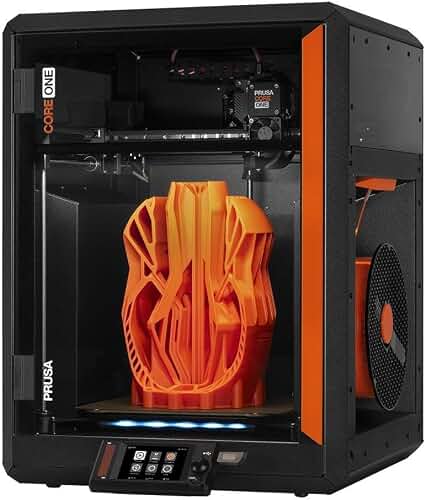
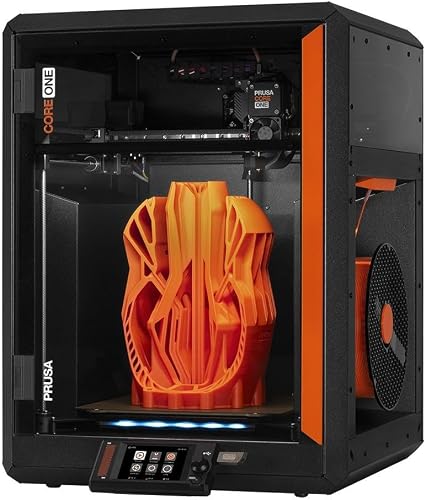
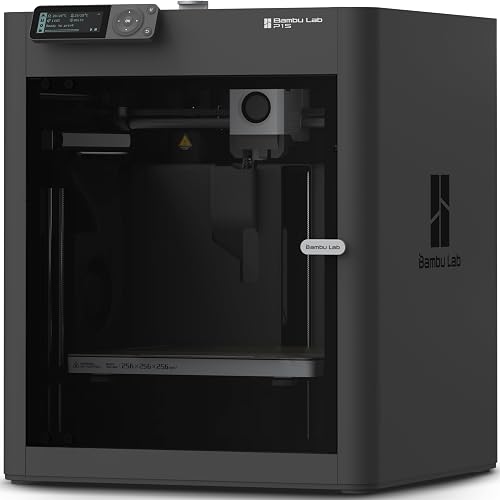
Three things make the MK4S particularly suited for insoles. First, the Nextruder is a true direct-drive extruder with a short filament path, which dramatically reduces TPU stringing and skipped steps compared to Bowden setups. Second, the load-cell-based first layer calibration produces a uniform bottom surface — critical for an insole that must sit flat in a shoe. Third, the MK4S’s 250 mm Y-axis travel comfortably fits a US men’s size 14 insole on the bed with room to spare for a brim. If you’re still evaluating the printer itself, our Prusa MK4S review covers the full hardware breakdown, and our Prusa MK4 vs Bambu Lab P1S comparison explains where the MK4S excels for flexible filaments specifically.
Step 3: Choose the Right Filament
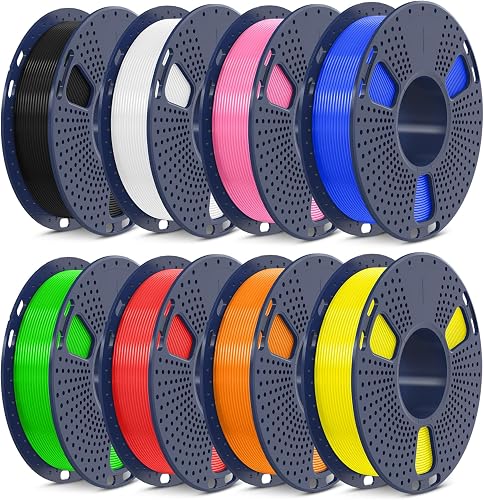
This is the single most important decision. TPU comes in a range of Shore hardness values, and the correct choice depends on your weight, activity level, and shoe type. Here is a quick comparison of the most common options for orthotics:
| Filament | Shore Hardness | Best For | MK4S Print Temp |
|---|---|---|---|
| TPU 85A | Very soft | Diabetic / pressure-relief insoles | 225 °C |
| TPU 95A | Medium-firm | General-purpose custom orthotics (recommended) | 230 °C |
| TPU 98A | Firm | Athletic, running, high arch support | 235 °C |
| TPE (Pearl) | Very soft | Top-layer comfort liner | 220 °C |
Step 1: Capture Your Foot Geometry
You have three realistic options for getting accurate foot data:
- Smartphone photogrammetry — Apps like Polycam or RealityScan can build a usable mesh of your foot in 10–15 minutes. Best for the top of the foot; less accurate for the arch contact surface.
- Foam impression box — Step into a high-density foam box, scan the negative with a phone or a desktop scanner, then invert it in Blender. This is what most clinics actually use.
- Pressure mat or weight-bearing scan — Devices like the Sensoria or Aetrex pressure mats give heat-map data that you can extrude in CAD. Overkill for most hobbyists.
For most people, the foam box plus phone-scan combo gives the best ratio of accuracy to effort. Aim for a mesh resolution of around 1 mm — finer than that wastes time, coarser than that produces visible faceting in the arch.
Step 2: Model the Insole in CAD
Import your scan into Fusion 360, Blender, or Meshmixer. A functional orthotic insole has four key zones:
- Heel cup — 8–12 mm deep, slightly wider than the calcaneus. This controls rear-foot pronation.
- Medial arch support — the most patient-specific zone. Height typically ranges from 15 mm (low arch) to 28 mm (high arch).
- Metatarsal pad — a 3–5 mm dome placed just behind the ball of the foot to offload the metatarsal heads.
- Forefoot taper — the front third of the insole should taper to 1.5–2 mm so it fits in dress shoes and athletic shoes alike.
If you don’t want to model from scratch, the open-source OrthoticPrint OpenSCAD script (search GitHub) gives you parametric inputs for arch height, heel depth, and shoe length — then exports a watertight STL ready to slice.
For 90% of users, TPU 95A from a reputable brand (Polymaker PolyFlex, Overture, or SUNLU) is the right choice. If you want a dual-density insole — firm shell with a soft top — the MK4S can do that with a single-extruder filament change at a specified layer, though it adds about 20 minutes of babysitting.
Step 4: PrusaSlicer Settings for TPU Insoles on MK4S
Start from the built-in “Generic Flex” profile and adjust the following:
- Layer height: 0.20 mm (a good balance of speed and surface comfort)
- Perimeters: 3
- Infill: Gyroid at 15–25% — gyroid gives consistent flex in every direction, which is exactly what an orthotic needs
- Print speed: 25–40 mm/s outer, 50 mm/s inner
- Retraction: 0.8 mm at 25 mm/s (Nextruder default is too aggressive for TPU)
- Part cooling fan: 0% for layers 1–3, then 35–50%
- Bed temperature: 60 °C on a satin or textured PEI sheet
Make sure your first layer is dialed in. A good first layer is everything for an insole because the bottom surface is the part touching the shoe. If your first layer looks rough, check our bed-leveling guide before printing — the MK4S’s load cell handles most of this automatically, but a dirty sheet can still cause problems.
Step 5: Print Orientation
Print the insole flat, top-side up, with the bottom (shoe-contact) surface on the build plate. This gives you a smooth glossy bottom that slides into a shoe easily and a slightly textured top surface that grips a sock. Do not tilt the insole — supports under a flexible part are a nightmare to remove and leave marks where you don’t want them.
If your insole is longer than 250 mm (roughly US men’s 13+), you can either split the model in CAD and bond the halves with cyanoacrylate, or rotate it 30° on the bed to fit diagonally.
Step 6: Post-Processing
Out of the printer, the insole will be slightly stiff because TPU work-hardens during printing. Flex it by hand 20–30 times in both directions and it will soften to its true Shore hardness. Trim any stray strings with sharp scissors — a hobby knife tends to tear TPU rather than slice it.
For comfort, glue a 2–3 mm sheet of EVA foam or a thin Poron top cover to the upper surface using contact cement. This step is optional but makes a huge difference in how the insole feels on hour-eight of a workday.
Common Problems and Fixes
The two failure modes you’re most likely to hit are stringing across the arch cutout and under-extrusion on steep curves. Stringing is fixed by drying your TPU (4 hours at 50 °C in a filament dryer — TPU is extremely hygroscopic) and slightly reducing retraction. Under-extrusion is almost always caused by printing too fast; drop your outer perimeter speed to 20 mm/s and the problem usually disappears. For a broader troubleshooting checklist, see our 3D printer problems guide.
Cost Breakdown
A single adult insole uses roughly 80–120 g of TPU. At $25–$35 per kilo, that’s $2–$4 per insole in materials, plus pennies in electricity. Compared to $400–$800 for podiatrist-prescribed custom orthotics, the MK4S pays for itself after two or three pairs — and you can iterate on the design as your needs change. For a deeper look at total cost of ownership, our 3D printer cost guide walks through filament, power, and replacement parts.
When to See a Professional Instead
DIY orthotics are great for general arch support, mild over-pronation, and heel pain. They are not a substitute for medical care if you have diabetes with neuropathy, a diagnosed structural foot deformity, or post-surgical recovery needs. In those cases, the consequences of a poorly fitting insole include ulceration and joint damage — see a podiatrist.
Frequently Asked Questions
What is the best TPU hardness for 3D printed orthotic insoles?
For most adults of average weight and activity, TPU 95A is the sweet spot. It’s firm enough to provide real arch support without bottoming out, but flexible enough to feel comfortable for all-day wear. Heavier users or runners may prefer TPU 98A; people with diabetes or pressure-sensitive feet should drop to TPU 85A.
How long does it take to print an orthotic insole on a Prusa MK4S?
A single adult insole at 0.20 mm layers with 20% gyroid infill takes 4–6 hours on the MK4S. Printing both insoles together on the bed roughly doubles the time, but saves you from re-priming the nozzle and re-leveling between prints.
Can I print orthotics with PLA instead of TPU?
No — PLA is far too rigid and will crack within days of use. Even “flexible PLA” blends do not have the fatigue resistance required. TPU, TPE, or printable polyurethane are the only realistic choices. If you’re unfamiliar with these materials, our PLA filament guide explains why standard PLA isn’t suitable for wearable flex parts.
Do I need a foot scanner to make custom insoles?
Not strictly. A smartphone with a photogrammetry app plus a foam impression box gives results well within the accuracy needed for hobby-grade orthotics. Dedicated foot scanners are more convenient but cost $500–$3,000 — hard to justify for personal use.
Can the Prusa MK4 also print orthotic insoles, or do I need the MK4S specifically?
The original MK4 can absolutely print TPU — the workflow is nearly identical. The MK4S has a slightly upgraded hot end and improved cooling that produce marginally cleaner TPU surfaces, but it’s not a night-and-day difference. Our Prusa MK4 review covers what you can and can’t do with the older model.
How do I print a dual-hardness insole on a single-extruder MK4S?
Use PrusaSlicer’s “change filament at layer X” feature. Print the firm 95A shell first, pause at the layer where you want the soft top layer to begin, swap to 85A TPU, and resume. Make sure both filaments are dry before starting — a wet swap is the most common cause of failures.
How often should I replace 3D printed orthotic insoles?
TPU insoles printed at 15–25% infill typically last 6–12 months of daily wear before they take a permanent set and lose support. Inspect the arch every few months — if it has visibly flattened or developed cracks, reprint. Heavier users and runners should plan on the shorter end of that range.
Is it safe to wear 3D printed insoles every day?
Yes, provided you use a skin-safe filament (most major TPU brands are certified for skin contact) and you’re not managing a medical condition that requires clinical orthotics. Wash the insoles weekly with mild soap and cool water — hot water above 60 °C can deform TPU.
Key Takeaways
- Choosing the right how to print custom orthotic insoles on prusa mk4s means matching the key features to your specific needs and budget
- Read real customer reviews and check the return policy before you commit
- Also covers: prusa mk4s tpu insole settings
- Also covers: 3d printed shoe orthotic prusa
- Also covers: custom arch support print prusa mk4s
- Compare value across models — the priciest option is not always the best fit