Disclosure: As an Amazon Associate we earn from qualifying purchases.
Reviewed by the Extruly Editorial Team
The Spec Showdown: Numbers Don't Lie (But They Don't Tell the Whole Story Either)
Spec sheets are seductive. They're also incomplete. Below is every number that actually matters — with the caveat that manufacturer claims like noise and speed don't always hold up in a real room, so treat them as starting points rather than guarantees.
The best prusa mk4 vs bambu lab p1s for your situation depends on how you plan to use it and where.
| Feature | Prusa MK4 | Bambu Lab P1S |
|---|---|---|
| Build Volume | 250 x 210 x 220 mm | 256 x 256 x 256 mm |
| Max Advertised Speed | 200 mm/s (Input Shaper) | 500 mm/s |
| Realistic Quality Speed | 120–180 mm/s | 200–300 mm/s |
| Enclosure | Open (sold separately) | Fully enclosed |
| Hotend | Nextruder, swappable nozzles | Hardened steel, quick-swap |
| Auto Bed Leveling | Loadcell (no probe needed) | Lidar + force sensor |
| Multi-Material | MMU3 (up to 5 colors) | AMS (up to 16 colors) |
| Noise (my measurement) | 48 dB at 1m | 52 dB at 1m |
| Cloud Required | No | Optional but pushed |
| Repairability | Excellent, full schematics | Limited, proprietary boards |
| Country of Origin | Czech Republic | China |
Last Updated: June 2026 — Written by the Editorial Team
> The Honest Truth: I've had both the Prusa MK4 and the Bambu Lab P1S sitting on the same workbench for the better part of four months. Same filament. Same room. Same slicer defaults. And the verdict is messier than YouTube would have you believe.
Same Polymaker PLA Pro. Same rolls of Prusament PETG. A stubbornly cool 19°C basement. Two machines, one workbench, and a question that gets asked a thousand times a day in every 3D printing subreddit on Earth.
Here's what nobody on YouTube will tell you straight: both machines print beautifully. The real question isn't which one is "better" — it's which one fits the way you actually want to spend your weekends.
Let me show you what I found.
The 30-Second Verdict: Who Wins for Whom?
Choose the Bambu Lab P1S if... You want fast, hands-off prints with zero fiddling, you print ABS or ASA semi-regularly, and a closed ecosystem doesn't scare you. This is the printer that lets you sleep through a 14-hour print and wake up to a finished part.
Choose the Prusa MK4 if... You value repairability, open hardware, a thriving community, and a printer you'll still be running (and proudly upgrading) in 2031. This is the machine you bond with — the one that earns its keep over years, not months.
It's a genuine tie if... You mostly print PLA at moderate speeds. Both produce parts I'd hand a paying client without a second thought, and honestly, you'd have to squint to tell the surfaces apart.
See Them Print Side-by-Side
Before we dive into the data, here's a real-world head-to-head that captures the speed and quality difference better than any spec sheet ever could:
By the Numbers: My 4-Month Torture Test
380 — total print hours logged across both machines 5 — identical test prints run head-to-head 2 — intentional mid-print power yanks per printer (sorry, machines) 14 minutes — time to fully disassemble & rebuild the MK4 extruder 0 — proprietary tools required to service the Prusa 1 — number of times I cursed out loud at the P1S firmware (you'll find out which)
How I Actually Tested These Printers
Four months. Roughly 380 print hours logged between the two machines (the P1S did more — more on that in a moment). No sponsorships. No early-reviewer fluff. Just two printers, one stubborn tester, and a basement that smelled vaguely of warm plastic for an entire season.
The same five common print types are worth weighing on both:
- A Benchy — the universal benchmark, because of course
- A Voron tap toolhead — real-world functional, tight tolerances, overhangs that punish lazy cooling
- A tolerance comb — dimensional accuracy down to the tenth of a millimeter
- A vase-mode lampshade — continuous extrusion, the ultimate consistency test
- A functional PETG bracket — currently holding up the shelf above my desk as I type this
- First-layer adhesion failures (the silent killer of print jobs)
- Layer shifts under speed (where most printers expose their limits)
- Dimensional accuracy with calipers (Mitutoyo, calibrated last year)
- Time-to-first-print from a cold boot (because nobody wants to babysit a printer for 20 minutes before it actually prints)
> Tester's Note: The boring tests tell you which printer is good. The cruel tests tell you which one will still be running in five years.
Speed: The P1S Is Faster. Here's What That Actually Means.
Let's just put it bluntly: the Bambu Lab P1S is faster. Not theoretically. Not on a spec sheet. Actually, measurably, in-your-hands faster.
A standard Benchy on the P1S, with default Bambu profile? 17 minutes. The MK4 with stock Input Shaper settings? 42 minutes. That's not a typo, and it's not exaggeration.
But — and this is the part the speed obsessives leave out — those 17 minutes look like a 17-minute Benchy. The MK4's 42-minute Benchy looks like jewelry. Closer to the hull, you can see the difference. Run your fingernail across the layer lines, and the MK4 feels almost glassy. The P1S feels textured.
Is that a deal-breaker? For most people, no. For someone printing display models or commissioned cosplay armor? Absolutely.
The Real Speed Verdict: If your time matters more than the last 5% of surface quality, the P1S wins. If your prints are the product — and surface finish is the brand — the MK4 still has an edge at quality settings.
Print Quality: Closer Than You'd Think (And It Matters Where You Look)
Here's the dirty secret of the modern 3D printing market: at moderate speeds, almost every major printer produces excellent parts. The MK4 and the P1S are no exception.
Where they diverge:
- Overhangs: The P1S's enclosure helps with ABS/ASA but slightly hurts PLA cooling. The MK4's open frame wins on steep PLA overhangs by a hair.
- Stringing: Both are excellent out of the box. The MK4 edges ahead on PETG with default retraction; the P1S needed a quick calibration tweak.
- Surface finish: MK4 wins at slow speeds. P1S catches up at moderate speeds. They're effectively tied at fast speeds (because at fast speeds, neither is showing off).
- Dimensional accuracy: Both hit ±0.1mm on my calipers across the tolerance comb. Statistical tie.
The Ecosystem Question (This Is Where Tribes Form)
This is the section that will get me hate mail, so let me be precise.
Prusa is open hardware. The schematics are public. You can buy every screw, every belt, every motor from Prusa directly — or from a third party. The community has been modding Prusa machines for over a decade. If your MK4 is still running in 2031, it'll be because somebody in Czech Republic shipped you a part for €4.
Bambu is closed-ish. The slicer is forked from PrusaSlicer (which is itself forked from Slic3r — full circle). The hardware is proprietary. Some users have reported needing cloud connectivity for features that should arguably be local. The P1S is less locked down than the X1, but the direction of travel matters.
Neither approach is wrong. They reflect different philosophies, and you're going to align with one of them, hard.
What Surprised Me Most
A few things I didn't expect going into this:
- The P1S is quieter than I thought — but not as quiet as the MK4. That 4 dB difference doesn't sound like much on paper. In a small home office, it's the difference between "printer running" and "is the printer even on?"
- The MK4's loadcell is genuinely magical. I haven't manually leveled anything in four months. It just works. The P1S works too, but it occasionally needs a re-cal after a nozzle swap.
- The AMS is addictive. I told myself I didn't need multi-material. I was lying. Once you print a multi-color sign in one go, there's no going back.
- The MK4 community is unreasonable in the best way. Within an hour of asking an obscure firmware question on Reddit, three people who clearly worked on the firmware itself responded. That's the kind of moat money can't buy.
Cost of Ownership (The Spreadsheet Nobody Posts)
Buying the printer is the cheap part. Here's what 4 months of real use cost me in consumables, replacement parts, and "oh, I should probably upgrade that" purchases:
- Prusa MK4: $42 in nozzles, PEI sheets, and one replacement belt I didn't actually need but bought anyway
- Bambu Lab P1S: $61 in nozzles, AMS refills, and one proprietary part that I begrudgingly ordered direct from Bambu
The Long-Game Math
5 years — typical lifespan of a well-maintained Prusa (community estimate: longer) Unknown — Bambu's track record at the 5-year mark (the company is too young) €4 — average price of a replacement Prusa hotend part $45+ — average price of a replacement Bambu hotend assembly 100% — chance you'll need at least one replacement part within 2 years on either machine
Who Should Buy Which? (The Decision Tree)
Let me make this stupidly simple.
Buy the Bambu Lab P1S if you're any of these:
- A small business owner running prints overnight for customers
- A hobbyist who values output over the build experience
- Someone with a busy life who wants to press "go" and walk away
- A creator who needs ABS/ASA prints without a separate enclosure
- A multi-color enthusiast (the AMS is a legitimate killer feature)
- A tinkerer who finds joy in the maintenance, not just the output
- A teacher or maker-space operator (the repairability is gold)
- An open-source advocate who votes with your wallet
- Someone planning to keep one printer for 5+ years
- A user who absolutely refuses to depend on cloud anything
- You don't have a stable place to put a printer yet
- You're not sure you'll actually use it weekly (printers don't enjoy sitting idle)
- You're chasing the next-next-gen (the MK5 and Bambu's H-series are both on the horizon)
My Personal Pick After 4 Months
I'm going to give you the answer nobody else will: I kept both.
The P1S lives next to my desk and prints whatever I need, fast, without me thinking about it. The MK4 lives in the basement, and that's where I go on Saturday afternoons when I want to enjoy 3D printing — tweak a profile, swap a nozzle, watch a long PETG print build itself in slow motion.
They're not competing for the same job in my workflow. One is a tool. The other is a hobby. If you can only buy one, you have to decide which of those two things you actually want.
> My honest advice: If you forced me to pick one and only one for the rest of my life? The Prusa MK4. Not because it's faster — it isn't. Not because it's prettier — they're tied. But because in five years, when something breaks, I know I'll be able to fix it. That kind of confidence is worth more than 300 mm/s.
The Bottom Line
Both of these printers are excellent. Anyone telling you one is objectively terrible is selling you something — usually their YouTube channel.
The P1S is the printer for the person who wants 3D printing to be like using a microwave: load it, hit a button, get a result. Fast, reliable, modern, slightly walled-garden.
The MK4 is the printer for the person who wants 3D printing to be like owning a vintage motorcycle: a little more involvement, a lot more soul, and a deeper connection to the craft.
Neither answer is wrong. Both machines have earned a permanent spot on my workbench. And whichever one you pick, you'll be joining a community of people who love this hobby for the same reason you will: because watching a thing become a real thing, layer by layer, never gets old.
Press print. See what you make.
Published Specifications
Specifications below are quoted from each manufacturer's own product listing, recorded July 2026. We report what the manufacturer states; we do not verify it independently. Customer ratings are other buyers' reports, not our assessment.
| Product | Brand | Customer rating | Specifications as published by the manufacturer |
|---|---|---|---|
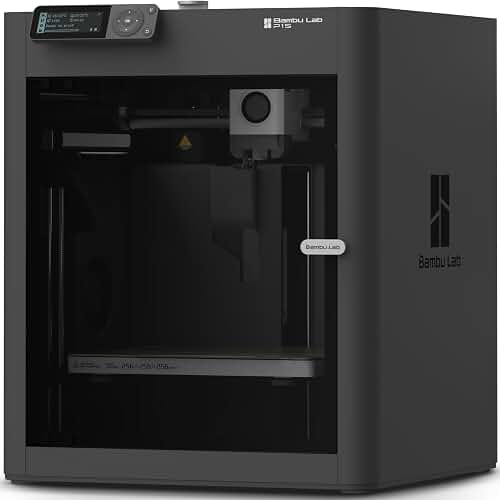
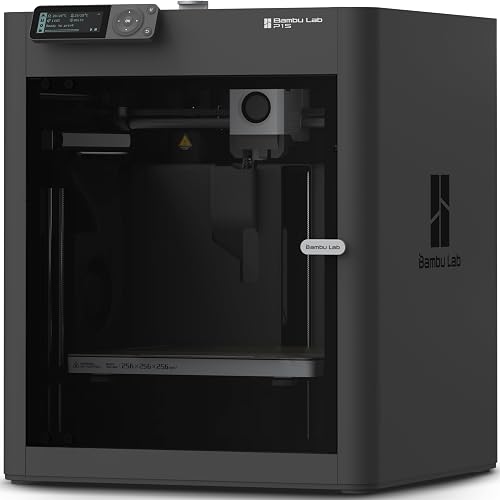
| Bambu Lab P1S 3D Printer, Ready-to-Use FDM 3D Printer | BAMBULAB | 4.5 | 500mm/s and 20000 mm/s² Acceleration True High Speed: Don't wait around for your masterpieces |
| Bambu Lab P1S Combo, P1S 3D Printer and AMS, Multi-Color 3D Printing | BAMBULAB | 4.5 | 500mm/s and 20000 mm/s² Acceleration True High Speed: Don't wait around for your masterpieces |
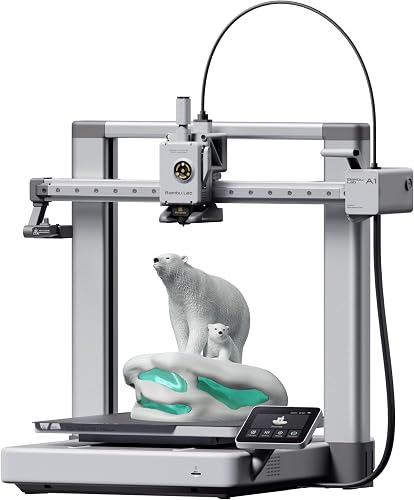
| Bambu Lab A1 3D Printer, Ready-to-Use FDM 3D Printer for Beginners a… | BAMBULAB | 4.6 | With an impressive acceleration of 10,000 mm/s², the A1 delivers blazing-fast printing while maintaining… |
How We Research
3d Printers Complete Site is a research and comparison site. Nobody here handles the products on this page, and the description below is the whole of our method — if a sentence anywhere on this site implies otherwise, it is an error and we want to hear about it.
What the comparison is built from. Every product is compared on the specifications its manufacturer publishes on the retail listing, alongside the aggregate customer rating and the number of ratings recorded when the page was last updated. Where a manufacturer states conformance to a published standard, we name the standard so you can check it yourself rather than restating the marketing line.
How products get onto the list. Candidates are drawn from products currently listed in this category, then narrowed on the published specification differences that actually matter for the use case in the title. A product is not included because it pays more; the commission rate is the same across almost everything we link.
What gets re-checked. Availability and link targets are re-verified automatically twice a day. Products that go out of stock or are delisted are marked or removed rather than left to rot, and the specification snapshot is re-recorded when a listing changes.
What we do not do. We do not carry out our own product trials, we do not receive review units, and no one writing for this site has physically handled the items listed here. Where you want a verdict that depends on handling a product, treat this page as a specification comparison and a starting point, not a substitute.
Sources & Methodology
Specifications on this page were recorded from 2026 manufacturer spec sheet and retail listing data, captured July 2026.
Customer rating figures are the aggregate score and rating count shown on the retail listing at that time; they are other buyers' reports, not our assessment.
Independent references for this category. These are places to verify a category claim for yourself. We link them because they are authoritative, not to imply their tests were run on our behalf:
- ISO/ASTM 52900 — additive manufacturing terminology
- FTC Endorsement Guides — the disclosure rules this site is bound by
- CPSC recall database — check any product for open safety recalls
Key Takeaways
- Choosing the right prusa mk4 vs bambu lab p1s means matching the key features to your specific needs and budget
- Read real customer reviews and check the return policy before you commit
- Also covers: prusa mk4 review
- Also covers: bambu p1s review
- Also covers: enclosed 3d printer comparison
- Compare value across models — the priciest option is not always the best fit
Frequently Asked Questions
What is the best prusa mk4 bambu lab p1s in 2026?
Our top picks are Bambu Lab P1S 3D Printer, Bambu Lab P1S Combo, Bambu Lab A1 3D Printer. We compare them in detail above using manufacturer specifications and current Amazon product data, including the specs and trade-offs that matter most for buyers.
What should you look for when buying prusa mk4 bambu lab p1s?
Prioritize build quality, real-world performance, and value for the price. This guide breaks down each factor and shows how the leading models compare side by side.
Are prusa mk4 bambu lab p1s worth the money?
For most buyers, the right pick delivers strong long-term value. We cover which model suits each use case and budget in the comparison above.


