Disclosure: As an Amazon Associate we earn from qualifying purchases.
To 3d print shotgun shell reloading trays prusa mk4s users can rely on, model your tray in Fusion 360 or FreeCAD around your hull's actual diameter (12 ga ≈ 20.5 mm, 20 ga ≈ 17.5 mm, .410 ≈ 13.5 mm), export an STL, and slice in PrusaSlicer at 0.20 mm layers with 4 perimeters, 25% gyroid infill, and PETG or PLA+ filament. The MK4S handles this job beautifully: its segmented heatbed, input-shaping at high acceleration, and Nextruder pressure advance produce dimensionally accurate hull pockets without elephant's foot, which is the single biggest cause of trays that swallow shells too tightly or let them rattle. Expect a 50-shell 12-gauge tray to print in roughly 4 to 6 hours on a 0.4 mm nozzle.
This guide walks through hull measurement, parametric tray design, slicer settings tuned for the MK4S, post-processing, and the small ergonomic touches (chamfered pockets, drain holes, MTM-compatible footprints) that separate a one-off print from a tray you'll actually grab off the shelf for every reloading session.
The best 3d print shotgun shell reloading trays prusa mk4s for your situation depends on how you plan to use it and where.
Why the Prusa MK4S Is a Strong Match for Reloading Trays
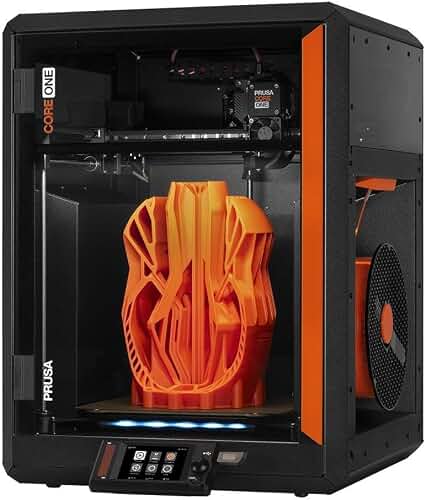
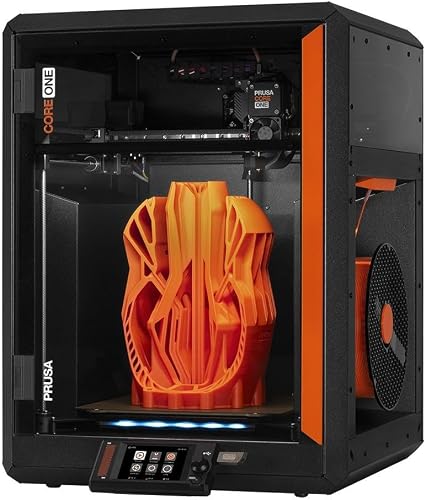
Reloading trays are deceptively demanding prints. They are wide and flat, which exposes any bed-leveling weakness; they have dozens of identical cylindrical pockets, which exposes any extrusion inconsistency; and they need to slide shells in and out thousands of times without cracking, which exposes brittle filament choices. The MK4S addresses all three: load-cell-based first-layer calibration measures the actual nozzle-to-bed distance at every print, the Nextruder's direct-drive geometry keeps extrusion steady through hundreds of identical perimeter passes, and the segmented heatbed lets you keep PETG at a consistent 85°C across the entire 250 x 210 mm build area.
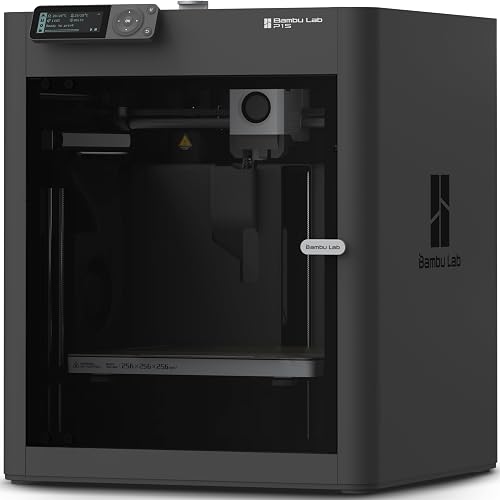
If you're still deciding between the MK4S and other current-generation machines for this kind of utilitarian print farm work, our Prusa MK4S review and Prusa MK4S vs Bambu Lab P1S comparison walk through the trade-offs in detail.
Step 1: Measure Your Hulls Before Touching CAD
Hull diameter varies more than reloaders expect. A factory Federal 12-gauge hull measures about 20.4 mm at the brass head, while a once-fired Cheddite can swell to 20.7 mm. Winchester AA hulls run on the smaller side, around 20.2 mm. If you design a pocket at a generic 21 mm you'll get a sloppy fit; design it at 20.5 mm and your AA hulls will fall through while your Federals get stuck.
Use a digital caliper to measure five fired and five unfired hulls from each brand you reload. Average them, then add a 0.3 mm radial clearance (0.6 mm on diameter) to account for PETG's slight first-layer squish and the natural draft you'll add later. For typical gauges:
- 12 gauge: pocket diameter 21.1 mm
- 20 gauge: pocket diameter 18.1 mm
- 28 gauge: pocket diameter 15.9 mm
- .410 bore: pocket diameter 14.1 mm
Step 2: Model the Tray Parametrically
The single best decision you can make is to build the tray with parameters rather than fixed dimensions. In Fusion 360, define user parameters for hullDia, pocketDepth, wallThickness, rowSpacing, rows, and cols. A 50-round 12-gauge tray laid out 10 x 5 with 24 mm center-to-center spacing comes out to roughly 245 x 125 mm, which fits the MK4S build plate with margin to spare.
Recommended geometry:
- Pocket depth: 25-30 mm. Deep enough to keep shells upright when you're crimping above the tray, shallow enough that you can pinch a shell out by the brass.
- Pocket draft: 1° inward taper from top to bottom. This makes hulls drop in cleanly and self-center.
- Top chamfer: 1.5 mm at 45°. This is the difference between a tray that feels professional and one that feels like a prototype.
- Drain holes: 6 mm holes at the bottom of every pocket. Lets debris fall through and lets you push shells out from below with a dowel.
- Base thickness: 3.5 mm. Enough rigidity for a 50-shell tray without wasting filament.
- Outer wall: 2.4 mm (6 perimeters at 0.4 mm). Handles rough garage handling.
If you'd rather skip CAD entirely, several reloaders on Printables and Thingiverse have published OpenSCAD scripts where you only edit gauge and count. They work, but you lose the ability to add features like a thumb cutout, a brand stamp, or a recessed label area.
Step 3: Slicer Settings for a Reliable MK4S Print
Open the STL in PrusaSlicer and start from the bundled 0.20 mm SPEED profile for MK4S Input Shaper. Then make these changes:
- Layer height: 0.20 mm. Going thinner buys you nothing on a utility part and doubles your print time.
- Perimeters: 4. Three is the bare minimum, four gives you a tray that survives being dropped on concrete.
- Top/bottom layers: 5 top, 4 bottom.
- Infill: 25% gyroid. Gyroid is isotropic and adds real stiffness to a thin slab without needing more perimeters.
- Brim: 5 mm, mouse-ears at corners only. A full skirt isn't enough on a wide flat part.
- First layer: 0.20 mm at 20 mm/s. Don't speed-print the first layer on a thin wide part.
- Filament: PETG at 240°C / 85°C bed, or Prusament PLA at 215°C / 60°C. PETG is the better choice if the tray will live in a hot garage or truck.
Step 4: Filament Choice Matters More Than You Think
The reloading-tray crowd is split between PLA and PETG, and both have legitimate cases. PLA is dimensionally easier and cheaper, but it creeps under sustained load and softens around 55°C, which is well within reach of a closed truck in summer. PETG is tougher, more chemically resistant to powder residue and Hoppe's solvent splash, and survives 70-80°C comfortably. ABS and ASA work but smell terrible and warp on a wide flat part without an enclosure. PLA+ from Polymaker or eSun is a reasonable middle ground.
Avoid TPU. People do print trays in TPU because the hulls slide in silently, but TPU compresses under the weight of a stack of shells and the pockets distort over time. Save TPU for the optional non-slip base pad you can print separately.
If filament selection is unfamiliar territory, our PLA filament guide covers the temperature, humidity, and storage basics you'll want before committing to a full spool.
Step 5: Bed Adhesion and the First Layer
A 245 x 125 mm flat part is exactly the kind of geometry that lifts off at the corners. Two things prevent it:
- Clean the textured PEI sheet with isopropyl alcohol before every reloading-tray print. Skin oils from picking up the sheet are the #1 cause of corner lift on MK4S.
- Add a 5 mm brim with mouse-ears. In PrusaSlicer right-click the part and choose "Add part > Mouse ears." They peel off in seconds.
If you're still getting first-layer trouble, run a fresh first-layer calibration from the printer's menu. The load-cell system on the MK4S is excellent but it does drift slightly after nozzle changes.
Step 6: Print, Inspect, Iterate
Your first tray will probably have pockets that are 0.2-0.4 mm too tight. This is normal and expected: PETG shrinks slightly more than PLA, and elephant's foot at the base of each pocket effectively tightens the bottom 0.5 mm of every hole. Two ways to fix it:
- Slicer-side: enable "Elephant foot compensation" at 0.2 mm in PrusaSlicer's Print Settings > Advanced.
- Design-side: add a 0.3 mm radius fillet at the bottom of each pocket so the elephant's foot has somewhere to go without choking the opening.
Print one corner of the tray as a test square first - eight or nine pockets in a 3 x 3 grid takes 45 minutes and tells you whether your dimensions are right before you commit to a 5-hour print.
Step 7: Post-Processing Touches That Make It Feel Finished
A printed tray fresh off the bed has a visible seam down one side of every pocket and slightly rough top edges. Five minutes of work transforms it:
- Knock down the top chamfer edges with 400-grit sandpaper.
- Run a deburring tool around each pocket opening - the Shaviv B for plastic works beautifully.
- Glue a thin EVA foam sheet or four printed TPU feet to the bottom so the tray doesn't slide on a press bench.
- Use a soldering iron set to 220°C to emboss a gauge label into the front edge, or print the label as a recessed pocket and fill with a contrasting filament.
Ergonomic Features Worth Adding to V2
Once your first tray works, these features take it from functional to genuinely better than commercial MTM trays:
- Thumb scallops at each pocket so you can lift a shell with one hand.
- Stackable nesting tabs on the top and matching pockets on the bottom so trays stack without sliding.
- A loaded/unloaded indicator - a printed slider that you flip after each shell is finish-crimped.
- Press footprint cutouts sized for your specific press (MEC 600 Jr, MEC 9000, Ponsness Warren 800B) so the tray sits flush against the shell plate.
For more advanced functional-print workflows, our 3D printer maintenance guide covers the nozzle wear, belt tension, and bed flatness checks that keep dimensional accuracy high enough for press-fit features like nesting tabs.
Safety and Material Notes
Reloading trays are not pressure components and never see primer or powder loads directly, so material strength is not a safety issue in the traditional sense. The relevant safety considerations are different:
- Static: Printed plastic can hold static charge. Wipe trays with a slightly damp microfiber before working with loose powder, and don't use TPU near open powder containers.
- Heat: Don't store a loaded tray on a hot reloading press or near a wad-seating heater. PLA softens at 55°C.
- Solvents: Hoppe's No. 9, MPro-7, and most CLP solvents will haze PLA over time. PETG resists them much better.
Frequently Asked Questions
How long does it take to 3D print a 50-round shotgun shell reloading tray on the Prusa MK4S?
A 10 x 5 pocket 12-gauge tray with 25 mm pocket depth, 4 perimeters, 25% gyroid infill, and 0.20 mm layers prints in about 4 hours 20 minutes on the MK4S with input shaper enabled. A 20-gauge tray of the same layout comes out closer to 3 hours 30 minutes because the pockets are smaller. Doubling layer height to 0.30 mm gets it under 3 hours but the pocket walls show visible layer lines that catch hulls slightly.
What's the best filament for printing shotgun shell reloading trays?
PETG is the strongest all-around choice: it tolerates summer truck temperatures up to about 75°C, resists solvent splash, and doesn't creep under the static load of a full tray. PLA+ is acceptable for indoor benchtop use, prints more easily, and is cheaper. Avoid plain PLA if the tray will see any sun or heat, and avoid TPU because it compresses under load and distorts the pocket fit over time.
Can I 3D print reloading trays for 12 gauge, 20 gauge, and .410 with the same Prusa MK4S settings?
Yes - the slicer profile stays identical, only the pocket diameter changes. Use 21.1 mm for 12 gauge, 18.1 mm for 20 gauge, 15.9 mm for 28 gauge, and 14.1 mm for .410. A parametric Fusion 360 or OpenSCAD model lets you regenerate the STL in about 30 seconds. Make sure to re-measure your specific hull brand because there's meaningful variation between AA, Federal, Cheddite, and Fiocchi.
Will the printed tray fit a MEC 600 Jr or similar reloading press?
Standard 50-round trays at 24 mm pocket spacing match the MTM SF-50-12 footprint and sit cleanly next to a MEC 600 Jr, MEC 9000, Ponsness Warren 800B, or Lee Load-All II. If you want the tray to dock against the press base, add a press-specific cutout on the long edge in CAD - measurements for the popular presses are widely shared in the reloading subreddits and the Trapshooters.com forums.
How do I prevent the tray from warping or lifting at the corners?
Three steps eliminate corner lift on the MK4S: clean the textured PEI sheet with 90%+ isopropyl alcohol before every print, add a 5 mm brim with mouse-ears at the corners in PrusaSlicer, and keep the bed at 85°C for PETG or 60°C for PLA throughout the print. If you still see lift, drop your part cooling fan to 30% for the first 10 layers and disable the auxiliary cooling on the MK4S menu.
Can I sell 3D-printed shotgun shell reloading trays I designed myself?
Yes, original designs you create are yours to sell. You can list them on Etsy, gun shows, or local sportsman's clubs without any firearm-specific licensing because reloading trays are not regulated items - they're functional shop accessories. If you adapt someone else's published model, check the license on Printables or Thingiverse: Creative Commons Non-Commercial means personal use only, while CC-BY allows commercial use with attribution.
Is a 0.4 mm nozzle good enough for shotgun shell trays or should I upgrade to 0.6 mm?
The stock 0.4 mm Nextruder nozzle is the right tool for this job. A 0.6 mm nozzle prints faster but the wider extrusion makes the pocket draft and chamfer details noticeably blockier, and you lose the ability to do fine label embossing. If you're running a small print-farm operation cranking out dozens of trays, a 0.6 mm CHT nozzle from Bondtech cuts print time by about 35% with acceptable quality. For occasional personal use, stick with 0.4 mm.
Key Takeaways
- Choosing the right 3d print shotgun shell reloading trays prusa mk4s means matching the key features to your specific needs and budget
- Read real customer reviews and check the return policy before you commit
- Also covers: custom 12 gauge ammo tray stl
- Also covers: reloading bench organizer 3d print
- Also covers: prusa mk4s for shooting sports
- Compare value across models — the priciest option is not always the best fit