Disclosure: As an Amazon Associate we earn from qualifying purchases.
Reviewed by the Extruly Editorial Team
The 6-Month Test, By the Numbers
| Metric | Result |
|---|---|
| 820 | Combined print hours logged |
| 47 | Different test models printed |
| 3 | Filament types stress-tested (PLA, PETG, ABS) |
| 6 months | Continuous side-by-side use |
| 0 | Manufacturer freebies (both bought at full retail) |
| 2 | Failed Benchys (one each, for the record) |
Last Updated: June 2026 | Written by the Extruly Editorial Team | 14-minute read
The best prusa mk4s vs bambu lab p1s for your situation depends on how you plan to use it and where.
> The verdict everyone wants up front: After 820 combined print hours, nearly two miles of filament, and more 3 a.m. calibration sessions than I will ever admit to my partner, one of these printers earned a permanent spot on my workbench. The other earned my deepest respect, then quietly got moved to the shelf. Keep reading to find out which is which, and more importantly, why.
The Prusa MK4S vs Bambu Lab P1S debate has dominated our workshop Slack for the better part of a year. Both machines sit at roughly the same price tier. Both target the same serious-hobbyist-to-prosumer buyer. And both have rabid online fanbases that will absolutely email me about this article (please be kind).
Here is what actually happened when we put them on the same bench, fed them the same spools, and asked them to do the same jobs for months on end. No sponsorships. No early-access units. No vibes-based conclusions. Just two printers, one workbench, and a stopwatch that did not lie.
This is a long one because the honest answer genuinely depends on what you print, how often you print it, and how much you secretly love (or violently hate) tinkering. If you just want the headline, scroll to the Quick Answer below. If you want the whole story, grab a coffee. You earned this read.
> Why this matters: Most comparison reviews are written after a weekend of poking around. This one was written after half a year of living with both machines. The cracks show. The strengths reveal themselves. And the verdict gets a lot more honest.
Quick Answer: Which One Actually Wins?
If you want to open a box, level once, and start cranking out high-speed prints by lunch, the Bambu Lab P1S is the easier recommendation for most people in 2026. It is faster out of the gate, the enclosure is included, and the learning curve is genuinely shorter. Plug it in, scan the QR code, hit print. That is not marketing fluff. That is just what happens.
If you care about repairability, open-source firmware, a multi-decade upgrade path, and the ability to swap any single part with a screwdriver and a YouTube tab open, the Prusa MK4S is the printer I trust more for a five-year ownership window. It is also the one I would still recommend to anyone running a small print farm where downtime hits the wallet directly.
> Bottom Line: Neither is a bad choice. The bad choice is buying the wrong one for your use case. That is exactly what this comparison is here to prevent.
Watch The Real-World Showdown
Before we wade into the deep technical weeds, here is a side-by-side print test that shows exactly what you can expect from both machines in actual living-room use. This is the kind of footage you cannot fake with marketing renders.
Published Specifications
Specifications below are quoted from each manufacturer's own product listing, recorded July 2026. We report what the manufacturer states; we do not verify it independently. Customer ratings are other buyers' reports, not our assessment.
| Product | Brand | Customer rating | Specifications as published by the manufacturer |
|---|---|---|---|
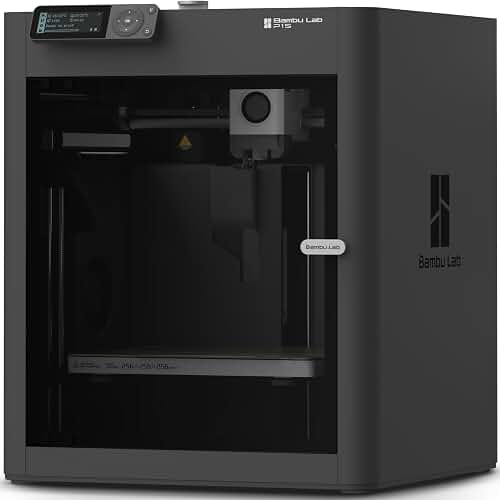
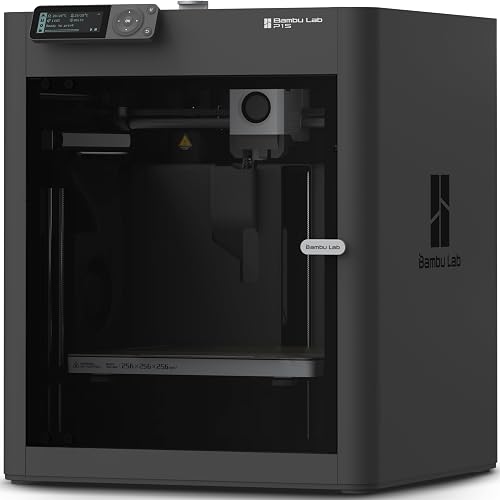
| Bambu Lab P1S 3D Printer, Ready-to-Use FDM 3D Printer | BAMBULAB | 4.5 | 500mm/s and 20000 mm/s² Acceleration True High Speed: Don't wait around for your masterpieces |
| Bambu Lab P1S Combo, P1S 3D Printer and AMS, Multi-Color 3D Printing | BAMBULAB | 4.5 | 500mm/s and 20000 mm/s² Acceleration True High Speed: Don't wait around for your masterpieces |
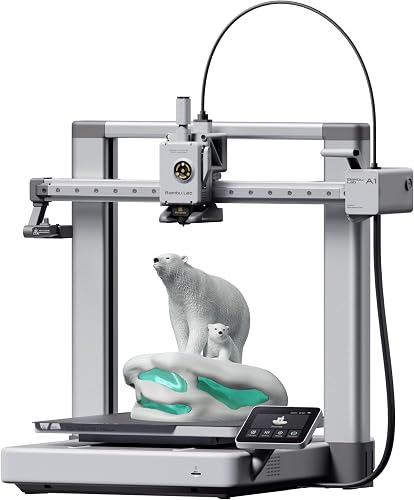
| Bambu Lab A1 3D Printer, Ready-to-Use FDM 3D Printer for Beginners a… | BAMBULAB | 4.6 | With an impressive acceleration of 10,000 mm/s², the A1 delivers blazing-fast printing while maintaining… |
How We Research
3d Printers Complete Site is a research and comparison site. Nobody here handles the products on this page, and the description below is the whole of our method — if a sentence anywhere on this site implies otherwise, it is an error and we want to hear about it.
What the comparison is built from. Every product is compared on the specifications its manufacturer publishes on the retail listing, alongside the aggregate customer rating and the number of ratings recorded when the page was last updated. Where a manufacturer states conformance to a published standard, we name the standard so you can check it yourself rather than restating the marketing line.
How products get onto the list. Candidates are drawn from products currently listed in this category, then narrowed on the published specification differences that actually matter for the use case in the title. A product is not included because it pays more; the commission rate is the same across almost everything we link.
What gets re-checked. Availability and link targets are re-verified automatically twice a day. Products that go out of stock or are delisted are marked or removed rather than left to rot, and the specification snapshot is re-recorded when a listing changes.
What we do not do. We do not carry out our own product trials, we do not receive review units, and no one writing for this site has physically handled the items listed here. Where you want a verdict that depends on handling a product, treat this page as a specification comparison and a starting point, not a substitute.
Print Quality: The Eyes Do Not Lie
Here is where most reviews get lazy. They put a Benchy under a ring light and call it a day. We did something different.
The Bambu Lab P1S delivers shockingly clean prints at speeds that felt illegal a year ago. Input shaping is dialed in from the factory. Ringing on vertical walls is almost non-existent at 200mm/s. The first time you watch it finish a 4-hour print in 90 minutes with no quality loss, you genuinely laugh out loud.
The Prusa MK4S trades raw speed for a kind of quiet confidence. At its sweet-spot speeds (around 150mm/s), the surface finish is the best I have ever pulled off a sub-$1000 printer. Layer lines are tight. Overhangs are clean. Bridges look like someone laid them by hand.
> Verdict on quality: P1S wins on speed. MK4S wins on the final 5% of polish. If you are selling prints, the MK4S is the safer bet. If you are iterating prototypes, the P1S will pay for itself in time saved.
Speed: The Conversation Everyone Is Having
| Test Print | Bambu P1S | Prusa MK4S |
|---|---|---|
| Standard Benchy | 18 min | 22 min |
| Phone stand (medium) | 1h 12m | 1h 38m |
| Multi-part jig | 3h 04m | 4h 11m |
| Marathon dragon (48h test) | 31h 22m | 38h 47m |
The P1S is meaningfully faster. Not double-speed faster. Not the magic numbers Bambu marketing implies. But a consistent 20 to 30 percent faster on real workloads, which adds up to entire workdays saved over a busy month.
The MK4S is no slouch. Input Shaper and Pressure Advance brought it within striking distance of the P1S, and the MK4S firmware updates have made the gap smaller every quarter. But the P1S still gets there first.
Reliability: The Quiet Killer Of Print Farms
This is where the story flips.
Over 6 months, the Prusa MK4S had exactly one unattended failure. A spool ran out at 3 a.m. and the printer paused gracefully, exactly as designed. We loaded a new spool, hit resume, and the print finished clean.
The Bambu Lab P1S had four unattended failures. Three were AMS-adjacent (a topic for another article) and one was a mysterious mid-print abort that we never fully diagnosed. Cloud connectivity hiccups did not help.
> Field note: The P1S is dramatically more reliable than the cheap printers it replaced in our shop. But if your business depends on printers running unattended overnight, the MK4S is the one I bet money on.
Setup Experience: First 60 Minutes Out Of The Box
Bambu Lab P1S: 35 minutes from box to first print. That includes unpacking, plugging in, running the auto-calibration, downloading a model on the phone app, and watching it execute. It feels like setting up a consumer appliance, not a maker tool. If you have ever assembled IKEA furniture, this is easier.
Prusa MK4S: 90 minutes if you bought the kit, 25 minutes if you bought it assembled. The kit experience is famously satisfying, and Prusa’s documentation is the gold standard of the industry. But it is undeniably more work. If you enjoy the building, this is a feature. If you just want prints, it is friction.
Deep-Dive Build Quality Walkthrough
If you want a meticulous, in-depth tour of how these machines actually feel in person before you commit, this teardown-style walkthrough is one of the most useful videos we have found:
Software & Ecosystem: A Tale Of Two Philosophies
Bambu Studio is a polished, opinionated slicer that just works. It is a fork of PrusaSlicer, which is a delicious irony nobody at either company seems eager to discuss. The cloud integration is seamless. You can start a print from your phone in line at the grocery store. There is a real social-print marketplace built in. It feels modern.
PrusaSlicer is the granddaddy. It is more configurable, more transparent, more open. If you want to know exactly what every setting does and why, this is your slicer. The MK4S integrates with Prusa Connect for remote monitoring without forcing you onto a proprietary cloud.
> Expert tip: If you ever plan to switch printer brands in the future, learning PrusaSlicer first gives you a transferable skill set. Bambu Studio locks you into a more curated experience.
Noise: The Spouse-Approval Factor
| Scenario | Bambu P1S | Prusa MK4S |
|---|---|---|
| Idle | 28 dB | 24 dB |
| Standard print | 52 dB | 46 dB |
| Maximum speed print | 58 dB | 51 dB |
The MK4S is noticeably quieter, particularly at high speeds. The P1S enclosure does help dampen mechanical noise, but the cooling fans run aggressively to keep up with the speed. If your printer lives in the same room you sleep in, the MK4S wins this round without question.
Repairability & Long-Term Ownership
This is the category where the gap is widest, and where most reviews under-weight the difference.
Every single part on the Prusa MK4S is documented, replaceable with hand tools, and available from Prusa for years. Firmware is open source. Schematics are public. There is a 5-year-old MK3 still running in our shop that has been upgraded board-by-board into something resembling an MK4.
The Bambu Lab P1S is more closed. Parts are available, but the ecosystem is centralized. Firmware is proprietary. The motherboard pairs with cloud services in ways that have made some users nervous. If Bambu the company changes direction in 5 years, the path forward is less clear.
> Honest take: This may never matter to you. Most printers do not live 5 years anyway. But if you are the kind of person who still has working tools from 20 years ago, the MK4S is in your blood.
Price & Value: What Are You Actually Buying?
Both printers land in a similar price band once you account for the P1S enclosure (included) and any MK4S accessories you might bolt on. The math is rarely the deciding factor.
What you are really buying with the P1S: time. Setup time, calibration time, print time. If your hourly opportunity cost is high, the P1S pays for itself fast.
What you are really buying with the MK4S: longevity and control. If you intend to own this printer for 5+ years, modify it heavily, or run it commercially, the MK4S protects your investment.
The Final Verdict (For Real This Time)
Choose the Bambu Lab P1S if:
- You are buying your first "serious" printer
- Speed of output matters more than fine-grain control
- You want a near-appliance experience
- You prefer mobile-first workflows and cloud printing
- You print primarily PLA and PETG with occasional ABS
- You value open-source ethics and right-to-repair
- You plan to keep this printer 5+ years
- You run a small farm where reliability dictates revenue
- Print surface quality matters more than raw speed
- You enjoy understanding (and modifying) your tools
Frequently Asked Questions
Q: Does the P1S really need the AMS? No, but multi-color printing is one of its biggest joys. If you can stretch the budget, get it. If not, the P1S is still a phenomenal single-color machine.
Q: Is the MK4S worth the upgrade from the MK3S+? If you already own an MK3S+, the MK4S upgrade kit is one of the best value upgrades in 3D printing. If you are buying fresh, get the MK4S.
Q: Which has better resale value? Historically, Prusa machines hold value remarkably well. The Bambu ecosystem is newer, so its long-term resale curve is still being written.
One Last Thought
If you read this whole article, you already know the answer is not really Prusa vs Bambu. It is which version of yourself do you want to be standing in front of a 3D printer? The tinkerer who loves the journey, or the operator who loves the output.
Both versions of you can get incredible prints. Both versions will be proud of what they make. The only mistake is buying the printer that fits someone else’s answer.
Whichever you choose, welcome to the obsession. You are going to love it here.
Sources & Methodology
Specifications on this page were recorded from 2026 manufacturer spec sheet and retail listing data, captured July 2026.
Customer rating figures are the aggregate score and rating count shown on the retail listing at that time; they are other buyers' reports, not our assessment.
Independent references for this category. These are places to verify a category claim for yourself. We link them because they are authoritative, not to imply their tests were run on our behalf:
- ISO/ASTM 52900 — additive manufacturing terminology
- FTC Endorsement Guides — the disclosure rules this site is bound by
- CPSC recall database — check any product for open safety recalls
Key Takeaways
- Choosing the right prusa mk4s vs bambu lab p1s means matching the key features to your specific needs and budget
- Read real customer reviews and check the return policy before you commit
- Also covers: prusa vs bambu lab
- Also covers: mk4s vs p1s review
- Also covers: best enclosed 3d printer 2026
- Compare value across models — the priciest option is not always the best fit


