
Disclosure: As an Amazon Associate we earn from qualifying purchases.
If you want to know how to print prosthetic cosplay ears and horns on Elegoo Saturn 4, the short answer is this: model the piece with a thin, feathered edge in Blender or ZBrush, slice it in CHITUBOX with the flat back oriented down at a slight tilt, print it in a flexible or semi-flexible resin (never a brittle standard resin), wash and UV cure carefully, then back the piece with thin latex or silicone before applying it to skin with pros-aide or spirit gum. The Saturn 4 Ultra's 12K monochrome screen and 19×11.9 cm build plate are ideal for character ears and small-to-medium horns in a single shot, which is why it has become a favorite tool among cosplayers, makeup FX hobbyists, and creature designers heading into the 2026 con season.
This guide walks through every step — model prep, resin selection, slicer settings, post-cure, and skin-safe wearability — so your prosthetics come off the plate looking like screen-quality appliances rather than rigid props that crack the moment you smile.
The best how to print prosthetic cosplay ears and horns on elegoo saturn 4 for your situation depends on how you plan to use it and where.

Why the Elegoo Saturn 4 Is a Great Choice for Prosthetics
Prosthetic appliances live or die on edge thickness. A traditional FDM printer simply cannot lay down a 0.2 mm feathered edge cleanly, and even a 4K resin printer struggles to resolve the gradient where the prosthetic blends into skin. The Saturn 4 Ultra prints at roughly 19 microns on the XY axis thanks to its 12K mono LCD, which is fine enough to hold a near-zero edge with no stair-stepping visible under stage lighting.

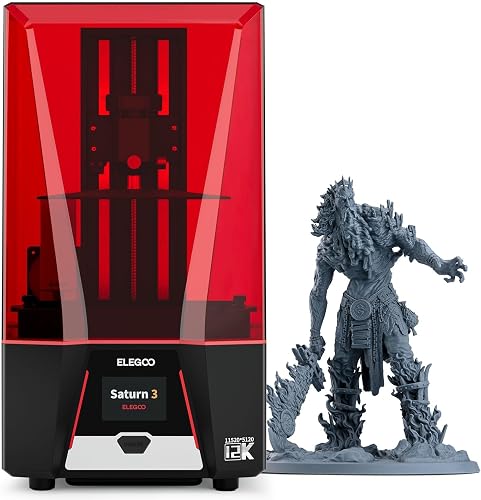
The bigger plate also matters. Two long elf ears, a pair of curling ram horns, or a full forehead appliance can all sit on the bed at once, oriented for the cleanest print, without forcing you to split parts and seam them later. If you are still comparing machines, our best resin 3D printers roundup and our Elegoo Mars 4 Ultra review walk through the wider Elegoo lineup; the Mars 4 Ultra is the smaller sibling and will print one ear at a time, while the Saturn 4 Ultra is the natural step up when you need pairs and bigger horn shapes.
Choose the Right Resin (This Is Half the Battle)
Standard hard resin will print a beautiful horn or ear, but the moment you flex it against skin it will snap, and any shard near an eye is dangerous. The resin you pick has more impact on the final wearability than any slicer setting.
Flexible and elastic resins
For ear tips, pointed elf ears, and small horn caps that need to bend without breaking, look for a 60A to 90A shore-hardness flexible photopolymer such as Siraya Tech Tenacious blended with a standard ABS-like at roughly 1:3, Anycubic Flexible, or Phrozen Aqua-Gray Flexible. A pure flexible resin is often too soft to hold a curling horn shape upright; blending gives you a tough, slightly rubbery part that survives a long convention day.
Tough or ABS-like resin for full horns
Large horns — ram curls, minotaur sweeps, demon spires — should be hollow and printed in a tough ABS-like resin. Elegoo's own ABS-Like 2.0, Siraya Tech Blu Tough, and Sunlu ABS-Like are all proven choices. Hollow horns weigh less, which matters when they are glued near your hairline for eight hours.
What to avoid
Skip washable water-wash resin for any piece touching skin: it tends to stay slightly tacky and absorb sweat. Skip cheap unbranded resin, since uncured monomer is a sensitizer that can trigger contact dermatitis. Always overcure pieces meant for skin contact, and back them with a barrier layer before wearing.
Modeling and Preparing the File
Whether you sculpt in Blender, ZBrush, or Nomad, three rules apply specifically to prosthetic geometry on the Saturn 4:
1. Feather the edge to 0.1–0.2 mm. The transition from prosthetic to bare skin must be thinner than a piece of paper or the seam will read as a hard line on camera. In Blender, use a solidify modifier on the inner face only, then sculpt the boundary down. In ZBrush, use Dynamesh and the Polish brush along the perimeter.
2. Add a flat or gently curved interior. The inside of the prosthetic should match the contour of the body part it sits on. For ear cuffs, model a negative of your own ear (a scan or a quick photogrammetry pass with your phone works). For forehead horns, the base should be a shallow concave disc, not a flat slab, so it conforms to the brow.
3. Hollow large pieces in advance. Anything with more than about 25 mm of solid resin should be hollowed to a 1.5–2 mm wall in CHITUBOX or Lychee, with two 3 mm drain holes placed on a surface that will face down during the print. Uncured resin trapped inside a horn is both heavy and a long-term skin hazard.
Slicing in CHITUBOX for the Saturn 4
Orientation
For ears, lay the piece nearly flat with the inside (concave side) facing the build plate, then tilt about 15 degrees so resin can drain off the tip rather than pooling. For horns, point the tip toward the build plate at roughly a 20–30 degree tilt; this puts supports on the inside of the curl where they will not leave marks on the painted exterior.
Supports
Use light or medium auto-supports as a starting point, then manually add a ring of medium supports along the feathered edge — the edge will droop without them. Keep supports off any cosmetic surface. Tip contact points should be 0.25–0.35 mm wide so they snap off without tearing the flexible part.
Exposure settings
The Saturn 4 Ultra's release liner and tilt mechanism is forgiving, but flexible resins still want a longer exposure than the resin profile defaults. Print a resin validation matrix (cones of calibration, or the standard XP2 test) for any new bottle. Typical starting values: 2.2–2.6 s normal-layer exposure at 50 micron layers for a flexible blend, 1.8–2.2 s for ABS-like. Use 6–8 bottom layers at 25–35 s.
If this is your first resin printer, our first 3D printer setup guide and printer troubleshooting reference cover the basics of leveling, resin handling, and reading failed prints.
Post-Processing: Washing, Drying, and Curing
Post-processing is where most homemade prosthetics fail. Get this right and even a forgiving resin will feel professional.
Wash twice. First bath in dirty IPA for one minute to knock off the bulk resin, then a second bath in clean IPA for one minute. Use a soft toothbrush along the feathered edge — uncured resin loves to pool there. If you cure resin onto the edge, it stiffens and ruins the blend.
Dry completely. Pat with a lint-free cloth, then air-dry for at least 10 minutes. Curing a wet part traps cloudy IPA in the surface.
Cure to spec, then a little more. Flexible resins cure best warm and underwater (the water keeps oxygen off the surface, eliminating tackiness). 6–10 minutes in an Elegoo Mercury XS or equivalent is normal. Anything you plan to wear should also get a final 60-second blast of UV after each touch-up.
Making the Piece Skin-Safe
Even “biocompatible” resins are only certified for short skin contact and they all benefit from a barrier. Do one of three things:
Latex back. Brush thin liquid latex onto the inside of the prosthetic, let it dry, repeat twice. The latex layer is what actually touches your skin.
Silicone mold transfer. Use the resin print as a master, cast a platinum-cure silicone copy (Smooth-On Dragon Skin 10 or Ecoflex), and wear the silicone. This is the gold-standard professional method and is why most film prosthetics are silicone, not resin.
Prosthetic transfer with Pros-Aide. Paint a thin layer of Pros-Aide cream onto the inside of the resin appliance, dust with translucent powder, and use that powdered layer as the skin interface. Removes cleanly with isopropyl myristate.
Painting and Finishing
Prime with a flexible primer such as Smooth-On Psycho Paint or a Pros-Aide / acrylic mix — standard rattlecan primer will crack on flexible resin. Build color in thin layers with alcohol-activated paints (Skin Illustrator, Stacolor, European Body Art Endura) for ears and horns that need realistic translucency. Seal with a matte sealant; gloss reads as plastic on camera.
For horns, dry-brushing burnt umber and bone white into the surface grooves sells the keratin look in seconds. For ears, stipple veins under the surface with a fine brush before sealing so they appear to live under translucent skin.
Application Day
Clean the application area with 99% IPA, apply a thin coat of Pros-Aide, let it tack, then press the prosthetic on. Stipple the feathered edge with more Pros-Aide and a tiny piece of yellow stipple sponge until the edge disappears. Powder, then paint over the edge with the same alcohol palette you used on the appliance. Remove at the end of the day with isopropyl myristate, never by pulling.
Maintenance, Storage, and Reuse
A well-printed resin appliance backed with latex or silicone is good for 5–10 wears if you take care of it. Clean adhesive off with IPM, dust with translucent powder, and store flat in a dark box — sunlight will continue to cure and embrittle the part. Our 3D printer maintenance guide covers keeping your Saturn 4's FEP film and LCD healthy so the next print is as crisp as the first.
Frequently Asked Questions
Can the Elegoo Saturn 4 print flexible resin for cosplay ears?
Yes. The Saturn 4 and Saturn 4 Ultra handle flexible and semi-flexible photopolymers well, provided you adjust exposure (usually 0.4–0.8 s longer than the default ABS-like profile) and use chunkier bottom-layer adhesion. Many cosplayers run a 1:3 blend of Siraya Tech Tenacious and a tough resin to get a part that bends without flopping.
What is the best resin for skin-contact prosthetics on a resin printer?
For direct skin contact, the safest path is to print a hard master in any tough resin, then cast a platinum silicone copy from it. If you must wear the print itself, choose a flexible resin labeled biocompatible (Class I), overcure it, wash thoroughly, and back the interior with liquid latex or Pros-Aide.
How do I keep my prosthetic horns lightweight on the Saturn 4?
Hollow them to a 1.5–2 mm wall in CHITUBOX, add 3 mm drain holes on a non-visible face, and orient the tip downward so resin drains during the print. A hollow 15 cm ram horn in ABS-like resin should weigh under 40 grams, light enough to glue to the brow with Pros-Aide without sagging.
How thin can the Saturn 4 Ultra print a prosthetic edge?
The XY pixel pitch is about 19 microns, so a single-pixel-wide edge is roughly 0.02 mm — too fragile to handle. In practice, model your feathered edge at 0.10–0.20 mm and support it lightly so it survives the peel. After cure, you can sand or chemically smooth it further.
Do I need a wash and cure station for cosplay prosthetics?
Yes. Uncured resin on a wearable part is a contact-allergen risk. An Elegoo Mercury XS or Anycubic Wash & Cure 3 handles the Saturn 4's plate footprint and lets you cure flexible parts underwater, which eliminates surface tack. If you are still building out your workflow, our 3D printer buying guide lists the support gear most resin owners end up adding within a month.
How do I prevent flexible resin prosthetics from tearing off the build plate?
Increase bottom layer exposure by 20–30%, use eight bottom layers instead of the default four, and tilt parts at least 15–20 degrees so peel forces hit the support raft rather than the part itself. If failures continue, check the build plate for resin residue and reseat the FEP — a soft FEP that has stretched will cause flexible prints to lift.
Can I make matching pairs of ears in one print on the Saturn 4 Ultra?
Easily. The 19×11.9 cm plate fits two long elf-ear appliances mirrored, plus a small accessory like a brow ridge, with room left over. Mirror the second ear in your slicer rather than your modeling app so both pieces share identical support placement and the same exposure history, which keeps the pair visually consistent.
Key Takeaways
- Choosing the right how to print prosthetic cosplay ears and horns on elegoo saturn 4 means matching the key features to your specific needs and budget
- Read real customer reviews and check the return policy before you commit
- Also covers: cosplay ear prosthetic resin print
- Also covers: saturn 4 cosplay horn printing
- Also covers: flexible resin cosplay prosthetic
- Compare value across models — the priciest option is not always the best fit