Disclosure: As an Amazon Associate we earn from qualifying purchases.
Printing your own custom keycaps lets you craft sets nobody else owns — novelty artisans, GMK-style colorways, sculpted profiles tuned to your fingers, even blanks with logos you sublimated yourself. But the best 3d printer for printing custom mechanical keyboard keycaps is not the same workhorse that handles brackets or cosplay armor. Keycaps demand sub-millimeter feature accuracy, glassy top surfaces, and a stem that snaps cleanly onto a Cherry MX or Kailh Choc switch without splitting on first install. After dozens of test sets across resin and FDM platforms in 2026, the verdict for most keyboard hobbyists comes down to one technology and a short list of machines that consistently nail it.
Short answer: a 4K-or-better MSLA resin printer is the right tool for legend-sharp, smooth-topped keycaps. FDM can work for blanks and PBT-style textured caps, but it cannot match resin for crisp sublegends, micro-engraving, or the dimensional tolerance the MX cross stem requires. Below we break down what to look for, the best printer categories for the job this year, and the workflow gotchas nobody warns you about before you have cured your first failed keycap.
Why keycaps are one of the hardest small prints
A keycap looks simple, but it punishes a printer in three places at once. The top surface needs to be smooth enough that your fingertips do not feel layer lines after twelve hours of typing. The legends — printed letters, sublegends, side-printed shifted symbols — need clean edges at 0.3-0.6mm stroke widths, which is right at the edge of FDM's nozzle resolution. And the stem, that little plus sign on the underside, has to land within roughly plus or minus 0.05mm or it either refuses to seat on the switch or splits the moment you try.
Resin vs FDM for keycaps: the honest comparison
| Factor | Resin (MSLA) | FDM |
|---|---|---|
| Top surface smoothness | Glassy, no visible layers at 0.05mm | Visible layer lines unless heavily post-processed |
| Legend sharpness | Excellent — paint-fill recesses crisp at 0.3mm | Limited — single nozzle cannot do sublegends |
| MX stem fit | Tight and reliable with calibrated exposure | Variable — often needs a reamer pass |
| Color options | One resin per print (paint fill afterward) | Easy color changes with AMS or multi-material |
| Material feel | Hard, smooth, slightly slick | PETG closer to OEM PBT than PLA |
| Batch size per plate | 20-40 caps on a 7-inch printer | 9-15 caps on a 256mm bed |
| Post-processing | Wash, cure, support cleanup (sticky) | Support removal, light sanding |
| Cost per 104-key set | $4-8 in resin | $2-4 in filament |
That tolerance window is why keycap printing pushes you toward resin. A 6K or 8K monochrome LCD resin printer renders features down to roughly 30 microns in the X and Y plane and layer heights as fine as 10 microns vertically. FDM machines, even the best of 2026, generally bottom out at a 0.2mm nozzle and 0.05mm layers, with extrusion physics that round off any feature smaller than the nozzle diameter.
The table makes the call obvious for the visual-quality crowd: resin wins on every dimension that matters to a keyboard enthusiast except color flexibility. If you need shine-through legends, two-tone caps, or anything resembling doubleshot ABS in feel, resin is the path. If you want quick blanks for a custom layout — a 40 percent split, a numpad reskin, an ergo dactyl — FDM is faster and cheaper.
Top resin printer categories for keycap printing in 2026
8K monochrome MSLA — the sweet spot for keycap detail
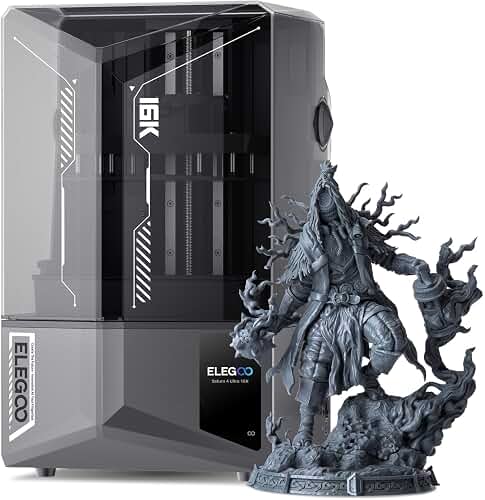
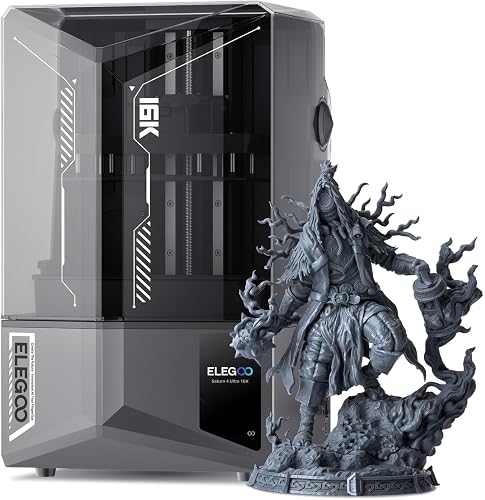
An 8K resin printer with a roughly 7-inch screen is the modern default for keycap work. The pixel pitch lands around 28-30 microns, which renders MX stem walls with sharp internal corners and lets sublegends come out legible at four-point equivalent sizes. You also get a print area large enough to plate 30-40 caps at once, meaning a full keyset cleans up in three or four prints instead of ten. Look for tilt or auto-leveling release mechanisms — they cut peel forces dramatically, which matters when a stem ribbon thinner than a credit card is sitting on supports.
4K compact MSLA — the entry option that still works
Do not write off the 4K class. A modern 4K printer with a 7-inch monochrome screen still hits around 50-micron X and Y resolution, which is finer than any FDM nozzle and plenty for clean legends. The trade-off is screen lifetime and exposure time, but for someone printing a set per month, you will never wear out the LCD. These printers also run cheaper resins better — water-washable formulas behave more predictably at lower resolutions.
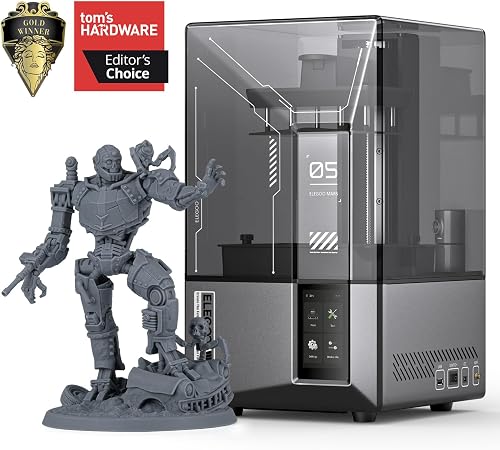
The Elegoo Mars 4 Ultra is the canonical entry-tier pick here, and you can see more options in our roundup of the best resin 3D printers currently on the market.
Larger resin platforms — overkill but tempting
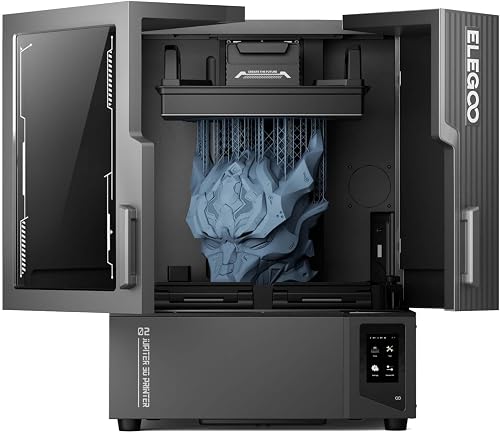
If you also print miniatures or jewelry masters, a 10-inch 12K printer will plate an entire 104-key set in a single run. That sounds glorious until you are scraping that many supports off and washing that much resin. For pure keycap use the 7-inch class is more practical, but a larger machine pays off if your hobbies overlap. Resin tanks are cheaper to refill on a smaller printer, too, which matters when you are dialing in a new colorway across four or five test prints.
Top FDM picks for blank and textured keycaps
Bambu Lab A1 Mini — fast, small, color-capable
For FDM blanks the A1 Mini is the obvious recommendation. Its bed is the right size for a single-row print job, the AMS Lite handles four-color caps for icon legends, and the input-shaping firmware lets you crank speed without sacrificing the dimensional accuracy your stems need. PLA prints cleanly; PETG with a 0.2mm nozzle gives a more PBT-like feel. Our Bambu Lab A1 Mini review walks through the AMS Lite color workflow that makes multi-color keycaps practical.
Prusa MK4S — slower, but ironclad tolerances
The MK4S earns its place when you want repeatability over speed. Input shaping plus the load-cell first layer means every keycap stem in a batch comes out within about 0.03mm of its neighbor — critical when you do not want to ream half the set by hand. It is not the speed king of 2026, but a printer that produces 87 indistinguishable caps in one job has a real argument over one that is faster but more variable.
Specs that actually matter for keycap printing
The spec sheet for the best 3d printer for printing custom mechanical keyboard keycaps does not quite match the one for a general-purpose hobby machine. Focus on these:
- XY pixel or feature resolution. For resin: 30-50 microns. For FDM: a 0.2mm nozzle option, not the stock 0.4mm.
- Minimum layer height. Resin: 0.025-0.05mm for top surfaces. FDM: 0.08mm or finer with a 0.2mm nozzle.
- Dimensional repeatability. Stems must land within plus or minus 0.05mm. Look for input shaping (FDM) or tilt-release (resin).
- Plate area. 7-inch resin or 256mm FDM is the practical minimum to batch a full keyset in a reasonable number of prints.
- Material flexibility. Tough or ABS-like resins survive typing impacts; PETG and PC outlast PLA on FDM keycaps.
Build volume past 7 inches is wasted if you only print keycaps. Speed past 300mm/s on FDM rarely helps because keycap toolpaths are tiny and acceleration-limited anyway.
Workflow tips nobody warns you about
Three things bite first-time keycap printers. First, the MX stem hole on a printed cap will almost always be slightly too tight on the first calibration. Bring an MX stem reamer or print a tolerance test like the standard stem-fit gauge before committing a full set.
Second, supports on resin keycaps almost always go on the bottom rim, never the top. Top supports leave dimples your fingertips will find within hours. Tilt the cap 15-20 degrees with light supports along the skirt edge — the rim hides the cleanup marks.
Third, post-cure matters more than print settings. Under-cured resin keycaps yellow and warp after a week of finger oils. Cure long, cure thoroughly, and consider a tough or ABS-like formulation if you will actually type on them daily rather than display them.
For the broader decision tree on which technology suits your other projects, our FDM vs resin guide covers the trade-offs in detail.
So which is the best 3d printer for printing custom mechanical keyboard keycaps?
For most enthusiasts: an 8K monochrome MSLA resin printer in the 7-inch screen class with a tilt-release mechanism. That combination hits the sharp legends, smooth tops, and tight stem tolerances that make a printed cap feel like a real one. If you only need blanks or simple two-color caps and value speed plus color flexibility, a current-gen Bambu Lab A1 Mini with the AMS Lite is the FDM pick. Choose the technology that matches what you actually want to print, then size up only if you have other reasons to.
Frequently Asked Questions
Can you 3D print mechanical keyboard keycaps that feel like real ones?
Yes, with resin. A well-cured tough or ABS-like resin keycap from a 6K-or-better MSLA printer feels close to a doubleshot ABS cap — smooth on top, rigid, with a solid stem. The remaining gap is mostly tactile: factory caps have a faint texture from injection molding that printed caps do not replicate without a media tumble or light bead-blast finish.
Is FDM or resin better for printing custom keycaps?
Resin is better for visual quality, legend sharpness, and stem accuracy. FDM is better for fast blanks, multi-color caps with AMS-style systems, and durability against accidental drops. Most serious keycap hobbyists run resin for showpieces and FDM for prototypes and unusual layouts.
What layer height should I use for printing keycaps?
For resin, 0.03-0.05mm gives a top surface that feels smooth to a fingertip. Below 0.03mm rarely shows visible improvement but doubles your print time. For FDM, 0.08mm with a 0.2mm nozzle is the sweet spot — finer than that and you risk under-extrusion on the thin stem walls.
Will printed keycaps fit Cherry MX and Kailh Choc switches?
They will, provided the printer holds tight tolerances and you have calibrated stem exposure (resin) or flow (FDM). Expect to run a stem-fit test print before your first full set. Choc stems are harder than MX because the rectangular slot is shorter and less forgiving of dimensional drift.
Do I need a multi-color 3D printer to make custom keycaps with legends?
No. Most printed keycaps with crisp legends are made on single-resin MSLA printers using paint-fill — print the legend as a recessed shape, brush acrylic into the channel, then wipe the surface flush. The result is sharper than any current multi-material FDM legend. Multi-color FDM is convenient for icons and large characters but loses to paint-fill resin on small text.
How long does it take to print a full 104-key keyboard set?
On a 7-inch resin printer at 0.05mm layers, expect 6-8 hours per plate of 25-35 caps — so a complete 104-key set in three or four plates is roughly a day of printing plus wash and cure time. On a Bambu Lab A1 Mini, plan on 5-6 hours per plate of 9-12 caps, putting a full set closer to two days of active printing.
What resin holds up best for keycaps I will actually type on?
Choose a tough, impact-resistant, or ABS-like formulation rather than standard rigid resin. Standard resin keycaps survive display use but crack at the stem after weeks of typing. Look for resins marketed as tough, ABS-like, or engineering with elongation-at-break above roughly 15 percent. Cure them fully — under-curing is the single biggest cause of yellowing and stem failures down the line.
Key Takeaways
- Choosing the right best 3d printer for printing custom mechanical keyboard keycaps means matching the key features to your specific needs and budget
- Read real customer reviews and check the return policy before you commit
- Also covers: 3d printer for keycap making
- Also covers: resin printer for keycaps
- Also covers: best printer for custom keycap sets
- Compare value across models — the priciest option is not always the best fit