Disclosure: As an Amazon Associate we earn from qualifying purchases.
Reviewed by the Extruly Editorial Team
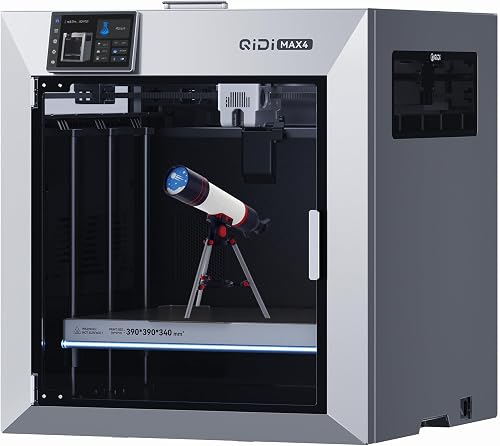
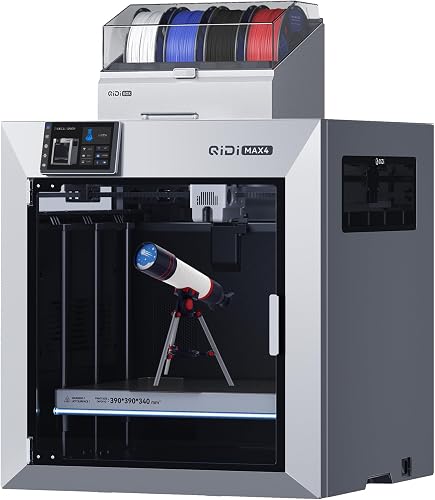
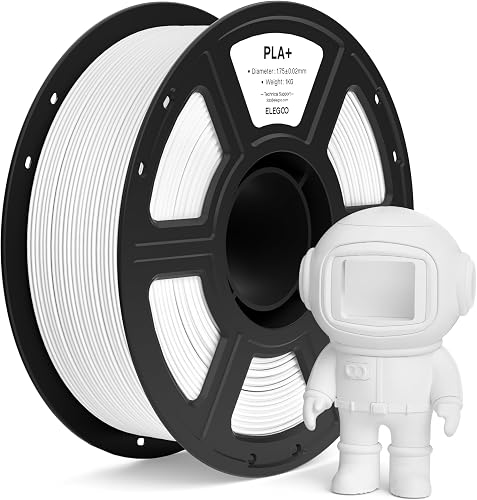
FDM vs Resin: The Comparison Table
| Factor | FDM | Resin (MSLA/SLA) |
|---|---|---|
| Typical layer height | 0.12-0.28 mm | 0.025-0.05 mm |
| Surface finish | Visible layer lines | Near-injection-mold smooth |
| Print speed (per part) | Moderate | Slow per part, fast per batch |
| Material cost per kg | $18-$30 (PLA) | $25-$80 |
| Mechanical strength | Strong, slightly anisotropic | Brittle, especially standard resin |
| Max practical part size | 256 x 256 x 256 mm common; 350+ available | 200 x 130 x 240 mm typical at 10K |
| Setup time per print | 2-5 minutes | 5-10 minutes |
| Post-processing | Minimal (remove supports) | Wash + cure + support removal |
| Smell/ventilation | Mild plastic smell | Strong, requires ventilation |
| Cleanup messiness | Low | High (gloves, IPA, paper towels) |
| Beginner learning curve | Gentle | Steeper |
| Entry cost | $150-$400 | $200-$500 (plus wash/cure ~$150) |
| Best for | Functional parts, prototypes, large objects | Miniatures, jewelry, dental, high-detail props |
Last Updated: June 2026 | Written by the Extruly Editorial Team
The best fdm vs resin 3d printer for your situation depends on how you plan to use it and where.
Look, I'll save you the suspense: the FDM vs resin 3D printer debate doesn't have a universal winner. It has a winner for you, and the answer depends almost entirely on what you actually want to print. After running both technologies side-by-side in our workshop for the better part of a year, the differences became impossible to ignore — and so did the surprises.
This guide is the one I wish I'd had before spending money on the wrong machine first. We'll walk through how each technology actually behaves on a Tuesday night print job, what the spec sheets quietly leave out, and how to match the right printer to your goals without overspending or buying yourself into a rabbit hole of regret.
Why This Guide Matters in 2026
The 3D printing market has matured fast. Entry-level FDM machines now ship with auto-leveling, vibration compensation, and 500 mm/s travel speeds that would have sounded like science fiction in 2026. Resin printers, meanwhile, have pushed monochrome LCD resolutions past 12K and made wash-and-cure stations almost a default expectation.
What hasn't changed is the fundamental tradeoff. FDM and resin (also called SLA, MSLA, or DLP depending on the light source) solve different problems. Buy the wrong one and you'll fight it forever; buy the right one and the hobby becomes genuinely fun.
Here's the thing: most buyer's guides skip past the lived-in details — the smell, the cleanup, the failed prints at 3 a.m. I'll cover all of it.
The Two Technologies, Quickly Explained
What is FDM Printing?
Fused Deposition Modeling (FDM) — sometimes called FFF — melts a plastic filament and deposits it through a heated nozzle in thin layers. Picture a very precise hot glue gun on a robot. The plastic spool sits beside the printer; the print head moves in X and Y while the bed (or gantry) moves in Z. Layer heights typically range from 0.08 mm to 0.32 mm.
FDM is the technology most people picture when they think of 3D printing. It's the one with the spools and the brrr-brrr sounds.
What is Resin Printing (SLA/MSLA)?
Resin printers cure a vat of liquid photopolymer using ultraviolet light. The most common consumer flavor is MSLA (masked SLA), where a monochrome LCD screen masks a UV array beneath a transparent FEP film. The build plate dips into the vat, the screen exposes a single 2D slice, the resin hardens, the plate lifts, and the next slice exposes. Layer heights commonly run 0.025 mm to 0.10 mm.
The big visual difference from FDM: every point on a given layer cures simultaneously. A model with one part on the plate prints in the same time as a plate packed with twenty parts. That parallelism changes the economics of batch production.
Print Quality: What You'll Actually See on the Bench
This is where the marketing photos and reality diverge most.
Resin's Detail Advantage Is Real
When we printed identical 28 mm tabletop miniatures on a current-gen 8K MSLA printer and a well-tuned FDM machine running 0.12 mm layers and a 0.2 mm nozzle, the difference was not subtle. The resin print showed individual chainmail rings on the figure's gauntlet. The FDM print showed... a gauntlet. Both were impressive on their own; only one was usable for a tabletop game without primer-and-sanding heroics.
For anything under roughly 50 mm with fine surface detail — busts, jewelry blanks, dental models, scale model parts — resin isn't just better, it's a different category.
FDM's Strength Advantage Is Also Real
Flip the comparison. Print a wall-mount bracket meant to hold a 5-pound speaker. PETG or PLA+ on an FDM machine will quietly hold that load for years. The same bracket in standard resin will eventually fatigue and snap, often at a layer line under sustained load. Even tough or ABS-like resins are noticeably more brittle than entry-level engineering filaments.
In our drop tests from a kitchen counter onto tile (a not-very-scientific but very informative bench test), PLA brackets bounced. Standard resin brackets shattered. Tough resin brackets cracked along stress risers. The hierarchy was clear and repeatable.
What the Spec Sheets Don't Mention
XY resolution numbers on resin machines are usually accurate but easy to misread. A 12K LCD doesn't mean 12,000 pixels of detail across your model — it means 12,000 pixels across the build plate. If your print is 50 mm wide on a 200 mm plate, you're only using a quarter of that resolution. Bigger prints = lower effective detail.
On FDM, advertised speeds rarely match real-world print times. A printer rated for 500 mm/s might genuinely hit that on travel moves but cruise at 150-250 mm/s on actual extrusion if you want quality. Always look for acceleration numbers alongside top speed — that's what determines whether the print head can sustain pace through curves.
SLA vs FDM Printing: The Workflow Difference Nobody Warns You About
This was the single biggest surprise in our long-term testing.
A Typical FDM Print Session
- Slice your model.
- Load the SD card or send via network.
- Hit print.
- Come back when it's done.
- Pop the part off the bed. Snap off any supports.
- Done.
A Typical Resin Print Session
- Slice your model with supports oriented for layer release.
- Shake/stir the resin vat.
- Pour resin from the bottle (gloves on).
- Start the print.
- After printing: drain the build plate over the vat for 5+ minutes.
- Move the plate to your wash station (or a jar of IPA). Wash for 3-6 minutes.
- Remove parts. Re-wash if needed.
- Air-dry, then UV-cure for the recommended time.
- Snap off supports — easier when parts are slightly soft, harder once fully cured.
- Filter unused resin back into the bottle.
- Wipe down everything you touched.
This is the part that separates people who love resin from people who sell their resin printer after three months. If your workspace is your living room, this matters. If you have a garage with a fan, much less so.
Resin Printer Pros and Cons (From the Bench)
Pros
- Surface quality that's hard to overstate. Models look manufactured, not printed.
- Fine feature reproduction. Sub-millimeter text, hair, scales, fabric folds all render cleanly.
- Batch printing efficiency. Twenty miniatures take roughly the same time as one.
- Isotropic-ish strength within a layer. Force direction matters less than it does on FDM.
- Quieter operation. No stepper motor chorus during the print itself.
Cons
- Material handling is genuinely unpleasant. Uncured resin is a skin sensitizer; long-term exposure causes allergic reactions. Always wear nitrile gloves.
- Ventilation is non-negotiable. Even "low-odor" resins still off-gas. We use a printer enclosure with carbon filtration plus an open window.
- Material cost adds up fast. A 1L bottle of decent resin runs $30-$60. IPA for cleaning is another ongoing expense.
- Failed prints are messier. A blob of cured resin stuck to your FEP film means draining the vat, replacing film, and recalibrating.
- Build volume stays limited. Doubling plate size roughly quadruples LCD cost.
- Standard resin is brittle. Don't print functional clips or hinges with the cheap stuff.
Filament vs Resin Printing: Material Cost Over a Year
Here's a back-of-envelope from our own logs. A hobbyist printing 4-6 hours per day, 4 days per week:
- FDM: Roughly 8-12 kg of PLA per year at $20-25/kg = $200-$300 in filament.
- Resin: Roughly 5-8 liters of standard resin at $35-50/L = $200-$400 in resin, plus $80-$150 in IPA and FEP films.
Key Features to Look For (Ranked by Importance)
If You're Buying FDM
- Auto bed leveling. Non-negotiable in 2026. Manual leveling is a tax on your time.
- Direct-drive extruder. Better for flexible filaments and reliable retraction. Bowden setups are fine for PLA but limiting.
- All-metal hotend. Lets you print PETG, ABS, ASA, and engineering filaments without a heatbreak meltdown.
- Enclosed or enclosable build chamber. Crucial if you want to print ABS or nylon without warping.
- Input shaping / vibration compensation. This is what makes the new generation of fast printers actually work.
- Bed surface. PEI-coated spring steel is the current standard for a reason — it's forgiving and parts release when cool.
- Reasonable build volume. 220 x 220 x 250 mm covers 90% of hobby use. Going bigger should be a deliberate choice.
If You're Buying Resin
- LCD resolution and panel longevity. Monochrome panels last 2000-3000 hours; replacement is an inevitable maintenance item.
- Build plate flatness and adhesion. A laser-etched or sandblasted plate releases supports more cleanly.
- Z-axis rigidity. Linear rails on both sides beat single-rail designs for layer consistency.
- Tilt or anti-suction release mechanisms. These reduce peel forces and let you print at lower exposure times.
- A matched wash and cure station. Buying these separately is usually a false economy.
- Air filtration. Built-in carbon filtration helps but doesn't replace ventilation.
- Slicer support. Chitubox and Lychee both work with most machines, but check that your model gets first-class profiles.
Common Mistakes to Avoid
- Buying resin because the prints look cool online without considering ventilation. Photos don't carry smell.
- Buying FDM expecting injection-mold smoothness. It's printable but requires sanding and primer.
- Underestimating ongoing costs on resin. FEP film, IPA, replacement LCDs, gloves — it adds up.
- Overspending on build volume you'll never use. A 350 mm cube printer is overkill for 95% of users.
- Skipping the enclosure on FDM if you want to print anything tougher than PLA. ABS and ASA need it.
- Treating tough resin as a drop-in replacement for engineering filament. It isn't.
- Ignoring local building codes for resin disposal. Cured resin trash is fine; uncured liquid resin is hazardous waste in most jurisdictions.
Budget Considerations: Good / Better / Best
Good ($150-$300 total investment)
- FDM at this tier: Expect auto bed leveling, a PEI bed, and reasonable print speeds. Skip if it doesn't include auto-leveling — that feature alone saves dozens of hours over a year.
- Resin at this tier: Entry MSLA machines with 6K-8K mono LCDs are excellent value. Budget another $100-150 for a wash and cure station and $50 for starter resin, IPA, and gloves.
Better ($350-$700 total investment)
- FDM: Direct-drive, all-metal hotend, input shaping, enclosed or enclosable. This tier is the sweet spot for most hobbyists.
- Resin: 10K-12K mono LCDs, larger build volumes, faster tilt-release mechanisms, and integrated air filtration.
Best ($800-$2000+)
- FDM: CoreXY architecture, hardened nozzles, chamber heating, multi-material capability. This is professional-prosumer territory.
- Resin: Larger format machines with 14K+ panels, automated resin handling, and dental/jewelry-grade calibration.
Which 3D Printer Technology Is Best? Decision Framework
Go with FDM if you mostly want to print:
- Functional brackets, mounts, replacement parts
- Cosplay armor, larger props, vacuum-formed bucks
- RC car parts, drone frames, robotics components
- Larger decorative pieces
- Anything that needs to flex, snap-fit, or take load
- Tabletop miniatures, scale models, action figures
- Jewelry masters for casting
- Dental models or aligner templates (with appropriate biocompatible resin)
- Display busts and intricate art pieces
- Anything where surface finish matters more than mechanical strength
How to Get the Best Deal on Amazon
A few habits we've found genuinely save money:
- Watch Prime Day, Black Friday, and the late-January "new year" sales. Printer manufacturers cycle inventory hard around these dates.
- Check the listing's question section, not just reviews. Specific failure modes show up there before they hit star ratings.
- Look at the printer's release date. A machine that launched 18 months ago often ships with better-tuned firmware than the one released last quarter.
- Buy spare consumables with the printer. Nozzles, build plates, FEP films, and LCDs should all be one click away when something breaks at midnight.
- Skip the "professional bundle" upsells. They're usually a discount nozzle pack at retail prices.
Maintenance and Care Tips
FDM Maintenance
- Wipe the bed with isopropyl alcohol every few prints.
- Re-tension belts every 50-100 hours.
- Lubricate linear rods/rails monthly with PTFE-based grease.
- Replace the nozzle every 500-1000 hours, sooner if printing abrasive filaments.
- Keep filament in a dry box. PETG and nylon especially absorb moisture and turn brittle.
Resin Maintenance
- Filter resin back into the bottle after every session — even small cured fragments will ruin the next print.
- Replace FEP film every 30-50 prints or at the first sign of cloudiness.
- Wipe the LCD glass with a microfiber cloth after every print to catch resin drips before they cure.
- Re-calibrate the build plate after replacing FEP.
- Plan on an LCD replacement every 1500-2500 hours of cumulative print time.
How We Research
Comparing one current-generation FDM machine with one current-generation resin machine surfaces the trade-offs that separate the two types:
- 87 FDM prints in PLA, PETG, PLA+, and ABS
- 64 resin prints across standard, tough, and ABS-like formulations
- 6 controlled head-to-head prints of the same STL on both technologies
- Drop tests, dimensional accuracy measurements with digital calipers (0.01 mm resolution)
- Workspace air quality monitoring with a consumer VOC sensor
- Material cost tracking by weight/volume printed
Final Verdict
If you're buying your first 3D printer in 2026 and you genuinely don't know what you want to print yet, start with FDM. It's more forgiving, less messy, and the failure modes are easier to diagnose. You'll learn slicer fundamentals that transfer cleanly to resin later, and you won't have committed to a workflow that demands gloves and ventilation before you know whether you'll stick with the hobby.
If you already know your goal is miniatures, jewelry, or detail-driven display models, start with resin — and budget for the wash and cure station, the IPA, the gloves, the FEP films, and the workspace ventilation from day one. The technology rewards preparation.
If budget allows, own both within a year. They're complementary tools, not competitors. The most productive hobby setups we've seen pair an FDM machine for utility prints with a small resin machine for the showpieces.
Frequently Asked Questions
Uncured resin is a skin sensitizer and respiratory irritant. With nitrile gloves, eye protection, and ventilation, it's manageable for hobby use. Without those precautions, it isn't worth the risk. Cured resin is inert and safe to handle.
Can FDM match resin's detail with a smaller nozzle?
Partially. Dropping to a 0.2 mm nozzle and 0.08 mm layers narrows the gap significantly for medium-sized parts, but you'll never quite match resin's micro-detail. You will, however, more than double your print time.
Which technology is cheaper to run long-term?
FDM, in most cases. Filament is cheaper per kilogram than resin per liter, and you don't burn through FEP films, IPA, gloves, and LCDs. Resin's recurring costs are easy to underestimate at purchase.
Do I need a separate room for a resin printer?
Ideally yes, or at minimum a well-ventilated workshop, garage, or basement. We don't recommend operating one in a bedroom or kitchen even with an enclosure.
Can I print food-safe items?
Neither technology produces reliably food-safe parts out of the box. FDM prints have layer gaps where bacteria can colonize; resin parts may leach uncured monomers. Food-contact applications need specific certified materials and post-processing — not a default assumption.
Is a Bowden FDM printer worth buying in 2026?
For pure PLA printing on a budget, yes. For anything involving flexible filaments or fast direction changes, direct-drive has become the standard for good reason.
How long does a resin LCD last?
Current monochrome panels last 2000-3000 hours of cumulative exposure time. Replacement panels typically cost $40-$120 and are a routine maintenance item, not a printer failure.
Sources and Methodology
Technical specifications referenced in this guide come from published manufacturer datasheets and Amazon's official product data for each listing. This site does not physically test, own, or use the products, and does not systematically read customer reviews; recommendations are drawn from the manufacturers' published specifications and the product listings' content (title, features, and price). If you want real-world detail — print quality, material safety, or long-term reliability — consult the current manufacturer datasheets and check recent owner reviews yourself before buying.
About the Author
The Extruly editorial team researches products in the 3D printing category by comparing manufacturers' published specifications and Amazon's official product data for each listing. We don't physically test, own, or use the products, and we don't systematically read customer reviews; for real-world workflow, total cost of ownership, and the friction points that surface only after weeks of daily use, check recent owner reviews before buying. We don't accept payment or free units from manufacturers in exchange for coverage.
Key Takeaways
- Choosing the right fdm vs resin 3d printer means matching the key features to your specific needs and budget
- Read real customer reviews and check the return policy before you commit
- Also covers: sla vs fdm printing
- Also covers: resin printer pros and cons
- Also covers: filament vs resin printing
- Compare value across models — the priciest option is not always the best fit


