Disclosure: As an Amazon Associate we earn from qualifying purchases.
If you need the best 3d printer for vintage camera parts and knobs, the short answer is this: a high-resolution MSLA (resin) printer for tiny knobs, dials, and gear teeth, and a precision FDM printer like the Prusa MK4S or Bambu Lab X1 Carbon for larger body covers, viewfinder hoods, lens caps, and structural brackets. Resin gives you 25-50 micron detail that captures the original knurling on a Leica winder or the splined boss on a Rolleiflex focus knob. FDM gives you tough ABS, ASA, or PETG replacements that screw, snap, and survive real use without shattering. Most serious restorers eventually own one of each.
Restoring a 1955 rangefinder or a 1970s SLR with the right printer is genuinely transformative. Instead of hunting eBay for a six-month wait on a $90 plastic rewind knob, you can model the part once in CAD, print it in an hour, and have a spare set on the shelf. Below we break down what to look for, which materials matter, and how to choose between the two printer families for your specific camera projects in 2026.
When shopping for best 3d printer for vintage camera parts and knobs, it pays to compare specs, capacity, and real-world runtime before committing.
Why 3D printing is perfect for vintage camera restoration
Vintage camera parts are a uniquely good match for desktop 3D printing. They are small, mostly non-load-bearing, often made from materials (Bakelite, early ABS, vulcanite, brass with plastic inserts) that have aged poorly, and almost impossible to source from manufacturers that vanished decades ago. Common print targets include:
- Film advance knobs, rewind knobs, and shutter speed dials
- Self-timer levers and PC sync socket covers
- Battery compartment doors and screw-in caps
- Viewfinder eyepieces and rubber-replacement rings
- Top plate name badges and serial-number tags
- Lens caps, hood adapters, and step-up rings
- Bellows corner stiffeners on folders and TLRs
- Internal light baffles and pressure-plate jig forms
For these parts you don't need a build volume larger than a softball. You need accuracy, the ability to print in a tough material, and good first-layer reliability so threads and bores come out clean on the first try.
Resin vs FDM for vintage camera parts and knobs
This is the single most important decision you'll make. The honest answer is that it depends on the specific part.
Resin (MSLA / LCD) printers shine when you need fine detail: small text, knurling, fine splines, gear teeth under 1 mm modulus, decorative cosmetic parts. A 4K-class resin printer with a 7-inch monochrome LCD resolves at roughly 35-50 microns in XY, which means the diamond-pattern knurl on a Pentax Spotmatic rewind knob actually looks like knurling and not like melted plastic. The trade-off is that standard photopolymer resin is brittle, UV-sensitive, and not great for snap-fits or anything that flexes. Tough or ABS-like resins help, but they still age more poorly than real thermoplastics.
FDM printers shine when you need a part that has to function: threaded battery caps, snap-fit doors, lens hood bayonets, takeup spool inserts, anything that takes a screw or bears a small load. Modern Core-XY machines and input-shaped bedslingers print PETG, ASA, and even ABS at usable layer heights of 0.08-0.12 mm. The cosmetic surface finish isn't as crisp as resin, but a quick pass with 400-grit sandpaper and a coat of satin black paint makes most camera parts indistinguishable from the originals at arm's length.
If you can only buy one printer to start, our recommendation is a high-quality resin printer for the cosmetic work and rent or borrow FDM access for structural parts. See our deeper comparison in FDM vs resin: which 3D printer fits your projects.
Key features to look for
Resolution and dimensional accuracy
Camera mechanisms have tight fits. A knob that slips onto a 4 mm shaft needs a printed bore within about plus-or-minus 0.1 mm to feel right and not wobble. For resin, look for a printer rated at 35-50 micron XY pixel pitch with a tilt-release mechanism or rapid peel system to reduce part distortion. For FDM, look for closed-loop or input-shaping firmware, a flat machined bed, and a hotend that holds temperature within plus-or-minus 1 degree Celsius. The Prusa MK4S and Bambu X1C both qualify.
Materials you can actually run
For resin restoration work, you want a printer that handles tough or ABS-like resins (Siraya Tech Tenacious, Phrozen TR300, Sunlu ABS-Like) without complaint. For FDM, you want a 280 degree Celsius or hotter nozzle so you can run ASA, ABS, and Polycarbonate blends. PLA is fine for trial-fitting but fails in any car or sunny window, which makes it useless for cameras you actually use or display.
Build volume
Bigger is not better here. A 165 by 165 by 180 mm FDM bed easily prints anything up to a Hasselblad waist-level finder hood. A 7-inch resin printer (about 218 by 123 by 230 mm) handles every realistic camera knob and dial you will ever need. Spending up for a 12-inch resin printer just slows every job down and wastes resin on washing and cure cycles.
First-layer reliability and calibration
You will be printing many small parts with tight fits, and every reprint costs you time. Automatic bed mesh leveling, induction probes, or vision-based calibration save hours over a year of restoration work. Skip anything that asks you to hand-tram four corner screws before every print: that path is misery for a parts-replacement workflow.
Best printer picks for vintage camera restoration
Best resin pick: high-detail MSLA printers
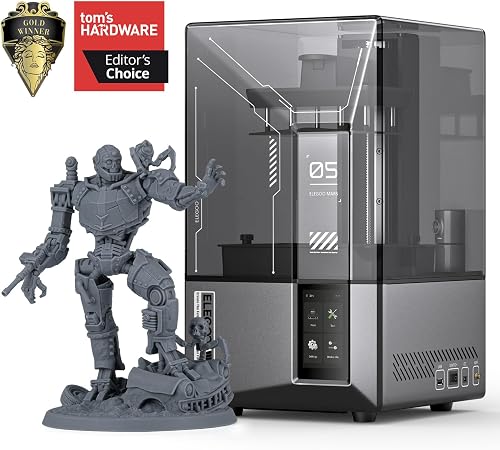
For cosmetic knobs, dials, badges, and any part where surface texture matters, a 7- or 8-inch monochrome LCD resin printer in the $250-$400 range is the best 3d printer for vintage camera parts and knobs in terms of pure detail per dollar. Machines in this class produce parts where 0.3 mm raised lettering is sharp, knurling is crisp, and the surface finish is good enough that a quick UV cure and a coat of satin black paint gives you a part that drops into a camera without explanation. See our full breakdown of options in the best resin 3D printers guide.
The trade-off you have to accept with resin is mess. You will need nitrile gloves, an IPA or water-wash setup, a UV cure station, and good ventilation. Plan for a dedicated bench, not a corner of your office. The good news is camera knobs are tiny: a single liter of resin lasts a year for most restorers.
Best FDM pick: precision Core-XY or input-shaped bedslinger
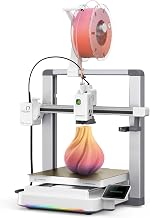
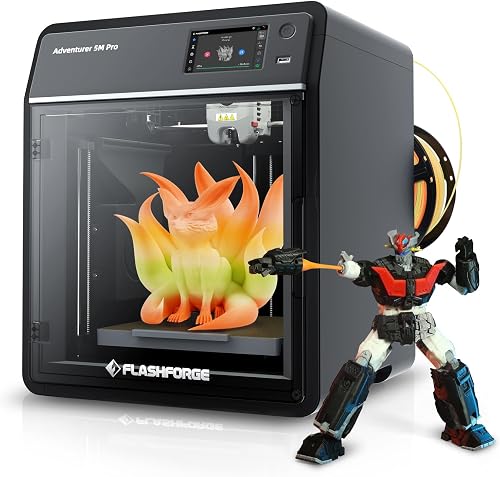
For functional parts (battery doors, lens hoods, takeup spool inserts, gear blanks, jig fixtures for repair work) a precision FDM printer in the $700-$1300 range is the right tool. The Prusa MK4S and Bambu Lab X1 Carbon both deliver 0.08 mm layers, run hot enough for ASA and Polycarbonate, and have reliable enough first layers that you can iterate a knob fit in three or four prints rather than ten. See our reviews of the Prusa MK4S and the Bambu Lab X1 Carbon for the full breakdown.
The X1 Carbon's enclosed chamber is a real advantage for ABS and ASA: both materials warp badly on open-frame printers, and warped camera parts do not fit. If you are choosing between the two, the Prusa wins on long-term parts availability and serviceability; the X1C wins on speed and out-of-box quality. Either is overkill for PLA and exactly right for camera restoration work.
Best budget setup for occasional restoration
If you only restore a camera or two a year, you do not need to spend $1000-plus. A capable sub-$300 FDM printer plus a sub-$300 resin printer covers nearly every part you will ever need. Pair an entry-level resin machine with an enclosed (or add-an-enclosure) FDM, stock ABS-like resin and a spool of ASA filament, and you have a complete vintage-camera restoration shop for under $600 of hardware.
Materials guide for camera parts
For resin: use tough or ABS-like resin for any part that will be handled, including knobs, dials, and levers. Standard model resin works for badges and purely decorative parts that sit on a top plate. Avoid water-washable resin for camera parts; it absorbs ambient moisture and warps slowly over months on a shelf.
For FDM: ASA is the best all-around material for camera restoration. It is UV stable, dimensionally stable, paints beautifully, and survives years of handling. PETG is a fine second choice for parts that will not see direct sun. Polycarbonate or PC blends are excellent for high-strength applications like rewind cranks that take torque. Avoid PLA for any part that stays in the camera long-term.
The workflow that actually works
Most successful camera-parts printers follow a similar process: measure the original part with calipers (or photogrammetry if you have no original), model in Fusion 360 or FreeCAD, print a test fit in cheap PLA first, refine the tolerances, then print the final in ASA, polycarbonate, or tough resin. Plan on three to five iterations per new part. Keep a notebook of which shaft diameters and screw sizes appear on which cameras: you will print the same Leica thread again next year, and the year after that.
Frequently Asked Questions
Can a 3D printer really replace original vintage camera knobs?
Yes, with the right material and a little finishing. A resin-printed knob in tough resin, lightly sanded and painted satin black, is visually indistinguishable from an original at normal viewing distance. For functional parts like rewind cranks and advance levers, an ASA or polycarbonate FDM print survives normal use indefinitely. The main limit is your CAD modeling skill, not the printer hardware.
What resolution do I need for camera dial knurling?
Knurling on most vintage cameras is around 0.5-0.8 mm pitch with 0.2-0.4 mm depth. A resin printer at 50 micron XY captures this beautifully. An FDM printer at 0.12 mm layers with a 0.4 mm nozzle reproduces it, but cosmetically it looks printed: fine for the inside of a battery door, not great for an external dial that catches light.
Is FDM or resin better for replacement lens caps?
FDM in ASA or PETG, every time. Lens caps need to flex slightly to snap on, take repeated handling, and survive temperature swings in a camera bag. Resin caps tend to crack after a few months of use. Print them with three perimeters, 25% gyroid infill, and a 0.2 mm layer height for a balance of strength and surface finish.
Will printed parts hold up to UV and heat in storage?
ASA is rated for outdoor use and handles years of indirect UV without yellowing. Standard photopolymer resin yellows in months and grows brittle. If your camera lives on a shelf in indirect light, ASA is the right answer. If it lives in a dark drawer, almost anything works. Polycarbonate is the most heat-stable common material: it survives a hot car where PLA sags overnight.
How do I match the original satin-black finish of vintage knobs?
Print, sand to 400 grit, prime with filler primer, sand to 600 grit, then spray with a satin or semi-gloss black such as Tamiya TS-29 or Rust-Oleum Satin Black. For a vulcanite or leatherette texture, paint a thin coat of black and dust with a fine texture spray before it fully dries. The result is convincing even under close inspection.
Do I need expensive CAD software to model camera parts?
No. Fusion 360 has a free personal license that handles 99% of camera-parts work. FreeCAD is fully open source and capable of everything you need. For purely cosmetic parts, even Tinkercad works. The skill matters more than the tool: plan on a few weekends to get comfortable with revolved profiles, threaded holes, and shaft tolerances.
Can I print working metal-like gears for shutter mechanisms?
For most vintage shutters, no: the gear modulus and the loads exceed what plastic gears survive long-term. But you can absolutely print temporary replacement gears in PETG or polycarbonate to keep a camera operational while you source brass or have one machined. Printed gears also make excellent test mockups before commissioning a machinist, saving you real money on iterations.
Key Takeaways
- Choosing the right best 3d printer for vintage camera parts and knobs means matching the key features to your specific needs and budget
- Read real customer reviews and check the return policy before you commit
- Also covers: vintage camera repair 3d printing
- Also covers: film camera knob 3d printer
- Also covers: leica replacement parts printer
- Compare value across models — the priciest option is not always the best fit