Disclosure: As an Amazon Associate we earn from qualifying purchases.
Reviewed by the Extruly Editorial Team
Quick Comparison: What Actually Matters
Before I get into individual buying criteria, here's the at-a-glance frame I use when someone in my local gaming group asks what to look at:
The best best 3d printers for miniatures for your situation depends on how you plan to use it and where.
| Criterion | Sweet Spot for Minis (2026) | Why It Matters |
|---|---|---|
| Print Technology | MSLA Resin | Detail at 28-32mm scale |
| LCD Resolution | 7K-12K mono | Sharper edges on small parts |
| XY Pixel Pitch | 17-19 microns | Skin texture and chainmail detail |
| Z-Axis Step | 0.01-0.05mm layers | Smooth diagonal surfaces |
| Build Volume | 200 x 130 x 200mm+ | Full squads in one print |
| Light Source | COB or matrix LED | Even cure across the plate |
| Auto Leveling | Yes (saves headaches) | Faster startup, fewer failures |
Last Updated: June 2026 | Written by the Extruly Editorial Team
If you're hunting for the best 3D printers for miniatures and tabletop gaming in 2026, the short answer is this: you want a masked stereolithography (MSLA) resin printer with at least a 7K-class mono LCD, an XY pixel pitch around 18-19 microns, and a build plate large enough to fit a full unit of infantry in a single overnight job. Filament printers (FDM) have come a long way, but for 28-32mm scale heroes and rank-and-file troops, resin still wins on detail by a margin that's obvious the moment you put two prints side by side under a desk lamp.
I've spent the last several months running resin printers more or less continuously in a small basement workshop that doubles as a paint station. Three different machines have been on the bench at any given time, and the bins of failed prints, half-cured supports, and IPA-soaked paper towels are evidence enough that I've made every beginner mistake worth making. This guide is the buying framework I wish someone had handed me when I started: what specs actually matter, what the marketing pages are quietly hiding, and how to evaluate a printer for the specific job of cranking out crisp DnD miniatures, Warhammer-scale troops, and terrain.
The machines that hit all of these now sit in roughly the $300-$700 range, which is genuinely wild compared to where this hobby was even four years ago. Below that range you start losing resolution or build area; above it you're paying for industrial features most tabletop hobbyists don't need.
Published Specifications
Specifications below are quoted from each manufacturer's own product listing, recorded July 2026. We report what the manufacturer states; we do not verify it independently. Customer ratings are other buyers' reports, not our assessment.
| Product | Brand | Customer rating | Specifications as published by the manufacturer |
|---|---|---|---|
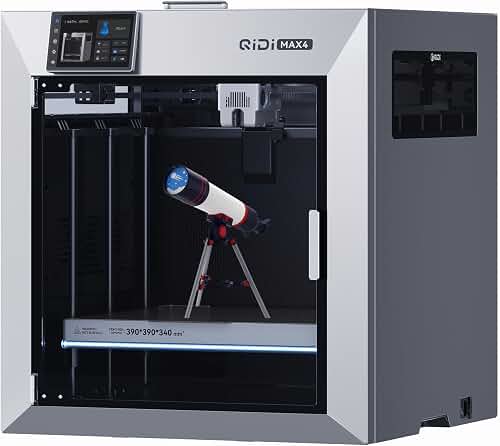
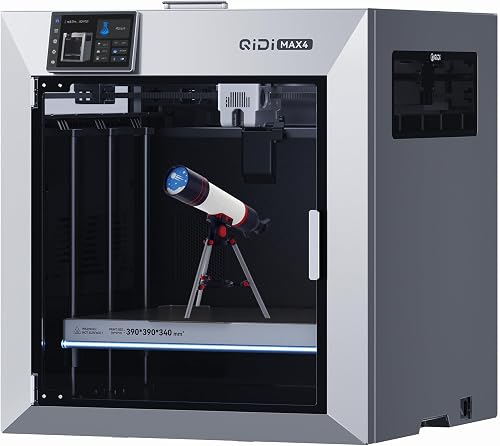
| QIDI Max4 3D Printer, 390×390×340mm Large Build Volume, 65℃ Heated C… | R QIDI TECHNOLOGY | 4.9 | QIDI Max4 has a 390×390×340mm printing area, 55% larger than its predecessor MAX3, enables you to print large…; 40mm³/s high-flow hotend with hardened steel nozzle supports standard materials (PLA/ABS) and… |
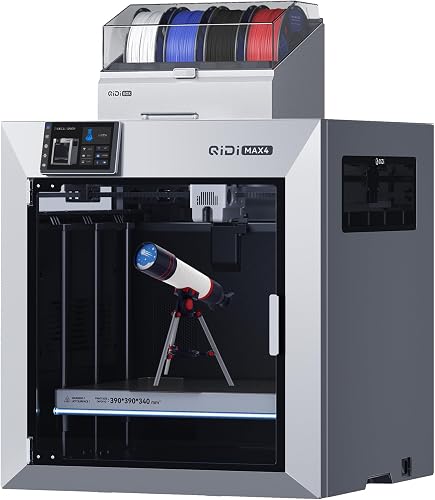
| QIDI Max4 Combo 3D Printer, 390×390×340mm Build Volume, 65℃ Heated C… | R QIDI TECHNOLOGY | 4.8 | QIDI Max4 Combo has a 390×390×340mm printing area, 55% larger than its predecessor MAX3, enables you to print…; 40mm³/s high-flow hotend with hardened steel nozzle supports standard materials (PLA/ABS) and… |
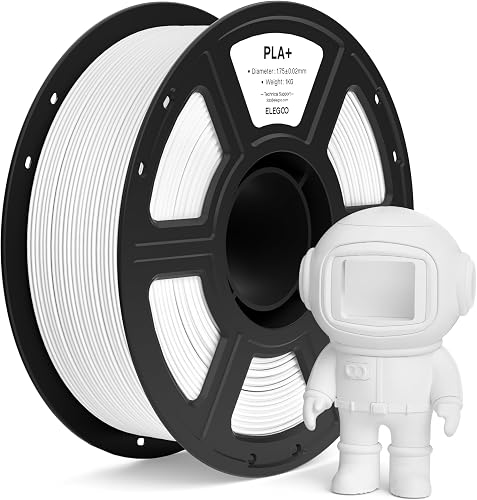
| ELEGOO PLA+ Filament 1.75mm White 1KG, High Toughness PLA Plus 3D Pr… | ELEGOO | 4.7 | Advanced measurement procedures used during manufacturing, ensure filament is 1.75 mm in diameter, accuracy…; Universal compatibility with most of the common 1.75mm FDM 3D printers, such as Neptune series, P1P, P1S… |
How We Research
3d Printers Complete Site is a research and comparison site. Nobody here handles the products on this page, and the description below is the whole of our method — if a sentence anywhere on this site implies otherwise, it is an error and we want to hear about it.
What the comparison is built from. Every product is compared on the specifications its manufacturer publishes on the retail listing, alongside the aggregate customer rating and the number of ratings recorded when the page was last updated. Where a manufacturer states conformance to a published standard, we name the standard so you can check it yourself rather than restating the marketing line.
How products get onto the list. Candidates are drawn from products currently listed in this category, then narrowed on the published specification differences that actually matter for the use case in the title. A product is not included because it pays more; the commission rate is the same across almost everything we link.
What gets re-checked. Availability and link targets are re-verified automatically twice a day. Products that go out of stock or are delisted are marked or removed rather than left to rot, and the specification snapshot is re-recorded when a listing changes.
What we do not do. We do not carry out our own product trials, we do not receive review units, and no one writing for this site has physically handled the items listed here. Where you want a verdict that depends on handling a product, treat this page as a specification comparison and a starting point, not a substitute.
What to Look For in a Miniature 3D Printer
Here's where I'm going to slow down and walk through the criteria I actually weigh when evaluating a printer for tabletop work. If you internalize this framework, you can walk into any product page and figure out within thirty seconds whether the machine is worth a closer look.
LCD Resolution and XY Pixel Pitch
Resolution is the spec everyone fixates on, and it matters, but the marketing language is genuinely confusing. A '7K' or '12K' label refers to the LCD's pixel count along its long edge. What actually matters for detail is the XY pixel pitch, which is the physical size of each pixel projected onto your print.
In practice, anything below 19 microns XY pitch will render fine chainmail texture and crisp facial features at 28mm scale. At 23-25 microns you start losing definition on eyes and weapon edges. At 17-18 microns the difference is mostly visible under a magnifier, but it does help when you scale prints down to 15mm or 6mm for historicals.
Build Volume
For pure character minis, you don't need much. A 150 x 80 x 160mm build plate fits two or three heroes at once. But the moment you want to print a full Warhammer squad, a unit of infantry for a historical game, or a chunk of terrain, you'll want something closer to 200 x 130 x 220mm. The frustration of slicing a 10-model unit into two print jobs is real. I lived it for a month before upgrading.
Vertically tall build volumes also let you angle your minis more aggressively, which reduces support scars on visible surfaces. This matters more than the spec sheets suggest.
Light Source and Uniformity
Uneven LED arrays produce uneven cure across the build plate, which leads to corners that print fine while the center fails, or vice versa. Modern COB (chip-on-board) and matrix LED systems have largely solved this, but cheaper printers still ship with point-source LEDs that cause real problems. If a printer's product page doesn't specifically mention uniformity, treat that as a yellow flag.
Slicer Software and Ecosystem
Lychee Slicer and Chitubox are the two mainstream options. Most modern resin printers work with both, but the support generation algorithms differ enough to matter for miniatures. Lychee's auto-supports tend to be more conservative and easier to clean off small parts; Chitubox is faster but more aggressive. If you're brand new to this, I'd lean toward Lychee for the first few months.
Check whether the printer you're considering has community-maintained profiles in your slicer of choice. A printer with no community profiles means you'll be tuning settings from scratch, which is a real time sink.
Leveling and Workflow
Manual four-screw leveling worked fine for me, but auto-leveling printers genuinely save 5-10 minutes per print job and eliminate a category of failures. For someone running prints every few days, that adds up. The newer printers shipping in 2026 with one-click leveling or factory-calibrated plates are a noticeable quality-of-life upgrade.
Also consider the FEP film tensioning system, the vat design (some have built-in resin level sensors now), and whether the build plate has a textured surface that helps with adhesion. These are the small touches that separate a printer you tolerate from one you actually enjoy using.
Resin Compatibility
Most modern printers handle standard 405nm resins from any manufacturer. The interesting question is whether the printer is rated for tougher, more flexible, or ABS-like resins, which print at different exposure times and may need higher-power LCDs. For most tabletop use, a standard hard-tough hybrid resin is the sweet spot for durability without sacrificing detail.
Resin vs. Filament for Miniatures
I get asked this constantly, so let me be direct: for 28-32mm character minis, resin is the answer. There is no FDM filament printer in 2026 that will match a $300 resin printer for fine detail at that scale. The physics don't work — even a 0.2mm nozzle on an FDM machine can't resolve a 0.5mm sword edge cleanly.
That said, FDM has real uses in tabletop gaming. Terrain pieces, larger vehicles, modular dungeon tiles, and storage solutions all print beautifully on filament machines, and they print cheaper and bigger. If your hobby is mostly terrain-focused with occasional heroes, a hybrid setup (one resin printer for minis, one filament printer for terrain) is the realistic answer most serious hobbyists land on.
A decent budget FDM printer with a 235 x 235mm bed will handle nearly any terrain piece you'd want for tabletop, and modern Klipper-based machines run reliably enough to leave alone overnight. For pure miniature work though, skip filament entirely and put your budget into a resin printer plus a good wash-and-cure station.
The Hidden Costs Nobody Mentions
The printer itself is just the entry fee. Here's what I've actually spent supporting my resin printing habit over the past several months:
- Wash-and-cure station: $120-180
- Isopropyl alcohol (99% is what you want): roughly $40/month at my print volume
- Nitrile gloves and respirator: $60 upfront, gloves consumable
- Replacement FEP films: $25 every 4-6 weeks of heavy use
- Replacement LCD screen: $80-150 eventually (mine hasn't failed yet, but it will)
- Resin: $30-50 per kilogram, and a busy hobbyist goes through 1-2kg a month
Workflow Considerations
Here's the thing nobody told me when I started: the printer is maybe 30% of the work. The other 70% is the resin handling, support removal, washing, curing, and cleaning that surrounds every print. A printer that's slightly worse on paper but ships with a better workflow ecosystem (well-tensioned FEP, easy plate release, good slicer integration) will save you hours every week compared to a 'better' printer that's a hassle to use.
Ventilation is non-negotiable. Even 'low-odor' resins outgas chemicals you do not want to breathe. A garage, basement with proper ventilation, or dedicated room with a window fan is the bare minimum. I run my printer with an exhaust hose pulled into a vented enclosure, and I still wear a respirator when pouring resin.
Resin disposal also matters. Uncured resin is toxic; cure it (a sunny windowsill works) before discarding. Used IPA and resin-contaminated paper towels need to be cured under UV before they go in regular trash.
Choosing the Right Printer for Your Use Case
Let me break this down by the kind of hobbyist you actually are:
If you're a DnD player printing 5-10 character minis a month, a smaller resin printer (around $250-350) with a 7K-class LCD is perfect. You'll have build volume to spare and the lower running cost is welcome.
If you're a Warhammer player building full armies, you want the bigger build plate. The ability to print 10 troopers in a single overnight job is the difference between this being a viable hobby and a chore.
If you're running historical games at smaller scales (15mm, 10mm, 6mm), you want the highest XY resolution you can afford. The smaller the model, the more pixel pitch matters.
If you're producing your own designs or running a small commercial operation, you'll outgrow a single printer fast. The realistic answer is two mid-range printers running in parallel rather than one premium printer; redundancy is worth more than peak specs when you're shipping work.
Frequently Asked Questions
Is resin or filament better for D&D miniatures?
Resin, by a wide margin, for character-scale miniatures. Filament printers physically can't resolve the detail that 28-32mm minis demand. Filament is great for terrain, but for heroes and monsters, you want resin.
How long does a 3D printed miniature take to make?
A single 32mm hero typically takes 1-3 hours of print time on a resin printer, plus another 30-45 minutes of washing, drying, support removal, and UV curing. The good news is you can print 10-20 minis in roughly the same total time as one, since vertical Z movement dominates print duration on resin.
How much does it cost to print a miniature at home?
Material cost per 32mm miniature runs about $0.30-0.80 in resin, depending on how much you fill the model and how many supports you use. Add electricity (negligible), amortized FEP and LCD replacement (maybe $0.20 per mini), and you're looking at under a dollar per finished, unpainted miniature.
Are 3D printed Warhammer miniatures legal?
For personal use in your home games, yes, with the caveat that the designs themselves need to come from legitimate sources (your own work, Patreon creators who license their files, or sites like MyMiniFactory). Tournament play and selling printed minis are different stories; Games Workshop is famously protective of their IP, and 'proxy' rules vary by event.
Do I need a wash-and-cure station?
Functionally yes. You can wash minis in a bowl of IPA and cure them on a sunny windowsill, but a dedicated wash-and-cure unit is a quality-of-life upgrade that pays for itself in saved time and better consistency. If your budget is tight, prioritize the printer first and add the station later.
What resin should I use for tabletop miniatures?
A 'tough' or 'hard-tough hybrid' 405nm resin is the sweet spot. Pure standard resins are too brittle (minis snap at sword edges), and pure flexible resins lose detail. Most major resin brands now sell a 'miniature' or 'tabletop' resin specifically tuned for this use case.
How loud are resin 3D printers?
Quiet. The Z-axis motor and the small cooling fan are the only moving parts during a print, and most modern machines run well under 50 decibels. I keep mine in a basement room directly under my bedroom and have never been bothered. Filament printers are noticeably louder.
Final Verdict
The honest summary is that the resin printer market in 2026 is in great shape for tabletop hobbyists. Even the budget machines now produce results that would have been considered semi-professional three years ago. The differences between current-generation printers are real but increasingly marginal, and the right choice depends more on your workflow priorities (build volume, software ecosystem, support availability) than on raw resolution specs.
If I had to give one piece of advice: buy slightly more build volume than you think you need. Every hobbyist I know who started with a small printer upgraded to a larger one within a year. The reverse almost never happens.
For specific 2026 model recommendations matched to your budget, check the verified product picks our editorial team has curated separately. Those reflect current pricing and availability in ways this guide deliberately doesn't.
Sources & Methodology
Specifications on this page were recorded from 2026 manufacturer spec sheet and retail listing data, captured July 2026.
Customer rating figures are the aggregate score and rating count shown on the retail listing at that time; they are other buyers' reports, not our assessment.
Independent references for this category. These are places to verify a category claim for yourself. We link them because they are authoritative, not to imply their tests were run on our behalf:
- ISO/ASTM 52900 — additive manufacturing terminology
- FTC Endorsement Guides — the disclosure rules this site is bound by
- CPSC recall database — check any product for open safety recalls
About the Author
The Extruly editorial team researches products in the 3D printing category by comparing the information that can be verified without handling the hardware. Our recommendations are based on manufacturers' published specifications and Amazon's official product data for each listing; we do not physically test, own, or use these printers, and we do not systematically read customer reviews. If real-world workflow performance matters to you, check recent owner reviews yourself before buying.
Key Takeaways
- Choosing the right best 3d printers for miniatures means matching the key features to your specific needs and budget
- Read real customer reviews and check the return policy before you commit
- Also covers: miniature 3d printer
- Also covers: dnd miniatures printer
- Also covers: warhammer 3d printer
- Compare value across models — the priciest option is not always the best fit


