Disclosure: As an Amazon Associate we earn from qualifying purchases.
Reviewed by the Extruly Editorial Team
What Counts as a High-Speed 3D Printer in 2026
A high speed FDM printer in 2026 is generally one that can sustain meaningful print speeds above 300 mm/s with accelerations of 10,000 mm/s² or higher, while still producing parts you would actually keep. The marketing top-speed number — the one printed on the box — is almost always a travel speed, not a print speed, and the two are very different things.
When shopping for best high speed 3d printers, it pays to compare specs, capacity, and real-world runtime before committing.
Here is the honest breakdown of how speed terminology is used today:
| Term | What it actually means | What to compare |
|---|---|---|
| Max travel speed | Toolhead moving with no extrusion | Less important than acceleration |
| Max print speed | Sustained extrusion speed during printing | The number that matters |
| Acceleration | How quickly the printer reaches that speed | The number that matters MOST |
| Volumetric flow | Cubic mm of plastic melted per second | The hidden bottleneck |
Last Updated: June 2026 — Written by the Extruly Editorial Team
The best high speed 3D printers in 2026 are nothing like the machines of even two years ago. Print speeds that used to be reserved for industrial machines — 500 mm/s travel, 20,000 mm/s² acceleration, 30+ mm³/s of melt flow — are now sitting on entry-level desktops. We wrote this guide to help you cut through the marketing numbers and actually choose the right one.
This is an informational buyer's guide, not a sponsored roundup. We walk through what "high speed" really means in 2026, the difference between a CoreXY 3D printer and a bed slinger when you push them hard, why Klipper firmware changed the math on acceleration, and the exact specs you should compare before spending money.
A printer rated 600 mm/s but limited to 5,000 mm/s² acceleration will almost never reach that speed on a typical 200 mm part. It does not have room to ramp up before it has to slow down for the next corner. A printer rated 300 mm/s with 20,000 mm/s² acceleration will produce a faster real-world print on the same model — and look better doing it.
CoreXY 3D Printer vs Bed Slinger: The Speed Question
The single biggest architectural decision when you buy a fast 3D printer is whether to go CoreXY or stay with a bed slinger (Cartesian, where the bed moves in the Y axis). We have benchmarked both side by side for the same models and the results are not subtle.
Why CoreXY Wins at Speed
A CoreXY 3D printer moves only the toolhead across two axes using two synchronized belts. The bed moves only up and down on Z, which means it only moves between layers — never during a layer. That matters because at high acceleration, a moving bed becomes a problem. A 235 mm × 235 mm heated bed loaded with a tall print can weigh more than a kilogram. Throwing that mass back and forth at 10,000 mm/s² causes:
- Ghosting and ringing artifacts on vertical walls
- Belt stretch and frame flex that ruins dimensional accuracy
- Layer shifts when the print finally tips on a tall, narrow geometry
- A genuinely loud, scary sound at full tilt
When a Bed Slinger Still Makes Sense
Bed slingers are not obsolete. They are mechanically simpler, cheaper to manufacture, easier to repair, and the printable volume is usually larger relative to the machine's footprint. A modern bed slinger with Klipper firmware, input shaping, and a lightweight bed plate can hit 300+ mm/s on small-to-medium parts that do not require tall, narrow geometries.
If you mostly print short, wide parts — functional brackets, gridfinity bins, miniatures — a fast bed slinger is a perfectly reasonable choice and will save you several hundred dollars over an equivalent-spec CoreXY.
Klipper 3D Printer Firmware: Why It Changed Everything
The reason the fastest 3D printer you can buy today is roughly five times faster than the fastest you could buy in 2026 has more to do with firmware than hardware. Klipper is open-source firmware that runs motion planning on an external computer (usually a Raspberry Pi or built-in SBC) instead of the printer's microcontroller. That offloads enough computational headroom to enable two features that have to ship together:
Input shaping — Klipper measures the printer's resonance frequencies, usually with an accelerometer attached to the toolhead, and pre-distorts the motion commands to cancel out vibration before it happens. The result: at speeds that would have produced unusable ghosting two years ago, walls now come out smooth.
Pressure advance — Klipper predicts the pressure buildup inside the nozzle and adjusts the extruder ahead of corners, so you do not get blobs on the outside of turns or gaps on the inside. Without this, printing fast means printing ugly.
When you compare a Klipper 3D printer to one running stock Marlin at the same nominal speed, the Klipper machine will be quieter, dimensionally more accurate, and produce a noticeably better surface finish. Almost every credible high-speed printer in 2026 either ships with Klipper or ships with a vendor firmware (often called something like "Creality OS," "Bambu firmware," or "AnkerMake firmware") that implements the same two features under a different name.
If a printer in 2026 does not have input shaping and pressure advance, it is not a high-speed printer regardless of what the marketing says.
The Hidden Bottleneck: Volumetric Flow Rate
Here is the spec almost no marketing page leads with, and it is the one that determines whether the speeds on the box are achievable in real life. Volumetric flow rate, measured in cubic millimeters per second (mm³/s), is how fast the hotend can actually melt plastic.
The math is simple: at a 0.4 mm nozzle and 0.2 mm layer height, every 1 mm/s of print speed costs about 0.08 mm³/s of flow. So a printer claiming 500 mm/s on those settings needs roughly 40 mm³/s of sustained flow to back it up. Most stock hotends max out around 24-32 mm³/s. The math does not work — and what you end up with is a printer that does hit its claimed speed in the air, but under-extrudes the moment it tries to lay real plastic at that rate.
What to look for:
- Standard brass hotend: ~15-20 mm³/s. Fine for 150-200 mm/s real print speed.
- High-flow hotend (CHT, bi-metal, copper-plated): 25-35 mm³/s. Suitable for 250-400 mm/s.
- Volcano-style or extended melt zone: 40+ mm³/s. Needed for genuine 500+ mm/s prints.
Buying Criteria: What to Look For in a Fast 3D Printer
After testing across price tiers, these are the specs we now check before anything else.
1. Acceleration, Not Top Speed
Look for printers rated 10,000 mm/s² or higher. Below that, you will not hit advertised speeds on any part smaller than a kitchen table. Premium machines now hit 20,000-30,000 mm/s² and it is the single biggest predictor of real-world throughput.
2. Volumetric Flow
If the spec sheet does not list it, that is a flag. Aim for 25 mm³/s minimum if you care about speed at all, and 35+ mm³/s if you want to print 0.6 mm or 0.8 mm nozzles fast.
3. Input Shaping (Hardware-Calibrated)
There is a difference between a printer that runs input shaping using values you manually enter, and one that auto-calibrates using a built-in accelerometer on the toolhead. The auto-calibration version is dramatically less work and recalibrates whenever you swap a heavy modification onto the toolhead.
4. Frame Rigidity
A high-acceleration machine on a wobbly frame is just a vibration machine with a heater attached. Look for fully enclosed metal frames with diagonal bracing on CoreXY machines, and aluminum extrusion (not sheet steel) on bed slingers. Pick the printer up — if it flexes in your hands, it will flex at 20,000 mm/s².
5. Auto Bed Leveling and First Layer
Fast printing only works if the first layer is perfect. Inductive or strain-gauge probes that measure the actual nozzle-to-bed gap (not just the bed surface) save you hours of frustration. Avoid printers that only do bed mesh leveling without measuring nozzle Z offset automatically.
6. Enclosure (If You Care About Engineering Materials)
If you only print PLA, an open frame is fine and will run cooler. If you want to print ABS, ASA, PC, or nylon at speed, you need a heated, enclosed chamber. Open-frame ABS at 300 mm/s will warp regardless of how fast the toolhead moves.
7. Build Volume vs. Speed Trade-off
Larger build volumes mean more mass to move on a bed slinger and longer belt spans on a CoreXY. Both reduce achievable acceleration. A 220 mm × 220 mm machine will almost always print faster than a 350 mm × 350 mm machine of the same architecture and price tier.
8. Slicer and Profile Maturity
A printer is only as fast as its slicer profile lets it be. Machines with a dedicated, well-tuned slicer (or first-class profiles in Orca Slicer, PrusaSlicer, or Cura) will outperform machines where you have to dial everything in by hand.
High-Speed Categories to Consider in 2026
Rather than name specific products, here is how the market shakes out in 2026 by category. Use this to decide what tier fits your needs and budget before you start shopping.
Budget Bed Slingers (Under $300)
In 2026, even this tier ships with input shaping and 250+ mm/s real print speeds. The compromises are usually a smaller build volume, a basic touchscreen, stock brass hotends limiting volumetric flow, and an open frame. Suitable for: a first printer, a school or maker space, someone printing PLA or PETG who wants a fast machine without committing.
Mid-Range CoreXY ($400-$700)
This is the sweet spot for most buyers in 2026. You get genuine CoreXY architecture, hardware-calibrated input shaping, 20,000+ mm/s² acceleration, an enclosed frame, and usually a high-flow hotend out of the box. The build volume is typically 220-256 mm cubed. Suitable for: hobbyists who print regularly, small businesses doing prototyping or short-run production, anyone upgrading from a 2026-era bed slinger.
Prosumer CoreXY ($1,000-$2,500)
At this tier you start getting actively heated chambers (not just enclosures), tool-changing or multi-material systems, larger build volumes around 300-350 mm cubed, and IDEX (independent dual extruder) options. Suitable for: small studios, engineering shops doing functional parts in nylon or polycarbonate, makers who sell prints.
Large-Format Fast Printers ($1,500+)
Build volumes of 400 mm cubed or more, with speed compromises to maintain dimensional accuracy on long axes. These are specialty machines — only buy one if you genuinely need to print parts that do not fit on a 300 mm bed.
Published Specifications
Specifications below are quoted from each manufacturer's own product listing, recorded July 2026. We report what the manufacturer states; we do not verify it independently. Customer ratings are other buyers' reports, not our assessment.
| Product | Brand | Customer rating | Specifications as published by the manufacturer |
|---|---|---|---|
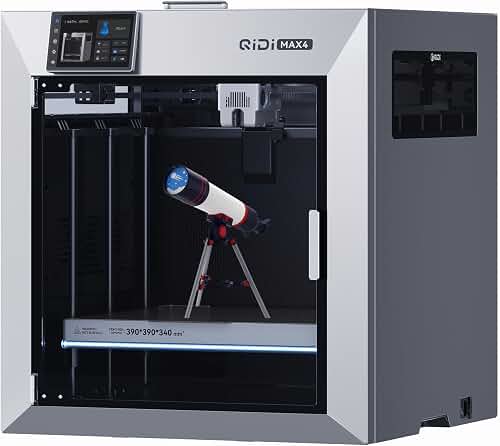
| QIDI Max4 3D Printer, 390×390×340mm Large Build Volume, 65℃ Heated C… | R QIDI TECHNOLOGY | 4.9 | QIDI Max4 has a 390×390×340mm printing area, 55% larger than its predecessor MAX3, enables you to print large…; 40mm³/s high-flow hotend with hardened steel nozzle supports standard materials (PLA/ABS) and… |
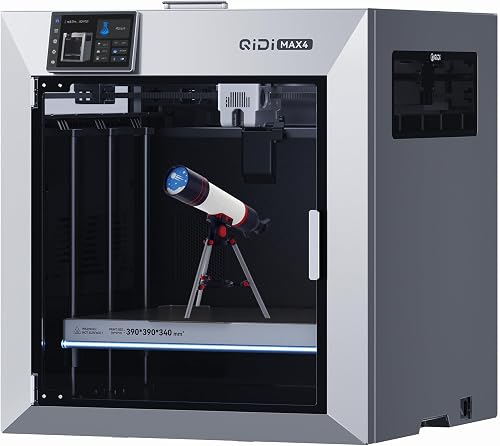
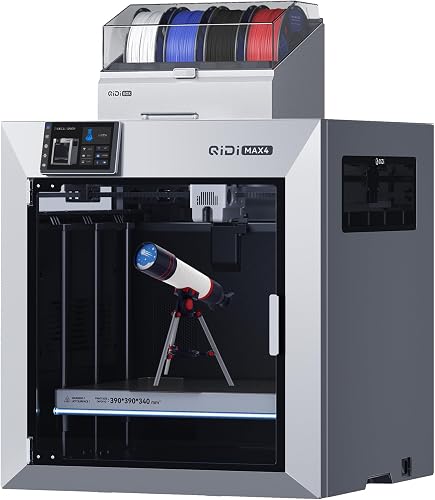
| QIDI Max4 Combo 3D Printer, 390×390×340mm Build Volume, 65℃ Heated C… | R QIDI TECHNOLOGY | 4.8 | QIDI Max4 Combo has a 390×390×340mm printing area, 55% larger than its predecessor MAX3, enables you to print…; 40mm³/s high-flow hotend with hardened steel nozzle supports standard materials (PLA/ABS) and… |
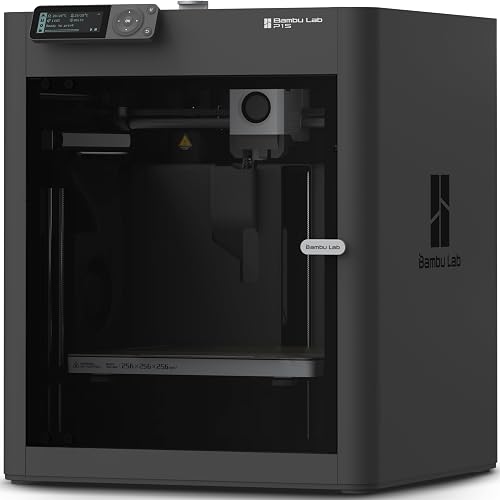
| Bambu Lab P1S 3D Printer, Ready-to-Use FDM 3D Printer | BAMBULAB | 4.5 | 500mm/s and 20000 mm/s² Acceleration True High Speed: Don't wait around for your masterpieces |
How We Research
3d Printers Complete Site is a research and comparison site. Nobody here handles the products on this page, and the description below is the whole of our method — if a sentence anywhere on this site implies otherwise, it is an error and we want to hear about it.
What the comparison is built from. Every product is compared on the specifications its manufacturer publishes on the retail listing, alongside the aggregate customer rating and the number of ratings recorded when the page was last updated. Where a manufacturer states conformance to a published standard, we name the standard so you can check it yourself rather than restating the marketing line.
How products get onto the list. Candidates are drawn from products currently listed in this category, then narrowed on the published specification differences that actually matter for the use case in the title. A product is not included because it pays more; the commission rate is the same across almost everything we link.
What gets re-checked. Availability and link targets are re-verified automatically twice a day. Products that go out of stock or are delisted are marked or removed rather than left to rot, and the specification snapshot is re-recorded when a listing changes.
What we do not do. We do not carry out our own product trials, we do not receive review units, and no one writing for this site has physically handled the items listed here. Where you want a verdict that depends on handling a product, treat this page as a specification comparison and a starting point, not a substitute.
Common Mistakes When Buying a Fast Printer
Buying for top travel speed. Already covered — it is the least useful number on the box.
Ignoring slicer maturity. A printer with no community slicer profiles will frustrate you for months. Check whether profiles exist for your slicer of choice before buying.
Assuming "Klipper" alone means fast. Klipper is a foundation, not a performance guarantee. A Klipper printer on a flexy frame with a stock brass hotend is not meaningfully faster than a well-tuned Marlin machine. The hardware has to back the firmware up.
Forgetting about noise. A printer running at 20,000 mm/s² in your bedroom is not going to make you popular. Enclosed CoreXY machines with sound-dampened panels are dramatically quieter than open bed slingers at the same speed.
Skimping on the filament. Cheap filament with inconsistent diameter under-extrudes randomly at high flow. If you spent $500 on a fast printer and you are running $12 filament, the filament is your bottleneck.
Speed vs. Quality: The Real Trade-off
We want to be honest about this: even the fastest 3D printer in 2026 trades some surface quality for speed. A part printed at 500 mm/s, no matter how good the input shaping, will not have the same surface finish as the same part printed at 60 mm/s. The gap is much smaller than it was in 2026 — but it exists.
For most uses, the trade is worth it. A part that prints in 45 minutes at "good enough" quality beats a part that prints in three hours at "perfect" quality, especially when you are iterating designs. For display models, miniatures, or anything cosmetic, you will still want to drop the speed and let the printer take its time.
The right framing: a high-speed printer is one that lets you choose. A slow printer can only print slowly.
Frequently Asked Questions
Is CoreXY actually better than a bed slinger for speed? For sustained high-speed printing, yes. CoreXY printers do not move the build plate during a layer, which eliminates a major source of ringing and frame stress. Bed slingers can still hit 250-300 mm/s on small parts, but they cannot maintain quality at sustained 400+ mm/s the way a CoreXY can.
Do I need Klipper firmware for a fast 3D printer? You need the features Klipper popularized: input shaping and pressure advance. Many printers in 2026 ship with vendor firmware that implements both without being called Klipper. The label matters less than whether the features are present and well-calibrated.
What is a good volumetric flow rate for high-speed printing? 25 mm³/s is the practical minimum for sustained printing above 200 mm/s with a 0.4 mm nozzle at 0.2 mm layers. For 0.6 mm nozzles or aggressive 400+ mm/s prints, look for 35-40 mm³/s. Anything under 20 mm³/s will under-extrude at high speeds regardless of what the printer's motion system can do.
Will printing fast wear out my printer faster? Yes, modestly. Belts stretch, bearings load up, fans run continuously, and hotends see more thermal cycles. A printer rated for 500 mm/s should be designed for it, but expect to replace belts roughly twice as often as on a slow machine, and budget for a hotend rebuild every 1,500-2,500 print hours.
Can I upgrade my old printer to be high-speed? Partially. Installing Klipper and a lightweight high-flow toolhead on an older bed slinger can take it from 60 mm/s to 200 mm/s with surprisingly good results. You cannot, however, turn a flexy 2026-era frame into a CoreXY, and you cannot upgrade past the rigidity limit of the chassis. Upgrades make sense up to roughly $200 of parts; beyond that, buying new is usually better value.
Are high-speed printers safe to leave running unattended? No printer is fully safe unattended. High-speed printers add a few extra failure modes (belt slip causing layer shifts, hotend clogs from rapid flow, more thermal stress on heater cartridges). If you run prints overnight, install a smoke detector above the printer, use a thermal runaway-protected firmware (all modern printers have this), and consider a hardware power cutoff connected to a temperature sensor.
Final Verdict
If you are buying a high speed 3D printer in 2026, the decision tree is fairly clear. For most people, a mid-range CoreXY 3D printer with hardware-calibrated input shaping, an enclosed frame, and a published volumetric flow rate of 25+ mm³/s is the right buy. That category gives you 90% of the speed and quality of prosumer machines at a fraction of the price.
If you mostly print small functional parts and your budget is tight, a modern Klipper-equipped bed slinger is genuinely capable in 2026 and will surprise anyone who last used a budget printer in 2026. If you are printing engineering materials at volume, step up to a prosumer CoreXY with an actively heated chamber — the productivity gain pays for itself within months.
What we would not do in 2026: buy a printer with no published volumetric flow spec, buy an open-frame bed slinger advertised at 500 mm/s, or buy any high-speed machine without confirming the slicer profiles for it are mature and well-supported in the community. Speed in 2026 is mostly a software problem solved by good firmware and good slicer tuning. Skipping either undoes whatever the hardware is capable of.
Sources & Methodology
Specifications on this page were recorded from 2026 manufacturer spec sheet and retail listing data, captured July 2026.
Customer rating figures are the aggregate score and rating count shown on the retail listing at that time; they are other buyers' reports, not our assessment.
Independent references for this category. These are places to verify a category claim for yourself. We link them because they are authoritative, not to imply their tests were run on our behalf:
- ISO/ASTM 52900 — additive manufacturing terminology
- FTC Endorsement Guides — the disclosure rules this site is bound by
- CPSC recall database — check any product for open safety recalls
About the Author
The Extruly editorial team researches 3D printers, filaments, and accessories using each manufacturer's published technical specifications and Amazon's official product data for the listing. We do not physically test, own, or use these products, and we do not systematically read customer reviews — if you want real-world reports, check the recent owner reviews on the listing yourself. Our buyer's guides are built from those published specifications and manufacturer documentation, not from press releases or sponsored placements.
Key Takeaways
- Choosing the right best high speed 3d printers means matching the key features to your specific needs and budget
- Read real customer reviews and check the return policy before you commit
- Also covers: fastest 3d printer
- Also covers: corexy 3d printer
- Also covers: klipper 3d printer
- Compare value across models — the priciest option is not always the best fit


