Disclosure: As an Amazon Associate we earn from qualifying purchases.
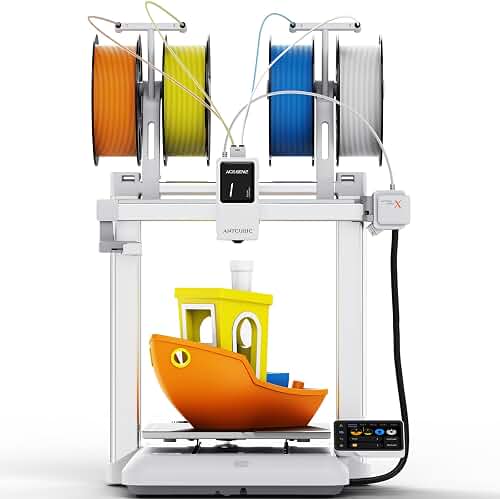
If you run an Etsy shop and the fourth-quarter ornament rush is your make-or-break season, the best multicolor 3D printer for Etsy holiday ornament sellers in 2026 is the one that balances four very specific demands: reliable multi-material switching, fast print speeds, a footprint small enough to run several side-by-side, and color quality that photographs well in listing photos. You are not printing prototypes or one-off cosplay pieces. You are printing the same Santa, snowflake, and personalized-name bauble dozens of times per day from October through December, and every minute of failed print or filament jam directly eats your margin.
This guide focuses on what actually matters for an ornament-focused Etsy seller: AMS-style multi-material units, throughput per square foot, color-change waste, and the print quality that converts at the $15-$35 ornament price point. We will not pretend a single machine is right for everyone — a brand-new seller printing 30 ornaments a month has very different needs from a power seller pushing 500 personalized name baubles in November.
What Etsy holiday ornament sellers actually need from a multicolor 3D printer
Ornament sellers face a unique production profile. Each piece is small (usually under 80mm tall), often involves 2-5 colors, must look polished in close-up listing photos, and needs to be produced in batches because customers buy in sets of 2, 4, or 6. That puts pressure on a few specific specs that casual hobbyists never think about.
Automatic multi-material systems are non-negotiable
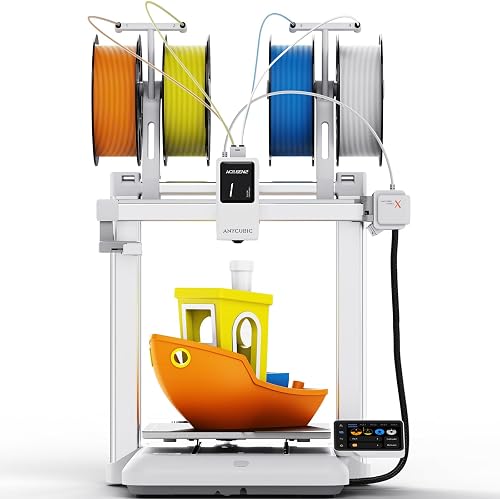
Manual filament swaps are not viable when you are running 40+ ornaments a day. You need an automatic material system (AMS, MMU, or equivalent) that swaps colors mid-print without intervention. The best multicolor 3D printer for Etsy holiday ornament sellers will support at least 4 colors out of the box and ideally be expandable to 8 or 16 by chaining units. For ornaments with logos, names, or detailed scenes, 4 colors is usually the practical minimum.
Throughput and uptime beat top speed
A printer that advertises 500mm/s but jams every 6 hours is useless for production. What you actually want is sustained uptime over multi-day runs. Look for enclosed builds (helps PLA stay dimensionally stable across overnight runs), filament runout detection that pauses rather than fails, and an active community of sellers reporting real Q4 reliability numbers.
Build volume sized for ornament batches
You do not need a massive build plate. A 256mm cubed volume lets you plate 9-16 ornaments at once, which is the sweet spot for batched personalization orders. Bigger plates mean longer per-batch print times and a single failed ornament can ruin the whole plate.
Color accuracy and photo-ready finish
Etsy buyers shop by photo. A printer producing visible layer lines or muddy color boundaries will hurt your conversion rate even if the product is technically fine. Look for printers with strong reviews on color-purge management and Z-seam control. Matte PLA filaments will hide minor layer artifacts, and the printer's slicer profile matters here.
Color-change waste is the silent margin killer
Every time a multi-material printer changes color, it purges old filament into a waste tower or chute. On a 4-color ornament, you can easily waste 30-60g of filament per part — sometimes more than the ornament itself weighs. Over 500 ornaments in a season, that is real money. The best multicolor 3D printer for Etsy holiday ornament sellers in 2026 is one with intelligent purge management: flushable waste, configurable purge volumes, and slicer features like "reduce flushing" or "infill consumption" that reuse waste as internal fill.
When evaluating any multicolor system, ask: How much filament does it actually waste per color change at the default settings, and can I tune that downward? A printer that wastes half its filament on purge towers can double your cost-of-goods at exactly the wrong time of year.
Top categories to consider for ornament production
Compact CoreXY multicolor printers (the production workhorse)
This is the dominant category for serious Etsy ornament sellers right now. CoreXY machines paired with a 4-color AMS hit the sweet spot of speed, quality, and reliability. They are enclosed (good for consistent PLA prints), they print fast enough that one machine can handle a modest shop, and they network together so you can manage a small printer farm from a single dashboard. If you are scaling past 200 ornaments per month, this is where you should be looking. For deeper coverage of this category, see our best enclosed 3D printers roundup.
Bedslinger multicolor printers (the budget entry)
Open-frame i3-style printers with a multi-color attachment are noticeably cheaper, often half the price of an enclosed CoreXY. The tradeoff is print speed (slower) and quality on tall ornaments (more wobble). For a brand new shop testing the ornament market, this is a defensible starting point. For an established shop trying to scale Q4, the cheaper sticker price is a trap — you will spend the savings on wasted time. Our 3D printer budget guide walks through the math on this tradeoff.
High-end multi-material i3 printers (the precision option)
Some sellers prefer the Prusa-style approach: an open-frame i3 with a sophisticated MMU unit that can handle up to 5 colors with very tight tolerances. The print speeds are slower than a CoreXY, but the dimensional accuracy and the open-source ecosystem are unmatched. For ornaments with very fine personalization (small text, tiny logos), this approach still has a real audience. Our Prusa MK4S vs Bambu Lab P1S comparison is the most relevant breakdown.
Resin printers (for premium ornament lines)
Resin is technically not "multicolor" in the same sense, but some premium sellers print resin ornaments and hand-paint them, then sell at $40+ price points. If that is your business model, the multicolor question is irrelevant and you should be reading our best resin 3D printers guide instead. For mainstream Etsy holiday ornament shops selling at $15-$35, FDM multicolor is the right tool.
What about printer farms versus single machines?
If you sold over 300 ornaments last holiday season, you should be thinking in terms of two or three machines, not one. The math is brutal: a single CoreXY printing 4-color ornaments can realistically produce 15-30 ornaments per day in sustained production. Two machines double that. The marginal cost of a second printer is much lower than the marginal cost of missing a listing because you ran out of inventory in mid-December.
Practical implications:
- Pick a printer brand with strong farm tooling. You want a single app or dashboard that can monitor multiple printers, queue jobs, and alert you to failures.
- Standardize filament. Use the same PLA across all your machines so you can move spools and color profiles between them.
- Plan electrical capacity. Three printers plus enclosure heaters can pull more than a single household circuit can handle. Spread across breakers.
- Buy spare parts in October. Nozzles, hotend assemblies, AMS PTFE tubing — anything that wears. You do not want to be waiting on a part shipment in December.
Filament strategy for Etsy holiday ornament production
The printer is half the equation. Filament choice is the other half, and it affects what "best multicolor 3D printer for Etsy holiday ornament sellers" really means for your specific shop.
Matte PLA for ornament bodies
Matte PLA hides layer lines beautifully, photographs well under listing lights, and gives ornaments a premium feel that justifies higher price points. For most Etsy holiday ornaments, matte PLA in your dominant ornament color (often white, ivory, or deep red/green) is the right base. Read our what is PLA filament guide for a deeper primer.
Silk PLA for accents
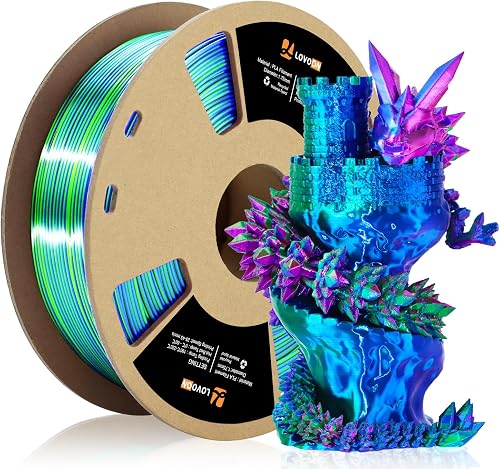
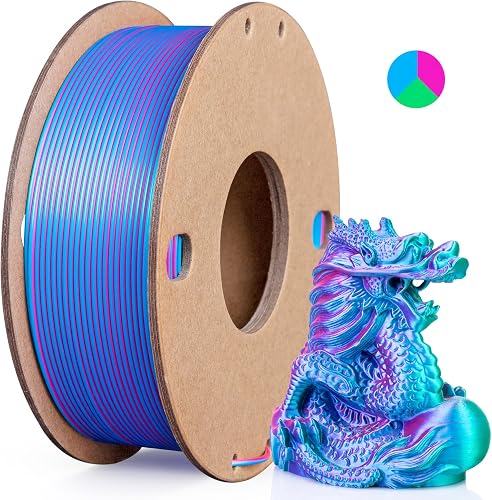
Silk PLA gives metallic sheens that look fantastic in listing photos — gold accents, silver ornaments, copper details. Use sparingly because silk filaments cost more per spool than matte.
Glow-in-the-dark for novelty SKUs
Glow PLA is abrasive and chews through brass nozzles. If you list glow ornaments, swap to a hardened steel nozzle on at least one printer and dedicate it to abrasive filaments. Multi-color is harder with glow because the glow particles can clog AMS hubs.
Skip the exotic composites
Wood-fill, metal-fill, carbon-fill — all of these have problems in multi-material systems. Stick to clean PLA blends for production runs. Save the exotic experiments for January.
Pricing your time and printer ROI
A common mistake new sellers make is not accounting for printer ROI in their ornament pricing. If a printer costs $700, your ornaments need to clear at least that in net margin within 18 months for the printer to make sense. At a typical $5-$8 net margin per ornament after Etsy fees, filament, and packaging, that is roughly 100-140 ornaments. Most ornament shops blow past that in a single Q4. The economics work — but only if you actually finish prints reliably.
For broader cost analysis, our 3D printer cost guide breaks down the total cost of ownership including filament, electricity, and maintenance — all relevant when you are running production schedules.
Common mistakes Etsy ornament sellers make with their first multicolor printer
Three recurring mistakes I see in seller forums every Q4:
- Buying too late. If you buy your printer in October, you have no time to learn the slicer, test your designs, troubleshoot reliability, or build inventory before peak season. Buy in July or August at the latest.
- Skipping the AMS. Buying the base printer without the multi-material unit because it costs $300-$500 more. You will hit a wall the first time a customer asks for a 3-color personalized ornament.
- Listing before testing reliability. Listing an ornament SKU before you have actually printed 20-30 copies on your machine. Etsy reviews are unforgiving, and the first negative review tanks new-listing visibility.
Frequently Asked Questions
How many colors do I really need for Etsy holiday ornaments?
Four colors handles roughly 85% of mainstream ornament designs: a body color, a contrast color, a metallic accent, and a personalization color (often black or red for names and dates). If you plan to sell elaborate scene ornaments — nativity, gingerbread houses, Santa workshops — you will want to expand to 8 colors through a chained AMS or a second hub. Two colors is too limiting; six is the sweet spot for most ornament-focused shops.
Can I use a single-color 3D printer for Etsy ornaments and just paint them?
Yes, but the labor economics rarely work. Hand-painting a single ornament can take 10-30 minutes, and at a typical $20 price point you would be earning sub-minimum wage on the painting alone. A few high-end shops do this profitably at $50+ price points with hand-finished resin pieces, but for the mainstream $15-$30 ornament market, a multicolor printer is the only model that scales.
How long does a typical 4-color Etsy ornament take to print?
On a modern CoreXY printer with optimized slicer profiles, a 60mm tall 4-color ornament takes roughly 45-90 minutes depending on color count, infill, and purge settings. A full plate of 9-12 ornaments runs 6-10 hours, which is one overnight cycle plus a half day of monitoring. Older or slower printers can take 2-3x that long, which is why throughput matters more than top speed.
What is the cheapest setup that still produces sellable Etsy ornaments?
Around $500-$700 for a budget multicolor-capable printer with a 4-color attachment, plus $80-$150 for a starter filament collection, plus $50 for a basic enclosure or filament dry box. Total entry point is around $650-$900. Below that, you are looking at single-color printers that require hand-painting or hand-assembly, which kills your unit economics for ornaments priced under $25.
Do I need an enclosure for printing ornaments?
For pure PLA ornaments, an enclosure is helpful but not strictly required. It improves dimensional consistency on overnight runs and reduces drafts that cause warping on tall thin pieces. If you live in a cold or dry climate, an enclosure is closer to essential. If you live somewhere mild and your print room is climate-controlled, an open-frame i3 printer can produce excellent ornaments. See our best enclosed 3D printers guide for direct comparisons.
How do I price personalized ornaments to account for color-change waste?
Calculate your real per-ornament filament cost including purge waste, not just the ornament weight. A 25g ornament with 4 color changes might actually consume 55-70g of filament after waste tower. At roughly $20-$30 per kilogram for quality PLA, that is $1.10-$2.10 in filament per ornament — meaningfully higher than the naive 25g estimate. Add Etsy fees (around 12% all-in), shipping supplies, and electricity, and your true cost-of-goods is often $4-$6 on a $20 ornament. Price accordingly.
What slicer settings matter most for multicolor ornament prints?
Three settings dominate everything else: purge volume per color change (lower is better but too low causes color bleed), Z-seam position (set to align with detail seams rather than smooth ornament faces), and first-layer adhesion (critical when you have 9+ small parts on a plate — one detachment can ruin the batch). Most modern slicers ship with reasonable default profiles for the major multicolor printers, but spend at least one full evening tuning these three for your specific filaments before going into production.
Should I buy two cheaper printers or one expensive one?
For a serious ornament shop, two mid-range printers nearly always beat one premium machine. Redundancy is the killer feature during Q4 — if one printer goes down for a day during peak season, the other keeps your shop open. You also get parallel production, which doubles throughput. The one exception is if you genuinely need the precision of a high-end machine for very detailed personalization work, in which case start with one premium printer and add a second mid-range machine as a backup workhorse.
Key Takeaways
- Choosing the right best multicolor 3d printer for etsy holiday ornament sellers means matching the key features to your specific needs and budget
- Read real customer reviews and check the return policy before you commit
- Also covers: ams multicolor christmas ornament printer
- Also covers: etsy ornament shop multi material printer
- Also covers: best ams printer for ornaments
- Compare value across models — the priciest option is not always the best fit