Disclosure: As an Amazon Associate we earn from qualifying purchases.
If you are searching for the best resin 3d printer for dental crown labs under 2000 dollars, the short answer is: prioritize XY resolution at or below 35 microns, a calibrated monochrome LCD with a long-life light engine, a build platform that stays flat under load, and proven compatibility with certified dental resins. For most labs producing single-unit crowns, bridges, study models, and surgical guides, a high-resolution 8K-class mSLA printer with a 7- to 10-inch screen hits the sweet spot of detail, throughput, and price. You do not need a five-figure DLP machine to get clinically usable crown copings, temporaries, and models, but you do need to match the hardware to the specific resin chemistries your lab uses and to validate every workflow before sending parts to a patient.
This 2026 buyer's guide walks through exactly what a small or mid-size dental lab should evaluate when shopping for the best resin 3d printer for dental crown labs under 2000 dollars, including resolution math, build plate sizing, resin certification, post-processing, and validation. It is written for technicians and lab owners who already understand subtractive milling and want a chairside-friendly additive workflow that pays for itself within the first quarter of use.

Why resin, and why under two thousand
Resin 3D printers using masked stereolithography (mSLA) cure thin layers of photopolymer through a monochrome LCD mask. For dental work, this matters because the layer-to-layer registration is determined almost entirely by the Z-axis lead screw and the flatness of the LCD, not by extrusion physics. That makes mSLA inherently more accurate at the 25 to 50 micron scale than even a well-tuned FDM printer, which is why labs use resin for crowns, copings, bridges, partial frameworks, surgical guides, splints, and study models. If you are still weighing technologies, our FDM vs resin 3D printer guide covers the underlying tradeoffs in more depth.
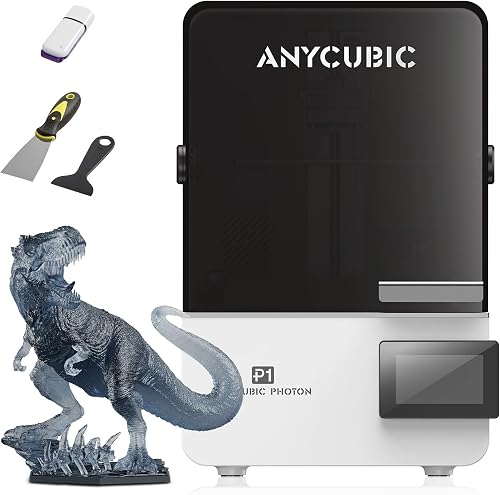
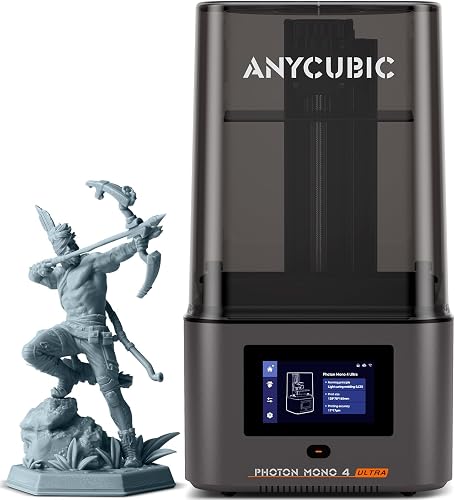
The under-2000-dollar ceiling is meaningful because it is where consumer-grade hardware now overlaps with what used to be sold as a professional dental machine. In 2026 you can buy an 8K or 10K-class mSLA printer, a wash-and-cure station, and a starter liter of certified dental model resin for roughly the same money that a single closed-ecosystem dental printer cost five years ago. That price compression is driven by larger monochrome screens, better optical compensation in slicer software, and dental resin vendors qualifying their materials on third-party hardware. The cost of getting in is no longer the bottleneck — validation is.
The specs that actually matter for crown work
When labs ask which is the best resin 3d printer for dental crown labs under 2000, they usually focus on print speed first. That is the wrong order. For crown and bridge applications, the specs ranked by clinical importance are:
XY pixel pitch
XY pixel pitch is the physical width of one LCD pixel projected onto the build plate. For dental copings and crown margins you want a pitch of 35 microns or finer. A 10.1-inch 10K monochrome panel typically delivers about 28 to 30 microns; a 9.1-inch 8K panel lands around 33 to 35 microns. Anything coarser than 50 microns will visibly stair-step the cervical line of a posterior crown.
Z-axis repeatability
Z accuracy comes from the lead screw, the linear rails, and how the build plate is clamped. Look for a dual linear rail design with a ground ball screw and a tool-free leveling system that has a reference-pin or kinematic mount. A wobbly platform will show up as banding on the proximal walls of multi-unit bridges.
Build volume
For single arches of crowns, study models, and night guards, a build area of roughly 220 by 125 millimeters with a Z height of 230 millimeters is more than enough. Going larger costs disproportionately more and lengthens cleanup. Most labs running four to twelve crowns per cycle do not need a 13-inch screen.
Light engine uniformity
A 405 nm matrix LED array with a Fresnel or collimating layer gives more even cure across the screen than older COB designs. Uneven light leads to over-cured corners and under-cured center pixels, which is the difference between a crown that seats and one that needs a chairside grind.
Resin compatibility
The single largest gating factor for a dental lab is whether the printer is on the validated hardware list of the resin you actually want to use. Major dental resin vendors publish exposure profiles for specific printers. Before you buy, download the resin manufacturer's compatibility sheet and confirm the model is listed for your target materials (crown and bridge, temporary C&B, splint, model, IBT, gingiva mask, surgical guide).
What to expect from a printer under two thousand
At this price point you should expect: an 8K to 10K monochrome LCD, a CNC-machined aluminum build plate, a metal vat with a replaceable FEP or nFEP film, dual or tri-rail Z, automatic resin level sensing on the better models, network printing over Wi-Fi or Ethernet, and a touchscreen UI that exposes per-layer exposure tuning. You should not expect daylight-safe enclosures, integrated heating beyond a basic film heater, or a closed dental ecosystem with locked-down slicer profiles. Those features live in the four- to six-thousand-dollar tier.
Throughput in this segment is excellent. A full plate of eight to twelve full-contour crowns at 50 micron layers will typically finish in 90 to 130 minutes, and an arch of study models in roughly 45 minutes. That throughput is what makes a single sub-2000-dollar machine viable as a primary lab printer rather than a backup.
Categories of pick to look for
The high-resolution detail workhorse
For a lab whose volume centers on single-unit crowns, copings, and inlays, the priority is XY pixel pitch. Choose a 9- to 10-inch panel in the 8K to 10K class. The smaller footprint trades plate area for sharper margins, which is the right call when your average job is one to four units. Match this with a low-shrinkage model resin and you will see consistent contact-point reproduction without scaling tricks.
The mid-volume bridge and model printer
If you are also producing three- to six-unit bridges, frameworks, and full arches of study models, step up to a 10-inch 10K panel with a build plate around 220 by 125 millimeters. The added screen real estate pays for itself the first time you nest a full upper and lower arch in a single 50-minute print. Validate Z calibration with a manufacturer-supplied accuracy test before running any patient case.
The surgical guide and splint runner
Surgical guides and occlusal splints are forgiving on XY but demanding on Z uniformity and on biocompatible resin compatibility. For these jobs, the cheapest 8K printer that is on the validated list of your guide resin is the right answer; you do not gain clinical benefit from a 10K panel. Spend the saved budget on a second vat dedicated to the guide resin to avoid cross-contamination.
The supporting equipment you must budget for
A printer alone does not produce a clinically usable crown. Budget separately for:
- A wash-and-cure station with separate IPA and water bays, or two single-purpose units. Cross-using washing solvents between dental and non-dental resins is a recurring source of failed prints.
- At least two metal vats per printer so you can swap resins without decanting. Three vats is better for a multi-material lab.
- Nitrile gloves rated for IPA, lab safety glasses, and a dedicated bench surface with a non-porous mat.
- A calibrated digital caliper and a stereo microscope for margin inspection. Without these you cannot validate.
- A slicer license that supports per-layer anti-aliasing and dental-specific support profiles. Many dental resin vendors ship their own slicer profiles — use them as your starting point, not as gospel.
Plan on roughly 300 to 500 dollars of supporting equipment on top of the printer itself for a one-operator lab. Our broader 3D printer buying guide walks through accessory selection in more detail.
Validation: the step most labs skip
Before you produce a single patient-bound crown, run a structured validation protocol. The minimum is:
- Print the manufacturer's XY/Z accuracy test in your target resin, measure all features with calipers, and record the deltas.
- Print a full-arch model from a reference STL, scan it, and compare to the source mesh in a deviation analysis tool. Aim for 90 percent of points within ±50 microns.
- Print at least three sets of single-unit crowns on stone or printed dies, and seat them. Document marginal gap and internal fit with a fit-checking medium.
- Repeat the model test after 50 prints to confirm LCD wear has not shifted accuracy.
Skipping validation is the single fastest way to turn a 1500-dollar printer into a 15000-dollar liability. The validation protocol does not change because the printer is inexpensive.
Workflow integration with intraoral scanners and CAD
Any modern dental CAD package (exocad, 3Shape Dental System, Medit Design, Blue Sky Plan) will export an STL or PLY that any consumer mSLA slicer can read. The integration friction is not at the file format level; it is at the exposure profile level. When you receive a new resin, do not assume the slicer's stock profile is correct — print the exposure test ladder shipped by the resin vendor and dial in bottom exposure, normal exposure, and lift speed until the test passes. This takes about 45 minutes per resin and is non-negotiable.
Common mistakes to avoid
The recurring mistakes labs make when buying their first sub-2000-dollar resin printer are predictable. Buying purely on screen size leads to a machine that is too large for the actual case mix and harder to keep level. Skipping the resin compatibility check leads to printers that cannot run the material the lab actually needs. Reusing a single vat for model resin and crown resin contaminates both. Running the printer on a vibrating bench next to a milling unit introduces Z banding that looks like a printer defect. And ignoring the LCD wear curve — monochrome panels in this segment are rated for roughly 2000 hours of use — leads to a slow drift in accuracy that is invisible until a crown does not seat.
If you want broader context on resin-printer selection beyond dental, our roundup of the best resin 3D printers covers consumer and prosumer picks across the price spectrum, and our 3D printer key features guide explains the specs in plain language.
Frequently Asked Questions
Can you really print clinically usable dental crowns on a printer that costs under 2000 dollars?
Yes, provided you are printing either a coping for ceramic press-over, a temporary C&B unit, or a model for thermoforming. Definitive full-contour ceramic crowns still require either a milling workflow or a printer paired with a certified ceramic-loaded resin. The hardware in the sub-2000-dollar tier is mechanically capable; the limit is which resins are validated for definitive intraoral use in your jurisdiction.
What XY resolution do I need for crown margins?
Aim for 35 microns or finer at the build plate. That corresponds to roughly an 8K panel at 9 inches or a 10K panel at 10 inches. Going below 30 microns gives diminishing returns because most dental resins have a cure-bleed of 15 to 25 microns that becomes the limiting factor, not the LCD pitch.
How long does the LCD screen last in a dental workflow?
Plan on 1800 to 2200 hours of exposure time per monochrome panel. A typical lab running four hours of prints per workday will replace the screen roughly every 18 to 24 months. Replacement screens for printers in this tier cost between 80 and 200 dollars and are user-serviceable.
Do I need a separate printer for surgical guides versus crown work?
You do not need a separate printer, but you do need a separate vat and ideally a separate FEP film per resin family. Cross-contamination between a Class IIa guide resin and a non-biocompatible model resin will void the certification of the guide resin and is a real patient-safety issue. A second 50-dollar vat is much cheaper than a second printer.
What support equipment do I need beyond the printer?
At minimum: a wash station, a UV cure chamber rated for the wavelength of your resins (typically 405 nm), two vats per printer, IPA or TPM cleaning solvent, nitrile gloves, a fume-extracting workspace or ventilated area, and calipers for validation. Many vendors sell wash-and-cure combo units that handle both steps in one footprint.
Is DLP better than mSLA for dental crowns at this price?
DLP can deliver more uniform pixel cure and faster per-layer times, but true DLP machines do not exist at the under-2000-dollar price point in 2026. Below 2000 dollars, mSLA with a high-quality monochrome LCD is the only realistic option and is more than capable of producing clinically acceptable copings, temporaries, and models. DLP becomes a meaningful upgrade in the 4000-dollar-and-up segment.
How do I validate a new resin and exposure profile?
Print the resin vendor's exposure test, typically a stepped wedge or a cones-of-calibration model, in the exact slicer profile you plan to use for patient cases. Measure the smallest fully formed positive and negative feature with calipers or a microscope, and adjust normal exposure time in increments of 0.2 seconds until the smallest features resolve cleanly without bridging. Document the final profile, the resin lot number, and the printer's screen-hour reading so you can reproduce the result later.
Key Takeaways
- Choosing the right best resin 3d printer for dental crown labs under 2000 means matching the key features to your specific needs and budget
- Read real customer reviews and check the return policy before you commit
- Also covers: affordable dental crown 3d printer
- Also covers: small dental lab resin printer
- Also covers: castable crown resin printer recommendation
- Compare value across models — the priciest option is not always the best fit