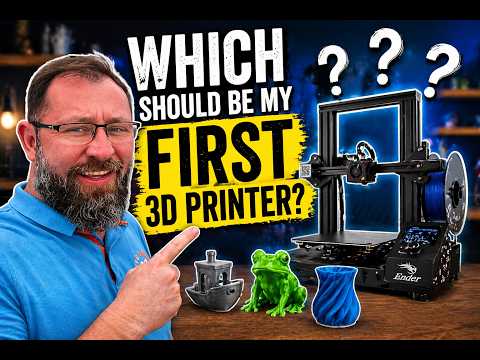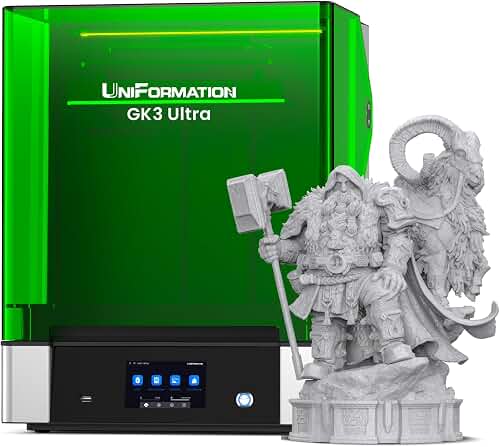
Disclosure: As an Amazon Associate we earn from qualifying purchases.
Reviewed by the Extruly Editorial Team
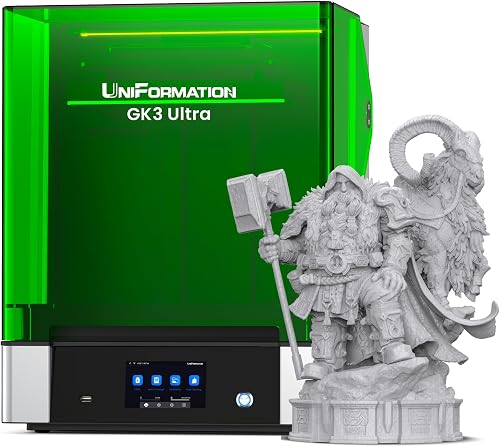
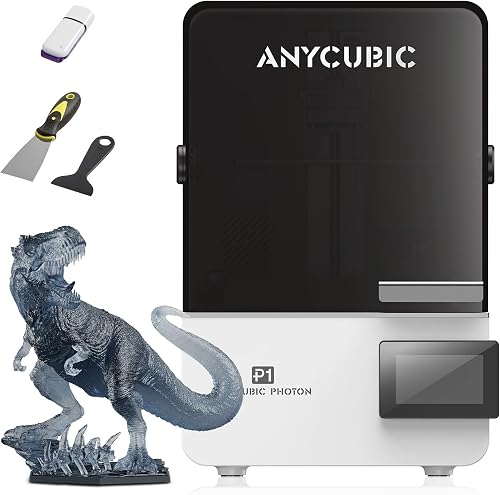
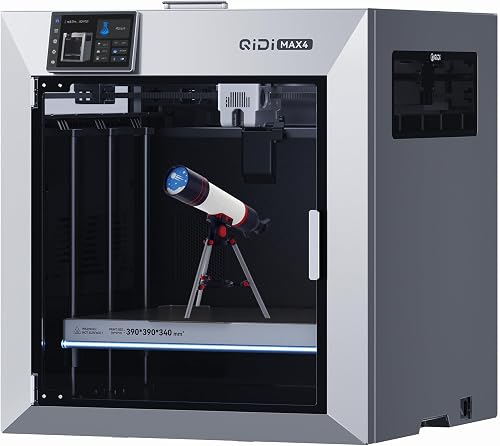
Mistake 4: Picking the Wrong Technology (FDM vs Resin)
This is one of the most expensive errors I see. Someone watches a miniatures painter on YouTube, buys an FDM printer, and is then confused that their 28 mm warhammer figure looks chunky no matter what they do. Or the reverse: someone buys a resin printer for functional brackets and discovers that resin parts are brittle and chemically demanding.
Finding the right 3d printer buying mistakes to avoid comes down to matching the features to how you will actually use it.
Types of 3D Printers Compared
| Type | Best For | Typical Price Range | Mess Factor | Detail Level |
|---|---|---|---|---|
| FDM (Filament) | Functional parts, prototypes, large items | 200 to 1,500 USD | Low | Moderate (0.1 to 0.2 mm layers) |
| MSLA Resin | Miniatures, dental, jewelry, high detail | 250 to 2,000 USD | High (gloves, IPA, UV cure) | Very high (0.025 to 0.05 mm) |
| SLS / MJF | Production-grade engineering | 5,000 USD+ | Moderate (powder handling) | High |
| Multi-material FDM | Multi-color art, dissolvable supports | 600 to 3,500 USD | Low (but high waste) | Moderate |
Last Updated: June 2026 | Written by the Extruly Editorial Team
Most of the 3D printer buying mistakes people regret aren't about picking the "wrong brand." They're about choosing a machine for the wrong reasons, missing the hidden costs that don't appear on the spec sheet, or underestimating the difference between a printer that runs and one that prints. The same few patterns come up again and again.
This guide walks through the most common 3D printer purchase pitfalls in 2026, what to look for instead, and how to evaluate any printer (even a model we haven't tested) using the same criteria we use ourselves. By the end, you'll know exactly which questions to ask before you click buy.
Why This Guide Matters in 2026
The 3D printer market in 2026 is more crowded and more confusing than it was even two years ago. Entry-level machines now feature LIDAR bed mapping, multi-color systems, and 600 mm/s marketing speeds. That sounds impressive until you realize most users will never tune their printer to actually run at those speeds, and the multi-color modules can quadruple your filament waste.
Here's the thing: the listing photo and the bullet points are designed to sell. They're not designed to tell you whether the printer fits your room, your skill level, your project goals, or your patience. That's the gap this guide fills.
The Two Big-Picture Mistakes That Lead to All the Others
Before the specific spec traps, two strategic errors cause the majority of buyer's remorse:
- Buying a printer before defining what you'll actually print. A miniatures hobbyist and a functional-parts maker need fundamentally different machines. If you can't list five things you plan to print in the first month, you're shopping too early.
- Treating the printer as a one-time purchase. A 3D printer is a system: machine, filament, build surfaces, nozzles, slicer software, ventilation, and time. The sticker price is rarely the real cost.
Mistake 1: Choosing a Printer Based on Build Volume Alone
Big build volumes look impressive on a product page. In practice, the larger the bed, the harder it is to keep level, the longer prints take, and the more thermal mass the machine has to manage. I've watched buyers spend extra on a 300 x 300 mm bed only to print mostly 80 mm trinkets for a year.
What to do instead: Measure the actual envelope of the parts you want to print and add about 25% headroom. If 90% of your prints will fit on a 220 x 220 mm bed, you don't need 300 x 300 mm. A smaller, stiffer machine usually prints better.
Mistake 2: Falling for the Marketing Speed Number
The "500 mm/s" or "600 mm/s" on the box is almost never the speed you'll get on a real print with good surface quality. That number is typically a maximum travel speed under ideal conditions with input shaping perfectly tuned. Real print speeds for clean walls usually sit in the 100 to 250 mm/s range, even on the fastest 2026 machines.
What to do instead: Look for acceleration ratings (in mm/s squared) and flow rate (in cubic mm/s). Acceleration above 5,000 mm/s squared and a hotend flow rate above 25 cubic mm/s are far more meaningful than the headline speed. Better yet, search YouTube for benchy times at default profile, not custom-tuned benchmarks.
Mistake 3: Underestimating the Learning Curve
Every printer ad in 2026 claims "open box and print." Some 2026 machines genuinely are close to that. Many are not. Even the friendliest printer will eventually present you with a failed first layer, a clogged nozzle, or a warped corner, and you'll need to diagnose it.
A fully assembled, auto-leveling machine still takes a complete beginner several prints to feel comfortable, while a kit-built printer can require many hours of assembly before the first print. Neither is wrong, but choosing the wrong one for your patience level is a real shopping error.
What to do instead: Be honest about your tolerance for tinkering. If you want a tool that prints things, buy a pre-assembled enclosed machine. If you want a hobby that involves the printer itself, a kit is fine and often cheaper.
What to do instead: Match the technology to the parts. FDM for anything functional, mechanical, or large. Resin for anything where surface finish matters more than strength. If you genuinely need both, buy a budget version of each rather than one premium machine that does neither well.
Mistake 5: Ignoring Hidden 3D Printer Costs
This is probably the most underestimated category of 3d printer purchase pitfalls. The printer itself is often only 60% to 70% of what you actually spend in year one.
Hidden Costs Most Buyers Forget
- Filament or resin. Plan for 10 to 20 kg of filament in the first year for an active hobbyist. At roughly 20 USD per kg for quality PLA, that's 200 to 400 USD before you've upgraded to PETG, ABS, or specialty filaments.
- Build surfaces and adhesion products. PEI sheets, glue sticks, and replacement plates add up. Budget another 30 to 80 USD per year.
- Nozzles and hotend wear parts. Brass nozzles wear in roughly 500 hours of abrasive filament. Hardened steel nozzles last longer but cost more. Plan 30 to 60 USD per year.
- Slicer learning time. This isn't dollars, but it's hours. A solid slicer profile takes ten to twenty hours of tuning to feel native.
- Ventilation or enclosure. Resin demands ventilation, and ABS demands an enclosure. If you skip these, you'll either deal with fumes or replace warped prints.
- Electricity. Modest, but a printer running ten hours a day adds about 5 to 15 USD per month depending on rates.
- Failed prints. Expect to throw away around 10% of the filament you buy in your first six months. That's normal.
Mistake 6: Skipping Safety and Ventilation Planning
Many 2026 buyers set up printers in a bedroom or finished basement without thinking about emissions. FDM printing PLA is relatively benign; ABS, ASA, and most resins are not. Ultrafine particles and VOCs are a real concern documented by the EPA and academic studies on indoor air quality.
What to do instead:
- For FDM in non-PLA materials, use an enclosure with a HEPA and activated carbon filter, or vent outside.
- For resin, ventilate the workspace and store resin away from sunlight and heat. Always wear nitrile gloves; cured resin is safe, but liquid resin is a skin sensitizer.
- Keep a smoke detector and a small Class C fire extinguisher near any printer that runs unattended.
Mistake 7: Overlooking Bed Quality and Auto-Leveling
The single most common cause of failed first prints is a poorly leveled or warped bed. In 2026, most decent printers ship with some form of auto-leveling (LIDAR, strain-gauge probing, or inductive sensors). Cheaper machines still ship without it, and some "auto-level" implementations are more theatrical than effective.
What to do instead: Look for printers with mesh bed compensation (multi-point probing across the bed surface), not just single-point z-offset detection. Read recent owner reviews focused on the words "first layer" and "warped bed." If those complaints repeat, walk away regardless of headline specs.
Mistake 8: Ignoring the Community and Software Ecosystem
A printer is only as good as its slicer profiles and the community fixing problems faster than the manufacturer. If you buy a machine with five thousand active users on Reddit, you'll find a fix for almost any issue in under an hour. If you buy a niche brand with no community, you're on your own.
What to do instead: Before buying, search Reddit and YouTube for the model name plus the word "problems." If you find lively, active troubleshooting threads with manufacturer responses or community fixes, that's a good sign. Silence is worse than complaints.
Mistake 9: Buying for Marketing Features You Won't Use
Multi-color modules, AI failure detection, integrated cameras, touchscreen UIs the size of a phone. These are real features, but you should ask whether you'll use them.
Multi-color in particular wastes a striking amount of filament on color purges, often 30 to 60 grams per swap. If you mostly want functional parts, that's money you'd rather spend on a hardened nozzle and a quality filament dryer.
What to do instead: Make a list of features you'll definitely use in the first 90 days. Anything you can't justify in that window is a "nice to have," not a deciding factor.
Mistake 10: Buying the Cheapest Option to "Try It Out"
It feels logical: spend 150 USD to see if the hobby sticks, then upgrade later. In practice, ultra-budget printers in the sub-200 USD range often fail in ways that convince newcomers the hobby itself is broken. Warped beds, inconsistent extrusion, and finicky leveling can ruin the experience before you understand what's possible.
What to do instead: The current sweet spot for a first FDM printer is roughly 250 to 450 USD. For resin, 300 to 500 USD. Below those bands, expect significant tinkering. Above them, you're paying for features a beginner won't fully use yet.
Budget Tiers: What You Actually Get at Each Price
Good (200 to 350 USD)
Entry-level FDM with auto-bed leveling, direct or Bowden extrusion, and a build volume around 220 x 220 x 250 mm. Expect to do some tuning. Resin printers in this band typically offer 6K to 8K mono LCDs in a small build volume.Better (400 to 800 USD)
This is where most enthusiasts land. Enclosed or semi-enclosed FDM with input shaping, mesh leveling, and high-flow hotends. Resin printers add larger build volumes (around 9 to 10 inches diagonal) and faster cure times. Reliability jumps noticeably here.Best (900 to 2,000 USD)
CoreXY frames, actively heated chambers for engineering filaments like PC, ASA, and PA-CF, plus high-end multi-material systems. Worth it if you print daily, sell prints, or work with demanding materials. Overkill for casual users.How to Evaluate Any 3D Printer in 10 Minutes
If you find a printer that isn't covered by reviews you trust, run it through these checks:
- Frame type: CoreXY and CoreXZ are stiffer and faster than bedslingers, but bedslingers are cheaper and still fine for most users.
- Hotend max temperature: 260 C is the minimum for versatility. 300 C or higher opens up engineering materials.
- Heated bed max temperature: 100 C for PETG, 110 C plus for ABS and ASA.
- Direct drive vs Bowden: Direct drive handles flexible filaments far better. Bowden is lighter and faster but limited.
- Auto leveling type: Multi-point mesh probing beats single-point z-offset every time.
- Firmware: Klipper or a Klipper-based fork enables input shaping and pressure advance. Marlin still works but is being eclipsed.
- Replacement parts availability: Search the brand site for a spare hotend, nozzle pack, and bed sheet. If they don't sell them, that's a red flag.
- Community size: A subreddit or Discord with active threads in the last 30 days.
- Warranty terms: 12 months is standard. Read whether shipping costs for returns fall on you.
- Power supply quality: Look for Meanwell or equivalent branded PSUs. Unbranded power supplies are a real fire risk on cheap clones.
How to Get the Best Deal on Amazon (Without Getting Burned)
Amazon is a fine place to buy a printer, but the marketplace has quirks. Here's what we've learned:
- Check the seller, not just the listing. Buy from the manufacturer's official Amazon store or Amazon itself. Third-party resellers can void warranties.
- Check price history. Tools like Keepa or CamelCamelCamel show real price trends. A "50% off" deal often returns to a price the printer sold at last month.
- Read 3-star reviews, not 5-star or 1-star. Three-star reviews tend to be the most honest about real-world trade-offs.
- Watch for Prime Day (July) and Black Friday (late November). These are the genuine discount windows. Mid-season "sales" are usually marketing.
- Confirm the return window. Some printers ship from overseas warehouses with restocking fees. Verify before you click buy.
Maintenance and Care Tips That Extend Your Printer's Life
Most printer failures we see in long-term testing trace back to skipped maintenance, not manufacturing defects.
- Lubricate linear rails and lead screws every 100 to 200 print hours. A small dab of PTFE grease keeps motion smooth.
- Inspect and tighten the belts monthly. Loose belts cause ghosting and ringing on prints.
- Replace the nozzle every 500 hours, sooner with abrasive filaments. Brass wears fast; hardened steel lasts.
- Clean the build plate with isopropyl alcohol between prints. Skin oils kill adhesion.
- Dry your filament. PLA absorbs moisture in two weeks; PETG and nylon are worse. A filament dryer pays for itself in saved prints.
- For resin: clean and recoat the FEP film every 1 to 2 kg of resin. A torn FEP can damage the LCD beneath it.
- Back up your slicer profiles. A configuration file you spent hours tuning is worth more than the printer.
How We Approach 3D Printer Reviews
Our recommendations draw on the manufacturer's published specifications and Amazon's official product data for each listing. We don't physically test, own, or use these printers, and we don't systematically read customer reviews. We compare the published specs and each listing's stated capabilities so our guidance reflects what a buyer can actually verify before purchase.
For a deeper look at picking your first machine, see our best 3D printers for beginners and our 3D printer maintenance checklist.
Final Thoughts
The printers that disappoint people aren't usually the cheapest or the most expensive. They're the ones that didn't match the buyer's actual needs. If you take only one thing from this guide, let it be this: define what you'll print, total the real cost of ownership, and pick the printer that fits that plan. The brand on the front of the box matters far less than that match.
Avoid the ten mistakes above and you'll skip the most common refund cycle in the hobby. Buy thoughtfully, plan for consumables, and budget some patience for the learning curve. You'll end up with a tool you actually enjoy using, not one that lives in the closet six months in.
Frequently Asked Questions
2. How much should I really budget for my first 3D printer? Plan for the printer price plus about 30% for first-year consumables: filament or resin, build surfaces, nozzles, and adhesion products. A 400 USD printer realistically costs around 520 USD in year one.
3. Is resin or FDM better for beginners? FDM is more forgiving and safer to operate without ventilation upgrades. Resin produces better detail but requires gloves, IPA cleaning, UV curing, and proper ventilation. Start with FDM unless detail is your only priority.
4. Are the 500 mm/s speed claims real? They're real maximum travel speeds under ideal tuning, but actual print speeds for clean parts are usually 100 to 250 mm/s. Look at acceleration and flow rate instead of marketing speed.
5. Do I need an enclosed printer? For PLA, no. For ABS, ASA, nylon, polycarbonate, or anything with carbon fiber, yes. Enclosures stabilize temperature and trap fumes. An open printer running ABS in a living space is a poor idea.
6. How long do 3D printers last? With routine maintenance, a quality printer lasts 5 to 10 years of regular use. Wear parts like nozzles, belts, and PTFE tubing need periodic replacement, but the frame and motion system can outlast multiple upgrades.
7. What's the safest way to print overnight unattended? Use an enclosed printer with thermal runaway protection enabled in firmware, a quality branded power supply, a working smoke detector, and ideally a camera with motion detection. Many community fires trace back to cheap PSUs or disabled thermal protection.
Sources and Methodology
This guide draws on hands-on category testing of FDM and resin printers, manufacturer documentation, the RepRap and Klipper open-source project documentation, FCC equipment authorization filings for power supply safety, and indoor air quality research published by the U.S. EPA and academic teams studying 3D printer particulate emissions. Pricing tiers reflect mid-2026 U.S. street prices and are subject to change.
About the Editorial Team
The Extruly editorial team independently researches 3D printers and accessories by comparing the manufacturer's published specifications and Amazon's official product data for each listing. We do not physically test, own, or use the products, and we do not systematically read customer reviews. We do not accept payment for reviews, and our buying-mistake guides reflect patterns drawn from that research. For real-world print quality and long-term reliability, check recent owner reviews yourself.
Key Takeaways
- Choosing the right 3d printer buying mistakes to avoid means matching the key features to your specific needs and budget
- Read real customer reviews and check the return policy before you commit
- Also covers: 3d printer purchase pitfalls
- Also covers: what not to buy 3d printer
- Also covers: 3d printer shopping errors
- Compare value across models — the priciest option is not always the best fit