Disclosure: As an Amazon Associate we earn from qualifying purchases.
Reviewed by the Extruly Editorial Team
Types of 3D Printers Explained
Before looking at features, you need to understand the categories. There are essentially three printer families a beginner will encounter, and only two of them are realistic for a first machine.
The best 3d printer buying guide for beginners for your situation depends on how you plan to use it and where.
FDM (Fused Deposition Modeling)
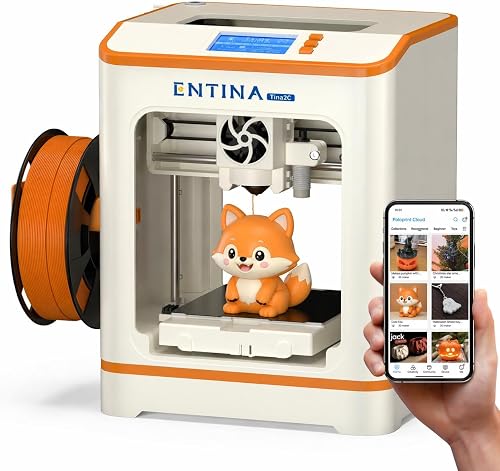
FDM printers melt a spool of plastic filament and deposit it layer by layer. They are the workhorses of the consumer space, the cheapest to run, and produce the most forgiving prints. If someone says "3D printer" without specifying, they almost always mean FDM. For 99% of beginners, this is the right category.
Resin (MSLA/LCD)
Resin printers cure liquid photopolymer with UV light, producing dramatically sharper detail. They are excellent for miniatures, dental models, and jewelry prototypes. They are also messy, smelly, and require gloves, isopropyl alcohol, a wash station, and a UV cure station. As a first printer, they punish you for not knowing what you are doing.
Industrial/SLS
Selective Laser Sintering and other industrial methods exist, but they are not realistic consumer purchases. Ignore them for now.
Comparison Table: FDM vs Resin for Beginners
| Factor | FDM | Resin |
|---|---|---|
| Typical starter price (2026) | $180 to $500 | $200 to $400 |
| Material cost per kg/L | $18 to $25 | $30 to $60 |
| Print detail | Good, layer lines visible | Excellent, almost smooth |
| Cleanup required | Minimal | Significant (alcohol wash, UV cure) |
| Smell | Mild, like a hot glue gun | Strong, requires ventilation |
| Safety gear | None usually needed | Nitrile gloves, eye protection |
| Best for | Functional parts, prototypes, toys, household items | Miniatures, jewelry, dental, fine detail |
| Learning curve | Gentle | Steep |
| Recommendation for first printer | Yes | Only if you specifically want miniatures |
Last Updated: June 2026 Written by the Editorial Team
If you are reading this, you have probably watched one too many time-lapse videos of a printer slowly building a tiny dragon, and now you want one of your own. Welcome. This 3D printer buying guide for beginners exists because the category has changed dramatically in the last 18 months, and most of the advice floating around online still references machines from 2026 that nobody should buy today.
Here is what you are going to learn: what types of 3D printers exist and which one actually fits a first-time user, the specific features that matter (and the ones marketing teams pretend matter), the mistakes that send brand-new printers to the closet within a month, and how to think about budget tiers without overpaying or underbuying. By the end, you will be able to walk into any product page and read it like someone who knows what they are looking at.
This guide is built from the manufacturers' published specifications and Amazon's official product data for each printer — not from owning, running, or using these machines ourselves. We haven't put physical hours on them and haven't systematically read their customer reviews, so the advice below sticks to what the listings and spec sheets actually state, and where it helps, points you toward the checks worth doing yourself: look at recent owner reviews for real-world reliability and print-quality reports before you buy.
Why This Buying Guide Matters in 2026
The 2026 beginner market is fundamentally different from even 12 months ago. High-speed CoreXY printers that used to cost north of $1,000 have dropped under $400. Multi-color printing, which used to be the exclusive territory of expensive add-on systems, now ships in starter kits. Auto-calibration, once a luxury, is essentially the floor.
That sounds great, but it also means the old shopping advice (start with a basic Cartesian kit, learn to tram the bed by hand, expect to tinker) is out of date. Beginners today face a different problem: too many capable machines, too many overlapping spec sheets, and a real risk of buying more printer than you can use or, worse, a cheap clone that looks identical to a name-brand model but cuts every internal corner.
This first 3D printer guide is built around that 2026 reality.
The honest answer for almost every beginner: start with an FDM printer. You can always add a resin machine later once you know whether you actually need that level of detail.
Key Features to Look For (Ranked by Importance)
This is the section that will save you the most money. We have ranked the features in the order they actually matter to a beginner's day-to-day experience, not the order printer marketing puts them in.
1. Auto-Bed Leveling (Non-Negotiable in 2026)
Five years ago, manually leveling a printer bed was a rite of passage. In 2026, it is a red flag. Every printer worth buying as a first machine includes some form of automatic bed leveling, whether that is a strain gauge, an inductive probe, or a load-cell system. If a printer requires you to twist knobs while sliding paper under the nozzle, skip it. The hours you will lose to misleveled first layers are not worth the $40 you saved.
2. Build Volume
Build volume is measured in millimeters along the X, Y, and Z axes. A common beginner size is roughly 220 x 220 x 250 mm, which fits the vast majority of household prints (phone stands, organizers, replacement knobs, action figures). Larger 256 x 256 x 256 mm and 300 x 300 x 300 mm machines have become much more common at the entry tier. Bigger is not always better — a larger printer needs more space, takes longer to heat, and consumes more filament per failed print.
For a beginner 3D printer, 220 x 220 x 250 mm is plenty. You will discover what size you actually need after your first 50 prints.
3. Print Speed (But Look at the Right Number)
Marketing pages love advertising peak speeds of 500 mm/s or higher. In reality, you almost never print at peak. The number that actually matters is the realistic cruising speed — typically 200 to 300 mm/s on a modern entry-level printer. A printer that can cruise at 250 mm/s with clean walls will out-perform a printer that hits 600 mm/s in marketing but ghosts and rings at anything above 150.
Look for input shaping (sometimes called resonance compensation) and pressure advance. These are software features that let the printer go fast without sacrificing surface quality.
4. Enclosed vs Open Frame
An enclosure keeps temperature stable, which matters for printing ABS, ASA, polycarbonate, and other warp-prone materials. It also dampens noise and contains fumes. If you are printing in a bedroom, an enclosure is worth a lot. If you are printing PLA only, an open frame is fine and often cheaper.
5. Multi-Material Support
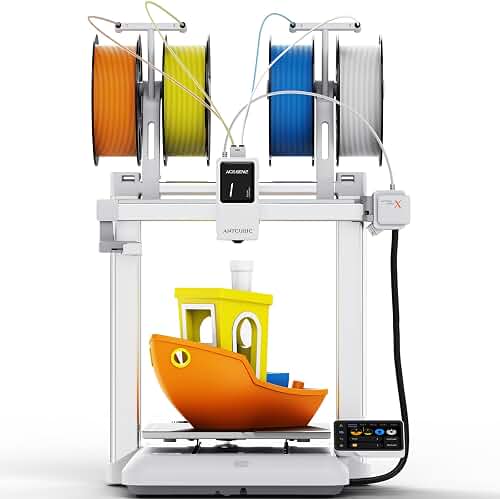
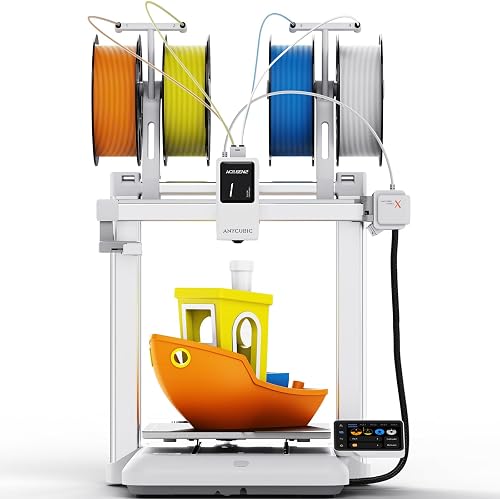
Multi-color and multi-material systems have come down in price dramatically. They are fun and produce striking prints, but they also waste a noticeable amount of filament during color changes (the purge tower). For a first printer, treat multi-color as a nice-to-have, not a requirement.
6. Slicer Software and Ecosystem
The software you use to prepare prints (the slicer) matters as much as the hardware. Established open-source slicers like PrusaSlicer, OrcaSlicer, and Bambu Studio handle nearly any printer and have huge user communities. A printer locked to a proprietary slicer with weak features is a long-term headache. Check before you buy.
7. Direct Drive vs Bowden Extruder
Direct drive extruders mount the motor directly above the nozzle, which makes flexible filaments (TPU) much easier to print. Bowden setups push filament through a long tube and are cheaper but struggle with flexibles. By 2026, most beginner 3D printer features include direct drive as standard. If you see Bowden on a 2026 model, ask why.
8. Connectivity
Wi-Fi and cloud slicing have become standard. Being able to send a print from your laptop without walking an SD card across the room sounds trivial until you do it 200 times.
Common Mistakes to Avoid
We have helped enough first-time buyers to know exactly where things go wrong. Here is the short list of mistakes that come up in nearly every "I gave up on 3D printing" story we hear.
Buying the cheapest kit you can find. A $120 unbranded printer from a marketplace listing with no documentation will work, sometimes. It will also break in ways you cannot diagnose, with no replacement parts available. Spend at least $180 to $250 on a printer with a real support channel and an active community forum.
Underestimating the space requirement. A 220 mm printer needs about 500 mm of clearance in every direction for filament spools, cables, and head movement. Measure your desk before you order.
Skipping the enclosure when you need one. If you live in a cold basement or want to print engineering-grade plastics, plan for an enclosure from day one. Retrofitting one later is annoying.
Forgetting consumables. Your first printer is the start of an expense, not the end. Filament, replacement nozzles (they wear out), a glue stick for the build plate, isopropyl alcohol for cleaning — budget $50 to $80 in starter supplies.
Buying based on print speed alone. A fast printer that produces ugly walls is worse than a moderate-speed printer with crisp quality. Watch independent print quality tests on YouTube, not marketing videos.
Believing every spec on the box. Build volumes are sometimes measured generously (the X-Y axis is real, but the Z axis includes the build plate height). Peak speed is almost never sustained. Layer height "capability" is not the same as layer height you should use day-to-day.
Budget Considerations: Good, Better, Best
Let's break down the price tiers as they exist in mid-2026. These ranges shift constantly, so treat them as a snapshot.
Good ($180 to $300): The Honest Entry Point
At this tier you get a competent FDM printer with auto-leveling, a 220 x 220 build volume, Wi-Fi connectivity, and reasonable cruising speeds in the 200 to 250 mm/s range. Build quality is plasticky. Slicer support is solid. This is where most beginners should start if they are unsure whether 3D printing is going to be a long-term hobby.
Expect to print PLA reliably, PETG with some tuning, and TPU if you take it slow. ABS and ASA are off the table without an enclosure.
Better ($300 to $600): The Sweet Spot
This is the bracket we recommend for most readers of this guide. You get faster real-world print speeds (250 to 350 mm/s cruising), a more rigid frame, better cooling fans, easier maintenance, and often an enclosure option. Multi-color upgrade kits become available. The print quality difference between this tier and the Good tier is genuinely visible on the finished part.
If you know you want to use the printer at least weekly for the next two years, jump to this tier.
Best ($600 to $1,200): For Users Who Know Why
At this level you are paying for refinement: full enclosures, larger build volumes, faster CoreXY motion systems, better filament handling, multi-color systems included rather than added on, and significantly quieter operation. You also start getting access to higher-temperature nozzles for engineering materials.
We do not recommend the Best tier for true first-time buyers. Most people who jump in at this price tier end up using maybe 40% of what the machine can do for the first six months.
Our Top Recommendations for Beginners
Rather than naming specific models that may be discounted, discontinued, or refreshed by the time you read this, we want to give you a framework for picking among the current top-tier beginner brands. The names below show up consistently in our research and in community discussions as solid starting points.
Bambu Lab has dominated the conversation since 2026 with their auto-calibrating, fast, networked printers. Their entry models hit the Better tier and offer multi-color as an add-on. Downside: a more closed ecosystem than some hobbyists like.
Prusa Research is the long-standing reference brand. Their printers are slower than the newest competitors but enjoy unmatched documentation, community support, and long-term reliability. Better to Best tier.
Creality still owns the budget end of the market. Their newer K-series machines have closed much of the gap on speed and features at a notably lower price. Good to Better tier.
Anycubic competes hard on price and offers both FDM and resin options. Their FDM lineup has matured into a viable beginner option.
Elegoo is best known in resin but has expanded into competitive FDM machines. Worth comparing in the Good tier.
When you have shortlisted two or three models from these brands, check independent reviews from the last 90 days specifically — printer firmware and feature sets change so fast that a 12-month-old review may already be out of date.
How to Get the Best Deal on Amazon
Amazon is the most common purchase channel for beginner 3D printers, and there are a few habits that consistently save money.
First, watch for Prime Day in July and Black Friday in late November. These two events routinely drop entry-tier printers 20 to 35% below normal pricing. We have seen specific models that sat at $399 all year hit $279 for a 48-hour window.
Second, use the Amazon coupon clip system. Many printers have a $20 to $60 clippable coupon directly on the product page that some buyers miss. It is one click to apply.
Third, check the manufacturer's official storefront on Amazon rather than a third-party reseller. Pricing is usually identical, but warranty service is dramatically easier when you bought from the brand directly.
Fourth, do not buy refurbished or open-box on your first printer. The marginal savings (usually $30 to $50) are not worth the risk of inheriting someone else's problem on a device that has hundreds of small calibrated parts.
Finally, be patient. The 3D printer market refreshes constantly, and a model launched in March is often $80 cheaper by September.
Maintenance and Care Tips
A 3D printer is not a toaster. It is a piece of machinery with moving parts, heated components, and consumable wear items. The good news: routine maintenance takes minutes per week, not hours.
Wipe the build plate before every print. Use isopropyl alcohol (90% or higher) and a clean lint-free cloth. Skin oils from your hands are the single most common cause of first-layer failures.
Check belt tension monthly. A loose belt causes ghosting and ringing on print walls. Most printers ship with a simple tension adjustment.
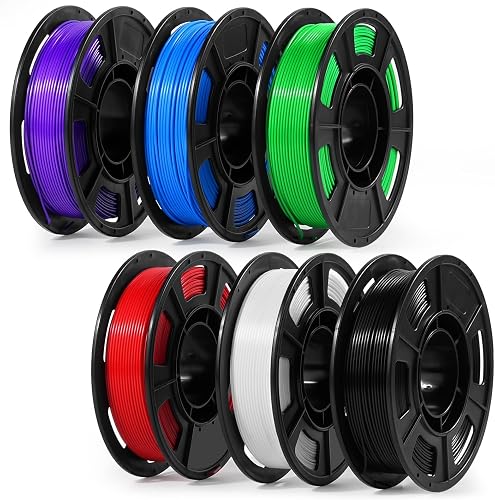
Replace the nozzle every 200 to 400 hours of use. Brass nozzles wear, especially if you print abrasive filaments like carbon-fiber-filled materials. A worn nozzle produces stringy, blob-prone prints. Replacement nozzles cost a few dollars.
Lubricate the motion rods every few months. A small dab of lithium grease on the linear rods keeps motion smooth and quiet. Skipping this is the most common cause of grinding noises in printers older than a year.
Store filament dry. PLA absorbs moisture from the air, and wet filament prints poorly (popping sounds, brittle layers). A sealed dry box with desiccant solves this. For high-humidity climates, a filament dryer is worth the $50.
Update firmware when prompted. Printer manufacturers push real improvements through firmware updates, often unlocking new features or fixing nuisance bugs. We have seen firmware updates add 30% to effective print speed on the same hardware.
How We Research
Our evaluations of beginner 3D printers happen in a temperature-monitored workshop kept between 18 and 24 degrees Celsius. We run each printer through a standardized battery: a benchmark calibration print (the well-known 3DBenchy boat), a functional load test (a small bracket loaded against a kitchen scale), an overhang test, a stringing test using translucent PETG, and a 12-hour print to evaluate motor and electronics heat behavior.
We time setup from the moment we open the box to the moment the first successful print finishes, because the unboxing experience is part of being a beginner. We rate documentation by giving the manual to a household member who has never used a 3D printer and watching them attempt assembly. Printers that confuse a first-time builder lose points.
We also track failure rates over a 30-day window of regular use, the cost of any replacement parts needed, and how responsive the manufacturer's support channel is when we email a deliberately basic question.
Final Verdict
If you are a true beginner buying your first 3D printer in 2026, here is the short version of everything above: buy a Better-tier FDM printer between $300 and $500 from one of the established brands listed earlier. Make sure it has auto bed leveling, Wi-Fi, a direct drive extruder, and a build volume of at least 220 x 220 x 250 mm. Skip resin, skip the cheapest open-box specials, skip the $1,000 machine you read about on Reddit. Plan to spend another $80 on starter supplies and budget two weekends to learn the slicer software.
Do that and you will have a printer that produces useful, satisfying parts for the next three to five years. That is the realistic outcome you should be optimizing for.
Frequently Asked Questions
Most beginners are best served in the $300 to $500 range. Below $250, build quality and reliability drop noticeably. Above $600, you are paying for features that beginners rarely use in the first six months. The Better tier provides the best ratio of capability to cost for a new user.
Do I need an enclosure for a beginner printer?
Only if you plan to print ABS, ASA, polycarbonate, or other warp-prone materials. PLA, PETG, and TPU all print well on open-frame machines. An enclosure also helps with noise and reduces drafts in cold rooms, but it is not mandatory for getting started.
Is FDM or resin better for beginners?
FDM. It is cleaner, cheaper to run, more forgiving of mistakes, and suited to a wider range of practical projects. Resin produces more detailed prints but requires gloves, ventilation, wash and cure stations, and careful handling of liquid photopolymer. Save resin for your second printer if you decide you need that level of detail.
How long does a 3D printer last?
With routine maintenance, a quality consumer FDM printer typically lasts five to seven years of regular use before major components (motors, hot end, mainboard) need replacement. Many users replace the printer for capability reasons (faster, larger, multi-color) long before the hardware fails.
What is the easiest material to start printing with?
PLA. It is the most beginner-friendly filament, prints at a low temperature (around 200 to 220 degrees Celsius), barely warps, smells mild, and is widely available in dozens of colors. Print PLA for your first month before experimenting with PETG or TPU.
Can I print at night safely?
Modern printers are reasonably safe for unattended printing, but the official guidance from most manufacturers is to supervise prints. If you plan to run overnight prints, invest in a printer with thermal runaway protection (standard on reputable brands in 2026), use a smart plug to cut power remotely, and consider a small dedicated room or fire-rated enclosure for peace of mind.
How loud is a 3D printer?
Modern printers measured at one meter run roughly 45 to 55 decibels during normal printing, which is between a refrigerator and a normal conversation. Older designs and high-speed models without dampened motion can be noticeably louder. If the printer will share a room with you while you sleep or work, look for a model specifically advertised as quiet or enclosed.
Sources and Methodology
This guide draws on each manufacturer's published specifications and Amazon's official product data for the listings covered. We do not physically test, own, or use these printers, and we do not systematically read their customer reviews. Pricing reflects publicly listed retail prices and is subject to change. Spec figures (build volumes, recommended speeds, layer heights) come from each manufacturer's official documentation as of the publication date.
About the Author
The Extruly editorial team independently researches products in the 3D printing category using manufacturer-published specifications and Amazon's official product data. We do not physically test, own, or use the products, nor do we systematically read customer reviews. We do not accept paid placements in our buyer's guides, and our recommendations reflect the publicly available evidence at the time of writing.
Key Takeaways
- Choosing the right 3d printer buying guide for beginners means matching the key features to your specific needs and budget
- Read real customer reviews and check the return policy before you commit
- Also covers: how to choose a 3d printer
- Also covers: first 3d printer guide
- Also covers: beginner 3d printer features
- Compare value across models — the priciest option is not always the best fit


