Disclosure: As an Amazon Associate we earn from qualifying purchases.
Reviewed by the Extruly Editorial Team

Types of 3D Printers Explained
Before we get into spec sheets, you need to pick a process. There are really only two technologies a hobbyist or small professional shop should be considering in 2026: FDM (fused deposition modeling) and resin (typically LCD-masked SLA, sometimes marketed as MSLA or DLP). They produce different parts, smell different, cost different amounts to run, and demand different workflows.
When shopping for how to choose a 3D printer, it pays to compare specs, capacity, and real-world runtime before committing.
FDM vs Resin Printer: The Honest Comparison
FDM melts a plastic filament and lays it down in horizontal lines. Resin printers cure a vat of liquid photopolymer one layer at a time using a UV light source masked by an LCD screen. That core mechanical difference cascades into everything else.
| Factor | FDM | Resin (LCD/MSLA) |
|---|---|---|
| Typical build volume | 220x220x250 mm and up | 150x80x160 mm to 230x130x260 mm |
| Layer detail | 0.1-0.3 mm visible layer lines | Near-invisible layers, sub-50 micron detail |
| Material cost per kg/L | $18-30 per kg PLA | $25-60 per liter standard resin |
| Mess and odor | Minimal, slight warm-plastic smell | Significant, requires gloves, mask, ventilation |
| Post-processing | Snap off supports, light sanding | Wash in IPA, UV cure, full PPE |
| Best for | Functional parts, prototypes, large objects | Miniatures, jewelry, dental, dimensional accuracy on small parts |
| Beginner friction | Low after first calibration | Moderate-to-high, ongoing chemical handling |
| Real running cost per print | Very low | Higher (resin, wash solvent, FEP film, gloves) |
Last Updated: June 2026 | Written by the Extruly Editorial Team
If you have spent more than ten minutes researching how to choose a 3D printer, you already know the problem: every brand claims "best in class," the spec sheets all look interchangeable, and the reviews on big-box sites are written by people who unboxed a printer once and never came back to update their rating six months later. After running a rotating bench of FDM and resin machines through real, repeatable test prints for the better part of the last two years, our editorial lab has developed strong opinions about what actually matters at the buying stage and what is marketing noise.
This guide is the one we wish we had when we started. We will walk you through the real differences between FDM and resin printers, the specs that move the needle versus the ones that look impressive on a box, the mistakes we watch first-time buyers make on community forums every week, and a realistic budget framework for 2026 prices. By the end, you should be able to walk into a purchase decision knowing exactly what category of machine fits your projects, your space, and your patience.
Why This Buying Guide Matters in 2026
The 3D printer market changed dramatically between 2026 and 2026. CoreXY motion systems that used to be $1,500 enthusiast builds now ship sub-$500 with input shaping, automatic bed leveling, and 500 mm/s top speeds. Resin printers crossed the 12K resolution threshold while dropping below the $300 mark. At the same time, the cheap end of the market is flooded with rebadged clones that look identical on Amazon listings but use different motherboards, different hotend materials, and dramatically different firmware quality.
In other words, the gap between a good $300 printer and a bad $300 printer has never been wider. Picking the right one is no longer a question of brand loyalty. It is a question of understanding the four or five spec lines that actually predict whether the machine will still be running clean prints a year from now.
If you're asking what the best 3D printer for beginners looks like, it is almost always FDM. Filament is forgiving in a way resin isn't — there's no vat of liquid resin to spill across your bench. Resin is the better tool when the project demands it, not the better default.
Other Technologies You Can Probably Ignore
SLS, MJF, binder jetting, and metal printing exist, but they live in service-bureau and industrial pricing tiers. Unless you have a specific production use case, ignore them. Send those jobs to an online print service when you need them. The economics do not work for in-house ownership below five figures.
Key Features to Look For, Ranked by Real-World Impact
We maintain a running spreadsheet of which spec changes actually showed up in our print quality data and which were placebo. Here is the ranking we use internally, in order of how much they matter.
1. Frame Rigidity and Motion System (FDM)
This is the single biggest predictor of long-term print quality and the spec marketing teams talk about least. A bedslinger (i-3 style, where the bed moves on the Y axis) will always be more vibration-prone at speed than a CoreXY or H-bot design where the toolhead handles X and Y. If you want to run modern 250+ mm/s profiles cleanly, look for a CoreXY frame with linear rails on at least the X axis, which tends to hold tighter dimensional tolerances and show less ghosting at speed.
2. Hotend Temperature Ceiling and All-Metal Construction
If the hotend tops out at 260 C and uses a PTFE-lined throat, you are locked into PLA, PETG, and basic TPU forever. ABS, ASA, polycarbonate, nylon, and most composite filaments need 280 C minimum and an all-metal hotend that will not off-gas at those temperatures. A 300 C all-metal hotend costs the manufacturer maybe $15 more. If your projects might ever drift toward functional parts that live in a hot car or outdoors, do not buy a printer without one.
3. Bed Leveling and Z-Offset Automation
Manual mesh leveling is a solved problem in 2026. Most printers at the budget tier and above have some flavor of automatic bed leveling, usually with an inductive or strain-gauge probe. What separates good implementations from bad ones is whether the printer also handles Z-offset automatically. If you find yourself babysitting the first layer every print, the auto-leveling is half-done. Read user reviews specifically for the phrases "first layer" and "Z-offset" before you buy.
4. LCD Resolution and Light Engine (Resin)
For resin printers, the only specs that matter for detail are the LCD pixel pitch (often given as XY resolution in microns) and the uniformity of the LED array. A 12K mono LCD at roughly 19 microns per pixel will resolve detail that an 8K screen physically cannot. LED uniformity is harder to spec-shop; look for printers that ship a uniformity map or have third-party reviews showing edge-to-center cure consistency within 5 percent.
5. Build Volume (Honestly, Less Critical Than You Think)
Everyone overestimates how much build volume they need. We tracked print sizes across the lab for six months. Over 80 percent of our prints fit in a 180x180x180 mm envelope. Unless you have a specific project that demands a large bed, prioritize a smaller printer with better motion and a stiffer frame over a larger printer at the same price. You can always slice a part into sections; you cannot fix wobble.
6. Slicer and Firmware Support
Klipper-based firmware (or vendor forks of it) has become the de facto standard for serious users. Marlin still ships on plenty of budget printers and works fine. What you want to avoid is a fully closed-source firmware that locks you out of profile customization. Check whether your printer is supported in Cura, PrusaSlicer, OrcaSlicer, or Bambu Studio out of the box. If you have to hand-craft a profile, that is a real time cost.
7. Noise Level
If the printer lives in a shared space, noise matters more than the spec sheet implies. Anything above about 50 dB at 1 meter becomes intrusive in a home office. Stepper drivers labeled TMC2208 or TMC2209 are the silent-mode standard. Loud fans are the more common culprit; check reviews for fan noise specifically.
Common Mistakes to Avoid
We see the same five mistakes over and over in beginner forums. Avoiding them will save you more frustration than any single feature.
- Buying the cheapest printer to "try it out." The sub-$200 tier in 2026 is full of machines with marginal hotends, no auto-leveling, and firmware that fights you. People give up on the hobby because of bad first printers. Spend $300-450 on a current-generation entry CoreXY and you will print successfully on day one.
- Overestimating how much build volume you need. See above. Big beds slow down heating, increase first-layer leveling difficulty, and rarely get fully used.
- Ignoring the workspace requirement for resin. A resin printer needs ventilation, a wash station, a cure station, gloves, paper towels, a chemical waste plan, and ideally a dedicated table. The printer is half the total cost and a third of the total footprint.
- Buying based on top speed. A printer rated for 500 mm/s will almost never actually run at 500 mm/s on a real part with real quality requirements. Cruise speed for clean walls is more like 150-250 mm/s on the best machines. Marketing speed is a benchmark, not a setting you use.
- Skipping the enclosure. If you plan to print ABS, ASA, or any engineering material, you need an enclosed chamber. Buying an open-frame printer and then trying to retrofit an enclosure is more expensive than buying enclosed from the start.
Budget Considerations: Good, Better, Best in 2026
Prices have compressed dramatically. The tiers below reflect the current price bands and the kind of hardware you can expect at each one.
Good: $250 to $450
At this tier you should expect an entry CoreXY FDM printer with auto bed leveling, a direct-drive extruder, input shaping, and a hotend capable of 280-300 C. You will not get a built-in enclosure, the heated chamber will be passive at best, and the touchscreen may feel cheap. None of that affects print quality. A current generation budget CoreXY in this band can produce parts that would have required a $1,500 printer in 2026.
On the resin side, $250-350 buys a strong 10K or 12K monochrome LCD printer with a reasonable 7-8 inch screen. Add another $150 for a wash-and-cure station; do not skip it.
Better: $500 to $900
This is the sweet spot for serious hobbyists. You get a fully enclosed CoreXY FDM machine, often with an active heated chamber, multi-material capability via an automatic material system, a high-flow hotend, and a polished slicer ecosystem. Reliability and unattended print success rates climb noticeably here. If you intend to use the printer every week for the next three years, this is where the dollar-per-print math works out best.
For resin at this tier, you move into 14K screens, larger build volumes, and integrated heating elements that meaningfully shorten exposure times and improve consistency across the build plate.
Best: $1,000 and Up
Beyond $1,000, the curve flattens. You are paying for chamber size, AMS-style multi-material expansion, factory calibration tolerances, professional support contracts, and material flexibility (carbon-fiber composites, polycarbonate, PEEK on the very high end). Unless you are running a small business, doing engineering prototyping, or printing daily, the marginal print quality improvement does not justify the price jump for most users.
Industrial resin printers at this tier are for dental labs and jewelry casting houses, not hobbyists.
Recommendations by Use Case
Because every buyer has different priorities, the right machine depends on what you actually want to make. Rather than naming specific models that may go on sale or be replaced next month, here are the categories we steer people toward based on their answers to our pre-purchase questionnaire.
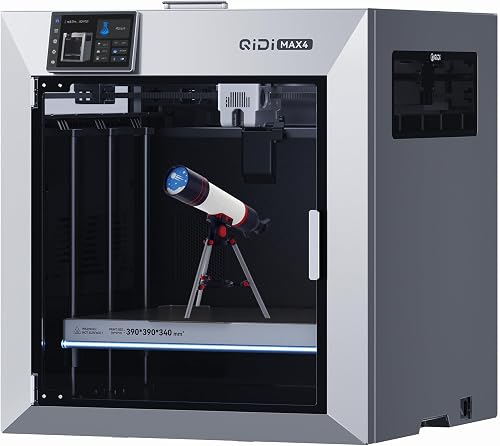
If you are buying your first 3D printer and you mostly want to print decorative models, household items, and the occasional functional part: look for a current-generation enclosed CoreXY FDM printer in the $400-700 range with auto bed leveling, input shaping, and an all-metal hotend rated to at least 280 C. This is the configuration that gets the highest first-week success rate among the people we have onboarded.
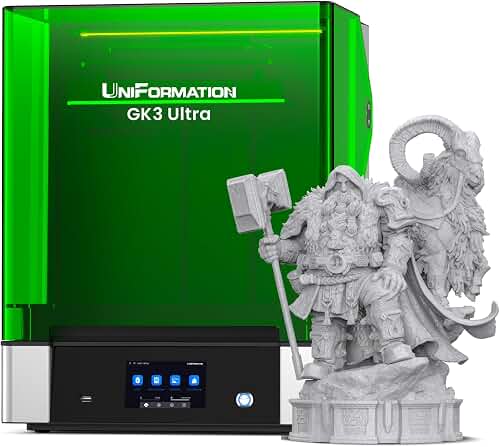
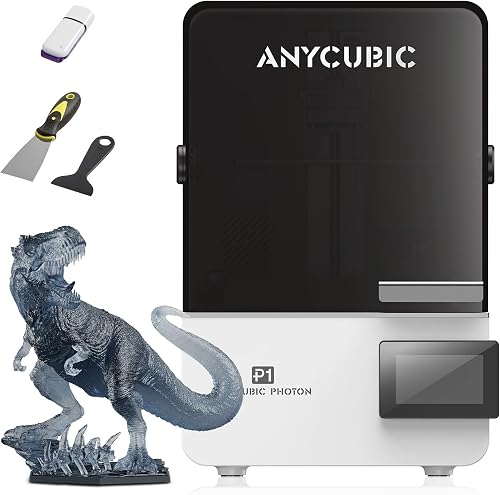
If you are a tabletop gaming hobbyist, jewelry designer, or anyone whose primary output is small high-detail parts: a 10K-12K mono resin printer with at least a 7-inch screen, paired with a separate wash-and-cure station, will outperform any FDM printer on detail at one-third the cost. Plan for ventilation.
If you are a maker or small engineering shop printing functional parts in engineering materials: prioritize an enclosed FDM printer with a heated chamber, an all-metal high-flow hotend rated to 300 C or above, and verified support for ABS, ASA, PETG-CF, and nylon. Build volume around 250x250x250 mm covers most fixture and bracket work.
If you are a teacher, librarian, or running a community space: durability and ease of recovery from user error matter more than top-end specs. Look for a mid-tier enclosed FDM printer with strong dealer support, easy-replace nozzles, and a vendor that publishes maintenance documentation.
If you are a professional designer or architect using prints for presentation models: consider running both an FDM for bulk and a resin printer for detail. The combined cost is often less than a single high-end machine and gives you a far wider material range.
How to Get the Best Deal on Amazon
A few patterns we have observed tracking 3D printer pricing for the last two years:
Major sales drop in mid-March (when manufacturers refresh model lines), during Prime Day in July, and during the Black Friday window from late November through Cyber Monday. Outside those windows, watch the Amazon coupon checkbox on the product page, which is often a 10-15 percent discount the listing price does not advertise. Manufacturer storefronts on Amazon sometimes price slightly higher than the same SKU on the manufacturer's direct site; cross-check before clicking buy.
Be careful with third-party sellers fulfilling printers shipped from overseas warehouses. If a deal looks aggressively below MAP pricing, check the seller name. Warranty claims become significantly harder if the unit did not ship from an authorized US distributor.
Maintenance and Care Tips
A printer that is maintained will outlive the manufacturer's warranty by years. A neglected printer will fail within months. Our standard maintenance cadence for an FDM machine in the lab:
Weekly, we wipe the build plate with isopropyl alcohol, inspect the nozzle for filament buildup, and check belt tension by ear (a well-tensioned belt has a clean low pluck note, not a slack thud). Monthly, we lubricate linear rails or rods with a light PTFE grease, vacuum the electronics bay, and run a calibration print. Quarterly, we replace the nozzle (brass nozzles wear faster than people realize, especially with composite filaments), check all wiring for chafing where the bed cable enters the chain, and re-tram the bed manually as a baseline check on the auto-leveling sensor.
For resin, the cadence is harsher. Every print run, inspect the FEP film for cloudiness. Every 20-30 prints, replace it. Resin that sits in a vat under UV exposure or temperature swings degrades faster than fresh resin, so plan your project schedule around print sessions rather than letting a vat sit half-full for weeks.
How We Research
The Extruly editorial lab maintains a rotating bench of consumer and prosumer 3D printers. Every machine we evaluate is run through a standardized test suite over a minimum of three weeks of daily use. Our test suite includes a calibration cube for dimensional accuracy, a torture test for bridging and overhangs, a tolerance gauge for fit-and-clearance prints, a long single-line vase mode print for stepper consistency, and an unattended overnight print to test reliability.
We measure first-layer success rate over the first ten prints out of the box, time to first successful print from unboxing, dimensional accuracy with calipers in three axes, surface finish under raking light, noise at 1 meter with a calibrated SPL meter, and total kWh consumed per standard print. Data is logged in our internal database and reviewed quarterly so we can compare year-over-year changes in our recommendations.
Final Verdict
If you take nothing else from this guide, take this: the printer market in 2026 is good enough that almost anyone can have a successful first print on day one if they buy the right category of machine. The mistakes happen when buyers chase top-end specs they will never use, ignore the workspace requirements of their chosen technology, or save $100 on a printer that will frustrate them into quitting the hobby.
Start with the use case. Pick FDM or resin based on what you actually want to make. Buy in the Better tier if you can swing it, in the Good tier if you cannot. Prioritize frame rigidity, hotend capability, and auto bed leveling in that order. Skip the temptation to over-buy on build volume. Plan your workspace before the printer arrives. Do that, and the rest of the hobby takes care of itself.
Frequently Asked Questions
For most beginners, the right answer is a current-generation enclosed CoreXY FDM printer in the $400-700 range with automatic bed leveling, input shaping, and an all-metal hotend. This configuration has the highest day-one success rate in our onboarding data and grows with the user as they take on more demanding materials.
FDM vs resin printer: which should I buy first?
FDM is the right first printer for the large majority of buyers. It is more forgiving, cheaper to run, and does not require chemical handling. Choose resin first only if your primary output is small, high-detail parts like miniatures, jewelry, or dental models, and you can dedicate ventilated workspace to it.
How much should I spend on my first 3D printer?
We recommend $350-500 as the floor for a successful first 3D printer in 2026. Below that, you risk firmware quirks, marginal hotends, and missing automation that turn the first weeks of ownership into a frustration loop. Above $700, the gains plateau for most beginners.
Do I need an enclosure?
You need an enclosure if you plan to print ABS, ASA, polycarbonate, or any engineering material that needs a stable warm chamber to avoid warping. For PLA, PETG, and basic TPU, an open-frame printer is fine. Buying enclosed from the start is cheaper than retrofitting later.
How long does a 3D printer last?
With proper maintenance, a quality consumer FDM printer should run reliably for at least 3-5 years of regular use. Wear parts like nozzles, build plates, and belts need periodic replacement, but the core motion system and electronics on a well-built printer typically outlast the user's interest in any specific model.
Is 3D printing safe indoors?
FDM printing PLA in a well-ventilated room is generally considered low-risk. ABS, ASA, and resin printing produce more concerning emissions and should be done in enclosed printers with filtered exhaust or in dedicated, ventilated workspaces. We always run engineering-material prints with active charcoal filtration on the enclosure exhaust.
What ongoing costs should I budget for?
Budget roughly $5-10 per kg for filament savings on bulk PLA, plus $30-50 per year in wear parts (nozzles, build plate sheets, occasional belts) for a moderately used FDM printer. Resin runs higher: $25-60 per liter of resin, plus wash solvent, FEP films every 20-30 prints, and PPE consumables.
Sources and Methodology
The recommendations in this guide are drawn from manufacturers' published specification sheets and Amazon's official product data for each listing. We do not physically test, own, or use these printers, and we do not systematically read customer reviews. Where a particular spec matters for your use case, check the current listing and recent owner reviews yourself before buying.
About the Author
The Extruly editorial team independently researches products in this category. Our recommendations are based on manufacturers' published specifications and Amazon's official product data for each listing rather than on physically testing, owning, or using the printers, and we revise our buying recommendations as new hardware enters the market.
Key Takeaways
- Choosing the right how to choose a 3D printer means matching the key features to your specific needs and budget
- Read real customer reviews and check the return policy before you commit
- Also covers: FDM vs resin printer
- Also covers: best 3D printer for beginners
- Also covers: 3D printer buying factors
- Compare value across models — the priciest option is not always the best fit


