Disclosure: As an Amazon Associate we earn from qualifying purchases.
If you want to know how to print Warhammer 40k armies on Elegoo Mars 4 Ultra, the short answer is this: use a 9K-compatible miniatures resin, slice your STLs in Chitubox or Lychee with a 0.03 mm layer height and roughly 1.8–2.4 second exposure, generate light-medium auto-supports angled at 30–45 degrees, batch-print 6–12 infantry per plate at a tilted orientation, and finish with isopropyl wash plus a 2–4 minute UV cure. Done well, the Mars 4 Ultra's 7-inch 9K mono LCD produces crisp 18.5 µm XY detail that resolves chainsword teeth, purity seals, and aquila iconography cleanly enough for tournament-grade armies.
This guide walks you through the entire pipeline — resin selection, file prep, supports, plate layout, print settings, post-processing, and priming — so you can crank out infantry squads, characters, vehicles, and even Knight-scale models without re-prints. We'll also cover the realistic throughput you can expect when planning a 2000-point army, and the common pitfalls (elephant foot, hollow voids, support scars on faces) that trip up new resin printers.
Why the Elegoo Mars 4 Ultra is a Warhammer printer's sweet spot
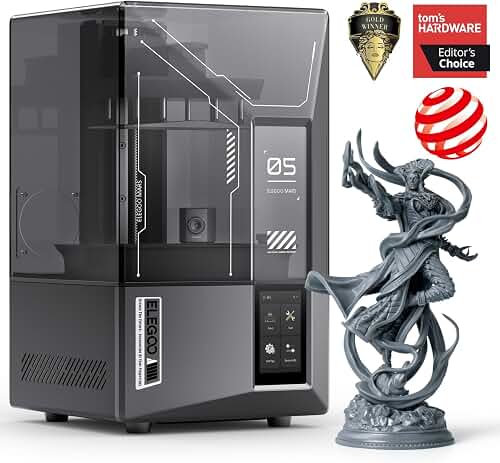
The Mars 4 Ultra sits in a near-perfect zone for tabletop miniatures. Its 7-inch 9K mono LCD (7680×4320) gives you an 18.5 µm pixel pitch on the X/Y plane, which is fine enough to capture cloak folds, rivets, and bolter ammunition belts without the staircasing you see on lower-resolution machines. The build volume — 153.36 × 77.76 × 165 mm — is large enough to fit a full Imperial Knight torso in one piece, or a packed plate of around a dozen 32 mm Space Marines. The tilt-release platform meaningfully reduces peel forces, which means you can run more aggressive batches with fewer support failures.
The best how to print warhammer 40k armies on elegoo mars 4 ultra for your situation depends on how you plan to use it and where.
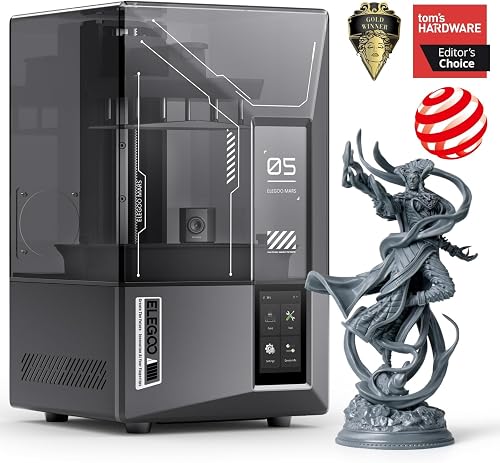
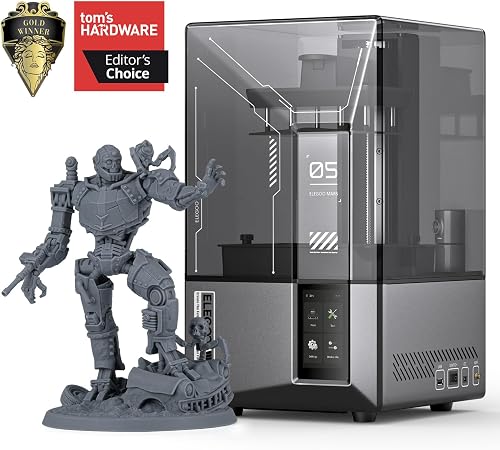
Crucially for army-scale work, the Mars 4 Ultra is fast. The faster lift speed and integrated cooling let you push exposure-tuned resins at 1.6–2.0 seconds per layer, which compounds dramatically when you're churning out 60+ infantry. For a deeper hardware breakdown, see our Elegoo Mars 4 Ultra review; if you're still comparing options, our best 3D printers for miniatures roundup is the most useful next stop.
Step 1: Choosing the right resin for 40k armies
Resin choice is the single biggest variable in mini quality after the printer itself. For Warhammer armies you want a resin that resolves fine detail, holds support nubs cleanly, and isn't so brittle that bayonets snap when you base-coat. The three categories that work on the Mars 4 Ultra are:
- Standard 8K/9K miniature resin — Elegoo Standard 8K, Sunlu ABS-Like, or Anycubic Craftsman. Cheapest per liter, great surface finish, slightly brittle. Ideal for infantry that will live in a foam tray.
- ABS-like / tough hybrid resin — Siraya Tech Fast ABS, Phrozen Aqua-Gray 8K, or Elegoo ABS-Like Pro. The best all-around choice for armies you'll actually game with — survives knocks, glues well, primes smoothly.
- Water-washable resin — convenient cleanup, slightly softer detail, can fatigue over months if left in sunlight. Fine for display pieces and one-off characters; less ideal for an entire army.
- Orient at 30–45 degrees with the model leaning back so supports land on the underside of cloaks, backpacks, and bases — never on faces, weapon barrels, or front-facing iconography.
- Hollow models over 40 mm tall (vehicles, Dreadnoughts, Knights) with a 2.0–2.5 mm wall. Add two 2 mm drain holes on the underside to prevent the dreaded resin-filled vacuum that warps the shell as it cures.
- Check for trapped volumes using your slicer's cavity-detection tool. A sealed pocket inside a torso will explode under FEP suction or develop a hairline crack mid-print.
- Remove any support that touches a face, eye, or shoulder pauldron heraldry.
- Add medium supports to chin undersides, weapon barrels, and outstretched arms.
- Add a heavy support to any island — including the very tip of a banner pole or sword pommel.
- Bridge supports under cloaks rather than into them; the underside of a cloak is invisible on the tabletop.
- Tactical-scale infantry (28–32 mm): 8–12 per plate, roughly 4–5 hours per plate.
- Terminators or Custodes (40 mm): 5–7 per plate, 4–6 hours.
- Bikes, jump troops, Primaris-sized: 4–6 per plate, 5–7 hours.
- Dreadnoughts, characters on thrones: 1–2 per plate, 7–10 hours.
- Knight torso or full vehicle: 1, 10–14 hours.
- Normal exposure: 1.9–2.2 s
- Bottom exposure: 28–32 s, 5 bottom layers
- Lift distance: 4 mm + 4 mm
- Lift speed: 70 mm/min (slow), 180 mm/min (fast)
- Retract speed: 180 mm/min
- Light-off delay: 0.5 s
- Week 1: Infantry plates (40–60 models), 4 overnight runs.
- Week 2: Elites and characters, 3 runs.
- Week 3: Vehicles, Dreadnoughts, or a Knight, 2–3 longer runs.
- Skipping the calibration print on new resin. Five lost hours on one bad plate would have bought you a one-hour calibration.
- Orienting models flat to save resin. Flat orientation creates massive suction forces and unsupported overhangs. Always tilt.
- Reusing dirty IPA past its lifespan. Murky IPA leaves a film that destroys fine detail and primer adhesion.
- Over-curing infantry. Two minutes is usually plenty; ten minutes makes them shatter when dropped.
- Not ventilating. Resin fumes are a real long-term health concern. Put the printer in a garage, basement, or vented enclosure.
For a 2000-point army, budget roughly 800–1200 ml of resin depending on how many vehicles and Knights you include. Infantry-heavy lists (Guard, Tyranid swarms) sit at the low end; Custodes or vehicle-heavy lists at the high end.
Step 2: Preparing your STL files
Assuming you have legally obtained STLs — whether from Games Workshop's MyMiniFactory partners, Patreon proxy creators like Wargames Atlantic-compatible studios, or your own sculpts — open them in your slicer of choice. Chitubox Pro and Lychee Slicer both have official Mars 4 Ultra profiles, which save you hours of trial-and-error on lift speeds and retract distances.
Before slicing, do three things to every model:
If you're new to slicing in general, our how does a 3D printer work primer covers the underlying mechanics that make these prep steps matter.
Step 3: Generating supports that don't scar your minis
Support scars are the number one reason new printers get frustrated with resin minis. The fix is patience at the support-generation stage.
Use light-density auto-supports as a starting point, then go through the model layer by layer and manually:
Tip diameter matters too. On 9K minis, drop to 0.25–0.35 mm contact tips. Anything thicker leaves visible marks that no amount of priming will hide; anything thinner and the model rips off the supports mid-print.
Step 4: Plate layout for army-scale throughput
This is where the Mars 4 Ultra shines. Because print time on a resin printer is governed by Z-height (not the number of models on the plate), you want to fill the build area as completely as possible without models touching.
Practical batch sizes on the Mars 4 Ultra:
To hit a 2000-point army in two weekends, plan roughly 8–10 plates total, running the printer overnight. Stagger washing and curing during the day so you're never bottlenecked at one station.
Step 5: Print settings that actually work
Start from Elegoo's official Mars 4 Ultra profile for your specific resin, then tune. As a baseline for ABS-like 8K resin at 0.03 mm layers:
Always run a calibration matrix on a fresh bottle. Resin chemistry varies batch to batch, and an exposure that worked in winter can be 0.2 s too long in a warm summer room. The Validation Matrix V3 or Cones of Calibration are both excellent and take under an hour to print.
Step 6: Washing, curing, and finishing
Once a plate finishes, let it drip over the vat for 5 minutes, then move it to a wash station. Two-stage washing — dirty IPA bath first, clean IPA bath second — extends solvent life dramatically. Agitate for 3 minutes per bath. Compressed air at 20 psi blows resin out of recessed details that ultrasonic alone misses.
Remove supports BEFORE final cure while the resin is still slightly green. Cured supports tear chunks out of the model; green supports snap cleanly. Then cure for 2–4 minutes in a UV station, rotating once. Over-curing makes infantry brittle, so err short rather than long.
Prime with a thin coat of Vallejo Surface Primer or Army Painter rattle can within 24 hours — fully cured resin develops a slick surface that paint adheres to poorly if you wait too long.
Realistic timeline for a full 2000-point army
Assuming you print evenings and weekends:
That's three weeks of evening attention to get a fully printed, washed, cured, and primed army ready for paint — a fraction of the cost of buying the equivalent in GW plastic, and printed at a detail level that genuinely rivals injection molding when your supports are dialed in.
Common pitfalls and how to avoid them
The mistakes that re-print army builders make repeatedly:
For broader troubleshooting beyond resin-specific issues, our how to fix 3D printer problems guide covers FEP replacement, LCD issues, and platform leveling — all of which you'll eventually face on any resin printer.
Frequently Asked Questions
How long does it take to print a full Warhammer 40k army on the Elegoo Mars 4 Ultra?
A 2000-point army typically takes 60–90 hours of actual print time spread over 8–10 plates. Run overnight, that's roughly two to three weeks of evenings including washing, curing, and support cleanup between plates.
What is the best resin for printing 40k miniatures on the Mars 4 Ultra?
An ABS-like or tough hybrid 8K/9K resin offers the best balance for army-scale work. Siraya Tech Fast ABS, Phrozen Aqua-Gray 8K, and Elegoo ABS-Like Pro all produce crisp detail and survive transport in a foam tray without snapping bayonets or banner poles.
Can the Elegoo Mars 4 Ultra print Imperial Knight or Titan-scale models?
Yes, but not in one piece for anything larger than a basic Knight torso. The 165 mm Z-height fits a Knight torso vertically, but legs, arms, and weapons print separately and glue together. For a full Warlord Titan you'll be slicing the model into 20+ sections.
Do I need to hollow miniatures before printing on a resin printer?
Infantry under 40 mm usually don't need hollowing — the resin saving isn't worth the risk of trapped cure-shrinkage stress. Anything larger (vehicles, monsters, Knights) should be hollowed to 2.0–2.5 mm walls with proper drain holes to prevent suction warping and save significant resin.
Is it legal to 3D print Warhammer 40k armies?
Printing official Games Workshop STLs from licensed partners or for personal use of GW-licensed digital files is fine. Printing pirated GW models or selling printed GW IP is not. Most printed armies use proxy STLs from independent studios that sculpt 40k-compatible (but legally distinct) miniatures — which is the standard route for personal use.
What layer height should I use for tabletop miniatures on the Mars 4 Ultra?
Use 0.03 mm (30 micron) for 95% of miniatures — it balances detail and print time perfectly. Drop to 0.02 mm only for display-grade busts or large character models where you'll really notice the difference. Going above 0.05 mm starts to show visible layer lines on cloth folds.
How does the Mars 4 Ultra compare to FDM printers for 40k armies?
For miniatures, resin printers like the Mars 4 Ultra are dramatically better than FDM at this scale — the surface finish, detail resolution, and ability to print thin protrusions like swords and antennae simply aren't matched by filament printers. FDM still wins for terrain, basing, and storage cases. Our FDM vs resin 3D printer guide breaks down the tradeoffs in depth.
Key Takeaways
- Choosing the right how to print warhammer 40k armies on elegoo mars 4 ultra means matching the key features to your specific needs and budget
- Read real customer reviews and check the return policy before you commit
- Also covers: warhammer 40k elegoo mars 4 ultra settings
- Also covers: best resin for 40k space marines
- Also covers: mars 4 ultra batch printing minis
- Compare value across models — the priciest option is not always the best fit