Disclosure: As an Amazon Associate we earn from qualifying purchases.
For dental models and clear aligner production in 2026, the best 3d printer for dental models is almost always an MSLA (masked stereolithography) resin printer with a monochrome 8K or 10K LCD, a precise Z-axis (sub-25 micron repeatability), and validated compatibility with model and aligner resins from brands such as BASF, Keystone KeySplint, NextDent, and Sprintray. FDM filament machines cannot hit the surface finish or dimensional tolerance that thermoforming aligners and crown/bridge models demand. This guide explains what specs actually matter, how to vet a printer for an in-office or small-lab workflow, and the budget tiers you should be shopping in.
Why dental work demands a resin printer (not FDM)
Dental arches, crowns, surgical guides, and aligner master models all share the same brutal requirement: the printed part has to match the patient's actual anatomy within roughly 50 to 100 microns end-to-end. A clear aligner thermoformed over a sloppy model is a clinical liability, full stop. Filament printers extrude 0.4 mm nozzles and step in 0.1-0.2 mm layers, which is at least an order of magnitude coarser than what dental thermoforming and intraoral fit require. Layer lines on the buccal surface of a model become layer lines transferred into the aligner, which then irritates the gingiva and shifts force vectors away from where the orthodontist planned them.
The best best 3d printer for dental models for your situation depends on how you plan to use it and where.

Resin MSLA printers, by contrast, cure entire layers at once through a high-resolution LCD mask. With a modern 10K monochrome panel and a calibrated UV LED matrix, you can reliably hit 22-35 micron XY pixels, which is the sweet spot for dental. If you are weighing the two technologies in general, our FDM vs resin guide walks through the trade-offs, and our broader roundup of the best resin 3D printers covers the hardware platforms most dental buyers shortlist.
The specs that actually matter for dental models and aligners
XY pixel size and panel resolution
XY pixel size is the width of a single LCD pixel projected onto the resin. For dental, target 30 microns or finer. An 8K mono LCD around 10 inches gives you roughly 28-29 microns; a 10K panel pushes that closer to 19-22 microns. Below 50 microns, you stop seeing pixelated buccal contours and your gingival margins start looking scanned, not printed. Anything coarser than 50 microns will show stair-stepping on the labial surfaces of incisors, which is exactly where aligner fit matters most.
Z-axis repeatability
This spec is often hidden behind marketing claims like "10 micron layers." What you actually want is a dual linear-rail Z gantry with a precision ball screw, ideally with sub-10 micron repeatability documented in the manual. Single-rail Z towers wobble; you'll see it as banding on tall scan bodies and surgical guide sleeves.
Light source uniformity
Uneven UV intensity across the build plate causes parts at the corners to under-cure while parts in the center over-cure. Manufacturers usually publish a uniformity figure (look for 90% or better). Non-uniform cure is the silent killer of aligner accuracy because it warps the molars at the edges of a full-arch print.
Build volume and throughput
For a solo orthodontist, a build plate around 200 x 130 mm holds eight to ten full arches per cycle. A growing practice or small lab will want a 10-inch class plate (around 220 x 130 mm or larger) so you can fit 12-16 arches per run. Print time per millimeter of Z is what drives throughput; modern fast resins paired with good UV uniformity get you 1.5-2 seconds per layer, meaning a 25 mm tall arch finishes in roughly 30-45 minutes regardless of how many you nest on the plate.
Slicer and validated profiles
A printer with no validated dental resin profiles is a printer that will eat months of your life. Prioritize hardware that ships with vetted profiles for the model and aligner resins you plan to run, or that has an open ecosystem (Chitubox Pro, Lychee Pro Dental, or manufacturer-specific dental slicers). A validated profile sets exposure, lift speed, anti-aliasing, and rest times for that specific resin and panel combination.
Resin compatibility: open vs closed systems
Most affordable MSLA printers are open systems, meaning you can pour in any 405 nm resin from any manufacturer. That flexibility matters because dental resin is where the real money goes, and you want to be able to source biocompatible Class I and Class IIa resins from multiple vendors. Common dental resins to look for compatibility with include:
- Model resins (often beige or gray) for orthodontic master models that will be thermoformed.
- Aligner-specific resins like KeySplint Soft for direct-printed aligners (still a developing category in 2026).
- Surgical guide resins (Class I biocompatible) for implant guides.
- Crown and bridge resins (Class IIa) for temporary restorations.
- Try-in and denture base resins for prosthetic work.
If you plan to grow beyond aligners into surgical guides or temporaries, verify before you buy that the manufacturer publishes exposure profiles for at least the first three categories on your shortlist.
Workflow: from scan to thermoform
A dental 3D printer is only one node in a digital workflow. You will need:
- An intraoral scanner or model scanner (iTero, Medit, 3Shape, etc.) producing STL/PLY files.
- CAD software for hollowing, base creation, and aligner staging (3Shape Ortho System, Blue Sky Plan, NemoCast, or open tools).
- A slicer with dental presets.
- The printer itself.
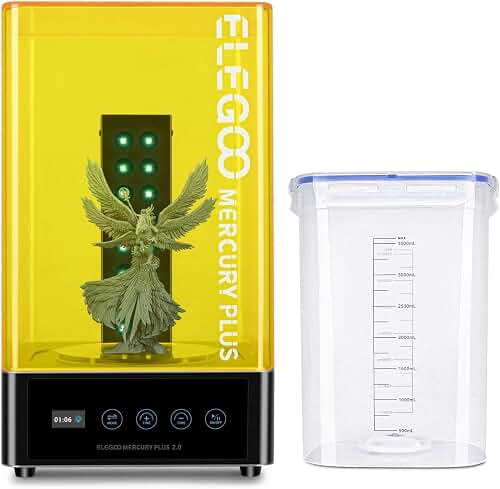
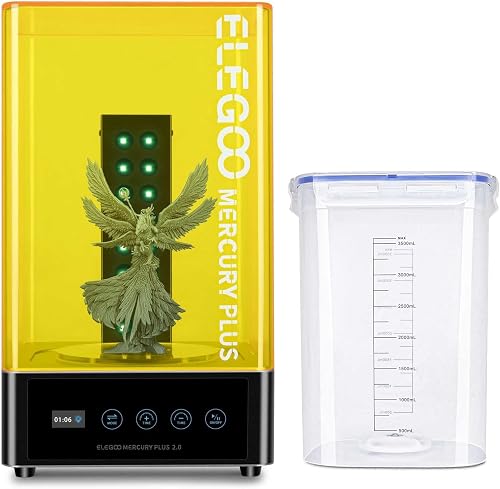
- A wash station (IPA or tripropylene glycol monomethyl ether for safer wash chemistry).
- A UV cure chamber with the correct wavelength and post-cure time for each resin.
- A thermoforming machine (Biostar, Ministar, or vacuum former) for clear aligner sheets.
Skip any step and your aligners will fit poorly. The wash and cure stations are not optional accessories — they directly affect biocompatibility certification.
Budget tiers in 2026
Entry-level dental capable: $300-$700
You can absolutely get clinically usable dental models from a consumer-grade 10-inch 8K mono MSLA printer in this price range if you pair it with a quality model resin and a calibrated wash/cure setup. The trade-off is no manufacturer validation, no dental support team, and no warranty coverage for clinical use. Best for solo orthodontists doing a handful of aligner cases per month or labs prototyping a workflow before investing.
Prosumer / lab-grade: $1,500-$4,000
This bracket gets you 10K panels, heated vat assemblies (so resin stays at a controlled 25-35°C), dual linear Z rails, and shipped dental profiles. Vendors at this tier typically offer dental-specific bundles, training, and at least basic phone support. Throughput is significantly higher and consistency between runs becomes a given rather than a project.
Professional dental: $5,000-$15,000+
True dental printers from Sprintray, Asiga, Formlabs Dental, Ackuretta, and similar brands. You pay for FDA-listed workflows, automatic resin handling, integrated wash/cure stations, software ecosystems, and a support contract. If you are running a production lab or any practice doing same-day aligners, the ROI math usually justifies this tier within 12-18 months.
What to look for on the spec sheet — quick checklist
- Mono LCD, 8K or higher, ideally 10K (≤30 micron XY pixels).
- Dual linear Z rails with ball screw.
- Documented Z repeatability under 10 microns.
- UV uniformity ≥90%.
- Heated vat or chamber (especially if you operate below 22°C ambient).
- Open resin compatibility (or your preferred dental brand validated).
- Build plate ≥200 x 125 mm for full-arch nesting.
- Anti-aliasing and grayscale exposure support in the slicer.
- Replaceable FEP or nFEP film, available from the manufacturer.
- A manufacturer-published dental profile library, or at minimum, model and surgical guide profiles.
Direct-printed aligners: are we there yet?
Direct-printed clear aligners (no thermoforming, the aligner is printed in a flexible biocompatible resin) are real in 2026, but the resin chemistry and regulatory pathway are still maturing. KeySplint Soft Clear, Tera Harz TC-85, and a few proprietary Sprintray and Graphy materials lead the category. If direct printing is your target workflow, you must verify the printer's UV wavelength (385 nm is increasingly required, not 405 nm), the dental resin manufacturer's printer compatibility list, and that the cure protocol uses a nitrogen-purged chamber. Most aligner production in 2026 still flows through printed models plus thermoformed sheets — that workflow is faster, cheaper per aligner, and clinically well understood.
Common dental printing mistakes
Even with the right hardware, the most common failure modes are workflow-related rather than mechanical. Under-cured models warp on the shelf within 48 hours and produce loose-fitting aligners. Over-cured models become brittle and crack during thermoforming. Skipping the manufacturer's IPA replacement schedule contaminates resin and shifts cure depth. Printing arches solid (instead of hollow with drain holes) wastes resin and traps uncured material in the interior. Resin temperature below 22°C lengthens exposure and causes inconsistent layer adhesion. Set up calibration prints every time you change resin brand or open a new bottle.
If you are still mapping out the broader landscape of printer types before zeroing in on dental, our general 3D printer buying guide and our breakdown of how to choose a 3D printer are useful primers for evaluating the underlying hardware platforms.
Frequently Asked Questions
Can you 3D print clear aligners directly without a thermoforming machine?
Yes, with the right printer and resin. Direct-printed aligners use flexible biocompatible resins like KeySplint Soft Clear, Graphy TC-85, or Sprintray's OnX Tough on a 385 nm wavelength printer with a nitrogen-purge cure cycle. The economics in 2026 still favor printed models plus thermoformed PETG sheets for most practices, but direct printing is gaining ground for retainers and for orthodontists running fully digital chairside workflows.
What resolution do I need to print accurate orthodontic models?
XY pixel size of 30 microns or smaller and Z layer height of 50-100 microns is the standard for orthodontic master models. Coarser settings show layer lines on the labial surfaces of incisors and transfer those imperfections into the aligner. An 8K mono LCD on a 10-inch panel hits roughly 28-29 microns, which is the practical minimum; 10K panels at 19-22 microns are noticeably cleaner.
How long does it take to print a full dental arch?
A 25 mm tall full-arch model on a modern fast model resin prints in roughly 30-45 minutes, regardless of whether you have one arch or twelve nested on the plate (MSLA cures the entire layer simultaneously). Add 15-20 minutes for wash and 10-30 minutes for UV post-cure depending on resin spec. Realistic end-to-end throughput is 8-16 arches per hour with proper nesting.
Are FDM filament printers ever good enough for dental work?
No, not for patient-facing work. FDM lacks the surface finish, dimensional accuracy, and biocompatible material availability that dental thermoforming and clinical use require. FDM is fine for office models, study models for patient education, and prototyping appliances during R&D, but every clinical model destined for an aligner, crown, or surgical guide should come off an MSLA or DLP resin printer.
What is the difference between MSLA, DLP, and SLA for dental printing?
SLA uses a single laser to trace each layer (slow but very accurate, mostly seen on legacy Formlabs hardware). DLP uses a projector to flash a layer at once (fast, expensive, common in lab-grade machines like Asiga). MSLA uses a UV array masked by an LCD to flash each layer (fastest layer time, lowest cost, dominant technology in 2026 prosumer and dental printers). For dental models and aligners, MSLA with a 10K mono panel is the price/performance leader.
Do I need a separate wash and cure station, or can I do it manually?
You need dedicated equipment. Manual IPA dunking produces inconsistent wash, leaves uncured resin in undercuts, and exposes you to repeated solvent contact. Manual UV-lamp curing varies by minutes per part and ruins biocompatibility validation. A proper wash station (magnetic stirring or impeller) and a calibrated cure chamber matched to your resin's wavelength are required for clinical use and almost always required to maintain warranty and biocompatibility certification.
Can I use the same printer for both dental models and hobby printing?
Technically yes, practically no. Switching between dental resin and generic hobby resin contaminates the vat with residue that affects cure depth and color, and biocompatible resins lose certification once contaminated. If budget forces a single printer, dedicate separate vats and FEP films per resin family, keep dental resins in their own storage, and run a calibration print every time you switch. Most practices that try this end up buying a second printer within six months.
Key Takeaways
- Choosing the right best 3d printer for dental models means matching the key features to your specific needs and budget
- Read real customer reviews and check the return policy before you commit
- Also covers: dental resin 3d printer
- Also covers: 3d printer for orthodontic models
- Also covers: clear aligner 3d printer
- Compare value across models — the priciest option is not always the best fit