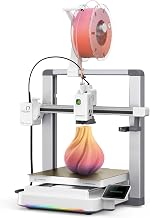
Disclosure: As an Amazon Associate we earn from qualifying purchases.
If you're tired of tossing an entire appliance because one cheap plastic clip snapped, a 3D printer can pay for itself within months. The best 3d printer for household repairs is one that prints reliably with minimal fuss, handles tough engineering plastics like PETG, has a generous community library of pre-designed parts, and offers a build volume large enough to capture the vast majority of broken household components. For most homeowners in 2026, that points to a well-tuned FDM (filament) machine with a roughly 220 x 220 mm bed, automatic leveling, and a forgiving learning curve. Below we break down what actually matters, which printer categories make sense, and where it's safe to cut corners.
Why a 3D Printer Is the Ultimate Home Repair Tool
Modern households are full of injection-molded plastic: refrigerator drawer rails, washing machine soap dispenser tabs, vacuum cleaner clips, blind brackets, drawer slides, toilet flush levers, knob inserts, hinge bushings, and the dreaded snapped tab inside a remote-control battery compartment. When one of these breaks, you have three options: glue it (rarely lasts), buy a whole new assembly (expensive and often discontinued), or print a replacement in an hour for pennies of filament.
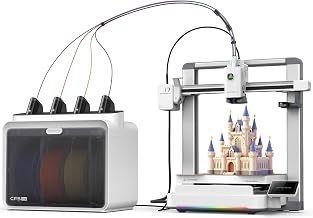

The economics are striking. A spool of PLA filament costs around $18 in 2026 and contains roughly 330 meters of material — enough to make hundreds of small repair parts. Compare that to a $42 OEM refrigerator door bin clip, a $28 dishwasher upper-rack roller, or a $19 vacuum hose adapter, and the printer is usually paid off after fixing four or five things.
What to Look for in a Household Repair Printer
Repair work has different priorities than printing miniatures or display models. You want a printer that turns on, prints accurately, and gets out of your way. Here are the features that actually move the needle.
Reliability and Auto-Calibration
The single biggest predictor of whether you'll actually use a 3D printer for repairs is how often it just works on the first try. A flush handle that breaks on a Tuesday night needs to be printing by Tuesday night — not after a forty-minute leveling session. Look for a printer with automatic bed leveling, a vibration-compensation system, and a flow-calibration routine built into the firmware. Brands like Bambu Lab, Prusa, and the better Creality models in 2026 all ship with these features as standard. Our how-to-choose-a-3d-printer guide walks through the calibration features in more depth.
Build Volume Around 220 x 220 mm
A surprising amount of household parts fit on a 180 x 180 mm bed. Drawer guides, knob inserts, vent louvers, hose adapters, and shelf pegs are all small. The exceptions — vacuum nozzles, a complete refrigerator door bin, large appliance handles — push you toward 256 x 256 mm or larger. For most homes, a 220 x 220 mm build plate is the sweet spot: large enough for 95% of common repairs, small enough to keep the printer affordable and fast. If you anticipate larger jobs, our roundup of the best large-format 3D printers covers options with 300 mm beds and above.
Material Compatibility (PETG and PLA Minimum)
PLA is the default beginner filament, and it handles cool, dry indoor parts beautifully — light switch plates, decorative hooks, cable clips. But anything exposed to heat (a car interior, a dishwasher, the top of a toaster) or repeated mechanical stress (drawer rails, hinges, clips that flex) needs PETG, ABS, or ASA. The best 3d printer for household repairs should comfortably handle PETG out of the box, which means a hardened nozzle, a heated bed that reaches at least 80 °C, and a part-cooling fan you can throttle down. Printers that also handle ABS or ASA — usually because they have an enclosure — unlock a much wider range of durable parts. See our best enclosed 3D printers guide for models that excel here.
Direct-Drive Extruder
For flexible filaments like TPU (great for gaskets, grommets, anti-vibration feet, and squishy bumpers) you need a direct-drive extruder. Bowden-tube printers can struggle to push rubbery filament cleanly. In 2026, almost every printer above $250 ships with a direct drive, so this is a soft requirement rather than a hard one — but worth confirming on the spec sheet.
A Healthy Software Ecosystem
You don't need to learn CAD to fix things around the house. Sites like Printables, Thingiverse, MakerWorld, and Thangs host millions of pre-modeled household parts, often searchable by appliance model number. A printer that supports a one-click "print from cloud" workflow (Bambu Lab's app, Prusa Connect, Creality Cloud) dramatically shortens the time between "this broke" and "it's printing." Read our overview of how a 3D printer works if you're new to the slicing and file-prep step.
Which Printer Categories Make Sense for Repairs
Budget FDM ($180–$300)
Entry-level FDM printers like the Creality Ender 3 V3 SE or Anycubic Kobra 2 in this price range are surprisingly capable in 2026. They auto-level, print PLA and PETG well, and have build volumes around 220 x 220 mm. The trade-off is print speed (often 100–200 mm/s versus 400+ on premium machines) and a slightly steeper learning curve. For someone who just wants to print the occasional clip or bracket, this is the sweet spot of value. Browse our budget 3D printer guide for current picks under $300.
Mid-Range FDM ($400–$700)
This is where the best 3d printer for household repairs typically lives. The Bambu Lab A1, Bambu Lab P1S, Creality K1C, and similar machines combine auto-calibration, fast print speeds (300–500 mm/s), reliable PETG performance, and excellent companion apps. The P1S and K1C add enclosures, which means you can print ABS and ASA for outdoor or high-temp parts. A homeowner who'll genuinely use the printer monthly is best served here — the time saved on babysitting prints quickly justifies the extra $200–$300 over a budget machine.
Premium Enclosed FDM ($800–$1500)
The Prusa MK4S, Bambu Lab X1 Carbon, and Prusa Core One are overkill for pure repair work but justify themselves if you also want to print engineering-grade nylon, polycarbonate, or carbon-fiber composites for serious load-bearing parts like jigs, fixtures, or even structural brackets. They're also virtually maintenance-free and offer the best long-term reliability of any consumer printers. If 3D printing is going to become a hobby in addition to a repair tool, this tier is the safest long-term buy.
Resin (SLA/MSLA) Printers — Usually Skip
Resin printers create incredibly detailed parts but use brittle, UV-sensitive material that's poorly suited to mechanical loads. They're also messy, requiring solvent washing and post-cure UV exposure. For repair work, an FDM printer is almost always the right answer. Resin shines for figurines, dental molds, and decorative items — not for the clip holding up your closet rod.
Filament Choices for Common Repairs
Picking the right material is half the battle. Here's a quick cheat sheet:
- PLA — Light-duty indoor parts. Knobs, cable clips, decorative replacements, kitchen utensil handles (not near heat). Cheap, easy, biodegradable.
- PETG — The repair workhorse. Tough, somewhat flexible, food-safe enough for most household uses, handles modest heat. Drawer rails, appliance clips, hinge bushings, bathroom parts.
- ABS / ASA — Outdoor and high-temperature parts. Car interior pieces, mailbox components, gutters, garden hose fittings. Requires an enclosed printer.
- TPU — Flexible parts. Gaskets, seals, vibration feet, phone-mount grips, washer/dryer cushioning.
- Nylon / PA-CF — Heavy mechanical loads. Gears, bushings, tool replacement parts. Requires a premium printer and dry filament storage.
For a deeper dive into PLA specifically, see our PLA filament guide.
Where People Get the Best 3D Printer for Household Repairs Wrong
Three mistakes show up over and over among new owners:
Buying the cheapest printer they can find. A $129 kit printer that requires four hours of assembly and constant tinkering will sit unused after the second failed print. The honest minimum for a reliable repair-focused machine in 2026 is around $250–$300.
Defaulting to PLA for everything. PLA softens at 60 °C — well below the temperature inside a parked car or above a coffee maker. Use PETG by default for anything load-bearing or heat-adjacent.
Skipping calibration even when the printer prompts for it. Modern printers practically beg you to run a quick flow and pressure-advance calibration when you load a new spool. Spend the eight minutes; you'll save hours of failed prints later.
How Much You'll Actually Spend
Beyond the printer itself, budget for: a second build plate ($25), a digital caliper for measuring broken parts ($15), one spool each of PLA and PETG ($40), a glue stick or PEI adhesion spray ($10), and a small toolkit ($20). Roughly $110 in accessories on top of the printer. Filament thereafter runs $18–$25 per kg, and a typical household repair part uses 10–50 grams.
Frequently Asked Questions
Can a 3D printer really replace broken appliance parts?
Yes — provided you choose the right material. PETG and ABS have mechanical properties close to the injection-molded plastics that manufacturers actually use for internal appliance components. The main limitation is high heat (near heating elements or motors above 100 °C) and parts that need very precise tolerances, like rotating gears in a transmission. For clips, brackets, knobs, rollers, and housings, a printed replacement often outlasts the original because you can use thicker walls and tougher infill.
What size 3D printer do I need for household repairs?
A 220 x 220 x 250 mm build volume covers roughly 95% of common household parts. Anything larger — a complete refrigerator door bin, a full vacuum nozzle assembly, a long curtain rod bracket — can usually be printed in two halves and joined. Pay more for a 256 mm or 300 mm bed only if you specifically anticipate large parts.
Is PLA strong enough for household repair parts?
For non-load-bearing indoor parts, yes. PLA is actually stiffer than PETG at room temperature. But it gets brittle over time, softens at modest heat, and snaps under sudden impact. For any part that flexes, carries weight, sits in sunlight, or lives near an appliance that gets warm, choose PETG or ABS instead.
How long does it take to print a replacement part?
Most small household parts print in 20 minutes to two hours depending on size and detail. A drawer clip might take 25 minutes; a full vacuum cleaner adapter could take three hours. Modern high-speed printers cut these times by 40–60% versus older machines.
Do I need to learn CAD software to design replacement parts?
For most repairs, no. Sites like Printables, MakerWorld, and Thangs already host millions of pre-designed household parts, often searchable by brand and model number. When you do need to design something custom, free tools like Tinkercad handle basic shapes within an afternoon of learning, and Fusion 360 (free for personal use) handles anything more complex.
What's the difference between FDM and resin printers for repairs?
FDM printers melt and extrude plastic filament — the resulting parts are tough, flexible, and well-suited to functional repairs. Resin printers cure liquid photopolymer with UV light, producing extremely detailed but brittle parts that degrade in sunlight. For household repairs, FDM is almost always the right choice. Resin is better for figurines, jewelry, and dental work.
How do I deal with prints that won't stick or keep failing?
Adhesion problems are the single most common beginner complaint. Modern printers with auto-leveling solve most of it, but you may still need to clean the build plate with isopropyl alcohol between prints, add a thin layer of glue stick for PETG, or adjust the first-layer height. Our guide to fixing common 3D printer problems covers the full troubleshooting checklist.
Key Takeaways
- Choosing the right best 3d printer for household repairs means matching the key features to your specific needs and budget
- Read real customer reviews and check the return policy before you commit
- Also covers: 3d printer for replacement parts
- Also covers: home repair 3d printer
- Also covers: print broken parts at home
- Compare value across models — the priciest option is not always the best fit