Disclosure: As an Amazon Associate we earn from qualifying purchases.
If you live in a studio or one-bedroom apartment and want to print overnight without your machine sounding like a small drone in the closet, you need a quietest 3d printer for bedroom setup that combines silent stepper drivers, a stiff frame, and (ideally) a sealed enclosure. In 2026, the quietest consumer FDM printers idle around 38–42 dB and peak around 48–52 dB during fast travel moves — quieter than a typical refrigerator. Resin printers are even quieter mechanically but introduce fan and odor concerns that matter more in a small bedroom. This guide walks through what actually makes a printer quiet, the noise specs to demand, how to dampen the rest, and which printer categories work best for apartment dwellers who sleep within arm's reach of their print bed.
What "quiet" actually means in a bedroom
Manufacturers love to throw around the phrase "silent printing," but the only number that matters is measured sound pressure in decibels (dB) at one meter. For reference, a quiet library reads about 30 dB, normal conversation is 60 dB, and a vacuum cleaner is 70 dB. The decibel scale is logarithmic, so a printer rated at 50 dB is roughly twice as loud as one rated at 40 dB to the human ear. When you are trying to sleep three feet from the machine, that difference is the line between "I forgot it was running" and "I had to unplug it at 2 a.m."
When shopping for quietest 3d printer for bedroom, it pays to compare specs, capacity, and real-world runtime before committing.
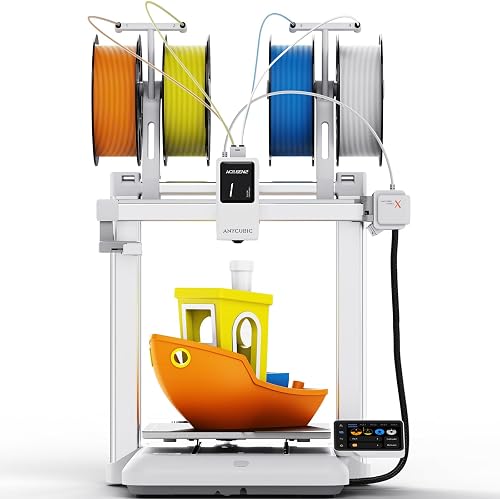
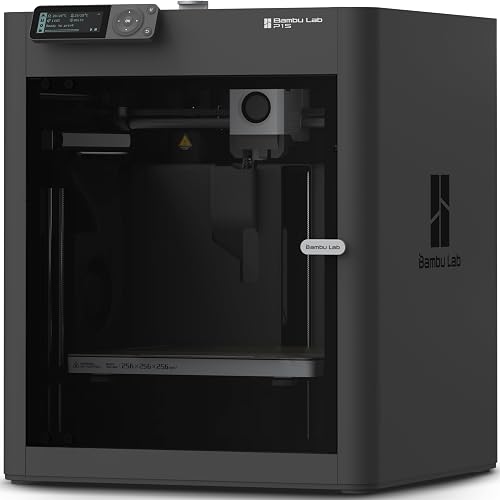
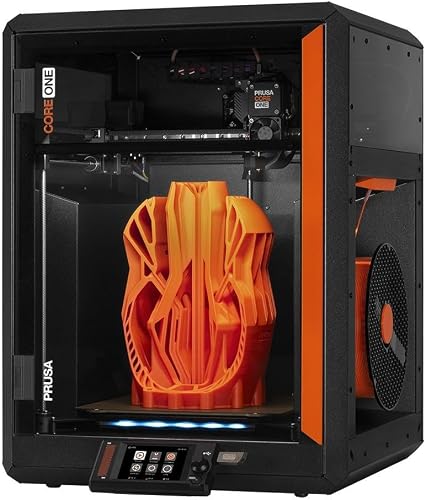
A truly bedroom-friendly machine should hit three targets at once: under 45 dB during normal printing, under 50 dB during the loudest travel moves, and a tonal profile without sharp high-frequency whines. The last part matters more than spec sheets admit — a 48 dB printer with a smooth white-noise hum is far more tolerable than a 42 dB printer with a piercing fan tone that cuts right through earplugs.
The four things that make a 3D printer quiet
1. Silent stepper drivers (TMC2208, TMC2209, or newer)
Older 3D printers used A4988 stepper drivers, which produced the characteristic "singing" zip and chirp on every move. Modern Trinamic drivers — TMC2208, TMC2209, and the newer TMC2226 — use stealthChop modulation to drop motor noise to a near-inaudible whisper. Every printer worth considering for a bedroom in 2026 ships with silent drivers as standard. If a spec sheet does not mention them, assume the printer is loud.
2. A rigid, well-damped frame
A flexing frame turns every direction change into a low-frequency thud. Cartesian printers with bedslinger designs (Y-axis bed motion) are inherently noisier than CoreXY machines because the bed mass slams back and forth. A CoreXY printer with a heavy, stiff base produces softer, lower-amplitude vibrations that are easier to dampen with simple feet. If your printer sits on a wooden desk or shelf, the desk itself can act as a sounding board — a stiff aluminum frame coupled to a plywood desk can radiate more noise than the printer alone.
3. Quiet fans (or fewer of them)
Even with silent motors, most printers are bottlenecked by their cooling fans — hotend fan, part-cooling fan, mainboard fan, and (on enclosed machines) chamber exhaust fans. Cheap 4010 fans are the single biggest noise source on most printers under $400. Look for printers that use larger, slower fans (5015 or 6020) or that ramp fan speed only when needed. Bambu Lab and Prusa machines have made noticeable progress here, while many budget machines still ship with screaming 24V fans you will hear from two rooms away.
4. An enclosure that absorbs rather than reflects
A sealed enclosure does two things: it muffles motor and fan noise, and it traps fumes and ultrafine particles. The catch is that a hard acrylic box can resonate and actually amplify some frequencies. Enclosures with foam-lined panels or fabric dampening on the interior surfaces sound dramatically quieter than bare acrylic. If you are buying a printer specifically for bedroom use, an enclosed model is almost always the right call — see our guide to the best enclosed 3D printers for a full breakdown.
Why a quietest 3d printer for bedroom is different from a quietest printer for an office
In an office, ambient noise (HVAC, keyboards, conversation) sits around 50–55 dB, so a 48 dB printer disappears. In a bedroom at night, ambient noise drops to 25–30 dB, and suddenly that same 48 dB printer is the loudest thing in the room. The practical implication: a printer that office reviewers call "whisper quiet" may still keep you awake. You want a machine that is at least 15 dB above ambient, not 5 dB above ambient. That is why dedicated bedroom buyers should target the very top of the quiet-printer market rather than middle-of-the-road "quiet enough" options.
FDM vs resin for bedroom use
Resin printers (MSLA) have almost no moving parts during a print — the build plate lifts and lowers slowly, and the LCD shines through cured layers. Mechanically, they are silent. The problem is the fan that cools the LCD and the strong odor of uncured resin, both of which are dealbreakers in a sealed bedroom. If you are torn between technologies, our FDM vs resin comparison guide explains the tradeoffs in detail. For most bedroom users, an enclosed FDM printer with a HEPA/carbon filter is a better fit than a resin printer with a separate fume extractor.
Quiet printer categories that work in a small apartment
Enclosed CoreXY printers (the gold standard)
This is the category to focus on if budget allows. Enclosed CoreXY designs from Bambu Lab and Prusa combine silent drivers, a stiff frame, a fume-trapping enclosure, and intelligent fan control. They typically idle around 38 dB and peak around 48 dB, with a smooth tonal profile that is easy to sleep through. Expect to spend $700–$1,500. These machines are also the fastest, so prints finish sooner — a shorter print is a quieter night.
Bedslinger printers with silent boards (budget option)
Entry-level printers with silent driver boards can be made bedroom-tolerable but require more work. The bed-slinging Y-axis still produces low-frequency thumps that travel through floors, and the open frame radiates fan noise freely. Plan to add an aftermarket enclosure, anti-vibration feet, and possibly a sound-dampening mat under the printer. Total quieting cost usually runs $80–$150 on top of the printer itself.
Resin printers with fume-extraction setups
If you primarily print miniatures, jewelry, or detailed models, a resin printer can be a quiet option, but you must vent it. A small grow-tent enclosure with an inline carbon filter and a window-vented duct will keep the bedroom air safe and contain the residual fan noise. This setup typically adds $120–$200 to the printer cost and demands a window you can route ducting to. For miniatures specifically, our best 3D printers for miniatures roundup covers the relevant options.
How to make any printer quieter (the room-side fixes)
Even the quietest printer can be ruined by a bad placement. A few cheap interventions usually cut perceived noise in half.
- Anti-vibration feet or sorbothane pads ($10–$20). The single highest-impact upgrade. Decouple the printer feet from the desk surface and you eliminate most of the structure-borne noise that travels through the room.
- A concrete paver under the printer ($8 from a hardware store). A 12x12 inch, 1.5 inch thick paver placed on top of a foam mat creates a heavy, dead mass that absorbs vibration. Surprisingly effective for under $15.
- Move the printer off a desk. Desks and bookshelves are giant resonators. A heavy standalone cart or a piece of furniture on a carpeted floor radiates far less noise than a desk shared with a monitor stand.
- Slow down the print. Most slicers let you cap maximum travel speed and acceleration. Dropping max speed from 500 mm/s to 200 mm/s on a fast printer can cut peak noise by 6–8 dB at the cost of a longer print time.
- Enable quiet mode. Bambu Lab printers have a dedicated Silent mode; Prusa machines have a Stealth mode. Both cap motor current and acceleration to reduce noise by roughly 4–6 dB at a 20–30% speed penalty.
What to look for on the spec sheet
When comparing models, scan for these terms in this order of importance:
- Measured dB rating at 1 meter (most honest brands publish this).
- Stepper driver model — TMC2209 or newer.
- Frame type — enclosed CoreXY beats open bedslinger.
- Fan strategy — PWM-controlled, larger fans beat fixed-RPM 4010s.
- Quiet/Stealth mode availability in firmware.
- Built-in air filtration (HEPA + activated carbon).
If you are still narrowing down printer categories before focusing on noise, our broader 3D printer buying guide walks through build volume, material support, and ecosystem considerations that interact with noise decisions.
Print scheduling: the underrated quiet strategy
Even a 38 dB printer is louder than a sleeping bedroom. If you can shift prints to daytime hours when you are out of the room, even a moderately quiet printer becomes a non-issue. Most modern printers support print scheduling either through their built-in app or through OctoPrint/Klipper integrations. A four-hour print started at 9 a.m. before you leave for work finishes by lunch — no overnight noise required. For long prints that genuinely need to run overnight, the enclosed CoreXY category is the only one I would recommend without reservation.
Bedroom safety considerations beyond noise
Noise is what gets you to think about bedroom printer placement, but air quality is what should keep you thinking. FDM printers release ultrafine particles (UFPs) and volatile organic compounds (VOCs) while extruding, with ABS and ASA being significantly worse than PLA. Even "low emission" PLA produces measurable UFPs at the nozzle. For bedroom use, stick to PLA or PETG, run an enclosed printer with a carbon filter, and consider a standalone HEPA air purifier in the room. If you are new to filament choices, our PLA filament guide covers why it is the safest indoor option.
Realistic expectations for a bedroom setup
Even with the quietest printer on the market, perfectly dampened, in a closed enclosure, you will hear something. Modern "quiet" 3D printing is impressive but not silent. Set your expectations to "I can sleep through this with a fan on" rather than "I will not hear it at all." Pair the printer with a small white-noise machine or a box fan on low, and the residual sound disappears into the masking noise. Many apartment printers swear by this combination far more than by any single hardware upgrade.
Frequently Asked Questions
What is the quietest 3D printer you can run in a bedroom overnight?
In 2026, fully enclosed CoreXY printers from Bambu Lab and Prusa hit the lowest measured noise levels — typically 38–42 dB idle and 46–50 dB peak. Run them in Silent or Stealth mode and they sit just above bedroom ambient noise, which most sleepers can tolerate with a small white-noise source in the room.
How many decibels is acceptable for a 3D printer in a small apartment bedroom?
Aim for under 50 dB peak and under 45 dB sustained at one meter. Below 50 dB the printer reads as background hum rather than a discrete sound source. Above 55 dB you will likely need to leave the room or wear earplugs. The exact threshold varies by person, but 50 dB peak is the widely-cited cutoff for comfortable shared-space printing.
Are resin 3D printers quieter than FDM printers for bedroom use?
Mechanically yes — resin printers have almost no motion noise during a print. But the LCD cooling fan and the strong chemical odor of uncured resin make them harder to live with in a sealed bedroom. Unless you can vent fumes out a window, an enclosed FDM printer with a carbon filter is usually the better choice for bedroom installs.
Does an enclosure actually make a 3D printer quieter or just trap heat?
Both, but the noise reduction is usually 4–8 dB depending on the enclosure material. Foam-lined or fabric-dampened enclosures perform far better than bare acrylic, which can resonate and actually amplify some frequencies. The thermal benefits (better ABS adhesion, less warping) are a bonus on top of the noise reduction.
Can I put a 3D printer on my desk in a small apartment without it being too loud?
You can, but the desk will radiate vibration and act as a sounding board, making the printer sound louder than it really is. Place a 1.5 inch concrete paver on top of a foam mat, then put the printer on the paver. This decouples the printer from the desk and typically cuts perceived noise by 30–50% with no electronic changes.
What is the difference between silent mode and stealth mode on a 3D printer?
The names refer to the same idea — a firmware mode that caps motor current, acceleration, and sometimes top speed to reduce mechanical and fan noise. Bambu Lab uses "Silent mode," Prusa uses "Stealth mode," and Klipper users often configure custom "quiet" profiles. Expect a 4–6 dB noise reduction at a 20–30% speed penalty in either case.
Is it safe to sleep in the same room as a running 3D printer?
It is safer with PLA than with ABS or ASA, and safer with an enclosed printer than with an open one. Even with PLA, ultrafine particles are released at the nozzle, so a HEPA air purifier and an enclosed printer with a carbon filter are both strongly recommended. If you have respiratory sensitivities, run prints during the day when you are out of the room rather than overnight.
How can I make my existing 3D printer quieter without buying a new one?
In order of cost-effectiveness: install sorbothane or rubber anti-vibration feet, place the printer on a concrete paver atop a foam mat, swap stock 4010 fans for Noctua or similar quiet fans (requires a buck converter for 24V to 12V), build or buy a foam-lined enclosure, and enable quiet mode in firmware. The first two steps cost under $25 and usually deliver the biggest perceived improvement.
Key Takeaways
- Choosing the right quietest 3d printer for bedroom means matching the key features to your specific needs and budget
- Read real customer reviews and check the return policy before you commit
- Also covers: silent 3d printer for apartment
- Also covers: low noise 3d printer
- Also covers: 3d printer quiet enough for bedroom
- Compare value across models — the priciest option is not always the best fit