Disclosure: As an Amazon Associate we earn from qualifying purchases.
The best 3d printer for board game inserts and card trays in 2026 is an FDM (filament) machine with a build volume of at least 220×220×250mm, a heated bed, and rock-solid first-layer adhesion. The Bambu Lab P1S, Prusa MK4S, and Creality Ender 3 V3 SE all qualify, and each can crank out a complete custom organizer for games like Gloomhaven, Wingspan, or Marvel Champions in a weekend. Resin printers produce gorgeously smooth trays but are too slow, too smelly, and too small for the large flat panels that inserts demand. Stick with FDM, print PLA or PETG, and you will have custom-fit boxes that protect your components and shave minutes off setup.
Why FDM Beats Resin for Inserts and Card Trays
Board game inserts are mostly flat walls, deep card wells, token cups, and snap-fit lids. They are not high-detail miniatures. That changes the math on printer selection completely. FDM printers extrude molten filament through a nozzle, which is fast, cheap, low-mess, and well suited to large rectangular geometry. A typical insert for a mid-sized game uses 150 to 400 grams of filament — about $4 to $12 at retail prices — and prints in 8 to 20 hours depending on speed.
The best best 3d printer for board game inserts and card trays for your situation depends on how you plan to use it and where.

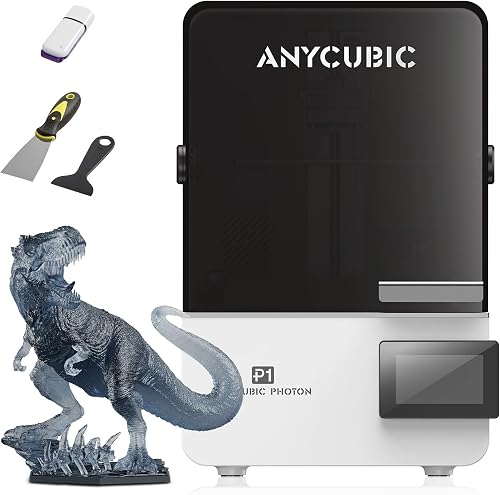
Resin (MSLA) printers cure liquid photopolymer with UV light. They produce stunning surface finishes on minis but suffer three deal-breakers for inserts: build plates are usually under 200mm on the long axis (too short for many trays), resin costs roughly five times what filament does, and the post-processing workflow (wash, cure, ventilation) is overkill for utilitarian organizers. If you want to learn more about the trade-offs, our FDM vs resin 3D printer guide walks through them in detail.
Comparison Table
| Printer | Build Volume | Max Speed | Enclosed | Multi-Color | Best For |
|---|---|---|---|---|---|
| Bambu Lab P1S | 256×256×256mm | 500 mm/s | Yes | Yes (AMS) | All-around insert powerhouse |
| Prusa MK4S | 250×210×220mm | 300 mm/s | No (kit available) | No (single) | Repair-friendly, top reliability |
| Creality Ender 3 V3 SE | 220×220×250mm | 250 mm/s | No | No | Budget entry under $200 |
| Bambu Lab A1 | 256×256×256mm | 500 mm/s | No | Yes (AMS Lite) | Speed + color on a budget |
What to Look For in a Printer for Board Game Inserts
Build Volume That Fits a Full Insert in One Print
The single most important spec is build volume. Splitting an insert into multiple parts and gluing them together adds hours of labor and visible seams. Aim for at least 220×220×250mm. That envelope handles roughly 90% of inserts published on MakerWorld, Printables, and Thingiverse. For oversized games like Twilight Imperium, Sleeping Gods, or Kingdom Death: Monster, jump to a 256×256×256mm or 300×300×300mm class machine — see our best large format 3D printers roundup for those options.
Print Speed Without Sacrificing Quality
An average insert takes 12-18 hours on a 60mm/s legacy machine. Modern Core XY printers with input shaping run at 300-500mm/s effective speeds and cut that to 4-8 hours. When you are designing or remixing inserts iteratively, fast print times are the difference between finishing a project in a weekend and dragging it across a month.
Bed Adhesion and Flatness
Insert walls are tall and thin. They warp if the first layer lifts, and they fail outright if the bed is uneven. A textured PEI sheet, mesh bed leveling, and a heated bed running at 60-70°C for PLA are the trio that solves this. Auto-leveling matters more than you'd think — most insert designs have wide, sparse first layers (lots of perimeter, little infill) that punish a bad initial layer.
Enclosure for PETG and ABS
PLA works fine for most inserts. If you store games in a hot car, garage, or attic, PLA softens above ~55°C and your trays may sag. PETG (durable, slightly flexible) and ABS (rigid, heat-resistant) are upgrades, but ABS especially benefits from an enclosed printer to prevent warping. Our best enclosed 3D printers guide covers machines that handle these tougher materials well.
Quiet Operation
Insert prints run long. If your printer lives in a shared room or near a bedroom, look for stepper drivers rated below 50 dB. Most 2026-era printers are quiet by default, but older bed-slinger designs with loud fans can be miserable on overnight runs.
Top Printer Categories for Board Game Organizers
Best Overall: Bambu Lab P1S
The Bambu Lab P1S is the printer most insert designers on MakerWorld actually use, and it shows. The 256×256×256mm enclosed build volume swallows full Gloomhaven trays in one print. Core XY motion plus input shaping delivers reliable 300mm/s prints, meaning a typical insert finishes overnight. The enclosure lets you run PETG and ABS without warping, and the AMS upgrade (sold separately) enables multi-color lids and labels — a killer feature for tagging card categories at a glance. Read our full Bambu Lab P1S review for the deep dive.
Best Premium Pick: Prusa MK4S
If you prefer open-source firmware, a strong repair ecosystem, and the best-tuned single-extruder workflow on the market, the Prusa MK4S is hard to beat. Its 250×210×220mm build volume is slightly smaller than the P1S, but Prusa's textured PEI sheet is the gold standard for first-layer reliability on big flat insert bases. Input Shaper and Pressure Advance bring real-world print speeds to 200-300mm/s. Our Prusa MK4S review covers what's new versus the original MK4.
Best Budget Pick: Creality Ender 3 V3 SE
If you are entering 3D printing specifically because you are tired of buying plastic baggies for components, the Ender 3 V3 SE under $200 is the smart way in. It has automatic bed leveling, a direct-drive extruder, a 220×220×250mm build volume that handles most inserts, and a CR Touch probe that makes the dreaded "first layer" headache a non-issue. Print speed tops out around 180mm/s, which means longer prints than the P1S, but the price gap pays for a lot of filament. It is also one of our top picks in the best 3D printers for beginners roundup.
Honorable Mention: Bambu Lab A1
The bed-slinger A1 (not the smaller A1 Mini) sits at a sweet spot for hobbyists who want Bambu-style speed and an AMS-Lite multicolor option without paying P1S money. The open frame means PETG and PLA only, which is fine for 80% of inserts. The 256×256×256mm build volume matches the P1S.
Materials: What to Print Inserts In
PLA is the default. It is cheap (~$15-20/kg), prints reliably on any heated bed, and holds dimensional tolerances tightly enough for snap fits. The downside is heat sensitivity — a closed game box left in a hot car can deform PLA trays.
PETG is the upgrade most insert designers recommend if you travel with games or store them in a garage. It is tougher than PLA, more heat-resistant (around 75°C glass transition), and prints almost as easily once you dial in retraction settings.
ABS and ASA are overkill for most inserts but worth considering if you want lids that survive being dropped or sat on. They require an enclosure to prevent warping.
Color choice matters more than you might expect. Black absorbs the most heat (worst for storage), while white and light grey hide dust the least. Mid-tone greys and dark wood-tones tend to look best alongside printed game art. New to filament basics? Our PLA filament guide breaks it down.
Where to Find Free Insert Files
Three sites cover roughly 95% of community-designed inserts: MakerWorld (best search, free, Bambu-optimized profiles included), Printables (Prusa's site, deep catalog, rewards points), and Thingiverse (older but still hosts many original designs). Search by the game's exact name plus "insert" or "organizer." For popular games like Wingspan, Everdell, and Ark Nova, you will find a dozen variants — pick one with high download counts and recent print photos.
Designers worth following: esemmel, Sleepydog, and topmodusa all publish insert collections covering hundreds of titles. Many designs are parametric, meaning you can resize card wells for sleeved versus unsleeved cards by editing a single number.
Settings That Make Inserts Print Cleanly
For PLA inserts, start with a 0.2mm layer height, 3 perimeters, 15% gyroid infill, and a 0.4mm nozzle. Walls feel substantial without wasting filament. For card trays specifically, 0.24mm or 0.28mm layer heights cut print time noticeably without harming structural integrity — nobody inspects the layer lines on a tray bottom.
Disable supports wherever possible. Good insert designs are engineered to print support-free with overhangs under 45 degrees and bridges no longer than 20mm. If a design requires extensive supports, find a different design — there is usually a better one.
For sleeved cards, add 1-2mm to internal well dimensions. Premium sleeves (Dragon Shield Matte, KMC Hyper Mat) add about 0.6mm of thickness per card, which compounds quickly across a deck of 100 cards.
Frequently Asked Questions
How long does it take to print a board game insert?
Most mid-sized game inserts (Wingspan, Marvel Champions, Everdell) take 8 to 20 hours on a modern Core XY printer like the Bambu Lab P1S at default speed settings. Bigger games like Gloomhaven or Frosthaven can take 30 to 50 hours spread across multiple plate runs. On a slower legacy printer, double those estimates.
How much does it cost to 3D print a custom insert?
Filament cost typically runs $4 to $15 per insert for mid-sized games using PLA at $18-22/kg. Larger games push that to $20-30. Compared to commercial laser-cut inserts at $40-150 each, even premium PETG prints save substantial money once you have printed two or three. The 3D printer itself amortizes quickly for active hobbyists.
Can I 3D print card trays for sleeved cards?
Yes, and this is one of the strongest use cases for printing your own inserts. Most published designs include a "sleeved" variant or use parametric models where you can adjust the card well dimensions. Premium sleeves add roughly 0.5-0.7mm per card in total thickness. Add 2mm of internal clearance to standard insert designs to fit sleeved decks comfortably.
Is PLA or PETG better for board game inserts?
PLA is easier to print, holds tight tolerances, and is fine for indoor storage. PETG is more durable, more heat-resistant, and the better choice if you travel with games, store them in a garage, or use the inserts as functional drawer organizers. For most home collectors, PLA is the practical default.
Do I need a resin printer for board game accessories?
No. Resin printers excel at miniatures and high-detail tokens but are poorly suited for the large flat geometry of inserts. The build volume is usually too small, the cost per gram is much higher, and the post-processing workflow is unnecessary for utilitarian trays. Use FDM for inserts; reserve resin for painting miniatures.
What build volume do I need for the largest board games?
For most published board games, 220×220×250mm covers around 90% of available insert designs. For Gloomhaven, Frosthaven, Twilight Imperium, Sleeping Gods, Kingdom Death: Monster, and other oversized games, look at printers with 256×256×256mm or larger volumes so you can print insert sections without splitting parts and gluing seams.
Can a beginner 3D printer handle insert printing?
Absolutely. Inserts are mechanically simple — large flat panels with vertical walls and minimal overhangs. A budget printer like the Ender 3 V3 SE produces excellent inserts straight out of the box. The main beginner pitfall is poor first-layer adhesion on big base prints, which auto-leveling solves on virtually every 2026 model.
Will my 3D printed inserts wear out my game cards?
Layer lines can abrade unprotected card edges if the cards are pulled across rough surfaces repeatedly. Two easy fixes: print card wells with a smooth-bottomed orientation (the bottom layer against the build plate is glass-smooth), and sleeve your cards. Most designers orient files so the card-contact surfaces print smoothly.
Key Takeaways
- Choosing the right best 3d printer for board game inserts and card trays means matching the key features to your specific needs and budget
- Read real customer reviews and check the return policy before you commit
- Also covers: 3d printer for kallax board game inserts
- Also covers: custom card tray 3d printer
- Also covers: fdm printer for board game organizers
- Compare value across models — the priciest option is not always the best fit