Disclosure: As an Amazon Associate we earn from qualifying purchases.
If you are searching for the best 3d printer for seniors with arthritis, the short answer is this: look for a fully assembled, auto-leveling machine with a large touchscreen, side-mounted spool holders, one-click filament loading, and minimal hand-tool maintenance. Brands like Bambu Lab, Prusa, and Creality now ship printers in 2026 that almost eliminate the hand strain that used to make 3D printing a non-starter for retired hobbyists with stiff joints, reduced grip strength, or limited fine-motor control.
This guide is written specifically for retired hobbyists who love making things but cannot wrestle with Allen keys, peel stuck prints off cold beds, or thread filament through tiny hidden ports. We will walk through what matters in an arthritis-friendly setup, which features to avoid, and how to arrange your workspace so the printer does the awkward work instead of your hands.

Why most 3D printers are hard on arthritic hands
A decade ago, owning a 3D printer meant tightening belts with hex wrenches, manually leveling a bed with four thumbscrews, scraping prints off a glass plate with a putty knife, and prying spool hubs open to swap filament. Every one of those tasks puts pressure on the small joints of the fingers and thumb — exactly the joints most affected by osteoarthritis and rheumatoid arthritis.
Comparison at a glance
| Printer | Auto Level | Touchscreen | One-Click Filament | Assembly Time | Noise Level | Best For |
|---|---|---|---|---|---|---|
| Bambu Lab A1 | Yes (full mesh) | 3.5 in color | Yes | ~10 min | ~48 dB | Easiest overall |
| Prusa MK4S | Yes (load cell) | 3.5 in color | Yes | ~5 min (assembled) | ~49 dB | Quality & support |
| Creality Ender 3 V3 SE | Yes (CR Touch) | 3.2 in color | Semi-auto | ~15 min | ~55 dB | Budget pick |
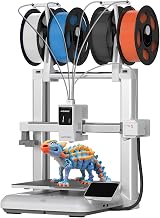
The good news: modern 2026 consumer 3D printers have quietly engineered most of that pain away. Flexible magnetic build plates pop prints off with a gentle twist. Auto bed leveling means no thumbscrew turning. Direct-drive extruders with side-loading filament paths eliminate the need to thread plastic through awkward Bowden tubes. And large color touchscreens have replaced fiddly click-wheel menus.
If you are new to the hobby, our how a 3D printer works guide is a friendly starting point before you spend a dollar.
What to look for: the arthritis-friendly checklist
When you are evaluating the best 3d printer for seniors with arthritis, run every candidate through this checklist. A printer should hit at least six of these eight points before you consider it senior-friendly.
- Pre-assembled or near-pre-assembled. You should be unboxing, not building. Anything that requires more than 15 minutes of screw-driving is going to flare up sore hands.
- Auto bed leveling (ABL). No thumbscrews, no paper-shimming, no kneeling beside the printer. The machine should level itself at the press of a button.
- Flexible PEI or spring-steel magnetic build plate. You flex the plate gently with your forearm, not your fingertips, and the print pops off. No scraping.
- Large color touchscreen (4.3 inch or bigger). Big tap targets, no jog dials, no tiny buttons. Bonus if it also accepts phone or tablet control over Wi-Fi.
- Side-mounted or top-loading spool holder. Lifting a 1 kg spool overhead and threading it sideways is a recipe for shoulder and wrist pain. Side-loaders let you slide spools on at table height.
- One-click filament load/unload. The printer should pull the filament in and push it out for you. No grip-and-shove required.
- Quiet stepper drivers (under 50 dB). Loud printers cause people to put them in the garage or basement, which means stairs, which means more strain. A quiet printer can live on your desk.
- Wi-Fi and app control. Slicing on a comfortable laptop or tablet and sending the file wirelessly beats walking SD cards back and forth. Look for cloud slicing from Bambu Studio, Prusa Connect, or Creality Cloud.
Features to avoid (or work around)
Just as important as what to look for is what to skip. The following features can turn a promising printer into a daily frustration:
- Manual bed leveling with thumbscrews. Even "assisted" manual leveling still requires precise finger force.
- Bowden-tube filament paths with deep-press collet releases. Releasing the collet requires pinching a small plastic ring while pulling on the tube — brutal for stiff thumbs.
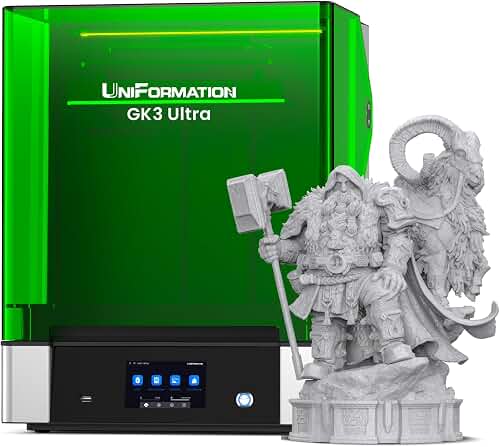
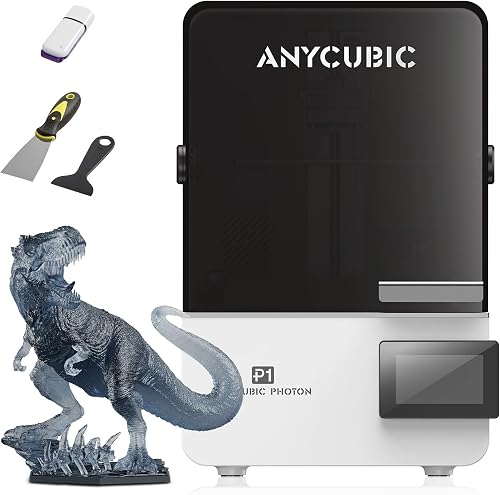
- Resin printers as a first machine. Resin printing involves wearing nitrile gloves, pouring liquid resin, and washing parts in isopropyl alcohol. The chemistry and grip demands are not arthritis-friendly. If you eventually want miniatures, see our FDM vs resin comparison and start with FDM.
- Open-frame printers in cold rooms. Cold filament is stiff filament, and stiff filament is harder to load. An enclosed printer keeps the chamber warm and reduces load force; browse our best enclosed 3D printers roundup for ideas.
- Kit printers. If the listing says "DIY," "kit," or "some assembly required," walk away. Your time and joints are worth more.
Our top picks for the best 3d printer for seniors with arthritis in 2026
These three machines consistently bubble to the top in retiree maker-group discussions in 2026. Each has been chosen because a person with limited grip strength and finger dexterity can realistically own, operate, and maintain it without daily frustration.
Bambu Lab A1 — easiest overall
The Bambu Lab A1 is the printer we most often recommend to retired hobbyists. It arrives 95 percent assembled, completes a full self-test and self-level the first time you power it on, has a 3.5 inch color touchscreen with simple icon-based menus, and uses a side-loading spool holder so you never have to lift a spool overhead. Filament loads with a single tap and the extruder grabs it for you. The flexible PEI plate releases prints with a gentle bend — no scraping tools required. Pair it with the optional AMS Lite if you want hands-free multicolor printing without ever swapping filament by hand.
Prusa MK4S — best for tinkerers who still want simplicity
If your retired hobbyist is the type who reads manuals and likes premium European engineering, the Prusa MK4S is hard to beat. It comes pre-assembled (skip the kit version), has Prusa's load-cell auto leveling that needs zero user input, and uses a high-contrast 3.5 inch screen with large tap zones. The textured spring-steel sheet pops prints off with almost no force. Lifetime customer support from Prusa in Czechia is responsive and patient — valuable when you are learning. Read our full Prusa MK4S review for a deeper look.
Creality Ender 3 V3 SE — best budget option
For retirees on a fixed income, the Creality Ender 3 V3 SE delivers a surprising amount of the arthritis-friendly feature set at a much lower price. It ships mostly assembled (around 15 minutes of low-effort setup), includes a CR Touch automatic leveling probe, has a direct drive extruder that loads filament easily, and uses a flexible PC build plate. It is louder than the Bambu and Prusa, so plan to keep it in a den rather than next to a TV. See our Ender 3 V3 SE review for full impressions.
Setting up an arthritis-friendly workspace
Picking the right machine is only half the battle. Where and how you set it up determines whether 3D printing stays joyful or becomes a chore.
Put the printer at standing-elbow height. A sturdy desk or kitchen counter is ideal. You should be able to reach the build plate without bending or reaching overhead. Lower placements force you to crouch; higher placements force you to lift spools.
Use a turntable or lazy Susan under the printer. A cheap 12-inch ball-bearing turntable lets you rotate the printer to access the spool holder or rear ports without dragging the machine.
Keep filament dry and warm. Cold filament is stiff and harder to feed. A simple plug-in filament dryer doubles as a warm storage bin, and warm filament is noticeably easier on the fingers when loading.
Pre-cut filament tips with a flush cutter, not scissors. Flush cutters require far less hand force and give you a clean angled tip that the extruder grabs easily.
Slice on a tablet or laptop, not at the printer. Standing at the printer to pinch through menus is a fast way to flare up shoulders and wrists. Bambu Studio, PrusaSlicer, and Orca Slicer all run on touchscreen laptops — you can do all the prep while seated.
For a broader primer on getting set up, see our first-printer setup walkthrough.
Daily and weekly maintenance with arthritis in mind
Maintenance is where many retirees give up on 3D printing — tightening belts, replacing nozzles, cleaning extruders. Modern printers have reduced this enormously, but a few habits will save your hands:
- Wipe the build plate with isopropyl alcohol and a microfiber cloth weekly. No scrubbing required — just a gentle wipe.
- Lubricate the rods every 1-2 months with a single drop of PTFE-based lubricant. The bottle does the work; you just aim.
- Replace nozzles before they clog, not after. A clogged nozzle requires hot-end disassembly. Swapping every 3-6 months keeps you out of that situation. The Bambu Lab A1 and Prusa MK4S both use quick-change nozzles that release with a single lever.
- Use cloud slicing. Updating firmware over Wi-Fi means no fiddling with USB drives or micro-SD cards.
Our 3D printer maintenance guide goes deeper if you want a full schedule.
Frequently Asked Questions
Is 3D printing too hard for someone with arthritis in their hands?
Not anymore. In 2026, machines like the Bambu Lab A1 and Prusa MK4S have removed almost every high-force task from daily operation. Loading filament is one tap. Removing prints is a gentle plate flex. Leveling is automatic. If you can hold a TV remote and tap a tablet screen, you can operate a modern arthritis-friendly 3D printer.
What is the easiest 3D printer to use for a complete beginner senior?
The Bambu Lab A1 is widely regarded as the easiest. It self-tests, self-levels, and walks you through your first print with on-screen prompts. We have a full best 3D printers for beginners list that ranks options by ease of use rather than power-user features.
Should I get a resin printer for detailed models like miniatures?
If you can manage gloves and washing parts in alcohol, resin printers like the Elegoo Mars 4 Ultra produce stunning detail. But for most hobbyists with arthritis, the chemistry handling is more than it is worth. Modern FDM printers with 0.2 mm nozzles produce great miniatures with no chemical handling. See the FDM vs resin guide for a full comparison.
How much should a retired hobbyist spend on their first printer?
Plan for $250-500 if budget is tight, or $700-1,200 for a top-tier arthritis-friendly experience. Spending less than $200 almost always means a kit or a machine without auto leveling — both of which work against arthritic hands. Our 3D printer budget guide breaks down the tiers.
Is filament loading really hard with stiff fingers?
It used to be, on Bowden-tube printers. Today's direct-drive printers with one-click load actually pull the filament from your hand with motorized assistance. You just guide the tip into the entry port and tap a button. If you choose a side-loading spool design, you never have to lift the spool overhead either.
Can I run a 3D printer from a wheelchair or seated position?
Absolutely. Place the printer on a sturdy desk at elbow height when seated. Choose a model with Wi-Fi and a phone app (Bambu Handy, Prusa Connect) so you can monitor, pause, and restart prints from your chair. The flexible build plate can be brought to your lap for print removal — no reaching into the machine.
Are 3D printers loud enough to bother hearing aids or sleep?
Modern printers with silent stepper drivers run between 45 and 55 decibels — about as loud as a quiet refrigerator. The Bambu Lab A1 and Prusa MK4S are quiet enough to live in a living room. Avoid older Ender 3 V1 models and any printer that does not advertise "silent stepper drivers" or TMC2209 motor controllers.
Final thoughts
The best 3d printer for seniors with arthritis is no longer a compromise printer — it is simply a well-designed modern machine that has eliminated the manual fiddling that used to define the hobby. Pick a pre-assembled printer with auto leveling, a flexible build plate, side-loaded spools, and a friendly touchscreen, set it up at the right height, and you will spend your time designing and printing rather than wrestling with hardware. Welcome to the most rewarding retirement hobby on the workbench.
Key Takeaways
- Choosing the right best 3d printer for seniors with arthritis means matching the key features to your specific needs and budget
- Read real customer reviews and check the return policy before you commit
- Also covers: easy setup 3d printer seniors
- Also covers: plug and play 3d printer retirees
- Also covers: accessible 3d printer for elderly
- Compare value across models — the priciest option is not always the best fit