Disclosure: As an Amazon Associate we earn from qualifying purchases.
If you're a homeschool parent trying to decide bambu a1 vs anycubic kobra 3 homeschool use, the short answer is this: the Bambu Lab A1 wins on out-of-the-box reliability, quiet operation, and the broadest library of ready-to-print STEM models, while the Anycubic Kobra 3 wins on price-per-feature and gives older students more hands-on tinkering opportunities. For families with K-6 learners who want printing to support the curriculum rather than become the curriculum, the A1 is the easier path. For middle and high schoolers who will treat the printer itself as the engineering lesson, the Kobra 3 offers more teachable failure points and a lower entry cost.
Below is a full buyer's guide written specifically for homeschool families: how each machine fits into a typical STEM scope and sequence, safety considerations for printers running near children, total cost of ownership across a school year, and which printer matches which teaching style.
Why 3D printing belongs in a homeschool STEM curriculum
Before comparing machines, it helps to be clear about what a 3D printer actually adds to a homeschool. Used well, an FDM printer touches geometry (measuring tolerances, understanding volume), physics (layer adhesion, bridging, gravity), chemistry (PLA vs PETG vs TPU behavior), engineering design (CAD, iteration, failure analysis), and even history and biology when students print artifact replicas, anatomical models, or topographic maps. If you're new to the technology, our overview of how a 3D printer works is a good shared starting point for parent and student.
Head-to-head comparison for homeschool families
| Factor | Bambu Lab A1 | Anycubic Kobra 3 |
|---|---|---|
| Time from unboxing to first print | ~30-45 minutes | ~60-90 minutes |
| Auto bed leveling | Yes, very reliable | Yes, occasional manual touch-ups |
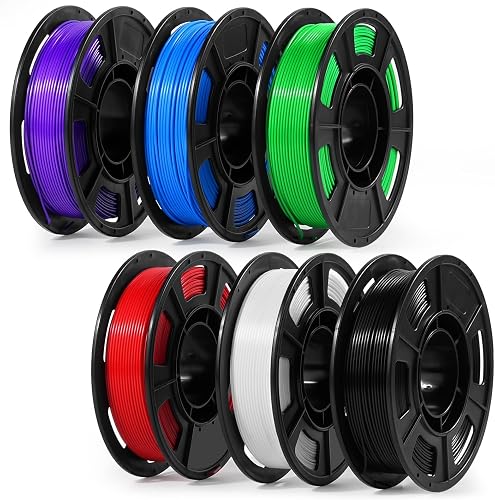
| Multi-color option | AMS lite (4 colors) | ACE Pro (4 colors) |
| Build volume | 256 x 256 x 256 mm | 250 x 250 x 260 mm |
| Max realistic PLA speed | ~300 mm/s | ~300 mm/s |
| Noise level | Quiet — fine in a shared room | Moderate — louder cooling fan |
| Slicer learning curve | Gentle, guided defaults | Steeper, more manual |
| Best for ages | 6-14 (parent-supervised, mostly hands-off) | 12+ (student maintains the machine) |
| Total cost with multi-color | Higher | Lower |
| Cloud dependency | Default cloud, LAN-only available | Fully local-capable |
The risk in homeschool use is that the printer becomes a distraction rather than a tool. A machine that needs constant tuning steals time from the actual curriculum. That's the single most important lens for the bambu a1 vs anycubic kobra 3 homeschool decision.
Bambu Lab A1 at a glance for homeschool use
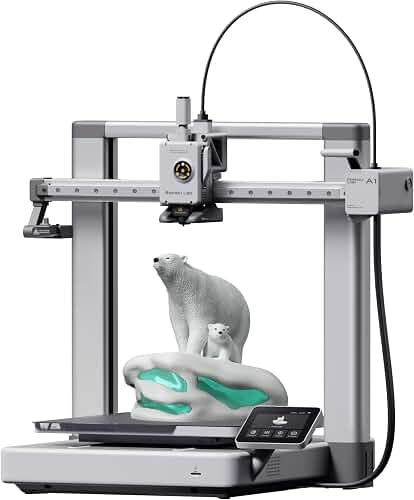
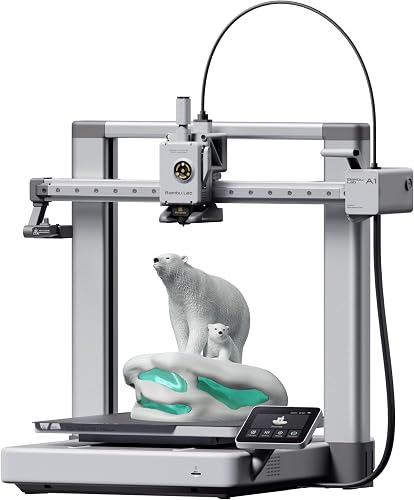
The A1 is a bed-slinger style FDM printer (the bed moves on the Y axis while the toolhead moves on X and Z). Bambu Lab's reputation is built on tightly integrated hardware and software: auto bed leveling, vibration compensation, flow calibration, and a slicer (Bambu Studio / Bambu Handy app) that hides most of the fiddly settings behind sensible defaults.
For a homeschool parent, the practical effect is that you can hand a student a model from MakerWorld or Printables, send it to the printer from a phone, and have a usable print 30-90 minutes later without intervening. The included multi-color AMS lite is a genuine curriculum unlock for younger kids — printing a four-color solar system, a labeled cell diagram, or a state map turns a 20-minute prep session into a finished teaching aid.
The downsides are real but narrow. The A1 is an open-frame printer, so it isn't ideal for ABS or other high-temperature filaments that benefit from enclosure (PLA and PETG, the two filaments you'll actually use in homeschool, are fine open-frame). It also leans on Bambu's cloud ecosystem; you can run it in LAN-only mode, but families that want fully air-gapped operation should know that going in.
Anycubic Kobra 3 at a glance for homeschool use
The Kobra 3 is Anycubic's answer to the high-speed CoreXY-adjacent market, though it remains a bed-slinger. It ships with auto leveling, a direct-drive extruder, and an optional ACE Pro multi-color unit that competes with Bambu's AMS lite. Print speeds on PLA are competitive with the A1, and the build volume is slightly larger, which matters more than you'd think when a student wants to print a single-piece dinosaur skull or a topographic map of your state.
What the Kobra 3 trades for its lower price is polish. The slicer (Anycubic's fork of OrcaSlicer) is capable but less guided. First-layer issues are more common until you've dialed in the machine. Firmware updates and support are improving but still feel more like a community-driven experience than a curated one. For a parent who enjoys tinkering — or wants their teenager to learn troubleshooting as part of the lesson — that's a feature, not a bug.
Matching the printer to your homeschool teaching style
Curriculum-led families (printer as a teaching aid)
If your weekly plan revolves around a published curriculum — classical, Charlotte Mason, a literature-based history program, or a science kit — you want the printer to be invisible. Print the manipulative, use the manipulative, move on. The A1's reliability and the maturity of MakerWorld's library mean you can search "fractions manipulative" or "sedimentary rock cycle" and have something printable within a minute. Younger children can run the Handy app themselves once a parent has set it up.
Project-led or unschooling families (printer as the lesson)
If your educational model leans toward emergent projects, makerspace habits, or a stated engineering focus, the Kobra 3 gives students more to do. Calibration prints, flow tuning, and troubleshooting a failed first layer are legitimate engineering lessons. A teenager who learns to diagnose under-extrusion, replace a nozzle, and re-flash firmware has built real mechatronics skills the A1 hides from them.
Mixed-age households
This is the most common homeschool reality, and it nudges the decision toward the A1. A six-year-old can't troubleshoot a clogged nozzle, but they can absolutely pick a model and watch it print. An older sibling on the A1 still gets the design and CAD lessons via Tinkercad, Onshape, or Fusion — they just don't get the hardware maintenance lessons unless you deliberately introduce them.
Safety considerations for a printer near children
Both printers run a hotend at around 220°C and a heated bed at 60-70°C for PLA. Neither is enclosed by default, which means a curious toddler could reach a moving toolhead or burn a finger. Practical homeschool guidance:
- Place the printer on a surface above toddler height, or behind a baby gate during prints.
- Use PLA almost exclusively for K-8 work. It prints at lower temperatures, has minimal odor, and doesn't require ventilation the way ABS does. Our PLA filament guide covers the practical differences.
- Teach students an explicit "hands off until the bed is cool" rule. The printer signals when it's safe.
- Keep a small fire extinguisher in the print room. The risk is low but non-zero, and modeling preparation is itself a STEM lesson.
If you want a fully enclosed alternative for ABS or for households where a hand-off-the-hot-bits rule isn't realistic, see our roundup of best enclosed 3D printers.
Total cost of ownership across a homeschool year
A typical homeschool family prints 1-3 kg of filament per child per year. PLA runs $18-25 per kg, so filament is roughly $50-150 annually. Add a replacement nozzle or two (~$10 each), an occasional build plate (~$25), and the realistic operating cost is well under $200 a year for both machines.
The bigger cost variable is your time. The A1 costs more up front but typically saves 1-3 hours per month in babysitting failed prints. The Kobra 3 saves money up front and either teaches your student to absorb that troubleshooting time (a feature) or consumes your time (a tax). For a fuller framework, see our 3D printer budget guide and our breakdown of how much a 3D printer really costs.
A year of homeschool STEM projects either printer can support
- Geometry: Print a set of Platonic solids and have students measure faces, edges, vertices, and verify Euler's formula.
- Earth science: Print a topographic map of your home state or a local watershed.
- Biology: Print a vertebrate skull (deer, fox, owl) and compare with a printed human skull for a comparative anatomy lesson.
- Physics: Print pendulum mounts with adjustable lengths, then measure period vs length.
- Engineering design: Run a bridge challenge — each student designs a span of fixed length in Tinkercad, prints it, and tests to failure.
- History: Print scaled replicas of Roman aqueducts, medieval trebuchets, or Egyptian artifacts to accompany reading.
- Math: Print fraction tiles, base-10 blocks, or tangram sets that are sized exactly for your student's hands.
The bottom line
For most homeschool families, the Bambu Lab A1 is the right answer to the bambu a1 vs anycubic kobra 3 homeschool question because it removes the printer as a source of friction. Choose the Anycubic Kobra 3 if you have a teenage student who wants the machine itself to be the engineering project, or if budget is the binding constraint. Both will serve a curriculum well; the difference is who in the family does the troubleshooting. If you're still earlier in the decision and want to broaden the comparison, our 3D printer buying guide and best 3D printers for beginners cover the wider field.
Frequently Asked Questions
Is the Bambu Lab A1 safe to leave running unattended during homeschool lessons?
The A1 has filament runout detection, power loss recovery, and a thermal runaway shutoff, which makes short unattended runs (an hour or two during a math lesson in the next room) reasonable for most families. It is not certified for fully unattended overnight printing, and no FDM printer truly should be. A smart plug with a remote camera is a sensible $40 addition for any homeschool that wants to start a long print before bed.
Can my 8-year-old actually operate the Anycubic Kobra 3 by themselves?
For sending a pre-sliced file from the touchscreen and removing a finished print from a cool bed, yes. For slicing, troubleshooting first-layer issues, or recovering from a failed print, no — those require an adult or older sibling. The A1's phone app makes solo operation more realistic for that age range, but the underlying mechanical risks (hot nozzle, moving parts) are similar on both machines.
Which printer works better with co-op or pod schooling where multiple families share it?
The A1 is the more co-op-friendly choice because multiple parents can be added to the Bambu Handy app and send prints from their own phones without anyone needing to physically be at the machine. The Kobra 3's workflow assumes a single person at a single computer pushing files via USB or Wi-Fi, which creates more friction when families rotate hosting duties.
Do I need to learn CAD before buying either of these for my homeschool?
No. For the first year, downloading existing models from MakerWorld, Printables, or Thingiverse will cover 90% of curriculum needs. CAD is its own STEM skill worth introducing in year two or three, starting with Tinkercad for ages 8+ and Onshape or Fusion for high schoolers. The printer choice doesn't change the CAD learning curve.
What filament should we start with for homeschool projects?
PLA, full stop. It prints at low temperatures, has minimal odor, is plant-derived, and forgives the kind of imperfect first layers that beginners produce. Buy two or three colors of a reputable brand to start, and avoid silk or glitter PLA until you've completed 20-30 successful prints — those filaments are harder to dial in. Save PETG for water bottles or outdoor projects in year two.
How does the A1 compare to the smaller A1 Mini for homeschool?
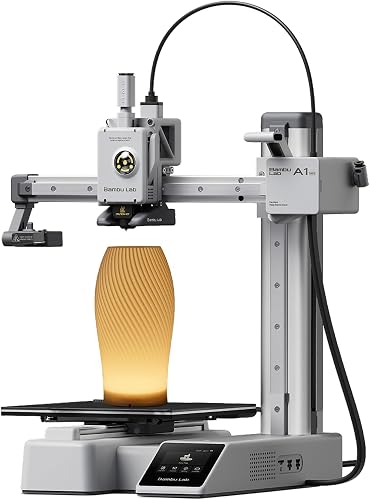
The Mini is about $100 cheaper and has a smaller build volume (180 x 180 x 180 mm), which is plenty for math manipulatives, miniatures, and most teaching aids but cramped for state-map topography or a full dinosaur skull. If budget is tight and your students are younger, the Mini is genuinely excellent — read our Bambu Lab A1 Mini review for the full picture.
What about resin printers for homeschool — should we consider one instead?
Generally no for K-8. Resin printers produce stunning detail (ideal for miniatures, dental models, or fine anatomy) but use UV-cured liquid resins that are skin irritants and require gloves, ventilation, and careful disposal. For homeschool households with young children, the FDM route via the A1 or Kobra 3 is significantly safer and lower-overhead. If you have high schoolers focused on miniatures or art, our FDM vs resin guide walks through the trade-offs.
Key Takeaways
- Choosing the right bambu a1 vs anycubic kobra 3 homeschool means matching the key features to your specific needs and budget
- Read real customer reviews and check the return policy before you commit
- Also covers: best 3d printer homeschool stem
- Also covers: bambu a1 homeschool curriculum
- Also covers: kobra 3 for homeschool families
- Compare value across models — the priciest option is not always the best fit