Disclosure: As an Amazon Associate we earn from qualifying purchases.
If you need the best 3d printer for engineering prototypes, you are not shopping for the same machine a hobbyist uses for tabletop miniatures. Functional prototypes have to survive mechanical loads, mate with existing hardware to tight tolerances, and often face heat, solvents, or repeated assembly cycles. That rules out the cheapest open-frame machines and pushes you toward printers with rigid motion systems, enclosed chambers, hardened nozzles, and support for engineering-grade thermoplastics like PETG, ABS, ASA, polycarbonate, PA-CF (nylon carbon fiber), and PA-GF. In 2026 you can get a serious prototyping workhorse for well under $2,000, but choosing well means understanding what your parts actually have to do before you click buy.
What "functional" actually demands from your printer
A display model needs to look right. A functional prototype needs to act right. That distinction quietly drives every spec that matters. A bracket has to hold load without creeping. A snap-fit has to flex thousands of times. A housing has to seal against an o-ring groove milled to within a tenth of a millimeter. If your printer cannot hold dimensional accuracy under repeatable conditions, you are not prototyping — you are sculpting.
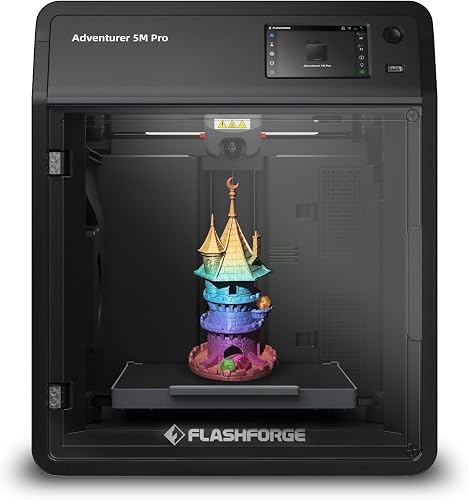

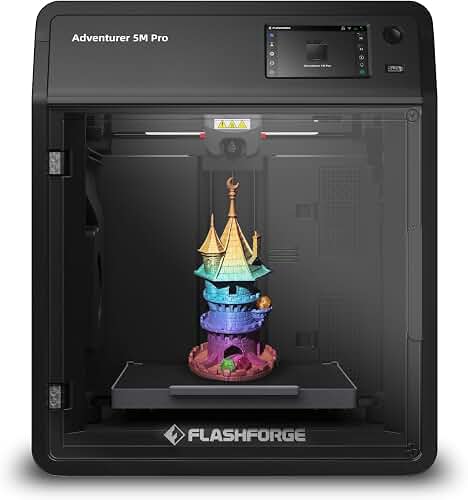
The four things that separate a true engineering machine from a glorified novelty box are: chamber control, motion-system rigidity, hot-end temperature ceiling, and a slicer ecosystem that exposes the variables you need. Get all four right and you can iterate designs in hours instead of waiting a week for an outside service bureau to ship parts back.
FDM, resin, or SLS — which process fits engineering work?
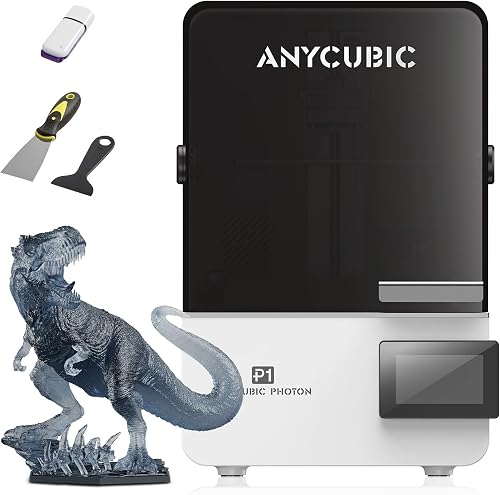
For most in-house prototyping the answer is FDM (fused deposition modeling). It is the only desktop process that lets you print in the same family of polymers your production parts will eventually be molded in, which means your prototype actually predicts how the real part will behave. Resin printers (MSLA/DLP) produce stunningly detailed parts, but most photopolymers are brittle under impact and creep under sustained load — they are excellent for visual models, casting masters, or master patterns for silicone molds, but a poor stand-in for a load-bearing bracket. Desktop SLS (selective laser sintering) is finally affordable but still costs five figures and demands powder handling.
If you want a deeper comparison of the underlying technologies before you commit, our FDM vs resin guide walks through the trade-offs in detail. For engineering prototypes, FDM is almost always the right starting point, with a resin printer added later for the occasional cosmetic model.
The materials that decide which printer you need
Material choice should come first — printer selection follows. Here is the short version:
- PLA / PLA+: Great for early form-and-fit checks. Cheap, easy, dimensionally stable, but creeps under load and softens above ~55°C. Any printer can do it.
- PETG: The workhorse for mildly loaded functional parts. Tough, chemical resistant, prints reliably on most modern machines.
- ABS / ASA: Better heat resistance and machinability, but warps badly without a heated, enclosed chamber. Requires a printer rated for at least 100°C bed and an enclosure.
- Polycarbonate (PC) and PC blends: High strength, high temperature, optically clear in some grades. Needs a 290°C+ hot end and an actively heated chamber for best results.
- Nylon (PA), PA-CF, PA-GF: The class most engineering shops actually want. Tough, fatigue resistant, dimensionally excellent — but hygroscopic and abrasive. You need a hardened steel nozzle, a dry filament feed, and ideally a heated chamber.
If your prototypes will live in PETG and PLA, a mid-range open-frame Core-XY or bedslinger is plenty. If you need to print PA-CF or polycarbonate routinely, budget for an enclosed machine with a hardened hot end. For more on each filament's behavior, see our PLA filament guide.
Tolerance, repeatability, and surface finish
Most modern desktop FDM machines can hold ±0.2 mm on first-pass parts, and ±0.1 mm or better once you have calibrated flow, pressure advance, and dimensional compensation in your slicer. That is enough for the vast majority of mechanical fit-checks, brackets, jigs, and fixtures. Where you will run into pain is on shafts, bores, and threaded features — you almost always need to apply a small offset (typically 0.1–0.3 mm clearance on holes) and verify with calipers. A printer with an input-shaping accelerometer and a properly tuned extruder will repeat the same dimensions print after print, which matters more than raw "accuracy" on a single coupon.
For very fine features — sub-millimeter detail, smooth Class-A surfaces — resin still wins. If a customer presentation prototype has to look injection-molded, print the load-bearing inserts in FDM and the cosmetic shell in resin. Our resin printer roundup covers the visual-prototype side of that workflow.
Build volume: bigger is not automatically better
Engineers tend to over-buy on build volume. A 256 mm cube fits roughly 95% of typical mechanical prototypes, and a 220 mm machine handles probably 85%. Going to a 300+ mm build plate doubles the price and quadruples warping risk on high-temperature materials, because keeping a large chamber thermally uniform is genuinely hard. Unless you are printing drone airframes, robot arm housings, or full-size automotive trim pieces, a mid-volume Core-XY is the sweet spot.
If you genuinely do need a larger envelope, our large-format roundup compares the realistic options. Otherwise, save the money and put it toward a hardened hot end and a filament dryer.
Open frame vs enclosed: do you need a box?
For PLA and PETG, an open machine is fine. For ABS, ASA, nylon, polycarbonate, or any carbon-filled blend, you want an enclosure — either built in or aftermarket. An enclosed chamber does three things: it keeps ambient temperature uniform so layers fuse and parts do not warp, it traps the fine ultrafine particles (UFPs) that high-temperature plastics emit, and it lets you add a HEPA/carbon filter for shop air quality. If your prototyping is moving toward engineering polymers, do not buy an open frame and assume you will "add an enclosure later." Buy the right machine the first time. Our enclosed printer guide compares the leading options.
The features that actually matter on the spec sheet
When evaluating any candidate machine for engineering work, the spec list to focus on is short:
- Hot end max temperature: 300°C is the practical floor for polycarbonate and high-grade nylons.
- Bed max temperature: 100°C minimum for ABS/ASA, 110°C+ preferred for PA and PC.
- Hardened steel or tungsten nozzle: Mandatory for any carbon or glass filled filament. Brass nozzles erode in hours.
- All-metal hot end: PTFE-lined hot ends cap out around 240°C and outgas above that.
- Direct-drive extruder: Far better for flexible TPU prototypes and short-fiber filaments.
- Auto bed leveling and Z-offset compensation: Saves hours of debugging on first-layer issues.
- Input shaping / resonance compensation: Lets you run high acceleration without ringing artifacts on flat faces — important for fit-check parts.
- Filament runout, jam, and clog detection: Long engineering prints fail expensively without these.
Our printer features guide goes deeper on what each of these really buys you in practice.
Recommended categories for the best 3d printer for engineering prototypes
Rather than pretend a single machine is right for every engineer, here is how to think about the three tiers most prototyping teams actually shop in.
The under-$500 starter for early concept iteration
A modern bedslinger from a major brand will print PLA and PETG with excellent dimensional accuracy and is enough to validate geometry, fit-check assemblies, and produce jigs. It will not print nylon or polycarbonate reliably. This tier is fine for student projects, early-stage startups validating CAD, or a second-machine for low-stakes geometry work alongside a more capable primary printer. See our budget printer guide for current picks in this range.
The $700-$1,500 Core-XY workhorse
This is where the value sits for most engineering prototyping in 2026. A modern enclosed Core-XY machine with a hardened hot end, ~300°C capability, input shaping, and a decent slicer ecosystem will print everything from PLA up through PA-CF with minimal fuss. Expect build volumes around 256 mm cubed, print speeds high enough that prototype turnaround is hours not days, and reliability that makes overnight prints routine. For most readers asking which is the best 3d printer for engineering prototypes, the right answer lives in this tier.
The $1,500-$3,000 professional machine
At this level you get actively heated chambers (not just passive enclosures), tool-change or multi-material support, certified open-material profiles, and the kind of slicer-side calibration tooling that lets you predict shrinkage on a new material in a single test print. If you are prototyping for production tooling — parts that have to behave like the final injection-molded geometry — this is the right tier. Our full buying guide covers what to look for at this level.
Workflow matters as much as hardware
The printer is half the system. The other half is the slicer, the filament storage, and the post-processing setup. For engineering work specifically, watch for these workflow concerns:
- Slicer ecosystem: A mature slicer (PrusaSlicer, OrcaSlicer, Bambu Studio) exposes pressure advance, flow ratio, and per-material shrinkage compensation. Off-brand slicers usually do not.
- Filament drying: Nylon and PC absorb water from the air in hours and print poorly when wet. A dedicated dryer or a sealed dry-feed system is not optional for those materials.
- Annealing: Many engineering polymers (especially PA and PETG-CF) gain 20–40% strength after a controlled oven cycle. Plan for it in your test schedule.
- Post-processing: Drilling and tapping printed parts is normal in engineering prototyping; design holes slightly undersized and finish them with hand tools for production-spec threads.
Common mistakes engineers make when buying their first prototyping printer
The most common error is overpaying for build volume and underpaying for thermal capability. The second most common is buying based on raw print speed marketing, then discovering that engineering parts care about repeatability, not throughput. The third is ignoring the noise, vibration, and ventilation requirements — a machine that has to live in a shared office cannot run ABS without ducted exhaust. Decide where the printer will physically sit before you decide which model to buy.
Frequently Asked Questions
What is the best 3D printer for printing functional nylon engineering prototypes?
Look for an enclosed Core-XY machine with a 300°C+ hardened steel hot end, a heated bed of at least 100°C, and a sealed or actively heated chamber. Nylon is hygroscopic, so plan to feed it directly from a heated dryer. Most current-generation enclosed Core-XY printers in the $1,000–$2,000 tier meet these requirements and produce nylon parts strong enough for real fixturing and brackets.
Can a resin 3D printer be used for functional engineering prototypes?
For load-bearing or mechanically cycled parts, generally no. Standard photopolymers are brittle and creep under sustained load. Engineering-grade resins (tough, ABS-like, high-temp, ESD-safe) close some of the gap and are excellent for housings, connectors, and visual fit checks. For anything that must flex repeatedly or take impact, FDM in PETG, ABS, or nylon will outperform resin every time.
How accurate does a 3D printer need to be for engineering prototypes?
For most mechanical fit-checks, ±0.1–0.2 mm is sufficient and well within the capability of a calibrated mid-range FDM machine. For press-fit shafts, threaded inserts, and o-ring seats, plan to apply per-feature compensation in CAD or your slicer and verify the first article with calipers. Repeatability matters more than headline accuracy — a machine that prints the same dimension within 0.05 mm across ten parts is more useful than one with a one-off perfect coupon.
Do I need an enclosed 3D printer to make engineering prototypes?
If your materials stop at PLA and PETG, no — an open frame is fine. If you plan to print ABS, ASA, polycarbonate, or nylon, yes, you need at minimum a passive enclosure and ideally active chamber heating. Open-frame printing of ABS warps so reliably that most engineers give up on the material entirely until they enclose the machine.
How big a build volume do I need for engineering prototypes?
A 220–256 mm cube fits the vast majority of mechanical prototypes you will design. Larger build volumes are useful only if you are routinely printing one-piece housings, drone frames, or robotics chassis. Splitting a part across two prints and bonding or bolting them is usually faster and cheaper than buying a large-format printer you will use at full volume twice a year.
How long do functional 3D printed prototypes typically take to print?
Most engineering prototypes — brackets, housings, fixtures, jigs — run between 2 and 12 hours on a modern high-speed FDM machine. Iteration speed comes from being able to run two or three design revisions in a single workday, which means investing in a printer that can sustain high accelerations without sacrificing dimensional accuracy. Our high-speed printer guide compares the leading options.
Is it cheaper to 3D print engineering prototypes in-house or outsource them?
If you iterate more than two or three prototypes per month, an in-house desktop printer pays for itself within a quarter. Service bureau parts typically run $50–$300 each with multi-day lead times, while in-house parts cost a few dollars in filament and finish overnight. The break-even is faster than most engineering managers expect, and the workflow advantage of "I'll have it tomorrow morning" usually matters more than the dollar savings.
Key Takeaways
- Choosing the right best 3d printer for engineering prototypes means matching the key features to your specific needs and budget
- Read real customer reviews and check the return policy before you commit
- Also covers: 3d printer for functional parts
- Also covers: engineering grade 3d printer
- Also covers: prototype 3d printer for engineers
- Compare value across models — the priciest option is not always the best fit