Disclosure: As an Amazon Associate we earn from qualifying purchases.
If you want the best 3d printer for airpod and earbud charging stands, you need a machine that can handle small, detailed parts with clean overhangs, snap-fit tolerances tight enough for cable channels, and surface quality good enough that a charging dock looks like a finished accessory rather than a hobby print. For most makers in 2026, that means a fast, well-tuned FDM printer in the 180–256 mm build volume range with input shaping, or a budget resin printer when you want injection-mold-grade smoothness for visible logos and curved bezels.
Custom AirPod and earbud stands are one of the most popular monetizable print niches on Etsy and Cults3D, which is exactly why the choice of printer matters. A poorly tuned machine produces stringy USB-C cutouts, warped bases, and rough cable channels that scratch a $250 case. The right printer prints a press-fit Pro 2 cradle in under two hours, in PLA or PETG, with zero supports on the dock face. Below is a complete buyer's guide to picking the best 3d printer for airpod and earbud charging stands, including the specs that actually matter, FDM vs resin trade-offs, recommended build volumes, materials, and the workflow tips that separate amateur prints from sellable products.

What Makes a 3D Printer Good for AirPod and Earbud Charging Stands?
Charging stands are deceptively tricky. They are small, but they have to hold a $179 to $549 device upright, route a cable cleanly, and often include a magnetic Qi pad recess or a USB-C passthrough channel. The printer you choose has to handle four very specific challenges.
Recommended Specs for the Best 3D Printer for AirPod and Earbud Charging Stands
| Spec | Minimum | Ideal for stands |
|---|---|---|
| Build volume | 180 × 180 × 180 mm | 220 × 220 × 250 mm or larger |
| Nozzle diameter | 0.4 mm | 0.4 mm primary, 0.2 mm for detail |
| Layer height | 0.2 mm | 0.12–0.16 mm for visible faces |
| Hotend max temp | 250°C | 290°C+ (for PETG, ASA, PC) |
| Input shaping | Yes | Yes, with auto calibration |
| Bed leveling | Manual or assisted | Fully automatic mesh |
| Part cooling | Single 4010 fan | Dual fans or ducted 5015 |
| Print speed | 80 mm/s effective | 200–500 mm/s effective |
1. Dimensional accuracy under 0.2 mm. AirPods Pro 2 cases are 45.2 mm wide and 60.6 mm tall. The Galaxy Buds3 Pro case is 48.6 mm. If your cradle's interior is off by even 0.3 mm, the case either rattles or won't seat. You want a printer with a rigid frame, properly tensioned belts, and a calibrated e-step or pressure advance value out of the box.
2. Clean small overhangs and bridging. Cable channels and USB-C cutouts are typically 5–12 mm bridges. A printer without good part cooling (dual fans, ducted airflow) will leave drooping strands inside the channel that scratch cables. Look for at least 5W of part-cooling fan capacity and tuned cooling profiles in the slicer.
3. Surface finish on visible faces. The front of a charging stand is what the buyer sees on their desk every day. Z-banding, ringing, and corner ghosting all show up clearly on a 60 mm wide bezel. Input shaping (also called resonance compensation) and a Core XY or properly stiffened bedslinger are what eliminate these artifacts.
4. Material flexibility. PLA is fine for the prototype, but anything that sits next to a wireless charger gets warm. PETG, ASA, or PLA+ are far better for the production version. Your printer needs a hotend that can hit at least 260°C and ideally an enclosed or semi-enclosed build chamber for ASA and PC blends.
FDM vs Resin for Earbud Charging Stands
This is the first real decision and it shapes everything else. Both technologies can produce excellent stands, but they suit different business models and aesthetics.
FDM (filament) is the default for most sellers. It is cheap to run (a single stand uses about 30–60 grams of filament, roughly $0.60–$1.20 in material), the parts are tough enough to survive shipping, and a modern Core XY can print a stand in 60–90 minutes. The downside is layer lines on curved surfaces, which require either careful orientation, ironing, or post-processing to hide.
Resin (MSLA) produces almost invisible layer lines and captures fine detail like embossed logos, Apple-style chamfers, or textured grips beautifully. The trade-offs are real, though: resin is brittle without specific tough or ABS-like formulations, the print process involves IPA washing and UV curing, fumes require ventilation, and the build volume is usually smaller. For premium boutique stands sold at $35–$75, resin can justify itself. For volume sellers, FDM wins on margin.
For a deeper comparison see our FDM vs resin 3D printer guide, and if you want to understand the underlying mechanics first, our how does a 3D printer work explainer covers both technologies.
Build Volume: Bigger Than You Think
A single AirPods Pro stand fits in a 90 × 70 × 90 mm envelope, so a tiny 180 mm bed seems plenty. In practice, sellers print 4–6 stands per build to make the labor of starting and removing prints worth it. A 220 × 220 mm bed comfortably fits a 2×2 array of stands or a 3×2 array of smaller earbud cradles. If you plan to print larger combo stands (phone + AirPods + Apple Watch), you'll want at least 250 mm in one dimension. For Galaxy Buds + Galaxy phone combos, a 256 mm Core XY is the sweet spot.
If you eventually want to print full desk organizers, see our best large format 3D printers roundup, but for stands alone, a mid-size machine is more than enough.
Speed: Why Input Shaping Changed the Game
A 2022-era printer running at 60 mm/s would take 3–4 hours per stand. Modern machines with input shaping and pressure advance routinely print the same geometry in 60–80 minutes, with better surface quality. Input shaping cancels out the vibrations that cause ringing on corners (the visible echo pattern around USB-C cutouts), so you can push speeds without sacrificing the bezel finish that buyers actually see.
For a curated list of machines that do this well, check our best high speed 3D printers guide. The short version: anything with Klipper or a Klipper-derived firmware (Bambu, newer Creality, newer Anycubic) will comfortably outperform the previous generation by 3–4x on small parts.
Materials: PLA vs PETG vs ASA for Charging Stands
PLA is the easiest material to print, comes in every color imaginable, and is fine for stands that sit indoors and don't carry a wireless charging coil. It will start to deform around 55–60°C, which is a real concern if the stand sits in a sunny window or holds a Qi pad that gets warm under load.
PETG is the right default for production charging stands. It handles 75–80°C, has a slight flex that makes press-fit case cradles forgiving, and bonds well between layers so the cable channel doesn't split if a buyer yanks the cord. It strings more than PLA, but a properly tuned machine with retraction set to 4–6 mm at 40 mm/s prints PETG cleanly. Our guide to PLA filament covers the trade-offs in detail.
ASA or PC blends are overkill for most desk stands but worthwhile if you're selling outdoor or automotive variants. They need an enclosed printer and a hotend that hits 280°C+.
Resin (for resin printers): choose an ABS-like or tough formulation. Standard resin is too brittle for stands that get knocked off desks.
FDM Picks: What to Look For in 2026
Best Overall FDM Printer for Charging Stands
For most sellers, the Bambu Lab P1S hits the sweet spot. It is a fully enclosed Core XY with input shaping, automatic bed leveling, multi-material capability when paired with the AMS, and routine print speeds of 300 mm/s on stand-sized parts. The enclosure lets you run ASA without warping, and the 256 × 256 × 256 mm build volume fits a 3×3 array of AirPods stands per plate. Read our full Bambu Lab P1S review for benchmark prints and material tests.
Best Premium FDM Pick
The Prusa MK4S is the choice when you want predictable, repeatable production runs with minimal babysitting. Its input shaping and pressure-advance tuning are conservative but rock solid, the load cell auto-leveling is the most reliable on the market, and Prusa's support means a printer you can run a small business on for 5+ years. Our Prusa MK4S review goes into the dimensional accuracy data that matters for snap-fit parts.
Best Budget FDM Pick
The Bambu Lab A1 Mini is a 180 × 180 × 180 mm bedslinger that punches well above its price. It prints a single AirPods stand in about 70 minutes with a beautiful surface finish and includes input shaping and automatic calibration. The build volume only fits two stands at a time, but the per-print quality is genuinely competitive with the P1S. See our Bambu Lab A1 Mini review.
Best Premium Multi-Material FDM
If you want two-tone stands (black body with white Apple-style accent ring) without manual filament swaps, the Bambu Lab X1 Carbon with AMS is the production tool of choice. It also handles carbon-fiber-reinforced filaments for premium textured finishes. The Bambu Lab X1 Carbon review details the multi-material workflow.
Best Budget Workhorse
The Creality Ender 3 V3 SE remains the no-fuss entry point if budget is the main constraint. It won't match a Bambu on speed, but it produces dimensionally accurate stands in PLA and PETG with a small learning curve. Read our Creality Ender 3 V3 SE review for setup tips.
Resin Picks for Premium Stands
Best Detail Resin Printer
The Elegoo Mars 4 Ultra is the best entry-level MSLA printer for small premium stands. A 7-inch 9K mono LCD captures detail down to 18 microns, and the 153 × 77 × 165 mm build volume fits two AirPods stands per plate. With an ABS-like resin, the parts are tough enough to survive shipping. Our Elegoo Mars 4 Ultra review includes test prints.
Best Larger-Format Resin
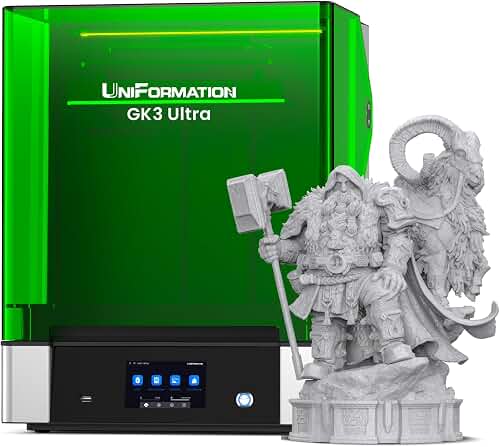
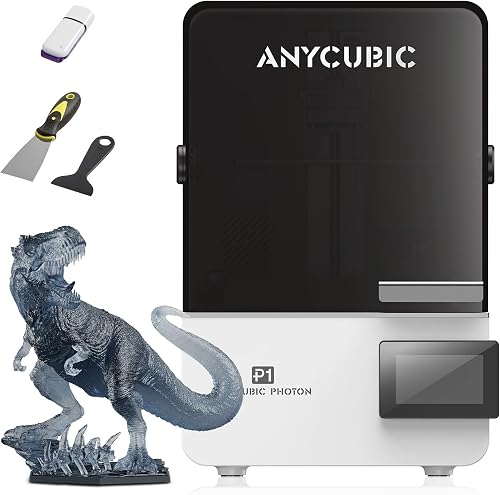
If you want to print 4–6 stands per plate in resin, the Anycubic Photon Mono M5s offers a larger 218 × 123 × 200 mm build envelope with comparable detail. See the full Anycubic Photon Mono M5s review for resin recommendations.
Workflow Tips for Stand Production
Once you have the printer, a few workflow choices make the difference between hobby prints and saleable product.
Orient for the visible face. Print the stand with the front bezel facing up or on its side, never with the bezel against the build plate. Build plate texture (smooth PEI, satin, textured) directly transfers to the bottom face, so orient the least-visible face down.
Use a 0.16 mm layer height for the bezel. Variable layer heights in Bambu Studio or PrusaSlicer let you use 0.16 mm on the visible top section and 0.24 mm on the hidden base, cutting print time without sacrificing finish where it matters.
Tune cable channel tolerances. USB-C cables are typically 8.25 mm wide. Design channels at 8.6–8.8 mm to account for FDM's slight over-extrusion on small holes. On resin, design at 8.35 mm.
Test fit before listing. Buyers will return a stand that wobbles. Print one full cradle from each new filament batch and dry-fit your actual case before running a batch of 20.
Frequently Asked Questions
Can I print AirPods stands with a $200 3D printer?
Yes. A modern entry-level Core XY or assisted bedslinger like the Bambu Lab A1 Mini or Creality Ender 3 V3 SE produces stands good enough to sell. The limitation is throughput (one or two stands per print) rather than quality. For occasional gifts or a small Etsy side hustle, a $200–$300 printer is plenty.
What is the best filament for an AirPods charging stand?
PETG is the best all-around choice. It handles the heat from wireless chargers, has slight flex for press-fit cases, and resists impact better than PLA. PLA+ is a strong second choice if you want easier printing. ASA is best for premium or outdoor stands. Avoid standard PLA if the stand will hold a Qi pad.
Do I need a resin printer for nice-looking earbud stands?
No. A modern FDM printer at 0.12–0.16 mm layer height produces visually clean stands, especially in matte filaments that hide layer lines. Resin gives a smoother, more premium finish for boutique listings, but FDM is more practical for volume sales and ships better.
How long does it take to 3D print a single AirPods Pro 2 stand?
On a fast Core XY like the Bambu Lab P1S, expect 60–80 minutes per stand at 0.16 mm layer height. On a slower printer or with a smaller nozzle, plan for 2–3 hours. Batch printing 4–6 stands at once is far more time-efficient per unit.
What build volume do I need for batch printing earbud stands?
A 220 × 220 mm bed fits 4–6 single-earbud stands per print, which is the sweet spot for most small sellers. A 256 × 256 mm bed like the P1S or X1 Carbon comfortably fits 9 stands per plate, which is ideal if you're filling Etsy orders weekly.
Should I get an enclosed 3D printer for charging stands?
If you only print PLA and PETG, no, an open printer is fine. If you want to print ASA, PC blends, or polycarbonate variants for premium stands, yes. An enclosure also helps with consistent temperatures in cold workshops. Our best enclosed 3D printers guide covers the options.
Can I sell 3D printed AirPods stands on Etsy?
You can sell original designs you created or licensed. Apple's name and trademarks are protected, so list as "compatible with AirPods Pro 2" rather than "Apple AirPods Pro 2 stand," and never use the Apple logo on the print. Many sellers do six figures a year in custom-printed device stands, so the market is real but lean on original design work.
What slicer settings give the cleanest USB-C cutouts?
Use 4 perimeters, 0.2 mm horizontal hole compensation, slow down to 30 mm/s on small overhangs, and enable bridge cooling at 100%. On Bambu Studio, the "Strength" preset with "Slow down small perimeters" enabled produces clean cable channels and USB-C openings with no support material required.
Key Takeaways
- Choosing the right best 3d printer for airpod and earbud charging stands means matching the key features to your specific needs and budget
- Read real customer reviews and check the return policy before you commit
- Also covers: 3d printed airpod stand printer
- Also covers: earbud charging dock 3d printer
- Also covers: custom airpod case holder 3d printing
- Compare value across models — the priciest option is not always the best fit