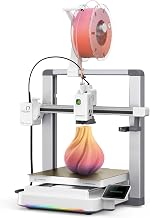
Disclosure: As an Amazon Associate we earn from qualifying purchases.
The best 3d printer for drone frames and RC car parts is a stiff-frame FDM machine with an enclosure, a hardened nozzle, and a heated bed that hits at least 100°C so you can run engineering filaments like PETG, ASA, polycarbonate, and nylon-carbon-fiber blends. Drone arms need to absorb crash energy without shattering, and RC suspension links need to keep their shape on hot asphalt — those demands eliminate most beginner PLA-only printers. In this 2026 guide we walk through the build volumes, hotend temps, motion systems, and slicer settings that actually matter for hobby-grade flying and driving parts, plus the trade-offs between speed-focused CoreXY machines and slower bedslingers when you are batching dozens of identical motor mounts.
If you have never bought a printer before, skim our 3D printer buying guide and how to choose a 3D printer walkthrough first — they cover the universal basics this article assumes you already know.
When shopping for best 3d printer for drone frames, it pays to compare specs, capacity, and real-world runtime before committing.
What makes a 3D printer good for drone frames and RC car parts?
Hobby aircraft and ground vehicles put unusual stress on plastic. A 5-inch FPV freestyle quad pulls 6–8 Gs in a power loop and dumps that load into four thin arms whenever a prop strikes a branch. A 1/10 scale touring car launches off curbs at 40 mph and lands on its A-arms. Neither application tolerates the brittle interlayer adhesion you get from a poorly tuned printer running cold PLA. The best 3d printer for drone frames is therefore defined less by speed or fancy auto-bed-leveling and more by these four capabilities:
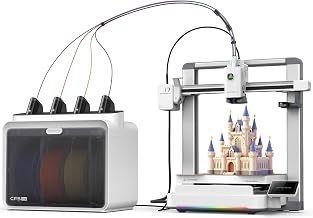

Comparison: printer classes that suit drone and RC work
| Printer class | Max hotend | Enclosure | CF-capable nozzle | Typical price 2026 | Best for |
|---|---|---|---|---|---|
| Budget open bedslinger (Ender 3 V3 SE class) | 260°C | No (DIY) | Upgrade required | $180–$250 | PETG arms, TPU mounts only |
| Mid-range enclosed CoreXY (Bambu P1S, Qidi Q1 Pro) | 300°C | Yes | Optional hardened nozzle | $650–$900 | PA-CF, PC, ASA, fast batch work |
| Prosumer bedslinger (Prusa MK4S + enclosure) | 290°C | Add-on | Optional | $1,100–$1,400 | Long-term reliability, repairability |
| High-end enclosed (Bambu X1 Carbon, Qidi X-Max 3) | 300°C+ | Yes, actively heated | Included | $1,200–$1,800 | PAHT-CF, PPS-CF, professional batch |
- All-metal hotend rated to 300°C+. You need this for polycarbonate, nylon, and any carbon- or glass-fiber filled blend — the materials that actually survive crashes.
- Hardened steel or tungsten-carbide nozzle. Carbon-fiber-filled filaments grind a brass nozzle into an out-of-round mess within a single 500g spool.
- Enclosed or enclosable build chamber. ABS, ASA, PC, and nylon all warp violently without an ambient chamber temperature of at least 40–55°C. An open bedslinger will delaminate a 200mm drone arm before it finishes.
- Rigid frame and well-damped motion. Ringing and ghosting near holes are stress concentrators — the part snaps at the cosmetic defect, not at the design weak point. CoreXY and well-braced i3-style frames both work; flexy gantries do not.
Build volume matters too, but less than people assume. A 220×220mm bed prints a 5-inch quad arm, a complete shock tower, or a full RC car chassis plate diagonally. You only need a 300mm-class printer if you are building 7-inch long-range frames, 1/8 scale buggy bodies, or batching six arms at once to save peel-and-restart time.
Material choices: what each part should actually be printed in
The printer matters because of the filament it can run, so let’s align the two. Pick your material first, then verify the printer can handle it. (For a general primer on filament basics see our what is PLA filament guide.)
Drone arms, top plates, motor mounts
Polyamide (nylon) reinforced with chopped carbon fiber — sold as PA-CF, PAHT-CF, or PA6-CF — is the gold standard. It is stiff, light, and chips rather than shatters. Drying it before every print is non-negotiable; wet nylon prints as a foamy mess that fails on the first crash. Polycarbonate (PC) and PC-CF are slightly tougher but harder to print. PETG is the budget fallback — not as stiff, but cheap and forgiving, and a 4mm PETG arm survives more crashes than most pilots expect.
RC car suspension arms, hubs, body mounts
Nylon again for anything that takes impact. For roof scoops, splitters, and aero parts that need to look good and not warp in a hot car, ASA is the right call — it is UV-stable where ABS yellows in a single summer. PETG works for cosmetic body posts and battery trays. Avoid PLA for anything load-bearing on an RC vehicle that lives in a garage above 50°C; it will sag overnight.
Camera mounts, antenna holders, GoPro cases
TPU at 95A durometer absorbs vibration and protects the camera in a crash. Almost any direct-drive printer prints TPU well; Bowden setups can do it but slowly and with tuning.
Bedslinger vs CoreXY for hobby parts
A bedslinger (Prusa MK4S, Creality Ender 3, Elegoo Neptune) moves the bed in Y. It is cheaper, easier to enclose retroactively, and totally adequate for one-off parts. A CoreXY (Bambu Lab P1S/X1C, Voron, Qidi) moves only the toolhead, so the part stays still — meaning you can print faster without ringing, and the printer is naturally enclosed from the factory.
For drone and RC work specifically, the CoreXY advantage is real because you will reprint the same arm four times after a bad crash month, and a P1S-class machine does that in an afternoon instead of two days. The bedslinger advantage is that a Prusa MK4S with the enclosure accessory will run PA-CF reliably for years and is repairable down to the screw level. There is no wrong answer — pick based on whether you value speed or longevity.
For deeper machine-by-machine breakdowns see our best enclosed 3D printers and best high-speed 3D printers roundups.
Build volume: how much do you actually need?
Most hobby printers ship with a ~220×220×250mm volume, and that is plenty for the work described here:
- 5-inch FPV freestyle frame: arms fit on a 220mm bed easily, top/bottom plates fit diagonally.
- 7-inch long-range frame: arms are ~220mm; you want a 256mm or 300mm bed to print diagonally with margin.
- Cinelifter / 10-inch frame: 300mm+ printer recommended.
- 1/10 RC touring or drift car: chassis plates and bumpers fit a 220mm bed in pieces. A 256mm bed prints most parts single-piece.
- 1/8 RC buggy or truck body: you want 300mm+, or accept printing in halves and bonding with acetone (ABS) or epoxy.
If you are batching for a team or running a small Etsy shop selling drone parts, jump to a 350mm-class machine — see our best large format 3D printers guide. For most solo hobbyists, 256mm is the sweet spot.
Slicer settings that actually keep parts from breaking
The printer is half the equation; the slicer is the other half. Defaults will not give you a crash-resistant drone arm. Here is the short version of what to change:
- Walls / perimeters: 5–6 for arms, 4 for plates. Drone arms fail at the wall, not the infill — thick walls matter more than dense infill.
- Infill: 30–40% gyroid for arms, 15–20% for plates. Gyroid is isotropic and survives impacts better than grid or cubic.
- Layer height: 0.20mm for most parts. Drop to 0.12mm only for camera mounts where surface finish matters.
- Print orientation: arms should be printed with the long axis along the bed and the prop-side surface UP — never on end. Layer lines should run the length of the arm, not across it. This is the single biggest determinant of crash survival.
- Cooling: minimal for nylon/PC (10–20%), aggressive for PLA/PETG bridges.
- Bed temp: 100°C for PA-CF, 110°C for PC, 90°C for ASA. A glue stick or specialty adhesive is mandatory for nylon.
What you can skip
Some features sound essential for hobby work but actually are not:
- Multi-color (AMS / MMU) systems: cool for cosmetic body shells, useless for structural arms. Do not pay extra unless you also want multi-color models.
- Resin printers: tempting because of the surface finish, but resin parts are brittle and shatter on impact. Resin is the wrong tool for drone arms and load-bearing RC parts — reserve it for cosmetic minis. See FDM vs resin guide if you want the full comparison.
- LiDAR / first-layer scanning: nice to have, but not the bottleneck for whether your part survives.
- 1000mm/s headline speeds: marketing. Engineering filaments cap out around 120–200mm/s anyway because cooling and layer adhesion become the limit.
Setup, leveling, and the first week
Once your printer arrives, the most common failure mode for new hobby-part printers is a poor first layer on a nylon job — the part lifts, the nozzle drags, the spool turns into spaghetti. Run through our how to set up your first 3D printer and how to level a 3D printer bed articles before your first engineering-material print, and skim how to fix 3D printer problems so you recognize warping vs underextrusion vs wet-filament symptoms before you waste a $60 spool of carbon nylon.
Drying filament — the step most people skip
Nylon absorbs moisture from the air in hours, not days. A spool that has been open on a shelf for a week will pop, ooze, and produce arms that fail at 2 Gs. A filament dryer (Sunlu S2, Eibos Cyclopes, or a converted food dehydrator) running at 70°C for 8–12 hours before printing is non-negotiable for PA-CF. PETG and ASA are more forgiving but still benefit. Budget $50–$120 for a dryer alongside the printer — it is the cheapest reliability upgrade you can buy.
Maintenance for carbon-fiber filaments
Carbon-fiber-filled filaments are abrasive. Even a hardened steel nozzle wears measurably after ~5kg of filament. Plan to:
- Inspect the nozzle every 2–3 spools; replace when the orifice goes out of round.
- Clean the extruder gears monthly — CF dust collects and reduces grip.
- Lubricate linear rails with light grease quarterly.
- Keep a spare PTFE-free hotend assembly on hand; CF filaments destroy PTFE liners.
Our how to maintain your 3D printer guide covers the general routine; the additions above are the CF-specific ones.
Frequently Asked Questions
Can I print drone frames in PLA?
You can, and a lot of beginner pilots do for soft-mounted micro frames under 3 inches. PLA is stiff but brittle — arms shatter on hard impacts instead of bending. For 5-inch freestyle and above, step up to PETG at minimum, ideally PA-CF. PLA also softens in a hot car or in summer sun on the bench — a black PLA frame left on a dashboard will droop within an hour at 60°C.
Do I really need an enclosed printer for RC car parts?
If you print only PETG and PLA, no. If you want ASA bodies that do not warp, ABS bumpers, or polycarbonate suspension parts, yes — an enclosure is the difference between a usable part and a banana-shaped failure. Many open printers (Prusa MK4S, Bambu A1) accept aftermarket enclosures. A Bambu P1S or Qidi Q1 Pro is enclosed out of the box.
What nozzle size should I use for drone arms?
A 0.6mm hardened steel nozzle is the sweet spot for structural arms. It deposits thicker walls per pass (stronger layer bond), prints roughly 50% faster than a 0.4mm, and clogs less often with CF filament. Reserve 0.4mm for fine cosmetic parts like camera mounts. Avoid 0.2mm entirely for engineering filaments — clog risk is too high.
Is the Bambu Lab P1S good enough for carbon-fiber nylon?
Yes, with two changes: swap the stock brass nozzle for the hardened steel option, and confirm your firmware allows the 300°C hotend temperature needed for PAHT-CF. Many drone shops run P1S machines as workhorses for production arms. The X1 Carbon adds an actively heated chamber that helps with polycarbonate but is not required for nylon. See our Bambu Lab P1S review for the full breakdown.
How long does it take to print a 5-inch quadcopter frame?
On a fast CoreXY (P1S, X1C, Qidi Q1) with a 0.6mm nozzle and 0.24mm layers, a full set of four arms and two plates runs about 6–8 hours in PA-CF. On a Prusa MK4S at conservative engineering settings, plan on 12–14 hours. Cheap bedslingers without input shaping can take 18+ hours and may not finish the warp-prone middle layers without lifting.
Are resin printers ever appropriate for RC parts?
For cosmetic figures, driver busts, scale accessories, and detailed light buckets — absolutely yes, and a resin printer like an Elegoo Mars or Anycubic Photon delivers injection-molded-looking surface finish. For anything that takes impact or vibration, no — standard resin shatters and even tough resins are inferior to nylon. See our best resin 3D printers roundup if you want to pair a resin machine with your FDM printer for cosmetic work.
What budget should I plan for total?
A realistic all-in budget for a productive drone/RC printing setup in 2026 looks like: $650–$900 printer, $80 hardened nozzle pack, $70 filament dryer, $200 in starter spools (PA-CF, PETG, ASA, TPU), and $50 in adhesion supplies and tools. Call it $1,100–$1,300 to be genuinely productive on day one. Our 3D printer budget guide covers ongoing costs in more detail.
Key Takeaways
- Choosing the right best 3d printer for drone frames means matching the key features to your specific needs and budget
- Read real customer reviews and check the return policy before you commit
- Also covers: 3d printer for rc car parts
- Also covers: fpv drone 3d printer
- Also covers: carbon fiber drone frame printer
- Compare value across models — the priciest option is not always the best fit