Disclosure: As an Amazon Associate we earn from qualifying purchases.
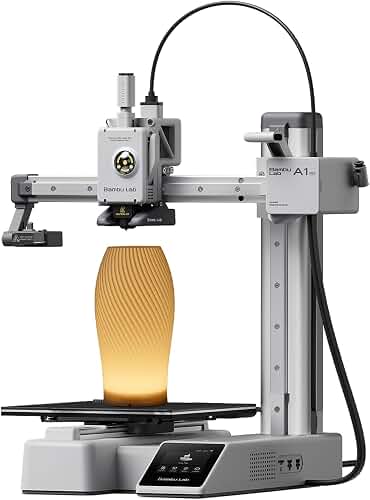
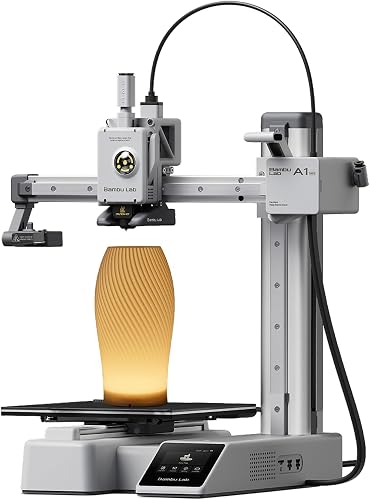
For most students weighing the prusa mini plus vs bambu lab a1 mini for college dorm rooms, the Bambu Lab A1 Mini is the easier pick: it's quieter at idle, prints faster, has automatic bed leveling that just works, and ships ready to print in under 20 minutes. The Prusa Mini+ is still the better long-term choice if you want an open-source machine you can repair forever, value rock-solid PrusaSlicer integration, and don't mind a slower workflow. Both have build volumes around 180×180×180 mm (perfect for a desk corner), use 1.75 mm filament, and run on a standard 120V dorm outlet without tripping breakers.
The rest of this guide breaks down exactly which one fits which kind of college student, with attention to the things that actually matter in a shared room: noise after lights-out, fume management near a bed, footprint on a tiny desk, and how much babysitting each printer demands during midterms.
When shopping for prusa mini plus vs bambu lab a1 mini for college dorm rooms, it pays to compare specs, capacity, and real-world runtime before committing.
Why a Mini-Class Printer Makes Sense for Dorms
A standard dorm desk is roughly 30 inches wide and shares space with a monitor, books, and maybe a coffee maker. Full-size printers like the Prusa MK4 or Bambu P1S simply don't fit without sacrificing your study area. Mini-class machines (build volumes around 180 mm cubed) take up the footprint of a small microwave and weigh under 10 kg, which matters when you're hauling everything home for summer break.
At-a-Glance Comparison
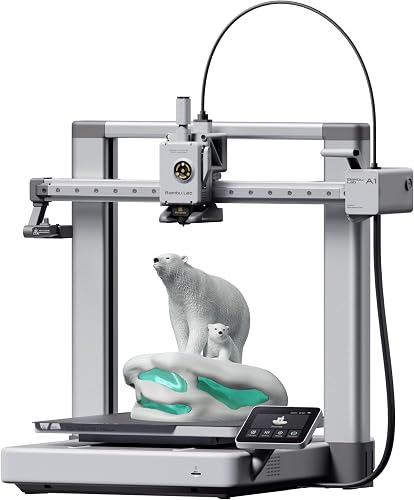
| Spec | Prusa Mini+ | Bambu Lab A1 Mini |
|---|---|---|
| Build volume | 180 × 180 × 180 mm | 180 × 180 × 180 mm |
| Max print speed (practical) | ~80 mm/s | ~300 mm/s |
| Idle noise | ~38 dB | ~48 dB (during print); ~32 dB idle |
| Auto bed leveling | Mesh (SuperPINDA probe) | Full auto with vibration calibration |
| Footprint | 33 × 33 cm | 34.7 × 31.5 cm |
| Weight | ~4.5 kg | ~5.5 kg |
| Multicolor option | No | Yes (AMS Lite, 4 colors) |
| Assembly time | 30–90 min (semi-kit) | 15–20 min (pre-assembled) |
| Slicer | PrusaSlicer (open source) | Bambu Studio / Orca Slicer |
| Cloud features | Prusa Connect (optional) | Bambu Handy app (default cloud) |
| Repairability | Excellent, full schematics public | Limited, proprietary parts |
| Approx. price (2026) | $459 | $299 / $459 with AMS Lite |
Dorms also bring constraints that hobbyist reviewers usually ignore: thin walls, shared HVAC, fire-code restrictions on enclosed heat sources, roommate sleep schedules, and RAs who notice unfamiliar smells. The prusa mini plus vs bambu lab a1 mini for college dorm rooms debate really comes down to which printer handles those constraints with the least friction. If you want broader context on small-format machines, our best 3D printers for beginners roundup compares both alongside other entry-level options.
Noise: The Real Roommate Killer
If you're sharing a room, this section probably matters more than print speed. The Prusa Mini+ runs quieter while actively printing because it moves slower — the A1 Mini's high-speed motion system makes a more audible whoosh, plus its parts cooling fan is louder. However, the A1 Mini is dramatically quieter when idle or paused, since its fans actually shut off, whereas older Prusa Mini+ units sometimes keep the electronics fan spinning.
In practice: if you print during the day and shut down at night, both are fine. If you need to run overnight jobs while your roommate sleeps three feet away, the Prusa Mini+ in "Stealth" mode wins by a meaningful margin. Either way, putting the printer on a paving slab with a foam yoga mat underneath kills 80% of the bass that telegraphs through dorm furniture.
Safety and Fume Considerations
Most dorms prohibit open flames and some restrict appliances over 1000W. Both of these printers draw under 150W average, so you're safe on power. The bigger issue is VOCs and ultrafine particles, which is why we strongly recommend sticking to PLA and PETG in a dorm — never ABS or ASA without ventilation. For a refresher on filament choice, see our guide to PLA filament.
The A1 Mini is open-frame, which means heat dissipates quickly but fumes go straight into your air. The Mini+ is also open-frame. Neither has the enclosed protection of pricier units, so if your dorm has poor ventilation, consider a small carbon-filter air purifier on the desk. Students who want a fully enclosed option for a single dorm room should look at our best enclosed 3D printers roundup, though most don't fit dorm footprints.
Setup Speed and Learning Curve
The A1 Mini wins decisively here. It arrives nearly assembled: you bolt the gantry to the base, plug in three cables, run the on-screen wizard, and you're printing the included sample model in under 25 minutes. The vibration calibration runs automatically and tunes input shaping per filament.
The Prusa Mini+ ships as a semi-kit. You attach the Z-tower to the base, route a wiring harness, and follow a paper manual or interactive web guide. It's not hard, but it's a 45–90 minute project depending on whether you're comfortable with hex keys. The upside: you genuinely understand the machine afterward, which makes troubleshooting easier when something inevitably goes wrong at 2 a.m. before a project deadline.
If you've never assembled anything mechanical before and just want prints, the A1 Mini will frustrate you less. If you're an engineering, industrial design, or maker-curious student who likes understanding tools, the Mini+ pays back the effort.
Print Quality for Typical Dorm Projects
Both printers produce excellent results on PLA at default settings. For miniatures, cosplay props, phone stands, replacement parts, and architectural models, you genuinely cannot tell them apart at 0.16 mm layer height.
Where they diverge:
- Speed: A 5-hour Mini+ print is roughly a 90-minute A1 Mini print. For students with tight deadlines, this matters constantly.
- Surface finish at speed: The Mini+ at slow speed has slightly cleaner top surfaces. The A1 Mini at full speed shows mild ringing on sharp corners unless you tune speeds down.
- Multicolor: The A1 Mini with the AMS Lite is the only dorm-friendly printer offering real four-color prints without manual swaps. For art students, this is decisive.
- First-layer reliability: Both are excellent. The A1 Mini's full auto-cal is more forgiving when you bump the printer.
Software and Workflow
Bambu Studio is polished, fast, and includes a curated print library. The Bambu Handy app lets you start prints from your phone and watch the included camera. The catch: prints route through Bambu's cloud by default, which some students (and some IT departments) dislike. You can switch to LAN-only mode.
PrusaSlicer is the industry-standard open-source slicer that runs locally and supports every printer ever made. Prusa Connect (their cloud) is optional and opt-in. If your dorm Wi-Fi is locked down or you care about data privacy, the Mini+ has the cleaner story.
For deeper background on how these machines actually fuse plastic together, our explainer on how a 3D printer works covers the fundamentals you'll wish you knew before your first failed print.
Long-Term Cost
Filament is the same cost regardless of printer (~$20–25 per kg for decent PLA). Where they differ is parts and repairs:
- Prusa Mini+: Every part is documented, sold individually, and most are 3D-printable from files Prusa provides. A clogged nozzle, snapped extruder gear, or worn bearing is a $5–15 fix you do yourself. Lifespan with maintenance: 5+ years easily.
- Bambu A1 Mini: Bambu sells modular replacements (extruder, hotbed, toolhead) at fair prices, but you're locked into their parts. There was a 2024 recall on the heated bed cable, handled well by the company. Lifespan should match the Mini+ if treated reasonably.
For deeper budget planning, our 3D printer budget guide walks through realistic total cost of ownership across a typical four-year college career.
Product Picks
Best Overall for Most Students: Bambu Lab A1 Mini
For 90% of students, the A1 Mini is the right call. It's faster, easier to set up, easier to use, has better app integration, and costs less in its base configuration. Pair it with the AMS Lite if you want multicolor capability or just hate swapping filament mid-print. The open frame and absence of enclosed heat make it dorm-RA friendly, and the small footprint leaves desk space intact. Read our deeper Bambu Lab A1 Mini review for a full breakdown of long-term reliability.
Best for Engineering and Maker Students: Prusa Mini+
If you're studying mechanical engineering, industrial design, or computer science with a maker bent, the Mini+ teaches you more about how 3D printers actually work. Open-source firmware, full schematics, replaceable everything, and a build process that demystifies the machine. It's also the quieter choice for shared rooms at night. Slower workflow, but a tool you'll respect for years.
If You Want to See What a Full-Size Printer Offers
Some students share a quad or live in apartment-style housing and have more space. In that case, the step up to a full-size machine unlocks larger build volumes (250 mm cubed and up), faster printing, and dual-material capability. Our comparisons of the Prusa MK4 vs Bambu Lab P1S walk through that next tier.
Verdict: Which Wins for College Dorm Rooms?
For the typical dorm scenario — a freshman or sophomore in a shared room with a small desk, limited time, and a need to just make stuff — the Bambu Lab A1 Mini is the answer. It's faster, simpler, and the AMS Lite upgrade path lets it grow with you.
The Prusa Mini+ wins when noise at night is critical, when you value repairability and open-source software, or when you're the kind of person who would rather understand a machine than just use it. It's a slower workflow but a longer-lasting relationship with the tool.
Both will fit in a dorm. Both will outlast your sophomore year. The decision really comes down to whether you want a finished appliance or a transparent tool.
Frequently Asked Questions
Is the Bambu Lab A1 Mini quiet enough for a shared dorm room at night?
During active printing the A1 Mini hits around 48 dB, which is similar to a quiet conversation and audible across a small room. It's fine for daytime use but noticeable at night. If your roommate is a light sleeper, schedule prints to finish before bed or use the Mini+ in Stealth mode instead. A foam mat under the printer cuts perceived noise significantly.
Can I run a 3D printer in a dorm without violating fire-code rules?
Both the Mini+ and A1 Mini draw under 150W and have no open flames or heating elements above 250°C, so they don't typically violate dorm appliance policies. That said, always check your housing handbook — some schools restrict any device with heating elements. Never leave a print unattended overnight, and keep flammable materials at least 12 inches away from the printer.
Which printer is better for printing miniatures and tabletop figures in a dorm?
Both produce excellent FDM miniatures, but for fine detail like 28 mm tabletop figures, a resin printer still wins. If miniatures are your main use case, look at our best 3D printers for miniatures roundup, which covers small resin units that fit on a dorm desk. Otherwise, the A1 Mini's faster speeds make it the better FDM pick for batch printing.
Do I need an enclosure for either printer in my dorm?
No, if you stick to PLA and PETG, which is what most students should use. Both printers are open-frame by design, and adding an enclosure indoors can cause PLA to warp from heat buildup. If you ever want to print ABS, ASA, or polycarbonate, you'll need an enclosed printer with ventilation — not really a dorm-appropriate setup.
How much filament will I use in a typical semester?
A casual student user goes through 1–2 kg of PLA per semester (about $30–50). A heavy user printing weekly projects will hit 3–5 kg ($75–125). Both printers handle generic third-party filament, so you're not locked into expensive proprietary spools. Buy from established brands to avoid jams — cheap filament is the number-one cause of failed prints.
Can I print on dorm Wi-Fi or do I need to use a USB drive?
Both printers support Wi-Fi printing, but campus networks with captive portals or enterprise authentication often block IoT devices. The A1 Mini can fall back to a microSD card; the Mini+ uses a USB drive. Many students just sneakernet files this way — it's reliable and avoids network headaches. Some campuses offer separate IoT SSIDs; ask IT before buying.
Which printer is better if I want to learn 3D printing as a skill, not just use it?
The Prusa Mini+. The assembly process teaches you the mechanics, PrusaSlicer is the slicer most professional studios use, and the community documentation is unmatched. If you want to eventually design products, work in a maker space, or just build a transferable skill, the Mini+ is the more educational tool. The A1 Mini is the better appliance; the Mini+ is the better teacher.
What if I'm still not sure which printer to buy?
Read our how to choose a 3D printer guide, which walks through the decision tree based on budget, use case, and experience level. For most college students reading this article, the answer ends up being the A1 Mini — but the guide will confirm that against your specific situation.
Key Takeaways
- Choosing the right prusa mini plus vs bambu lab a1 mini for college dorm rooms means matching the key features to your specific needs and budget
- Read real customer reviews and check the return policy before you commit
- Also covers: dorm room 3d printer comparison
- Also covers: best small printer dorm
- Also covers: prusa mini plus dorm
- Compare value across models — the priciest option is not always the best fit