Disclosure: As an Amazon Associate we earn from qualifying purchases.
The best 3d printer for rpg terrain in 2026 is a resin (MSLA) printer if your priority is crisp miniatures and detailed dungeon doodads, or a fast bed-slinger FDM machine if you mostly need large modular tiles, walls, and scatter terrain. Most serious tabletop hobbyists eventually own one of each: a small resin printer for heroes, monsters, and intricate props, and an FDM printer for OpenLOCK tiles, ruins, towers, and table-sized centerpieces. This guide walks through what actually matters for tabletop RPG printing — build volume, layer height, slicer support for terrain workflows, and total cost — so you can pick a machine that fits your campaign, your shelf space, and your budget.
Below we break the decision down by printing technology, then list the specific feature thresholds that separate a frustrating purchase from one that quietly cranks out terrain for years. We also cover supports, resin safety, and why some printers from the "miniatures" marketing world are actually worse for terrain than a mid-range FDM.
When shopping for best 3d printer for rpg terrain, it pays to compare specs, capacity, and real-world runtime before committing.

FDM vs Resin for Tabletop Terrain
Choosing the best 3d printer for rpg terrain almost always comes down to one question: how much of your output will be miniatures versus modular tiles and scatter? Resin (LCD/MSLA) printers produce stunning sub-50-micron detail that captures chainmail rivets, sword pommels, and grimacing gargoyle faces. FDM (filament) printers extrude melted plastic and excel at large, sturdy, paint-ready terrain pieces that survive being shoved into a Tupperware bin between sessions.
Comparison: Top Picks at a Glance
| Printer | Type | Build Volume | Best For | Approx Price (2026) |
|---|---|---|---|---|
| Bambu Lab P1S | FDM (enclosed) | 256 x 256 x 256 mm | Fast tile and terrain production | $699 |
| Prusa MK4S | FDM (open) | 250 x 210 x 220 mm | Premium quality, longevity | $1,099 kit |
| Creality Ender 3 V3 SE | FDM (open) | 220 x 220 x 250 mm | Budget terrain printing | $199 |
| Elegoo Mars 4 Ultra | Resin (MSLA) | 153 x 77 x 165 mm | 28 mm miniatures and detail | $329 |
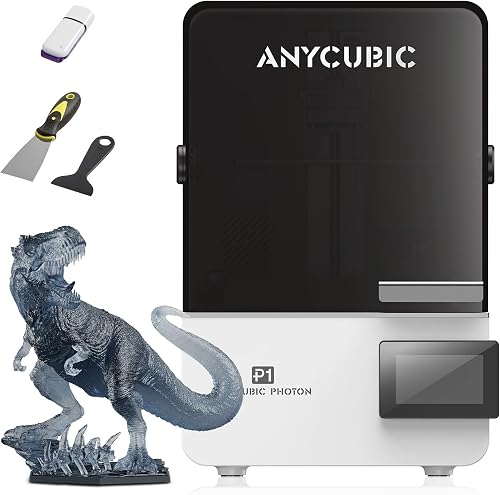
| Anycubic Photon Mono M5s | Resin (MSLA) | 200 x 125 x 200 mm | Batching minis, large props | $399 |
If your collection skews toward Dungeons & Dragons style modular dungeon tiles, ruined buildings, sci-fi corridors, or large terrain pieces like wizard towers and inn interiors, FDM is the practical answer. The economics also favor FDM for terrain: a 1 kg spool of PLA prints kilograms of walls and floors for around $20, while resin is two to four times more expensive per gram and produces wobbly, brittle prints when scaled large. For a deeper comparison of the two technologies, see our FDM vs resin 3D printer guide.
What to Look For in a Terrain Printer
Not every popular printer makes good terrain. The features that matter for tabletop work are slightly different from what reviewers usually emphasize. Here is the short list we use when evaluating any machine for RPG use.
- Build volume: For FDM, aim for at least 220 x 220 x 250 mm so OpenLOCK and Dragonlock tiles print in single passes. For resin terrain, 200 x 130 x 200 mm or larger lets you batch big monster minis and chunky scatter.
- Layer consistency at 0.20 mm (FDM) or 0.05 mm (resin): Terrain is judged by how clean the stonework, woodgrain, and brick textures look after a coat of primer. Layer banding ruins the illusion.
- Reliable bed adhesion and first layer: Tiles are wide and flat — exactly the geometry that lifts off a poorly tramed FDM bed. Automatic bed leveling is close to mandatory.
- Tree supports / good slicer profiles: Modern PrusaSlicer, OrcaSlicer, Bambu Studio, and Lychee all support organic tree supports that make minis and overhangs vastly easier.
- Enclosure (optional but nice): An enclosure helps with ABS/ASA pieces that need to survive heat or rough handling, and contains resin fumes when paired with a carbon filter.
- Community profiles: Printers with a large user base have battle-tested slicer profiles for popular terrain creators like Printable Scenery, Loot Studios, and Cast n Play.
If any of these feel unfamiliar, our 3D printer key features guide explains each spec in plain English, and the 3D printer buying guide covers how to weigh them against your budget.
Best FDM 3D Printers for Dungeon Tiles and Large Terrain
FDM is the workhorse of tabletop terrain. These machines handle modular tiles, ruined walls, towers, dungeon furniture, and battle mats with low per-piece cost and minimal post-processing. The three categories below cover most hobbyist budgets.
Mid-Range Workhorse: Bambu Lab P1S
The Bambu Lab P1S is the default recommendation for terrain printers in 2026. It is fully enclosed (great for ASA/ABS terrain that needs durability), prints fast enough that a full set of dungeon tiles finishes overnight, and ships with auto bed leveling, vibration compensation, and a hardened nozzle that survives glow-in-the-dark and wood-fill filaments without complaint. Bambu Studio includes excellent tree supports for the rare overhanging terrain piece. For most hobbyists this is the single best balance of speed, print quality, and reliability. Read our full Bambu Lab P1S review for details.
Premium Open-Source Pick: Prusa MK4S
The Prusa MK4S is slower than the P1S but produces some of the cleanest layer lines available on FDM, which matters when your terrain has flat painted surfaces. It is open-source, repairable for a decade, and has an enormous Printables.com library of free terrain. If you want a machine you can mod, fix, and never replace, the MK4S is the move. Our Prusa MK4S review covers the upgrades from the MK4. For a head-to-head, see Prusa MK4S vs Bambu Lab P1S.
Budget Champion: Creality Ender 3 V3 SE
If you are starting a hobby and unsure how much terrain you will actually print, the Creality Ender 3 V3 SE delivers honest 90% of the print quality at a fraction of the cost. It has auto bed leveling, a direct drive extruder, and prints standard PLA terrain beautifully. The trade-offs are slower speeds, a louder mainboard fan, and no enclosure. See our Creality Ender 3 V3 SE review for the full breakdown.
Best Resin 3D Printers for Miniatures and Detailed Props
For miniatures, NPC busts, intricate doors, treasure piles, and any object where players will pick it up and inspect it closely, resin wins. Two machines dominate hobbyist resin printing for tabletop in 2026.
Best Overall Resin: Elegoo Mars 4 Ultra
The Mars 4 Ultra has a 7-inch 9K mono LCD that hits roughly 18-micron XY resolution — sharp enough that a 28 mm goblin's face has visible eye sockets and individual teeth. Print speeds are quick thanks to high-light-intensity LEDs, and the build plate is large enough to fit a dozen heroic-scale minis or a single boss model in one go. Read our Elegoo Mars 4 Ultra review for printing tips specific to tabletop work.
Larger Resin Build: Anycubic Photon Mono M5s
When you need to batch a full warband or print a chunky dragon in one pull, the Photon Mono M5s offers a noticeably larger build volume than the Mars 4 Ultra without giving up much resolution. It is also self-leveling — a small luxury that resin owners come to appreciate after their tenth manual tram. See our Anycubic Photon Mono M5s review for details.
For more options across both categories, our best 3D printers for miniatures roundup goes deeper on resin-specific picks, and the best resin 3D printers guide covers high-end machines too.
Filament and Resin Recommendations for Terrain
The right material matters as much as the right printer. For FDM terrain, matte PLA from any reputable brand prints beautifully and primes well — the matte finish hides layer lines under paint. For terrain that may sit in a hot car or get manhandled at conventions, PETG and PLA+ both add toughness with minimal printing difficulty. ABS and ASA produce nearly indestructible pieces but require an enclosure; check our best enclosed 3D printers guide if that matters to you.
For resin, ABS-like or tough resins from brands like Siraya Tech, Sunlu, or Anycubic give miniatures enough flex to survive being dropped on the table without shattering swords. Standard hard resins offer the sharpest detail but chip easily. Always wash prints in IPA, cure them under UV, and wear nitrile gloves — uncured resin is genuinely nasty.
New to FDM materials? Our PLA filament guide explains why it remains the go-to for terrain.
Setting Up Your Terrain Workflow
Once your printer arrives, a few one-time setup steps make a huge difference for terrain output. Level the bed properly (or trust the auto-leveler — but verify the first layer), calibrate flow rate, and download a slicer profile from your printer's community. Most terrain creators publish recommended slicer settings alongside their STL files — use them as a starting point rather than fighting your defaults.
For a step-by-step walkthrough, our first printer setup guide and bed leveling guide cover the essentials, and how to fix 3D printer problems is bookmark-worthy for the inevitable first failed print.
Frequently Asked Questions
Is resin or FDM better for D&D miniatures and terrain?
Resin is better for miniatures because of its much finer detail, while FDM is better for large modular terrain like dungeon tiles, walls, and buildings. Many hobbyists own both: a small resin printer for heroes and monsters, an FDM printer for everything table-sized. If you only buy one, choose based on what you print most.
What size build plate do I need for OpenLOCK dungeon tiles?
OpenLOCK tiles are typically 2 inches (about 50 mm) square or 4 inches (100 mm) square. Any FDM printer with a 220 x 220 mm or larger bed can print four large tiles or sixteen small tiles per batch, which is plenty for most campaigns. A 256 mm bed like the Bambu Lab P1S gives you some extra breathing room for oversized centerpieces.
Can I print 28 mm miniatures on an FDM printer?
You can, but expect compromises. With a 0.2 mm nozzle, modern slicers like OrcaSlicer or PrusaSlicer, and a slow speed, FDM minis are usable as proxies or playtest pieces. They will not match resin in facial detail or weapon edges. If miniatures are a major goal, a sub-$300 resin printer is almost always the better investment.
How much does it cost to print a full dungeon set?
A full modular dungeon set (around 40-60 tiles plus doors and props) uses roughly 1.5-2 kg of PLA filament, which costs about $30-50 in materials. Add printing time of 80-120 hours spread across a few weeks, and you have a tabletop-ready set for less than the price of one boxed Wizkids encounter. For more cost analysis, see how much does a 3D printer cost.
Do I need an enclosure for terrain printing?
Not for PLA or PETG, which print fine in open air. You need an enclosure if you want to print ABS or ASA for ultra-durable terrain, or if you live in a drafty space where temperature swings cause warping. Enclosures also reduce noise and keep curious pets and kids away from the hot end.
Which slicer is best for tabletop terrain?
OrcaSlicer is the current community favorite for FDM terrain because of its strong tree supports, calibration tools, and broad printer compatibility. Bambu Studio is excellent if you own a Bambu printer, and PrusaSlicer remains the gold standard for Prusa machines. For resin, Lychee Slicer and Chitubox are the two dominant choices, with Lychee having the edge for miniature-heavy workflows.
How long does it take to print a dungeon tile?
A standard 4-inch OpenLOCK floor tile prints in roughly 90 minutes to 3 hours on an FDM printer at 0.2 mm layer height, depending on speed settings and infill. Fast machines like the Bambu Lab P1S handle the lower end of that range, while older printers sit at the upper end. Walls and props vary widely based on size and detail level.
Ready to commit? Before you click buy, skim our how to choose a 3D printer guide one more time to confirm your pick matches your space, budget, and the kinds of campaigns you actually run.
Key Takeaways
- Choosing the right best 3d printer for rpg terrain means matching the key features to your specific needs and budget
- Read real customer reviews and check the return policy before you commit
- Also covers: 3d printer for dungeon tiles
- Also covers: dnd terrain 3d printer
- Also covers: best printer for tabletop scenery
- Compare value across models — the priciest option is not always the best fit