Disclosure: As an Amazon Associate we earn from qualifying purchases.
The best 3d printer for e-nable prosthetic hand makers is one that prints PLA reliably overnight, holds tight dimensional tolerances on snap-fit pins and tensioner channels, and produces parts strong enough to survive daily wear by a child. e-NABLE volunteers are not hobbyists chasing the fastest benchmark cube — they are turning STL files from the e-NABLE Hub into life-changing devices, often shipping multiple hands per month to recipients around the world. That means your printer needs to be a workhorse: dimensionally accurate, low-maintenance, and forgiving enough that a failed Phoenix Hand thumb at 2 a.m. doesn't waste a $25 spool of premium PLA.
This 2026 buyer's guide walks through the exact criteria that matter for e-NABLE work — build volume, print accuracy, material handling, reliability, and enclosure needs — and then explains which printer categories fit the workflow. Because every recipient is different and most volunteers are spending their own money, we focus on machines that deliver clinical-grade results without industrial-grade prices.

Why e-NABLE Printing Is Different From Hobby Printing
Most printer reviews assume you're making Benchys, cosplay props, or desk toys. e-NABLE work is closer to small-batch medical device manufacturing. A Phoenix Hand v3, Raptor Reloaded, Kinetic Hand, or Unlimbited Arm is an assembly of 15 to 30 printed parts that must fit together precisely, flex without fatiguing, and bear repeated mechanical load from elastic tensioners and a child pulling against a pencil grip or handlebar. If a pin hole prints 0.2 mm too tight, the whole hand binds. If a finger phalanx delaminates between layers, it snaps the first time a kid catches a basketball.
So when we evaluate the best 3d printer for e-nable prosthetic hand makers, we weight five things heavily: (1) dimensional accuracy out of the box, (2) Z-seam quality and layer adhesion in PLA and PETG, (3) bed adhesion and first-layer consistency across long prints, (4) ability to run unattended for 8 to 14 hours, and (5) a build volume that fits a full palm gauntlet without sectioning. We weight speed lower than most 2026 reviews do, because a 90-minute palm print that fails is worse than a 4-hour palm that finishes.
Build Volume Requirements for Common e-NABLE Designs
Before buying anything, check the build envelope against the designs you actually plan to make. The community's most popular hands and arms have very different footprints:
- Phoenix Hand v3 / v4: Largest part (gauntlet) fits within roughly 180 × 130 × 35 mm. Almost any modern printer handles this.
- Raptor Reloaded: Similar to Phoenix, gauntlet around 170 × 110 mm. Easy fit.
- Kinetic Hand (Mech variant): Compact, mostly under 150 mm in any axis.
- Unlimbited Arm / Team UnLimbited Arm v2.1: The forearm cuff is the killer — typically needs at least 230 mm in the longest axis, and ideally 250 mm. This is where small printers fail.
- Adult-scaled hands and custom upscales: Plan for 250 × 210 × 210 mm minimum.
If you only print kid-sized Phoenix Hands, a 180 × 180 mm bed is enough. If you print adult arms or do upscaling for older recipients, you need a 250 mm+ machine. Our large-format 3D printer guide covers options if you regularly need to print full forearms in one piece without splitting.
FDM vs Resin for Prosthetic Hands
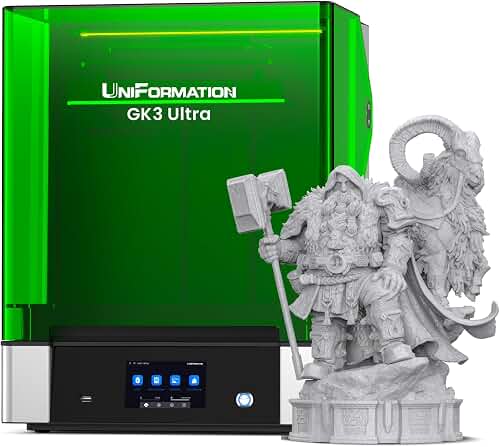
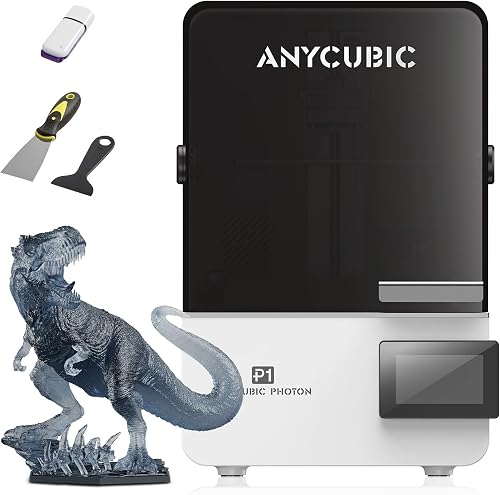
This question comes up constantly in e-NABLE Slack channels: should I use a resin printer for the precision? The short answer is no — at least not for the structural parts. Resin parts (even tough or ABS-like resins) tend to be brittle under the cyclic load that a working hand puts on phalanges and tensioner posts. They also weather poorly in sunlight, which matters because a lot of these devices end up outdoors on a playground. Stick with FDM and PLA or PETG for load-bearing parts.
Resin printers do have a niche role for cosmetic shells, custom palmar pads, or detailed decorative covers — if that's your workflow, our best resin 3D printers guide and the FDM vs resin comparison walk through that decision in detail. But your primary e-NABLE machine should be FDM.
What to Look For in the Best 3D Printer for e-NABLE Prosthetic Hand Makers
1. Dimensional Accuracy Better Than ±0.2 mm
e-NABLE designs assume a printer that holds tolerance. Pin holes are typically modeled at 3.2 mm to accept a 3 mm filament pin or a sanded TPU tendon. If your printer over-extrudes or your X/Y steps are off, those holes close up and the joints bind. Run a calibration cube and a tolerance test (XYZ 20 mm cube, plus a hole-fit test) before printing your first hand. Modern auto-calibrating printers from Prusa, Bambu Lab, and Creality K-series generally hit ±0.1 mm out of the box.
2. Reliable Bed Adhesion for 8+ Hour Prints
Textured PEI plates have basically solved this problem for PLA — but only if your first layer is dialed in. Auto bed leveling is no longer a nice-to-have for volunteer work; it's essential, because you'll be swapping filaments and reslicing for different recipients constantly. A failed first layer six hours into a palm print is the most demoralizing thing in this hobby. See our guide on how to level a 3D printer bed if you're new to this.
3. PLA and PETG Compatibility (No Need for ABS)
The e-NABLE community standardized on PLA years ago because it's stiff, non-toxic, easy to print, and biocompatible enough for skin contact (with appropriate finishing). PETG is the secondary choice for parts that see sun exposure or higher temperatures, since PLA softens around 60°C and a hand left on a car dashboard in summer can deform. You do not need a printer that handles ABS, ASA, nylon, or polycarbonate for e-NABLE work — so don't pay the enclosed-printer premium unless you want it for other projects. Our PLA filament guide covers material selection.
4. Reasonable Speed Without Sacrificing Quality
A typical e-NABLE hand requires 18 to 30 hours of total print time across all parts. Faster is genuinely better here — if you can drop that to 10 to 14 hours on a CoreXY machine, you can ship more hands per month. But speed at the cost of layer adhesion is a false economy on load-bearing parts. Look for printers that hit 300 mm/s nominal but produce clean walls at moderate acceleration. The best high-speed 3D printers roundup covers the current crop.
5. Open-Source Friendly Slicer Support
Almost all e-NABLE STL files are distributed with recommended print profiles for PrusaSlicer, Cura, or OrcaSlicer. A printer with strong community profiles in these slicers will save you hours of trial and error. Proprietary slicer lock-in is a red flag for this use case.
Recommended Printer Categories
The Reliability Pick: Prusa MK4S
The Prusa MK4S is the printer most veteran e-NABLE volunteers quietly recommend when a new chapter asks what to buy. It's not the cheapest and it's not the fastest, but it prints PLA and PETG with annoying consistency, supports input shaping for respectable speeds, has a textured PEI sheet that releases parts cleanly when cool, and Prusa's open-source ecosystem means the slicer profiles are dialed in. The 250 × 210 × 220 mm build volume handles every standard e-NABLE design including the Unlimbited Arm without splitting. For a deeper look, see our Prusa MK4S review and the MK4S vs Bambu P1S comparison. The other practical advantage: when something does go wrong six months in, Prusa's documentation and replacement parts are genuinely best-in-class — which matters when your printer is the bottleneck between a kid and their hand.
The Speed and Volume Pick: Bambu Lab P1S
If your chapter is shipping multiple hands per month and you want to compress total print time, the Bambu Lab P1S is the workhorse. CoreXY motion plus active vibration compensation means a Phoenix Hand palm that takes 5 hours on a bedslinger finishes in around 2 hours here, with comparable wall quality. The enclosure is overkill for PLA but useful if you also print PETG, and the 256 × 256 × 256 mm volume comfortably fits any e-NABLE design. Read our full Bambu Lab P1S review. The trade-off is a more proprietary ecosystem and a slicer (Bambu Studio) that some volunteers find clunkier than PrusaSlicer or OrcaSlicer — though OrcaSlicer works well with the P1S if you prefer it.
The Budget Pick: Creality Ender 3 V3 SE or Bambu Lab A1 Mini
If you're a solo volunteer self-funding your first hand and need to stay under $250, the Creality Ender 3 V3 SE gives you auto bed leveling, a direct drive extruder, and a 220 × 220 × 250 mm volume that fits everything except oversized adult arms. It's not luxurious but it makes good hands. The Bambu Lab A1 Mini is even more beginner-friendly but its 180 × 180 × 180 mm volume rules out larger forearms — fine for Phoenix Hands and Kinetic Hands, a hard no for Unlimbited Arms. Our Ender 3 V3 SE review and A1 Mini review go deeper, and the 3D printer budget guide compares the under-$300 field.
The Volume Pick: Bambu Lab X1 Carbon (For Chapters)
If you run a hospital chapter, library makerspace, or university group printing 5+ hands per month, the X1 Carbon's AMS (automatic material system) lets you queue multi-color hands without babysitting filament swaps, and the lidar bed scan removes almost all first-layer failures. It's expensive but it pays for itself in successful prints when you're running multiple builds per week. See our X1 Carbon review for details.
Practical Workflow Tips for e-NABLE Volunteers
A few hard-won lessons from the community that change how you should think about your printer choice:
- Print orientation matters more than printer choice. Phalanges should print with the pin axis horizontal so layers run perpendicular to the bending load. Even a perfect printer makes weak fingers if you orient them wrong.
- Use 4 walls and 30% gyroid infill for load-bearing parts. This is more important than your printer's brand. e-NABLE's Hub publishes profiles that bake this in.
- Keep a maintenance log. A hand for a 7-year-old is not the time to discover your extruder gear is slipping. Our 3D printer maintenance guide covers the basics.
- Two cheap printers beat one expensive printer for chapter work. Redundancy means a failure doesn't delay a recipient by a week.
If you're brand new to 3D printing and considering signing up to be an e-NABLE volunteer maker, work through our beginner 3D printer guide and the first printer setup walkthrough before you commit to your first recipient. Doing a few personal practice prints first will catch printer issues before they become someone else's problem.
Frequently Asked Questions
What is the minimum build volume needed to print an e-NABLE Phoenix Hand?
A standard child-sized Phoenix Hand v3 fits within roughly 180 × 130 × 35 mm for its largest part (the gauntlet), so any printer with a 180 × 180 mm bed handles it. For Unlimbited Arms or adult-scaled designs, you need at least 230 mm in the longest axis, with 250 mm being more comfortable.
Is PLA strong enough for a working prosthetic hand?
Yes, when printed with at least 4 perimeters, 25-30% gyroid or cubic infill, and proper part orientation. PLA is the e-NABLE community's standard material because it's stiff, biocompatible, and easy to print reliably. PETG is recommended for parts exposed to heat or direct sunlight, since PLA softens around 60°C.
Do I need an enclosed 3D printer for e-NABLE work?
No. PLA prints best with no enclosure, and PETG tolerates an open frame fine. Enclosures matter for ABS, ASA, polycarbonate, and nylon — materials the e-NABLE community does not generally use. If you want one anyway for non-e-NABLE projects, our best enclosed 3D printers guide covers the options.
How long does it take to print a complete e-NABLE hand?
A Phoenix Hand v3 takes roughly 18 to 25 hours of total print time across all parts on a typical bedslinger like a Prusa MK4S, and 10 to 14 hours on a fast CoreXY machine like a Bambu Lab P1S. The gauntlet is the longest single part (5-7 hours), while phalanges print in 30-60 minutes each.
Can I use a resin printer for e-NABLE prosthetic hands?
Not for load-bearing parts. Even tough and ABS-like resins tend to be brittle under the cyclic mechanical stress that fingers and tensioner posts experience, and resin parts weather poorly in UV. Resin is fine for decorative shells and cosmetic covers, but the structural parts should be FDM in PLA or PETG.
What slicer profiles should I use for e-NABLE designs?
The e-NABLE Hub publishes recommended profiles for PrusaSlicer and Cura, and these translate cleanly into OrcaSlicer as well. Baseline settings are 0.2 mm layer height, 4 perimeters, 25-30% gyroid infill, 60 mm/s outer wall speed, and supports only where absolutely needed. Always print a test gauntlet before sending a hand to a recipient.
Is auto bed leveling worth it for prosthetic printing?
Absolutely. You'll swap filaments, reslice for different recipient sizes, and remove parts constantly — manual leveling becomes a major time sink and a source of failed prints. Every printer recommended in this guide includes auto bed leveling, and it's the single most important feature for volunteer work where reliability matters more than tinkering.
Should a new e-NABLE volunteer buy the cheapest printer that works?
Buy the most reliable printer you can afford, not the cheapest. A Prusa MK4S or Bambu Lab P1S will save you the cost difference in successful prints, less wasted filament, and recipients receiving their hands on schedule. If budget is genuinely tight, the Creality Ender 3 V3 SE is the floor — anything cheaper tends to cost you more in failed prints and frustration than you save upfront.
Key Takeaways
- Choosing the right best 3d printer for e-nable prosthetic hand makers means matching the key features to your specific needs and budget
- Read real customer reviews and check the return policy before you commit
- Also covers: e-nable approved 3d printer
- Also covers: prosthetic hand 3d printer volunteer
- Also covers: cyborg beast print printer recommendation
- Compare value across models — the priciest option is not always the best fit